Stand out and get recognized with email branding

 Lay and Paulius, Marketing team
Email branding creates an aesthetic, a voice, and an emotional connection that your subscribers learn to trust. When you keep it authentic and consistent, people will consistently seek out your email in the midst of a crowded inbox.
Creating your email brand requires two things: emotion (think personality, vibe, tone of voice) and imagery (think colors, logo, design).
It’s all about adding a unique, recognizable persona to your email marketing—but you don’t need to be a word wizard or a design guru to make it happen!
Consider this your guide to email branding that reflects who you are, and what you’re all about.
What is email branding?
Email branding is the practice of giving every email a consistent, recognizable identity— combining visual elements like your logo, colors, and fonts with a distinct voice and personality—so subscribers instantly trust your message the moment it lands in their inbox.
In short, it's a blend of emotional and visual elements:
The emotional side of your email branding defines how your subscribers connect with your email. In the same way your friends like you for who you are, your emails can communicate personality, values, mission, culture and voice that your subscribers will connect with beyond just what you are selling.
The visual side of your email branding defines how your subscribers see your email. A brand identity is formed through your use of colors, logos, fonts, images and layouts. When you have a unique email aesthetic, you'll stand out from the rest!
Together, these visual and emotional elements create a branded email campaign that your subscribers will recognize from a mile away!
The power of email branding
Your email brand is the total experience that makes people remember and trust you, giving you an edge in a crowded inbox. Here's why that matters:
It drives revenues: When users recognize your branding and know what to expect from your email, the chances of opens and engagement significantly increase which raises your chances of sales and conversions
It builds reputation: The better your company's reputation, the more people you will attract. This also applies to the reputation of your emails—with the right branding, you can connect with the right people
It boosts credibility: People do judge a book by its cover! Your email marketing campaigns will feel more professional (and reliable) when you use a consistent design and voice that reinforces your values
It makes you memorable: It's easier to find your friend in a crowded room when that friend has a distinct fashion or hairstyle that you've come to recognize. The same is true for your inbox. Email branding helps your subscribers immediately identify you in the crowd
It earns inbox trust: Recognition doesn't stop at colors and copy anymore—it now extends to the inbox itself. Email authentication standards let mailbox providers like Gmail, Yahoo, and Apple Mail display a verified version of your logo right next to your name in the inbox, before a subscriber ever opens the email. We'll come back to how this works (it's called BIMI) later in this guide
Why should your emails match your brand?
Your emails should match your brand because consistency is what makes you recognizable, whether subscribers see you in their inbox, on social media, or on your website.
Whatever you're sending, an event promo, a product update, or a feedback request, stick to the same guidelines every time.
To make your job of achieving this consistency easier, we’ve launched Brand styles in MailerLite.
Just add your website URL, and MailerLite automatically imports your logo, fonts, colors, and social links, then applies them consistently across every email, landing page and form.
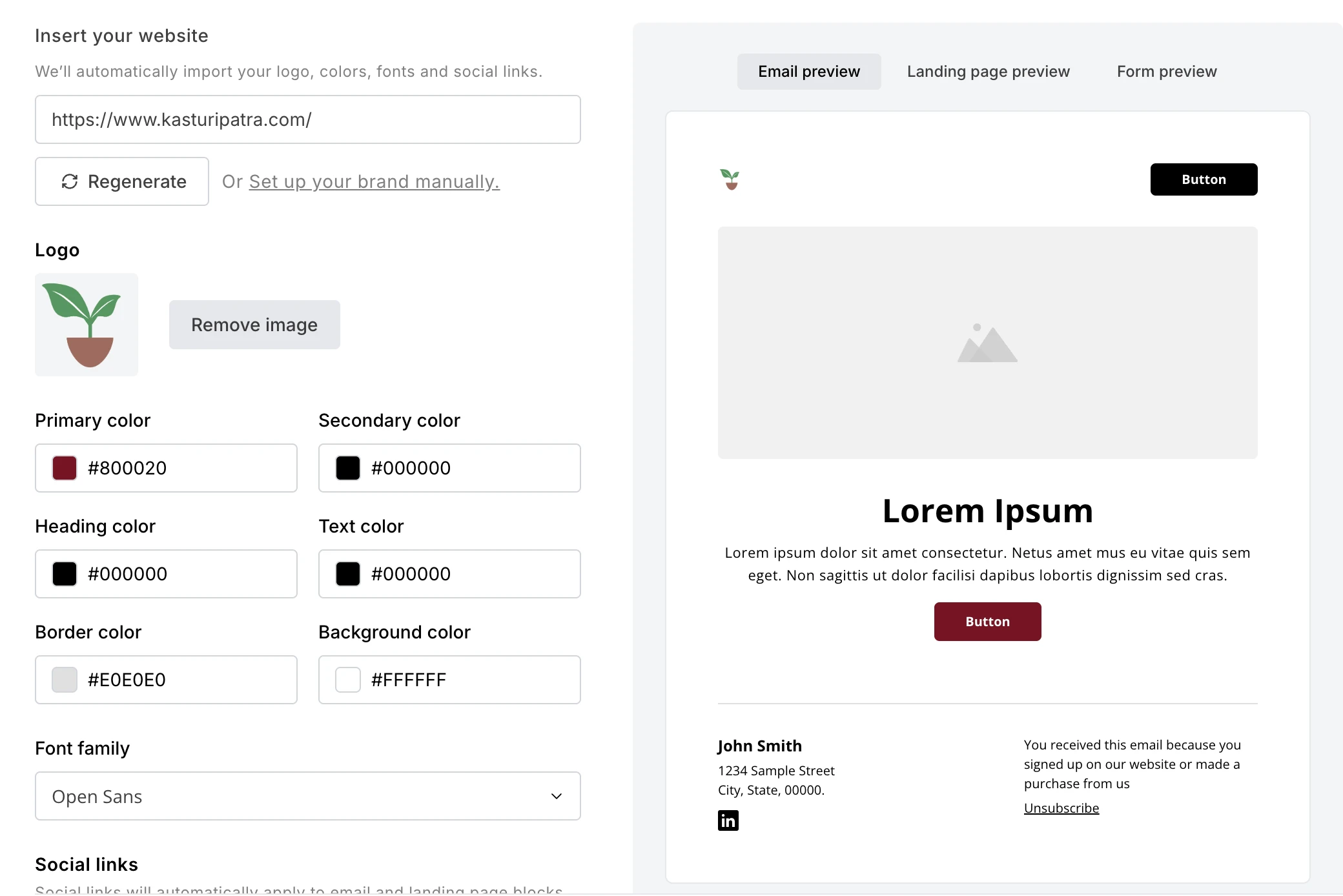
You'll get a live preview before anything's saved, with the option to save it as your Brand Style right from within the builder.

Prefer to do it yourself? You can also set your logo, colors, fonts and social links manually in your account settings, and every new email, landing page and form you create will pull from those same settings automatically.

Here’s a tutorial showing how to apply Brand Styles to your assets:
According to Sandali, our Product Manager, here's why this feature matters:
Your brand is what your audience remembers you by. Having your brand consistently applied to your campaigns is how you go from just another email in the inbox to a name people are glad to see. That's the kind of connection we've made effortless with MailerLite.
Case study: The impact of email brand consistency
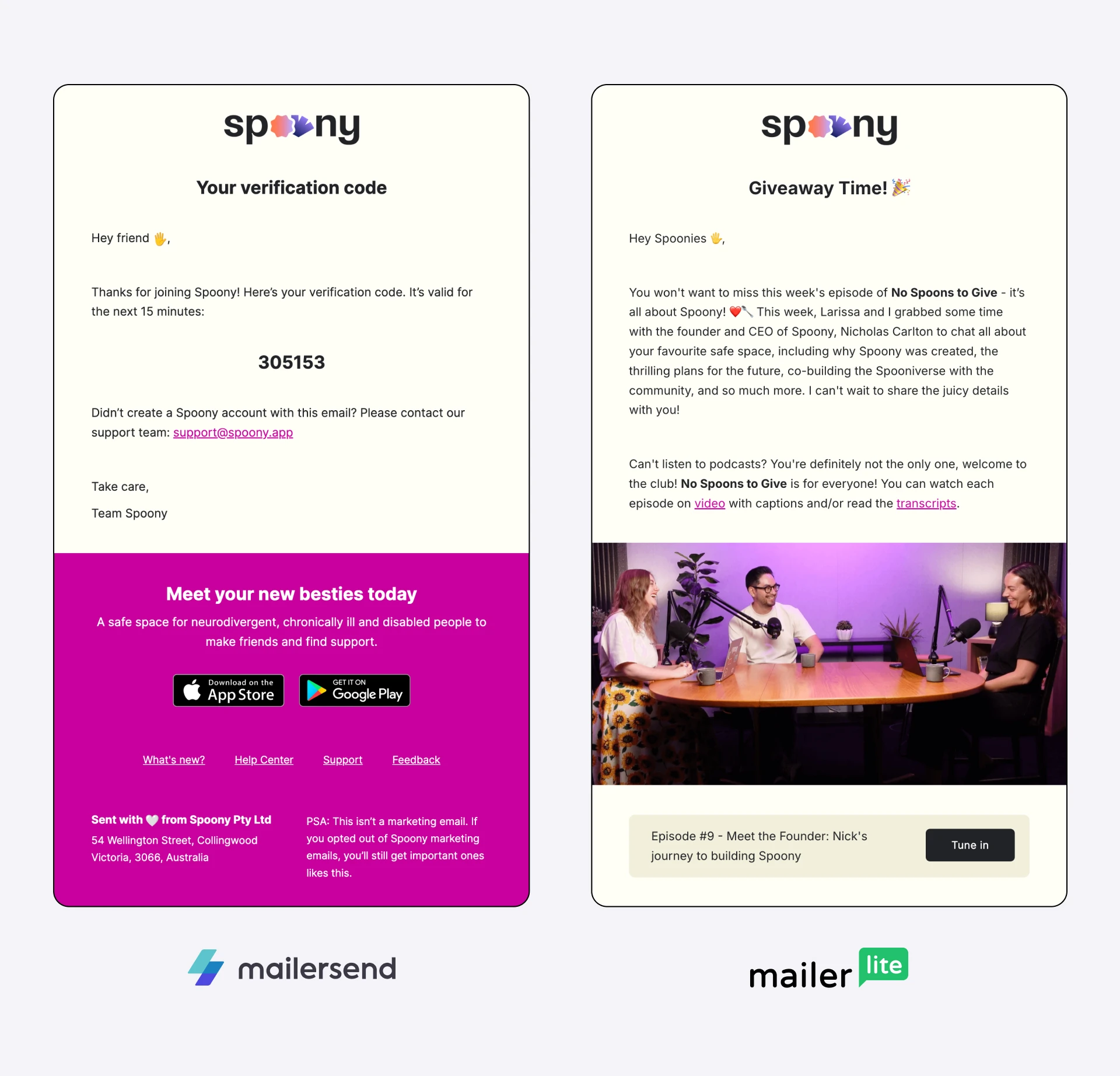
Spoony, an app for neurodivergent, chronically ill, and disabled people to make friends and find support, ran into this consistency problem.
Before switching to MailerLite, the team ran transactional and marketing emails on two unrelated platforms, so the two types of emails never looked like they came from the same brand. For a consumer app where aesthetics and user experience are core to the product, that gap mattered. Founder Nicholas Carlton explains why:
Having a beautiful brand that is loved by our users is really important to us. Aesthetics and user experience have been a vital part of Spoony’s success so far. The ability to reflect the brand in emails was an important factor when I was evaluating platforms.
Read the Spoony case study to see how they brought their transactional and marketing emails together to create a consistent brand experience with MailerLite.
8 steps to achieve consistent email branding
The brain processes an image 60,000 times faster than text. Not 60 times faster, not 600x, not 6,000x—it's 60,000x! As a result, 80% of people remember what they see, compared to 10% of what they hear and 20% of what they read.
Using visuals like infographics, logos and photos will help you communicate and build your email brand.
Luckily, email marketing software like MailerLite allows you to design email newsletters like a pro, and you can save your branded templates to use over and over (hello, consistent branding)!
Let’s design a branded email together, now—then you have a template that you can use again and again.
1. Start with your own email domain
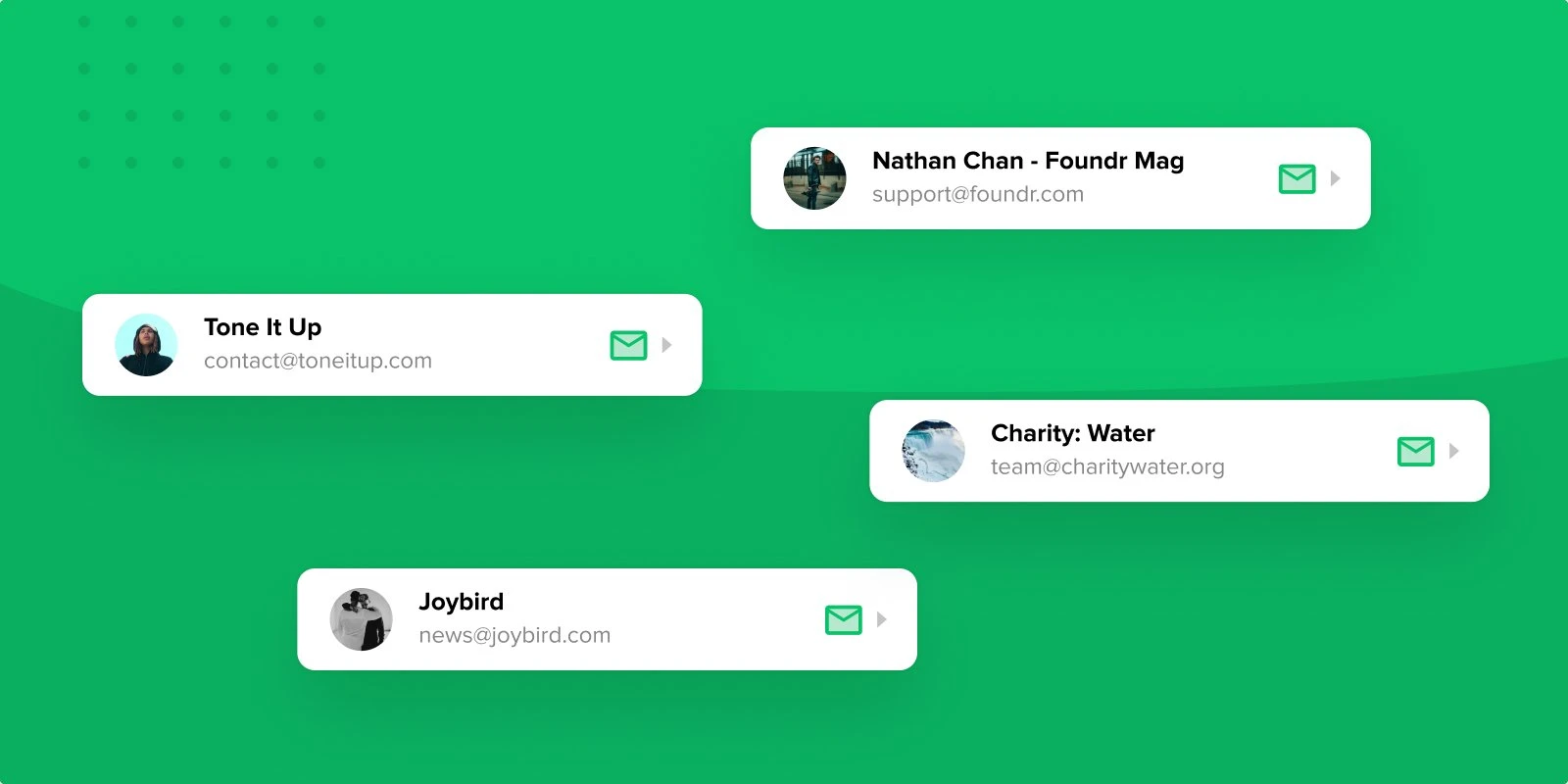
Let’s face it: an email from “sparkly.unicorn.1237@yahoo.com” just isn’t credible (sorry, unicorn lovers 🦄 ). Strong brands start with recognizable and safe-looking email addresses!
If you haven’t already, make sure you set up a professional email domain so that your subscribers can see that you mean business.
Use a custom email address with a format such as:
hello@companyname.com
your.name@companyname.com
info@companyname.com
contact@companyname.com
Free domains from email clients like Gmail, Outlook or Yahoo are not recommended as they have many limitations.
Instead, buy a professional custom email address through companies like GoDaddy, Domain.com, Google Workspace or WordPress (more on that here).
2. Incorporate your company logo
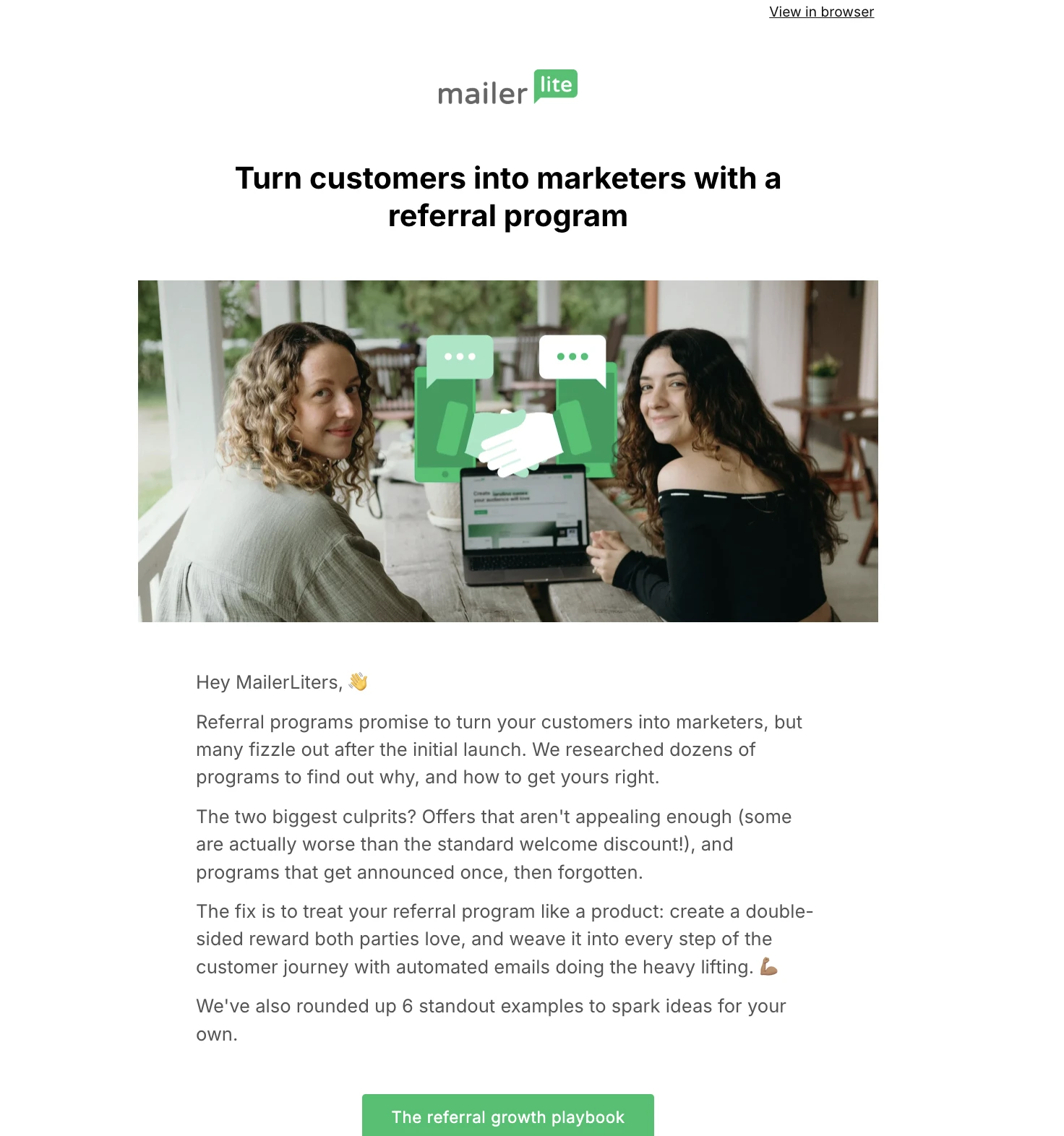
Your logo is the stamp of your brand, making everything you create instantly recognizable, including emails. Think of it as your unique symbol that is packed with meaning.
If you don't have a logo already, you can create your own with a free tool like Canva, or hire a designer from a site like Upwork or Fiverr.
For your email branding, think first about how you want your logo to be incorporated. Will it be positioned above the header, where everyone can see it straight away? Or will it be in the top corner? The footer?
At MailerLite, we include our logo at the top of our newsletter. Clear, bold, and simple!
(P.S. More information here on newsletter header design!)
3. Select your fonts and stick to them
The key here is readability. You might really like an artsy font, but if people can’t read the email message, then you’ve lost their attention already! Keep it simple, and your subscribers will thank you for it.
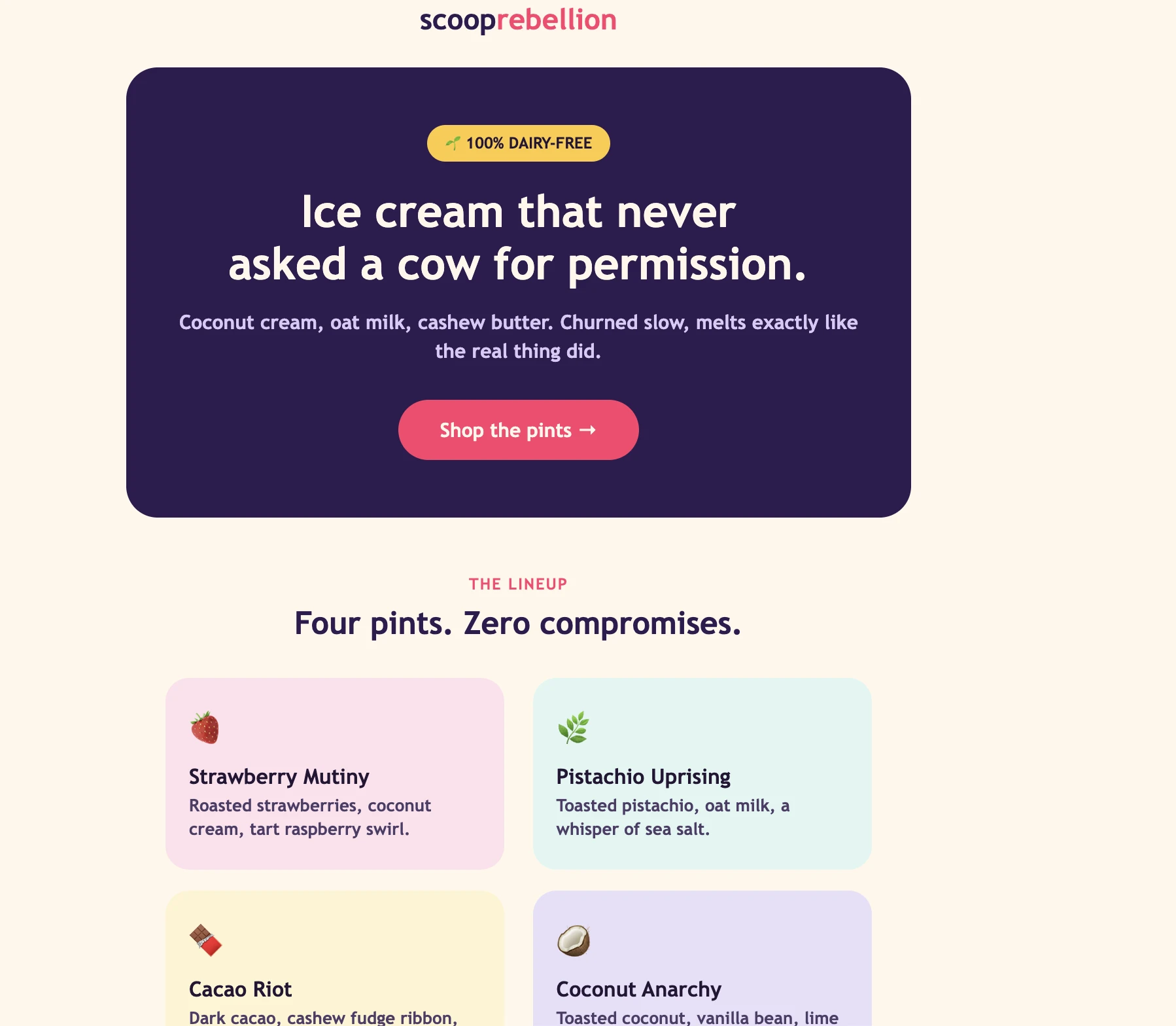
Check out this fun example from the marketers at a fictional vegan ice cream brand. They use easy-to-read fonts, and it makes their messaging ultra clear!
4. Create your own color palette
Choose your color scheme and make it the signature of your brand. This will underpin the visual identity of your company, and it can also communicate certain feelings and experiences.
If you aren’t sure what color palette to settle on for your email, try a tool like Coolors to generate ideas until you find something that resonates.
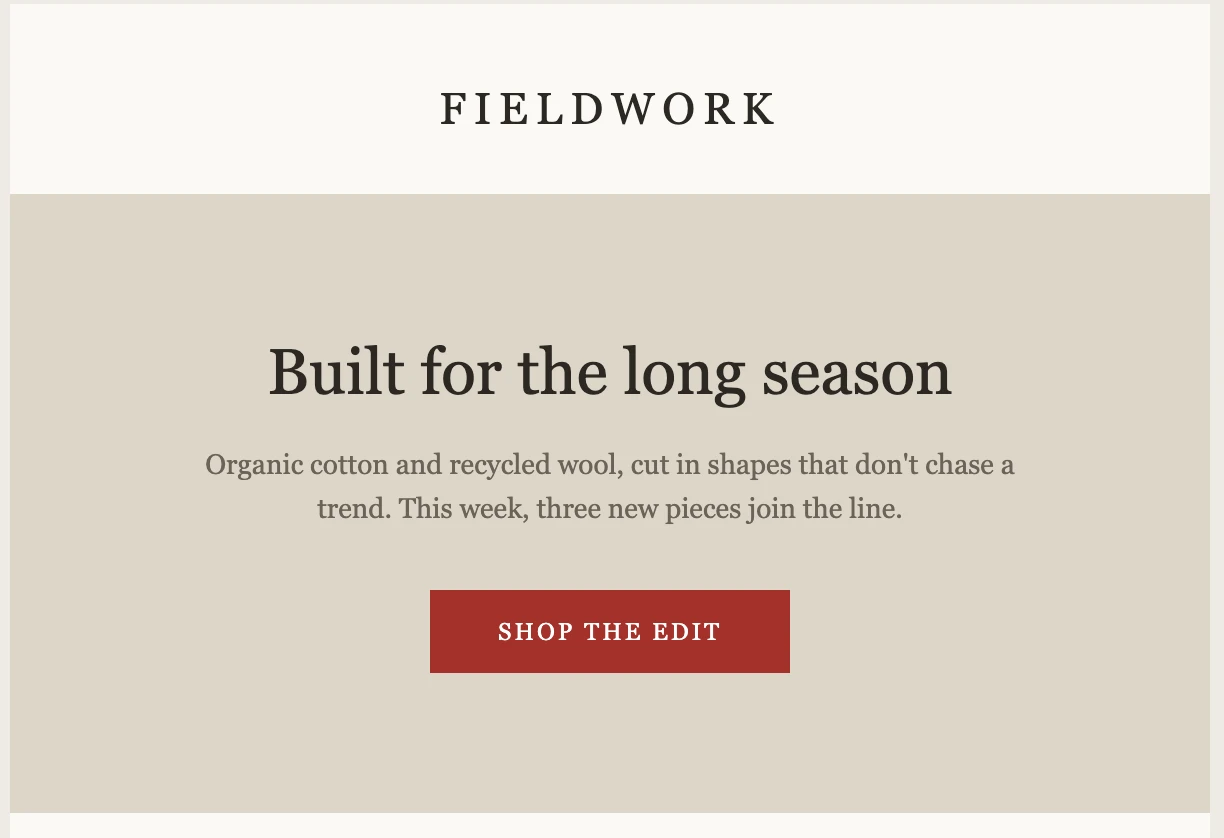
In its email design, a fictional sustainable clothing brand uses neutral, classic tones—with occasional pops of bright color! The same palette would be applied to their product lines on their websites, and throughout their branding.
5. Define other visuals
Once you’ve settled on the logo, fonts and colors, you are ready to add content (text + visuals) to your newsletter design. This is the part where you can establish your themes, layouts, image styles, videos, your call to action, etc.
Here are a few visual tips for newsletter content:
Establish a theme: You don’t have to use the same exact layout every time but have an overall trend that marks your emails as your own
Use your chosen colors and fonts: This will ensure that your newsletter consistently follows your brand style and sticks in your subscribers’ minds
Break up the text with videos and GIFs: These are a sure-fire way to catch your subscriber’s eye and stand out
Try dynamic content: This allows you to display different personalized sections of your newsletter to different audiences
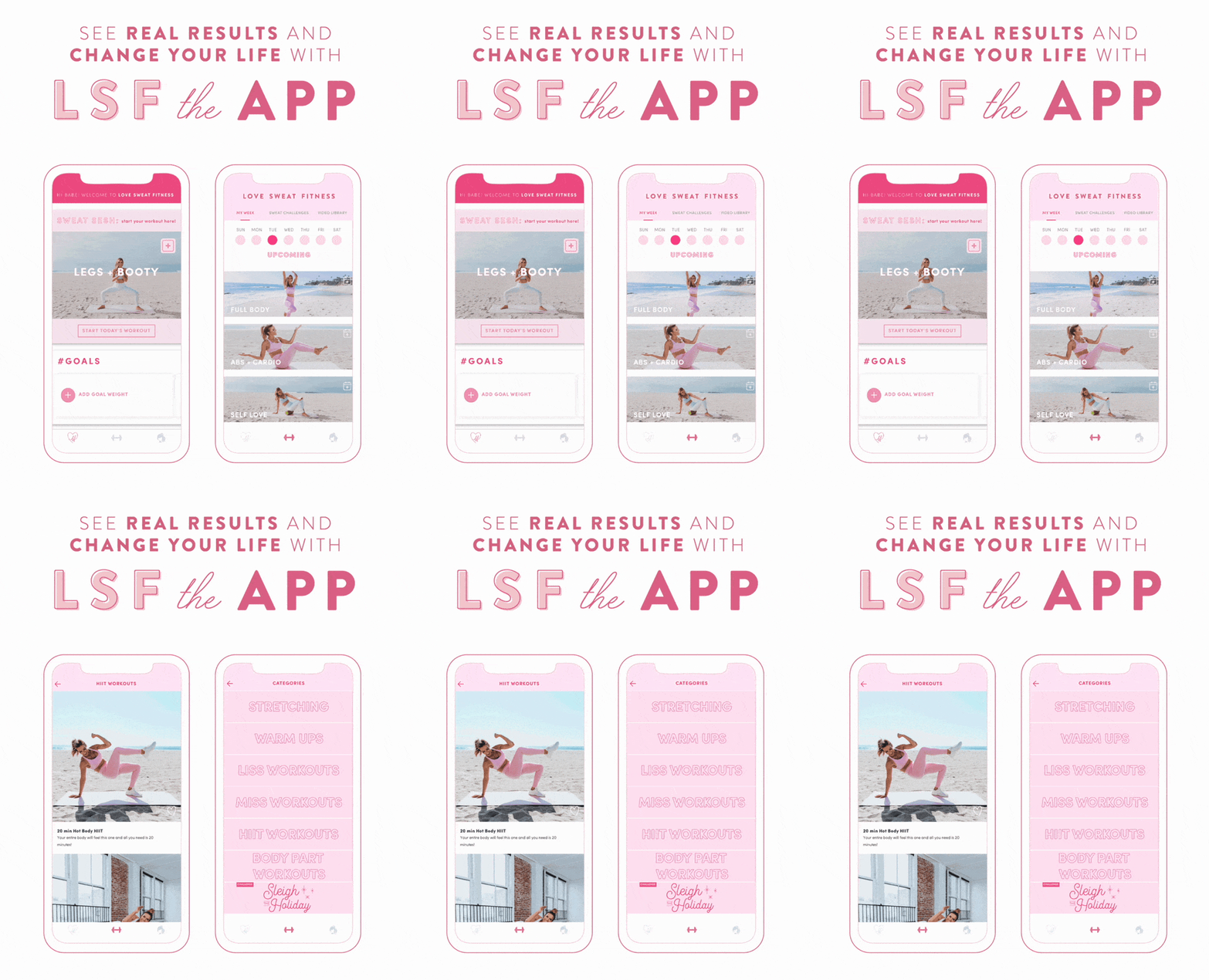
Love Sweat Fitness sticks with their pink color scheme in the images, text and font, but they also make their newsletter pop with this fun GIF, showcasing their app. All these visuals work together to define their email branding strategy.
Once you've locked in your logo, fonts, colors and visual style, don't rebuild them from scratch every time you sit down to write. Save the whole design as a template so every future email starts from the same base.
MailerLite also lets you save individual sections as reusable blocks, or duplicate a past email and tweak what's changed, so however you like to work, your brand stays consistent.
Buildcamp founder Gregory John builds his weekly newsletter by starting from a saved template and reusable blocks, then swapping out the content that changes each week.
"I love the reusable components so I can create something, save it, and use it later on. And I really enjoy the ability to start from a recently sent email because over time those emails progress as I learn what works with my audience."
Browse the MailerLite templates gallery for a starting point, or build your own from scratch and save it for next time.
6. Prepare your email signature
Many people skip signatures at the end of their marketing emails—which is a shame because they add a unique, personal touch to the end of your newsletter! Signatures are simple, but they can make all the difference to your email branding.
Before jumping straight to your footer and unsubscribe links, add an email signature that will resonate. It’s the last thing that your subscribers will see before they leave, so make it count (check out these 100+ best email sign-offs for inspiration)!
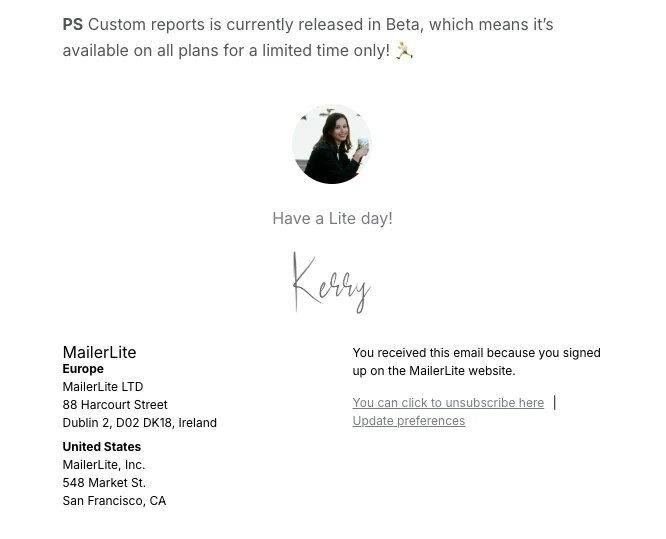
At MailerLite, we always end our emails with a sign-off, a profile picture, a signature, and sometimes a P.S. line.
7. Add company links
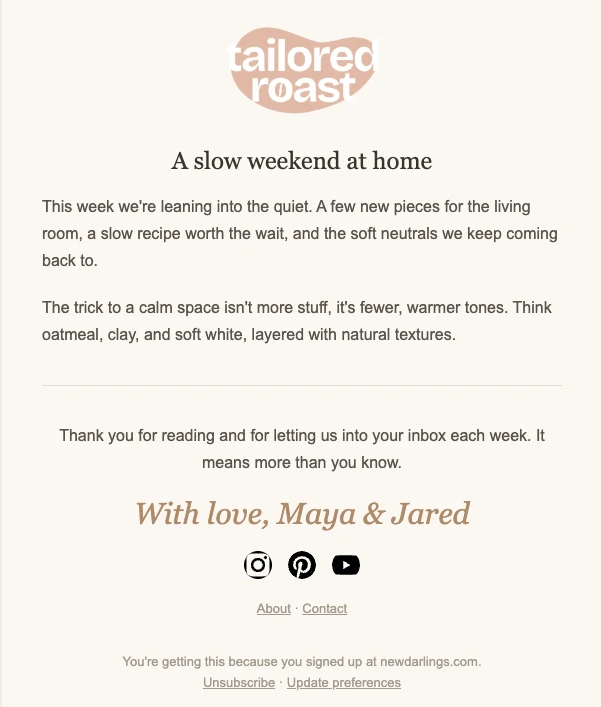
The final step is to keep your subscribers connected with your brand across all channels. This is the perfect time to share links to your social media profiles, your website and your contact information to keep the conversation going!
For inspiration, check out the example email newsletter we created below.
8. Show your brand in the inbox with BIMI
Every step so far shapes what happens after someone opens your email. Brand Indicators for Message Identification (BIMI) works one level up, it puts your verified logo next to your name before they've opened anything at all.
What BIMI is and how it works
BIMI is an email standard that lets your logo appear as the avatar next to your sender name in supporting inboxes, including Gmail, Yahoo and Apple Mail.
To qualify, your domain needs strong email authentication in place—specifically DMARC set to enforcement (“quarantine” or “reject”), on top of SPF and DKIM. Once that's set up, you submit your logo and, in most cases, a Verified Mark Certificate (VMC) or Common Mark Certificate (CMC) to confirm it's really yours.
The result: subscribers see your familiar logo sitting in the inbox list, right alongside your subject line, before they decide whether to open your email.
Is it worth setting up?
For most senders, yes, though it does take some setup (and costs quite a bit). You'll need:
DMARC enforcement on your sending domain (a prerequisite, not optional for BIMI)
A Mark Certificate for most inbox providers—a VMC if your logo is trademarked, or a CMC if it isn't, which typically costs less and doesn't require a trademark
A properly formatted logo file (SVG Tiny P/S) that matches your brand assets exactly
It's a bigger lift than picking a font, so weigh it against your sending volume and how much inbox-level trust matters to your audience. If you're already authenticating your domain properly, the incremental work to add BIMI is relatively small, and the visibility is hard to get any other way.
5 email branding mistakes to avoid
Even with the right intentions, it's easy to undercut your own branding. Watch out for these common slip-ups:
Changing your look with every send. Switching up fonts, colors or layout each campaign makes you harder to recognize, not more interesting.
Sending from a free or unverified domain. It undermines credibility before a subscriber reads a single word, and it can hurt deliverability.
Ignoring mobile rendering. If your logo, fonts or layout break on a phone screen, most of your audience never sees your brand the way you intended.
Treating voice as an afterthought. A striking visual identity paired with generic, inconsistent copy still feels forgettable.
Skipping authentication. Without SPF, DKIM and DMARC in place, you can't take advantage of inbox-level trust signals like BIMI, and you're more exposed to spoofing.
Congratulations! You’re now an email branding pro
Remember—the key is consistency. Whatever you choose to do, maintain a theme so that your subscribers will recognize your branded email straight away.
Once you’ve defined your branding, save email templates to work from and create a list of guidelines for your team, to keep everything consistent across the board.
Identify the underlying emotion, voice and values of your brand
Set up a professional domain
Incorporate your logo into the email
Establish which fonts you’ll use—the clearer, the better
Choose a color scheme that matches your company’s identity
Add visual elements that follow a consistent theme and layout
Include a signature to wrap up your email in a memorable way
Share links to your website and social media profiles
Save your logo, fonts and colors as a Brand styles so future emails start on-brand
Set up BIMI to show your verified logo in the inbox
Track your branded open-rate lift after authentication and BIMI go live
Happy email branding!
Frequently asked questions
Q: What is email branding?
A: Email branding is the practice of giving every email a consistent, recognizable identity: your logo, colors, and fonts paired with a distinct voice, so subscribers instantly recognize and trust your message the moment it lands in their inbox.
Q: Why is email branding important?
A: It helps subscribers recognize, trust and remember you in a crowded inbox. That recognition builds credibility and reputation over time, and makes people more likely to open, click and stay subscribed.
Q: How do I brand my emails?
Start with a professional email domain, then add your logo, choose consistent fonts and colors, and carry that identity through your visuals, signature and links. Save it all as a Brand styles so every future email starts on-brand automatically.
Q: Is email branding different from email marketing?
A: Yes. Email marketing focuses on driving opens, clicks, and sales. Email branding focuses on making every email look and sound consistently like you, so your marketing has a recognizable identity behind it.
Q: What is a branded email template?
A: A branded email template is a reusable, pre-designed layout with your logo, colors, and fonts already applied, so every future send starts on-brand without redesigning from scratch each time.
Q: What is BIMI in email branding?
A: BIMI (Brand Indicators for Message Identification) lets your verified logo appear next to your emails in supporting inboxes like Gmail, Yahoo, and Apple Mail. It requires DMARC and strengthens recognition and trust.
Q: Does email branding improve open rates?
A: Yes, it does, as it builds brand recognition and sets the expectation for your audience. For example, displaying a verified logo through BIMI has been found to increase open rates by 15-25%.
Add MailerLite as a preferred source on Google. It tells Google you trust us, so you'll see more of our content in Top Stories and AI Overviews.
Add as a preferred source