How to automate birthday emails that make subscribers feel special

 Agathe, Cesar and Abdullah, planning their birthday email campaigns.
Birthday emails are a fantastic way to make your subscribers feel special on their big day. And by encouraging recipients to buy from your store, you can also get a piece of that special birthday feeling yourself!
Sending individual emails to every subscriber on their birthdays would be a slog. But you can fully automate the process with a birthday email automation. And once set up, you’ll send these emails and generate sales without lifting a finger.
The process for getting started is straightforward with MailerLite, and this article shows you exactly how to do it. Plus, we’ll share some best practices and tips to make your subscribers feel extra special on their big day.
What is a birthday email?
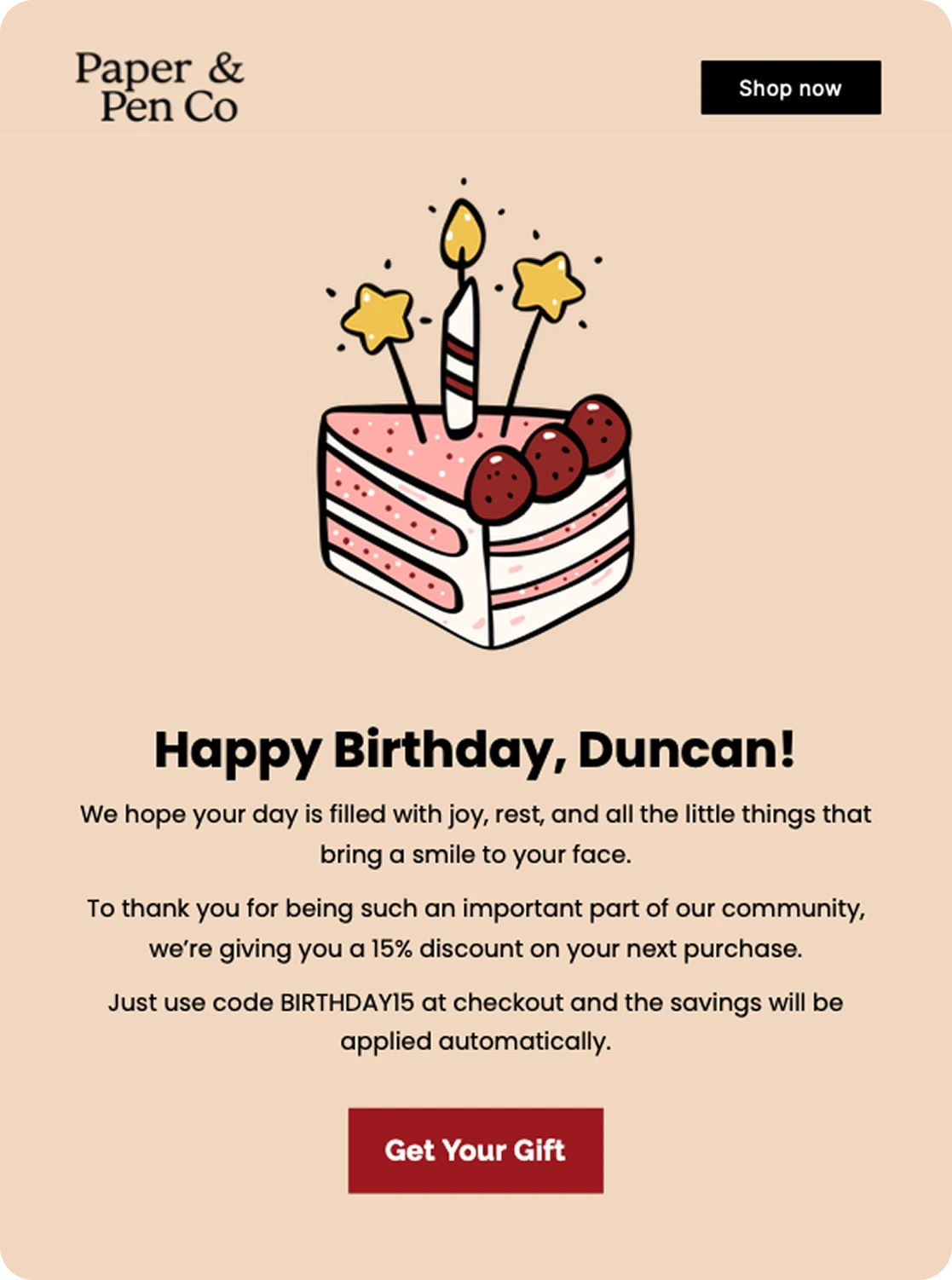
A birthday email is an automated email that you send to subscribers to congratulate them on their birthday. These emails typically include a happy birthday greeting and a discount code that the recipient can use to buy a present for themselves from your store.
Birthday emails are effective because they give a special treat to the subscriber, which helps build a positive relationship between them and your brand.
Plus, by including a coupon or discount when the subscriber may be in the mood to treat themselves, you incentivize them to buy.
Since these emails always go out at the perfect time to the perfect person, they get super high engagement. Our data shows that emails with the anniversary of a date trigger have a 58% open rate and an 11% click rate, far higher than the average campaign.
How to send automated birthday emails
To set up a birthday email automation, you need to first add your subscribers’ birthdays to their profiles. Then set up an automation that checks whether the date in the birthday field matches the current date. If it does, the tool will automatically trigger the automation.
Here are the exact steps to follow.
1. Collect people’s date of birth
To make a birthday email work, you first need to discover when your subscribers’ birthdays are.
The easiest way to do this is to send out a dedicated survey email asking people to share their birthdays in exchange for goodies on their big day.
Choose the open question and the date format, then link the relevant survey field with the birthday field in the subscriber’s profile to automatically update the data.
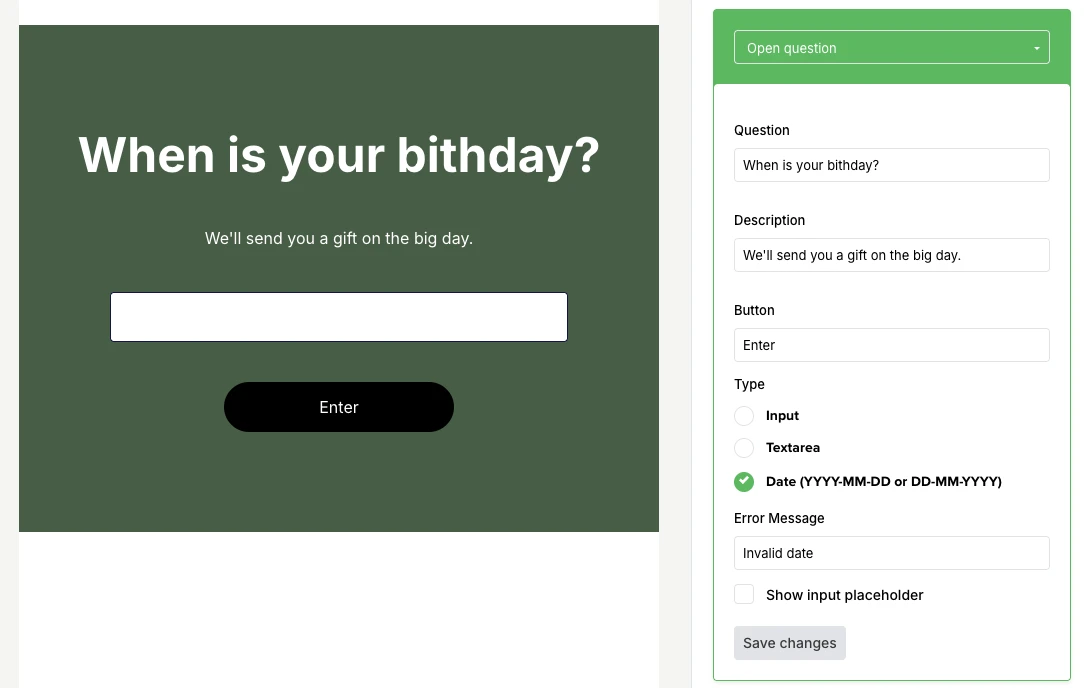
You could send this out to your existing subscribers, or make the email part of your welcome series automation, so that you collect the birthday automatically.
You can also ask people to add their birthdays when they sign up for your list via your email signup form. Make the field optional, though, so people who don’t want to share their birthday can still sign up.
Finally, if you have the subscriber’s birthday saved in a third-party platform, you may be able to use an email marketing integration to send the information to MailerLite.
2. Set up the automation
Now you need to create an automation that is triggered by the date in the subscriber’s birthday field in their profile.
You can either do this manually or with our Birthday wishes template (see below).
Here’s how to set the automation up manually:
Head to the automation section of your MailerLite dashboard
Create a New automation
Click Start from scratch and name the automation
Drag the Event anniversary trigger into the automation
Choose the groups you want the automation to apply to
Choose the field that contains your subscribers’ birthdays
Decide whether to trigger the automation on the subscriber’s birthday or in the days before or after
Drag the Send email block into your workflow
Fill out the email’s details and then design the email
These are the steps to set up the main birthday email automation, but you can always add further emails. We’ll explore some options you could add later.
3. Design the birthday email
Next, you need to perfect your birthday email design. Here are the key details to include to make it fun and put the focus on the subscriber.
Send your best birthday wishes
The first part of your birthday email should be to wish your subscriber a happy birthday!
Make your birthday wishes personal by adding their name using custom fields if you collect this data.
Don’t skip this part! Without it, your email will come across as overly promotional, rather than a genuine celebration of the subscriber’s big day.
Lift the mood with a fun GIF
One thing you’ll notice when looking at birthday emails is that many of them include fun GIFs. Animated images of balloons, cake and confetti are all you need to make the email feel more celebratory.
Inserting a GIF in your emails is super easy with MailerLite. Just add an image block to your email and then search for Birthday GIFs in our Tenor integration. Once you find one you like, import it directly into your email.
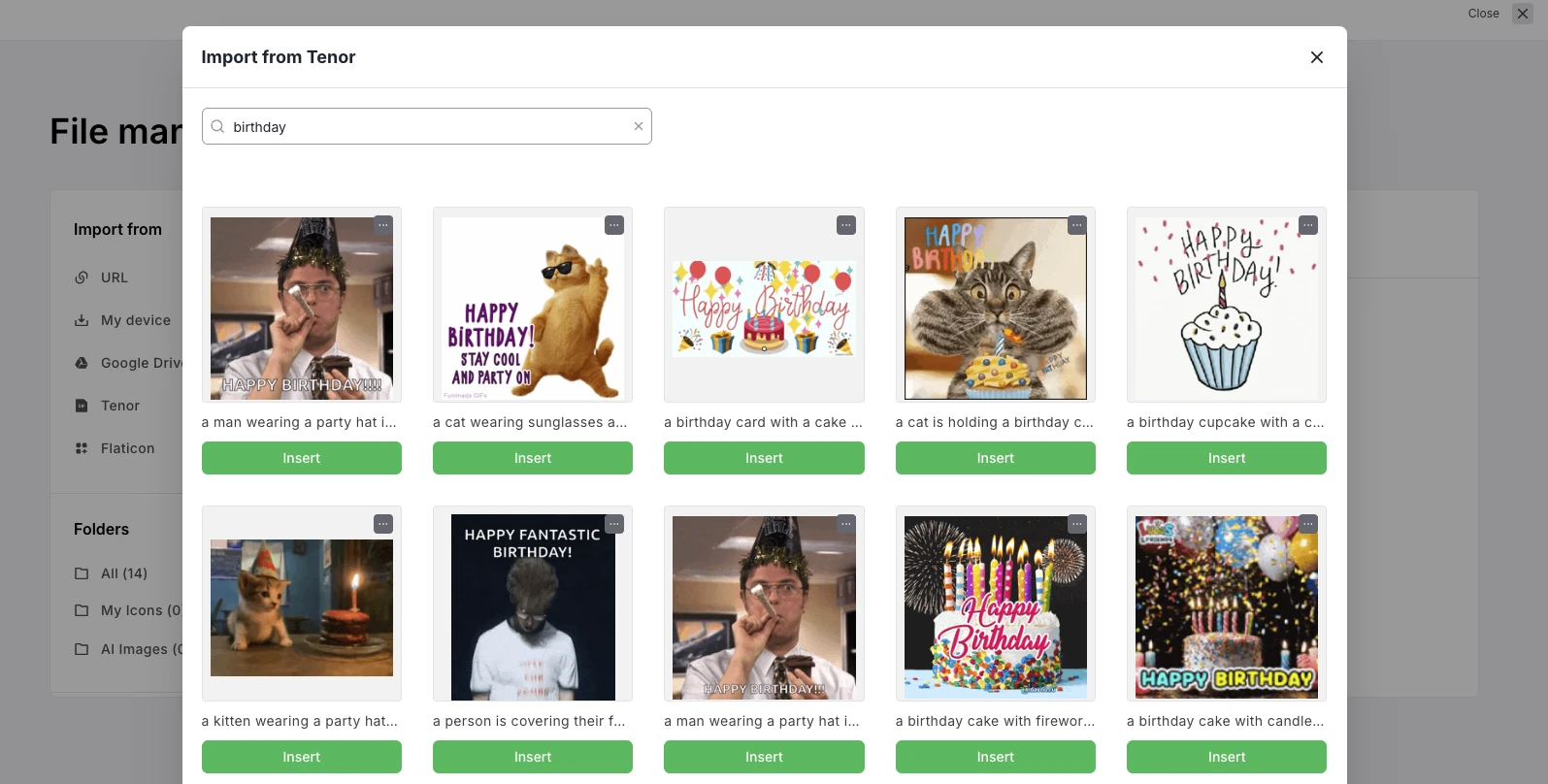
Read this article to get the full steps for adding animated GIFs to emails.
Gift a special promo code
Including a special promotional code in your email can encourage subscribers to make a purchase.
Choose a discount and minimum order amount that makes sense for your brand. Some brands treat readers to a percentage discount on their purchase. Others gift a specific amount, such as $10, off the customer’s next order.
If you’re unsure what kind of offer will encourage your subscribers to buy, consider using automation A/B testing to find out.
Or surprise readers with a small present
An alternative to offering a discount is to give subscribers an actual gift. Here are some ideas to consider:
Free chips or dip with any order
Free access to a course or guide
Free small accessories with any order
A mystery sample of one of your products
VIP service when they visit your location
Free customization or gift wrapping
A size upgrade on any purchase
Access to exclusive content
Just choose one that makes sense for your business and is likely to appeal to your subscribers.
Include clear instructions
Add instructions so it’s super clear how the recipient can take up the offer. For example, if they need to add a coupon code during the checkout process, explain how to do this.
Also mention any conditions for taking up the offer—such as the coupon expiry date or the minimum order amount—so there are no surprises.
4. Build out the rest of your email sequence
You can now set your automation live so it sends your happy birthday email to subscribers at the relevant time.
But you can also add further emails to the automation. For example, send a reminder email to anyone who doesn’t open or click on the initial email, highlighting that they still have time to take up the offer.
Or you could add an email before the main one, telling subscribers to look out for a gift in their inbox on their big day.
Or start with these birthday email templates
We’ve created 2 templates to make it super easy for you to create an effective birthday email. There’s one template for your birthday email automation, and one for the actual birthday email.
Birthday wishes email automation template
Our birthday wishes email automation template sends 2 emails 3 days apart: one just before the subscriber's birthday and one on the big day itself. Just fill out the details and design your emails. You can also easily add or remove steps with our drag-and-drop automation builder.

Birthday email template
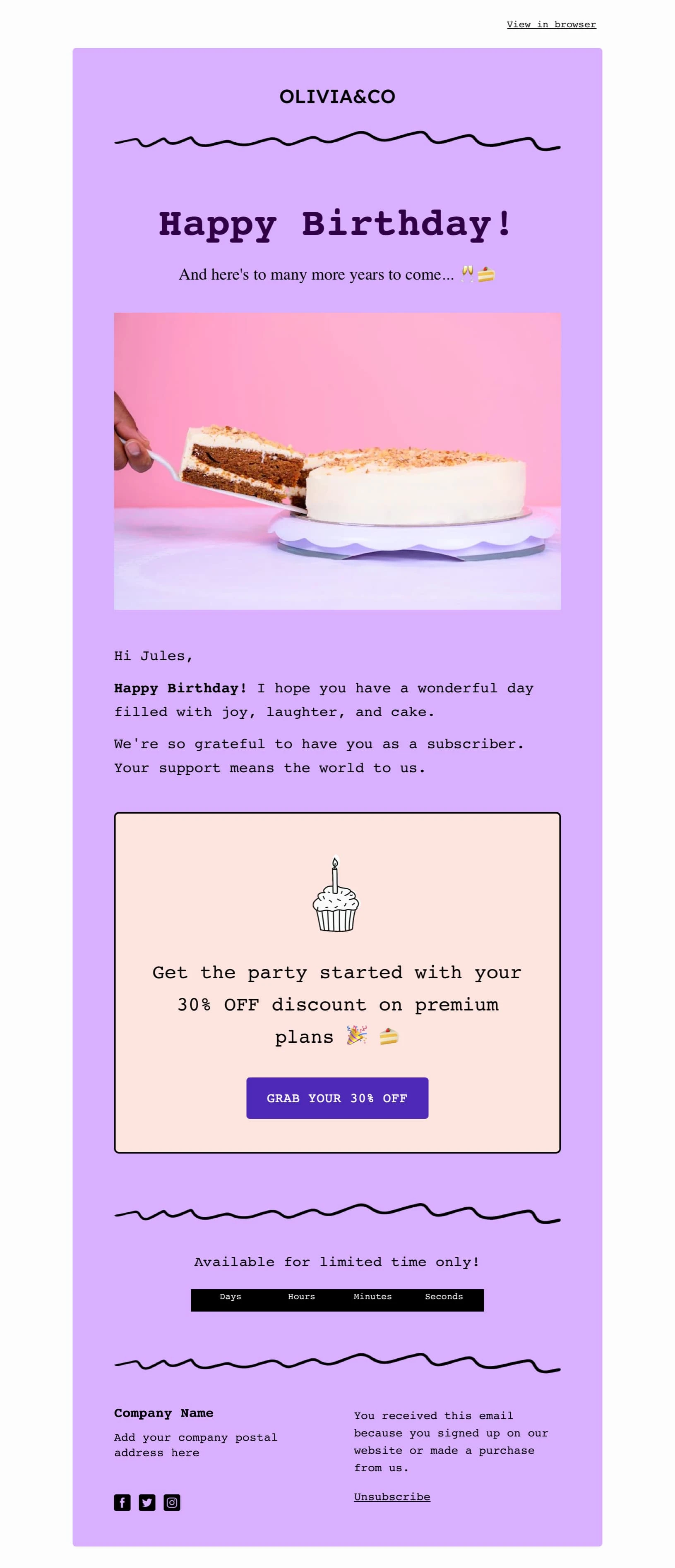
You can also use our professionally designed birthday email template as the basis for your message. Just choose the template during the design email step and then customize it to your needs.
Beyond the basics: 6 more birthday email best practices
Here are some best practices to follow when creating your automated birthday email series.
1. Make the subscriber feel special with personalization
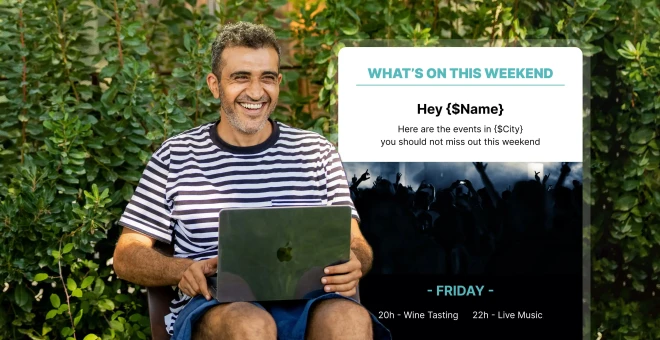
You can easily add the subscriber’s name to the birthday newsletter using custom fields. Consider adding the name to the main content and the subject line.
Tip: If you want to learn more about bringing the personal touch to your emails, read our ultimate guide to email personalization.
2. Show readers what to do with a clear call to action
Whether you’re giving readers a discount code or offering them a small gift, your call to action (CTA) should be crystal clear so they know how to redeem your gift.
For discounts, the CTA can be “Go to shop” or “Redeem your voucher”. For gifts, the CTA button text can read “Get my gift”. The idea is that readers can easily understand what they’re getting and how to get it.
3. Think about the best time to send your emails
You have a couple of options for when to send birthday emails. You could send it on the subscriber’s birthday, making it a nice surprise on their special day.
Alternatively, send it in the days or weeks before their birthday so they have time to buy themselves a present from your store.
Some brands send the email at the start of the subscriber’s birthday month, with an offer they can use during the entire month.
4. Tailor the content to different groups of subscribers
With MailerLite’s dynamic content settings, you can show different content in the email depending on who receives it.
For example, you could include a special offer for loyal customers who have made a high number of purchases from your brand.
Or you could tailor the content to the subscribers’ interests. A sports store could send a golf-themed card to people who are interested in golf, and a football-themed one to football fans.
5. Craft a birthday email subject line that gets opened
The final part of your birthday email is the subject line. This is what will encourage people to open the email, so it’s important to get it right.
There are a couple of tips to keep in mind when crafting the best birthday email subject line.
Use the recipient’s name to make it more personalized
Mention “birthday” or “happy birthday” in the email subject so it’s immediately clear this is a birthday email campaign
If you offer a discount or gift, mention this in the subject line to make the reader more excited
Add some mystery to enhance curiosity (“Surprise gift inside”)
Use emojis if it fits your brand’s tone of voice
Head to this article for more data on how to increase your email open rate.
Happy birthday {$name} 🎉
❤️ Happy Birthday from us!
It's Almost Your Birthday {$name}, Let’s Celebrate?
Happy Birthday! Here's a gift from us to you!
{$name}, When is Your Birthday?
HAPPY BIRTHDAY, GIRL!!
What do YOU want for your birthday?
Happy Birthday to Me, Here's your present, {$name}
We want to be there for your birthday, {$name}! Could you share the date with me?
Join our Birthday Club and Get a FREE Pie on Your Birthday!!
6. Go beyond birthdays and celebrate other occasions too
Birthday emails strengthen engagement and brand relationships. This goal can also be pursued with emails that celebrate other occasions.
For example, you could celebrate the anniversary of their first purchase or the date they joined your list. This is easy to do since you already have this data stored in your profile.
Or you could also ask for the dates of other celebrations, such as wedding anniversaries or the birthdays of people close to them.
Birthday celebration email examples to inspire your own
Here are 2 real birthday email examples you can use as inspiration for your own. One is from one of our e-commerce customers, and the other is the email we use at MailerLite.
Hyggekrog e-commerce birthday email example
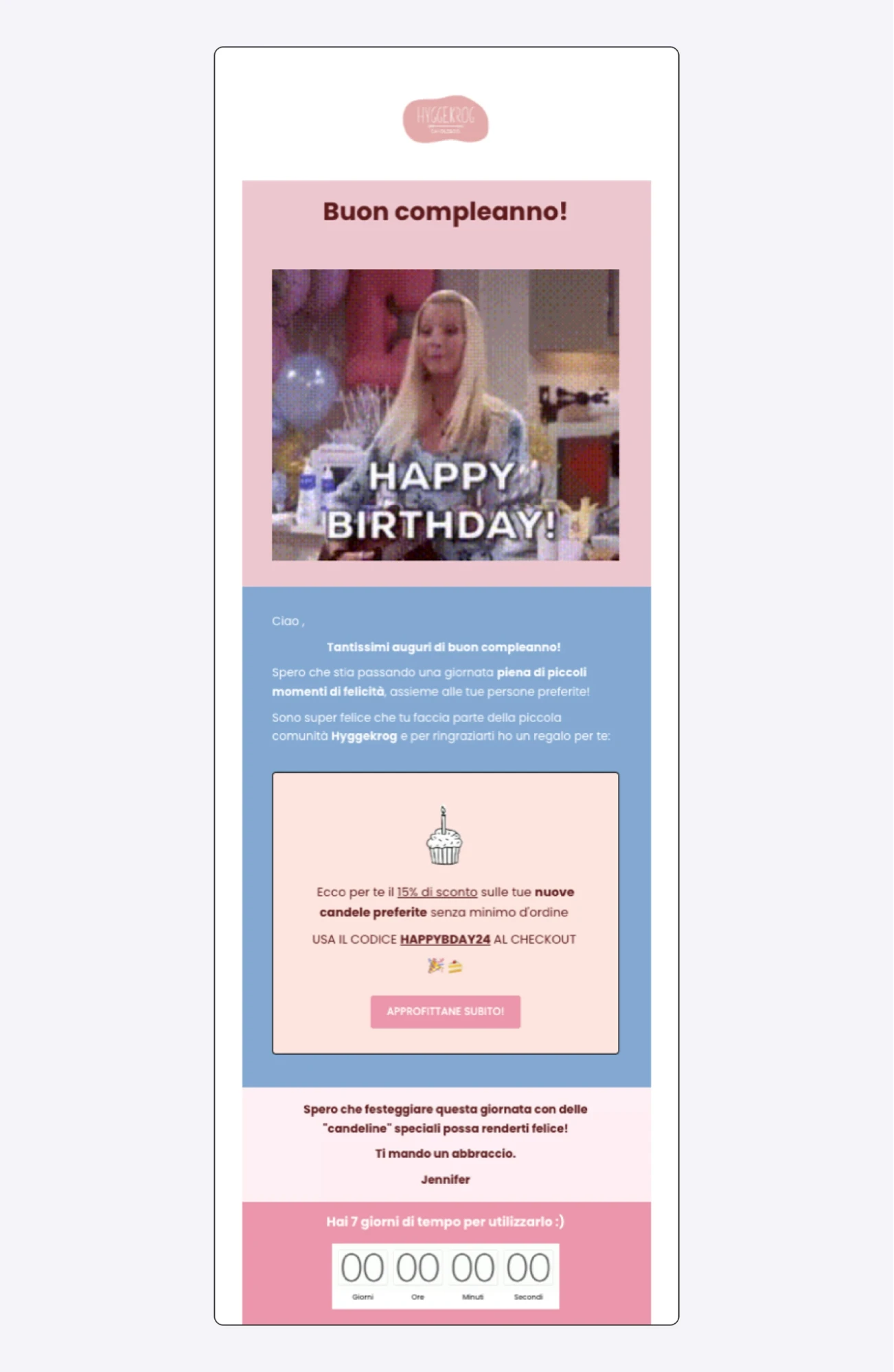
Hyggekrog’s birthday email includes a fun gif to wish the subscriber happy birthday. It then gives the subscriber a generous 15% discount and explains that recipients can take the offer by adding the coupon code at checkout.
MailerLite: Employee birthday email example
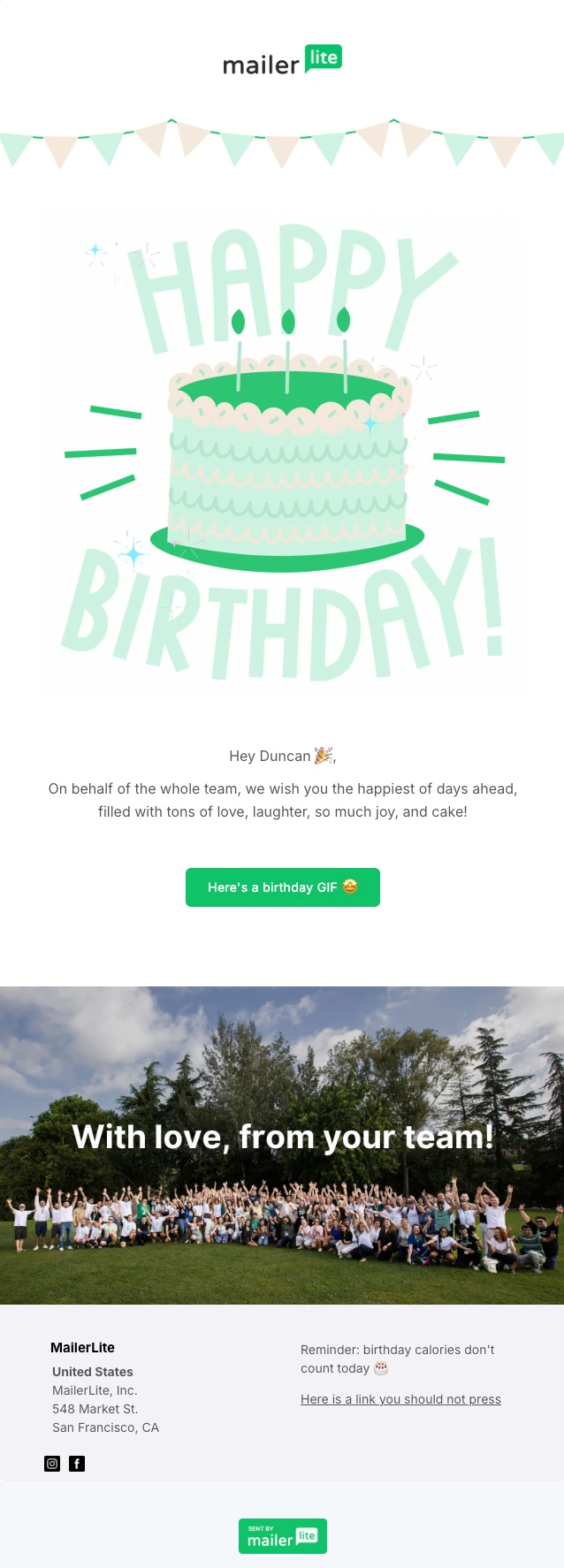
At MailerLite, we automatically send employees a birthday email on their big day. We use email personalization in the subject line and the main email content so that the email is tailored to the recipient. We also include a fun animated GIF of a cake and then link to a fun GIF.
Birthday email FAQs
Here are some final birthday email-related questions. If there’s still something we haven’t covered, let us know in the comments!
1. How do you automate birthday emails?
Automate birthday emails by adding the subscriber’s birthday to a field in their profile and then creating an email workflow triggered by the anniversary of the date in the relevant field.
Every day, the automation will check if any subscribers match the condition, and then send out the birthday email to those who do.
2. How do I create a birthday newsletter for my subscribers?
Create a birthday newsletter for your subscribers by setting up a birthday email automation triggered by the date in the birthday field of the subscriber's profile.
You can then add the email, which should include a birthday message, fun birthday-related GIFs or images, and a birthday offer or coupon.
3. Is there a free automated email service?
MailerLite lets you create automated emails, including birthday emails, on its free plan. This is available to anyone with under 250 subscribers.
The free plan also lets you connect your e-commerce store to track sales and set up automated e-commerce emails.
Kind gestures go a long way
Birthday emails are a great way to strengthen customer relationships, boost engagement and even generate sales.
6 things to remember for your birthday email automation 💡
Collect the right info: Include a field in your signup form or send out a survey email to gather your subscribers’ birth dates.
Make it personal: Show your subscribers that you care about them on their special day by personalizing the email.
Craft your subject line: Create an exciting birthday email that is instantly recognizable just by the subject line.
Add a sweetener: Whether it’s a small gift, a discount code or free shipping, make your subscribers feel special on their birthday. (And make it visible and accessible with a well-positioned CTA!)
Send a follow-up: Remind people about their special discount in a tasteful follow-up email.
Try something different: You don’t have to stick with birthdays—you can also celebrate wedding anniversaries and company milestones, for example.
Get all these steps in order and you're sure to send emails that make subscribers feel special while generating orders.
Are you using birthday email automation? Let us know how your campaigns perform in the comments!
Editor's note: This article was originally published in September 2020, and it has now been updated with extra tips for your birthday emails.