7 best email marketing analytics platforms for full visibility in 2026

 Members of the MailerLite tech team analyzing what works in email.
The right data highlights how your email campaigns perform, so you can see what works and do more of it. The result? More opens, clicks and sales every time you hit send.
To get this data, you need an email analytics platform. All email tools show basic email metrics like open and click rate. But the best email tools go further by:
Providing access to deeper email marketing metrics
Making these metrics easy to discover and act on
In this article, we’ve highlighted 7 of the best email marketing analytics platforms and showcased why we think each one is great. We’ve also highlighted which types of businesses each one is best for, so you can make an informed choice.
Summary of the best email analytics tools
First up, here's. a TLDR summary of the best tools so you can see what each one is good for, as well as pricing details. Keep reading for a deeper dive into each tool.
 MailerLite
|
 Klaviyo
|
 Mailchimp
|
 MailerSend
|
 ActiveCampaign
|
 Omnisend
|
 HubSpot
|
|
|---|---|---|---|---|---|---|---|
| Best for | Best for insights you can act on | Best for AI predictions | Best for conversion rate tracking | Best for transactional email | Best for tracking sales funnels | Best for e-commerce lifecycle tracking | Best for marketers with sales teams |
| Free plan | Up to 250 subscribers | Up to 250 subscribers | Up to 250 subscribers | Up to 500 emails per month | N/A | Up to 250 subscribers | Up to 2,000 emails per month |
| Starting price | $12 per month | $20 per month | $13 per month | $7 per month | $19 per month | $16 per month | $20 per month |
How we chose these tools
To create this list, we delved deep into the email marketing analytics features of the most popular email marketing tools.
We then narrowed this down to the ones that provided access to the metrics you need to create effective campaigns, and do so in a unique and useful way.
For example, MailerLite’s AI MCP server gives you actionable insights into what the metrics mean, so you know exactly what to do to improve your campaigns. Meanwhile, ActiveCampaign has cool features to bring in data from other channels alongside your email marketing.
We also highlighted when certain tools will work better for different use cases. Klaviyo has some great email analytics tools for e-commerce stores, while HubSpot is focused on businesses with sales teams.
The best email marketing analytics tools
Here’s our list of the best email analytics tools. Read on to discover why we like each one, and when you might consider using it.
1. MailerLite: Best for insights you can act on
We’ve built plenty of useful email marketing analytics features into MailerLite. The highlight is custom reports, which let you create dashboards to track the exact metrics that matter, and the MCP server, which turns your email marketing data into actionable insights that you can use to optimize your campaigns.
MailerLite’s MCP server makes getting actionable insights a breeze
The new email marketing MCP server lets you connect your email marketing data with AI tools like ChatGPT or Claude.
With this MCP server, email analytics isn’t just about showing how your campaigns are performing; it’s about getting expert-level insights that are tailored to your exact situation.
Once connected, you can ask it in natural language to share metrics and data points related to your account without ever visiting your email marketing dashboard.
This makes accessing your metrics a breeze. But the most exciting thing is that you can ask the AI to analyze this data and provide actionable insights that actually improve your campaigns.
Instead of simply asking for the open rate of your most recent campaign, you could ask the tool to compare this open rate to your previous campaigns and provide an analysis of why the campaign performed as it did.
The tool can provide these valuable insights about any part of your campaigns—there are virtually unlimited ways to use it.
But here are 4 of our favorite prompts:
Identify your ten most opened campaigns, analyze the subject lines, topic, and messaging and then provide a list of newsletter ideas that could also result in high engagement
Analyze an email automation to see the step with the biggest engagement drop off and then suggest fixes
Discover your most valuable customers and see which signup form they used to join your list
See which subscribers are highly engaged and primed to buy
Track the metrics that matter with custom reports
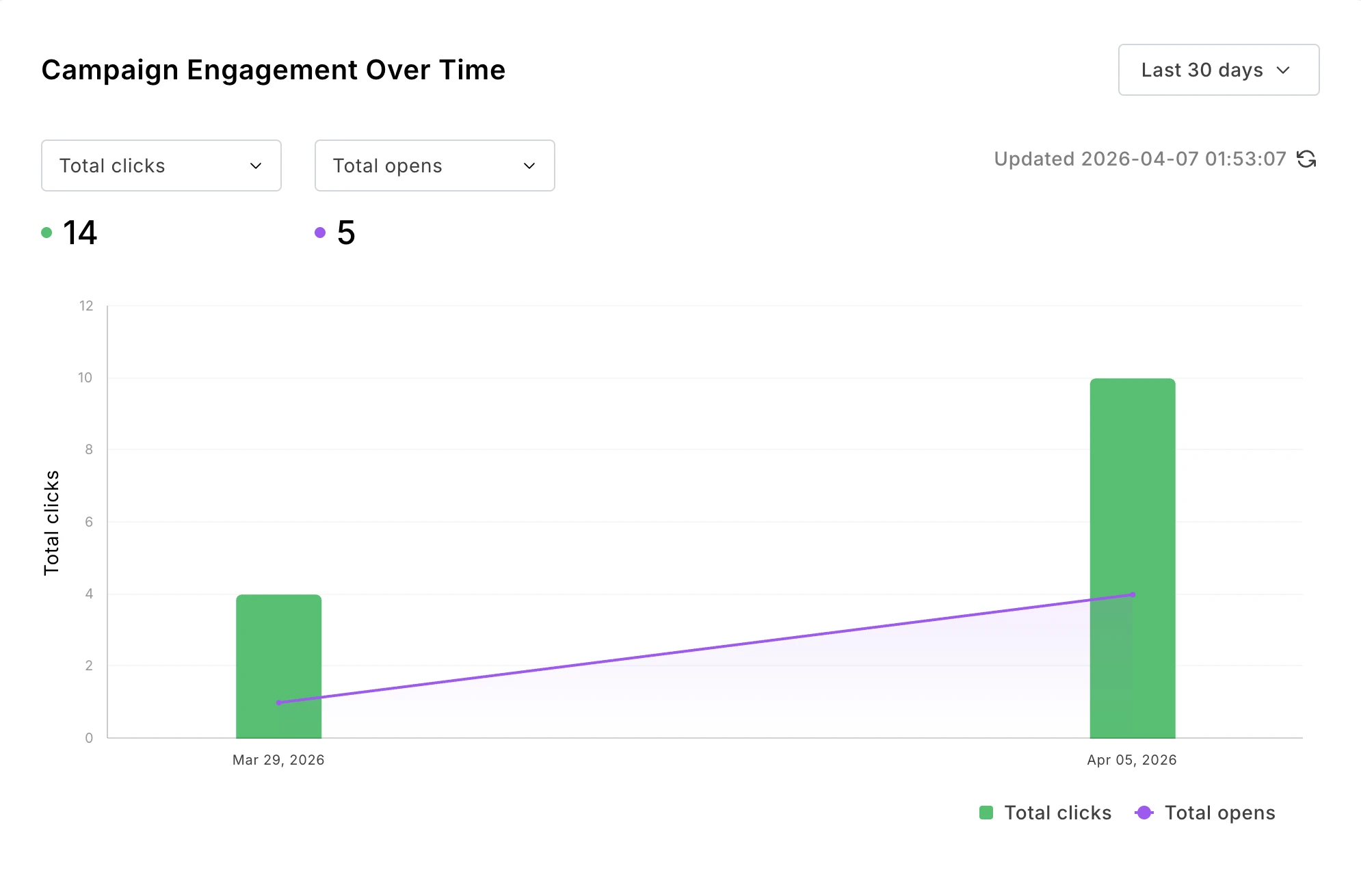
MailerLite’s visual custom report builder makes it easy to create dashboards that track the metrics that impact your business. You can save multiple reports for different use cases to revisit whenever you need them, and data updates in real-time, so you'll always have the most relevant insights.
When creating a dashboard, you can choose from 21 metrics around engagement, deliverability, and even e-commerce if you sell with Mailerlite’s built-in digital product tools or have a connected e-commerce store.
You can then see the impact of different factors on your chosen metrics by grouping the reports by time period, subscriber group or campaign.
Find your most valuable customers by comparing orders and revenue across groups
See what’s working by tracking engagement over time
Create winning content by tracking the engagement of each campaign
It’s also easy to share the report as a CSV to analyze the raw data or as a PDF for a visual report that you can send to clients, team members or your boss.
Get the metrics you need, when you need them
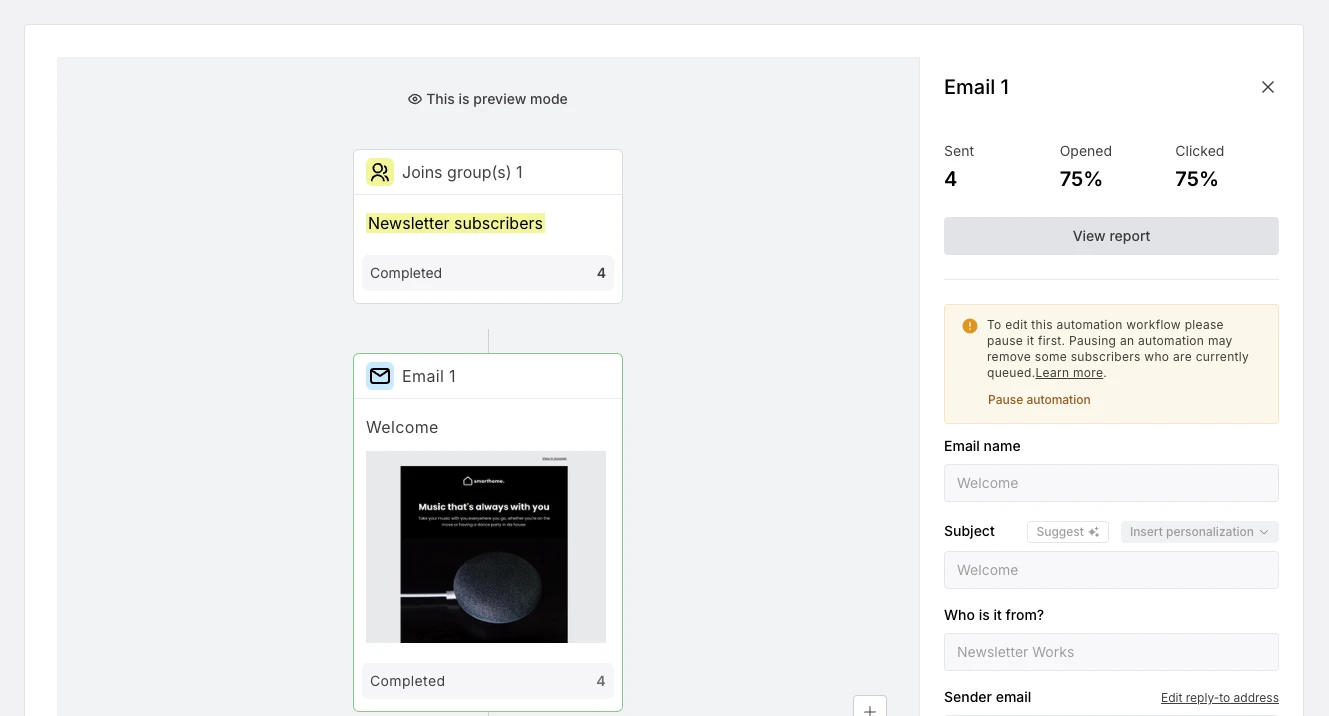
MailerLite’s email analytics features stand out by always displaying metrics in the places where they are most needed. This makes it easy for you to see the data and then act on it.
For example, when you start editing an automation, data related to each step is displayed in the sidebar, allowing you to make changes without having to navigate to another screen.
You can also get in-depth campaign data by clicking into the overview of any sent campaign. A highlight is the click maps feature, which clearly shows the email content people have clicked on.
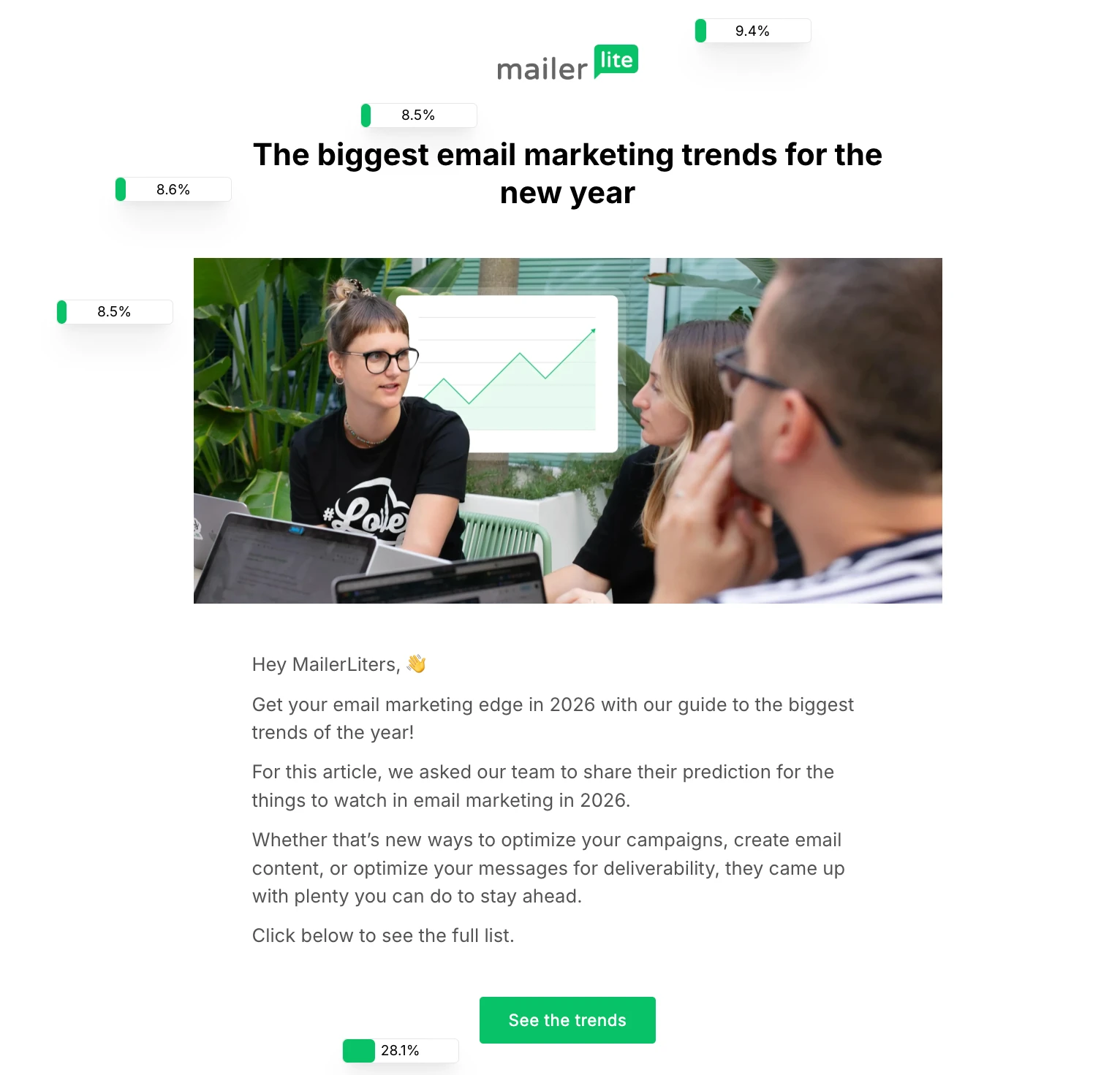
The campaign dashboard also includes all the main email metrics you need, as well as detailed reports on links clicked, hard bounces and soft bounces.
If you need a more general overview, the analytics dashboard provides access to all your main email marketing metrics, including click-through rate (CTR), click-to-open rate (CTOR), open rate, unsubscribe rate, sales, list growth over time, and sends.
This makes it easy to see exactly how your campaigns are performing whenever you log in. And with comparative reporting, you can even track email performance changes over time, such as the number of new subscribers you gained in a day, week or month.
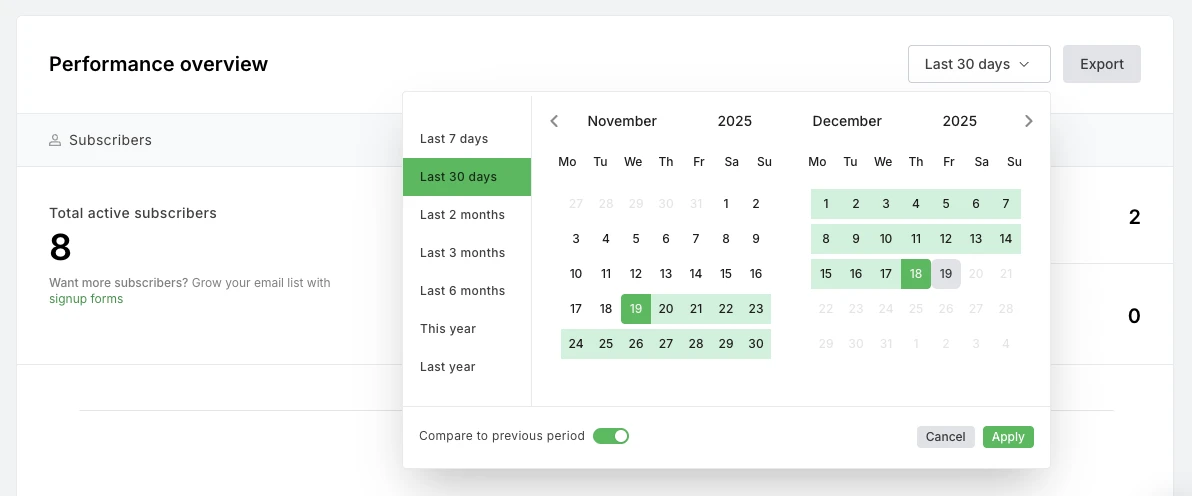
MailerLite also has a comprehensive suite of A/B testing tools. These let you test all parts of your email campaigns, including newsletters, automations, pop-ups, forms, and landing pages.
Plenty of e-commerce email metrics
If you use email to sell products, you'll need MailerLite’s e-commerce metrics that show the number of orders your emails bring in, as well as the order value.
You can see an overview in your main dashboard that shows how orders change over time. Or click into individual campaigns and automations to see exactly how each part of your email marketing leads to sales.
Plus, it's possible to dig deeper into each subscriber’s shopping behavior by clicking on their profiles. Here you’ll see metrics such as the number of purchases they’ve made and the total value.
These metrics automatically show up when you connect an e-commerce store to your MailerLite account. If you don’t have an existing store, you can use MailerLite’s digital product selling feature to sell products and start tracking sales.
MailerLite analytics Pros
MCP server provides actionable insights
Metrics visible when you need them
Comparative reporting to track improvements
Custom reports that are easy to create
MailerLite analytics cons
No predictive e-commerce data
Pricing and free trial
MailerLite has a free plan for up to 250 subscribers, while premium plans start at $12 per month. You get a 14-day free trial when you sign up.
2. Klaviyo: Best for AI-powered predictive e-commerce data
Klaviyo is an email marketing platform built for e-commerce businesses. It showcases plenty of useful email marketing data, and has predictive features that provide forecasts about users’ behaviors.
Klaviyo stands out thanks to predictive analytics
Klaviyo’s predictive analytics features use machine learning to identify when customers are most likely to buy or churn. It uses data from your overall customer base and patterns about individual customers to predict these behaviors.
You can see the predictive analytics in the customer's profile, including their predicted next order date, their lifetime value, and risk of churn.
You can then use this data for segmentation and to create campaigns based on this behavior.
For example:
Send a promotional campaign to people who are expected to buy in the near future
Send re-engagement campaigns to those with a high risk of churn
Send special offers to your highest value customers
Set up automated flows that trigger before a key event, such as a week before an expected purchase or when their risk of churn goes above 50%
These predictive features are just a guide and not 100% accurate. Plus, you also need a lot of data to have these metrics show up in your profile, including at least 500 unique customers, 6 months of order history, and at least a few customers with 3 or more purchases.
Nonetheless, they are a nice addition to the other email metrics offered by Klaviyo.
You can see plenty of other email metrics, too
Beyond these predictive features, Klaviyo has the metrics you’d expect to see.
You can see the performance of campaigns and automation, both on an individual and overall level, including opens, clicks and revenue generated.
Plus, you can create customized dashboards within the platform to clearly highlight the metrics that are most important to your business.
A final feature we like is that the tool highlights benchmark data relevant to your industry so you can see how your email performance compares to others.
Klaviyo analytics pros
Predictive metrics can highlight opportunities
Create custom reports with essential metrics
See all necessary metrics and more
Klaviyo analytics cons
Need a lot of data to see predictive metrics
Pricing and free trial
Klaviyo has a free plan for up to 250 subscribers. Paid plans start at $20 per month.
3. Mailchimp: Best for website conversion tracking
Mailchimp is a very popular email marketing platform, and it has plenty of email analytics features to help you stay ahead.
All the main email metrics, where you need them
Mailchimp's performance metrics are in the Analytics tabs. From this marketing dashboard, you get an overview of the main key performance indicators (KPIs) such as clicks and opens.
You can also see sales data like revenue, average order value and orders if you have a connected e-commerce store.
We like the handy graph that shows campaign performance over time, so you can see how the emails you send impact your metrics. See a big jump in orders on a particular day? It’s easy to check which campaign you sent on that day to see what made the impact.
You can also compare periods to see how your campaigns performed in one period versus another.
The delivery details tab is also useful. It shows the total number of emails sent on each day, as well as how many were delivered, bounced, and reported. If you are a Mailchimp customer struggling with deliverability, this can be a useful diagnostic tool.
Track how email clicks lead to conversions
The Google Analytics conversion integration also stands out. Use it to set up a conversion event in Google Analytics and track how your emails result in people taking this action.
It’s useful if you have a particular conversion event that you want to track that isn’t covered by existing Mailchimp metrics.
Mailchimp analytics pros
Connect email with custom website conversions
Easy to read email deliverability report
All main metrics covered
Mailchimp analytics cons
Some analytics tools only available in higher plans
Pricing and free trial
Mailchimp has a free plan for up to 250 subscribers. Paid plans start at $13 per month and you can try it free for 14 days.
4. MailerSend: Best for transactional email
MailerSend is transactional email software with plenty of analytics features to help you stay on top of your transactional sending and monitor your sender reputation for multiple domains.
All your transactional email analytics in one place
The analytics tab shows all the main reports you have access to. It’s easy to filter different domains to see delivery stats for each one, like the number of emails processed, delivery rate, and rejected emails, so you can stay on top of each domain’s delivery.
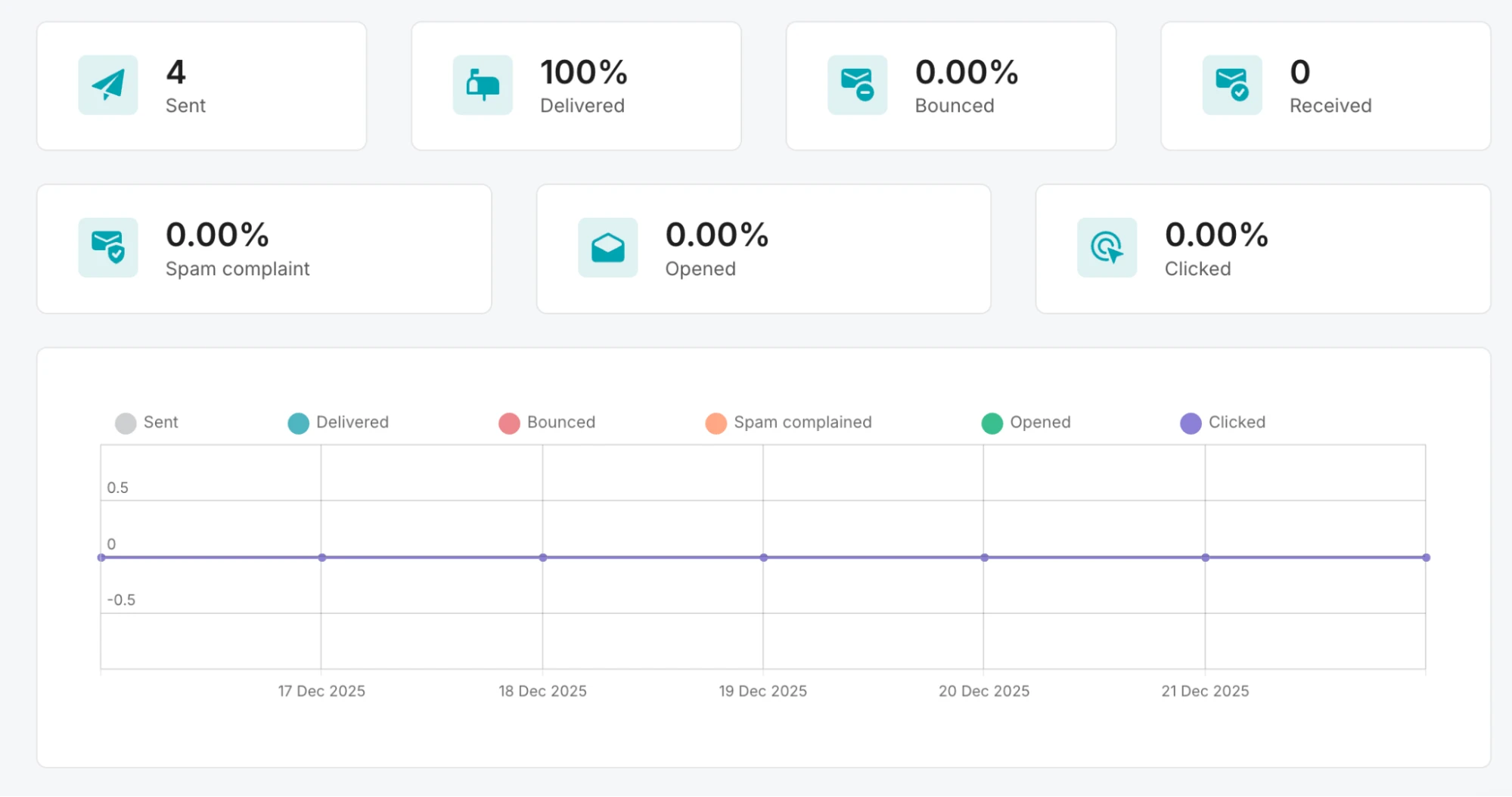
You can also head to your individual transactional email templates to see how many times each one has been processed, delivered, and rejected.
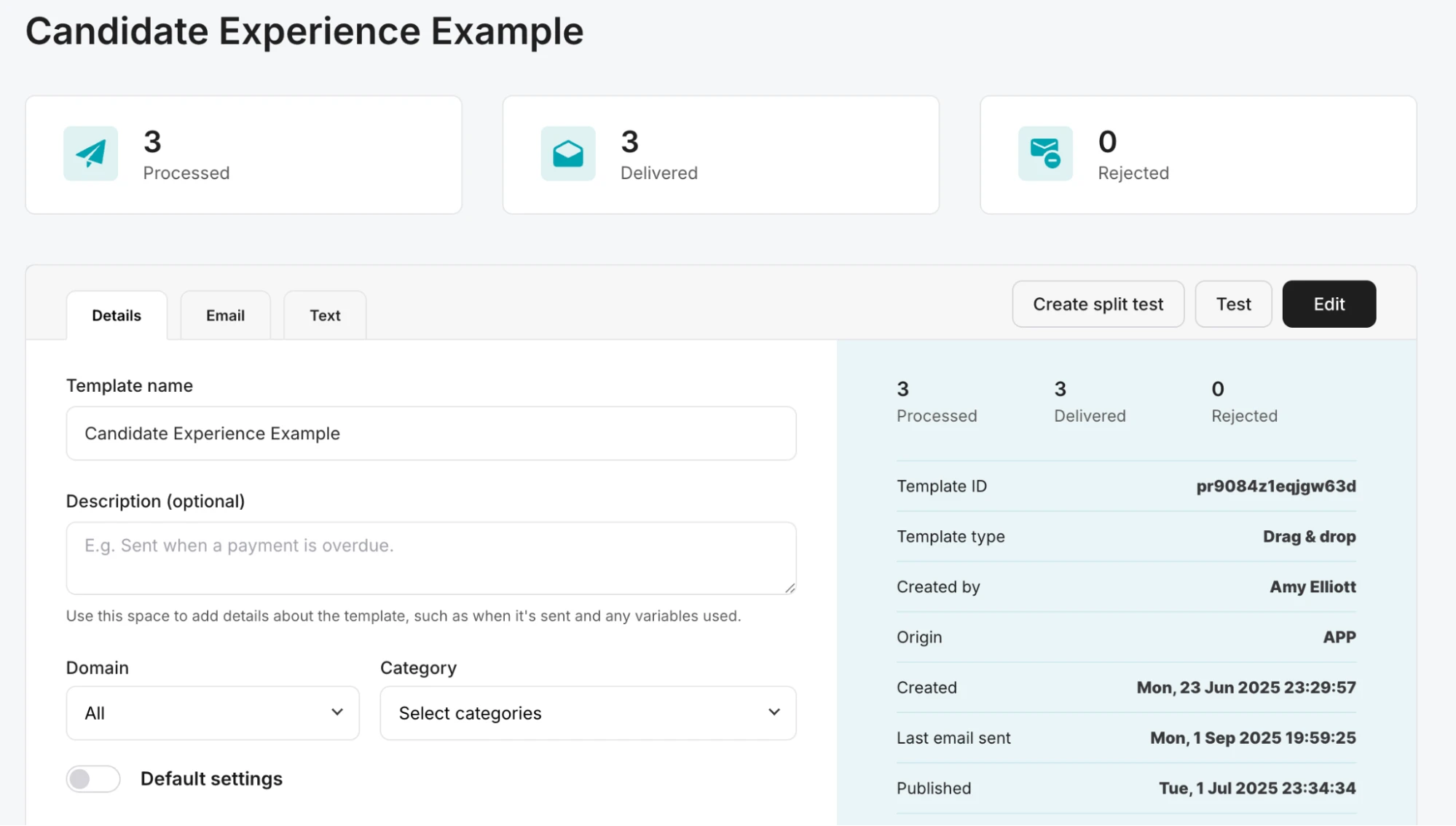
Like MailerLite, MailerSend has a transactional email MCP server. This allows you to access your analytics data from your AI tools. Need to know how many emails have been sent, delivered or rejected in a particular time period? Just ask your AI tool for data.
Data updates in real time (and in Slack)
Activity data in MailerSend updates in real time, giving you immediate insight into the status of every single email. There's no delay, which is something we experienced in other transactional platforms.
Real-time updates are especially useful for monitoring deliverability, as they means you can take action before small issues become big problems, keeping your sending reliable.
And since you're unlikely to have the MailerSend dashboard open 24/7, you can use the MailerSend Slack integration or use webhooks to get notifications as soon as events occur in the tool you are already using.
For example, you can set up webhooks about particular events, such as emails bouncing or spam complaints, which notify you in Slack as soon as one of these events occurs.
MailerSend analytics pros
Get real-time updates in Slack
See overall domain deliverability
Access data in AI tools like ChatGPT
MailerSend analytics cons
Only for transactional emails
Pricing and free trial
MailerSend has a free plan for up to 500 emails per month. Paid plans start at $7 per month.
5. ActiveCampaign: Best for tracking sales funnels
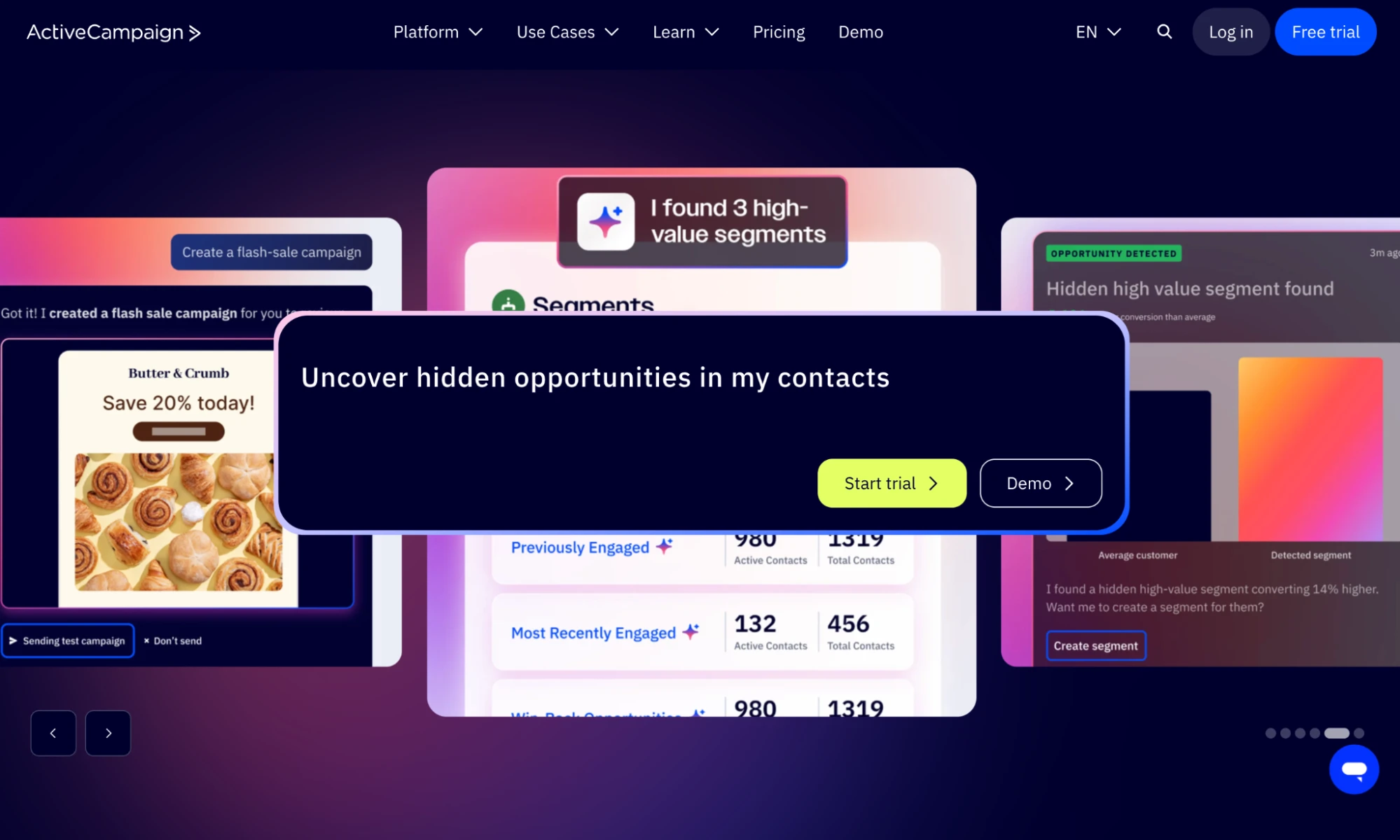
ActiveCampaign is email marketing software with some useful email analytics features. You can see all the main email marketing metrics in the relevant dashboards, but its standout features are the ability to bring in metrics from other platforms and then create custom reports.
Track your email and website data together
With ActiveCampaign, you can bring in data from throughout your marketing funnel, including website activity, conversions, and even 1 to 1 email replies. The idea is that you can track how your email marketing performs in the wider context of your sales and email marketing strategies.
For example, you can track whether people click on website buttons, play videos, download content, or view specific pieces of content. You can also track how often people visit your website.
Turn your data into custom reports
The custom reporting feature lets you create reports that display the data you need in the exact way you want to see it.
Choose how to present each type of data, including line charts, bar charts, and pie charts. You can then save the report to an existing dashboard or create a new one to show the data.
This is super useful if you want quick insights into a particular part of your marketing funnel.
Identify your hottest leads with lead scoring
Another analytics feature we like is the lead scoring tools. This gives each contact in your ActiveCampaign profile points depending on actions they take, such as opening emails, registering for webinars, and clicking links.
You can use this to see who your most engaged leads are and then target these people with your sales content.
ActiveCampaign pros
Track website and email data together
Create custom reports
Automatically score leads
ActiveCampaign cons
More expensive than some other options
Steep learning curve
Pricing and free trial
ActiveCampaign pricing starts at $19 per month for 1,000 subscribers.
6. Omnisend: Best for tracking the e-commerce customer lifecycle
Omnisend is another email marketing tool built for e-commerce brands. Omnisend focuses on making your email marketing data easy to understand and act upon.
Track the customer progress with a lifecycle stage map
One feature we like is the customer lifecycle stage map. This automatically breaks your email list down into different audience segments based on their stage of the customer journey, such as Champions, Needs Nurturing, or About to leave, and shows you how many subscribers you have at each stage.
The tool uses data such as their average order value, frequency of purchase, and when their last purchase was to organize them into these groups. It makes it easy to see the percentage of your list at each stage and can help you take action to boost sales.
For example, you could:
Send emails to people in the Needs nurturing stage
Re-engage those in the About to leave stage
Spend on customer acquisition if you don’t have many people who are about to buy
Access clear and visible metrics when you need them
Omnisend showcases clear analytics dashboards for each part of your email marketing, including campaigns and automations. The dashboards include important metrics for an e-commerce store such as orders, revenue, revenue per message, sent emails, email open rate, click rate and more.
With this, it’s easy to identify patterns and see which of your email marketing campaigns had the most impact. You can also dive deeper into the performance of each automation or campaign.
For example, in each automation you can see how many people have reached each step, and track opens, clicks and sales, so you can see what is working and what isn’t.
Omnisend pros
Easily see where customers are in the lifecycle
Clear, easy-to-access reports
See all essential e-commerce metrics
Omnisend cons
Not much predictive data
Pricing and free trial
Ominsend has a free plan for up to 250 subscribers. Paid plans start at $16 per month.
7. HubSpot: Best for marketers with sales teams
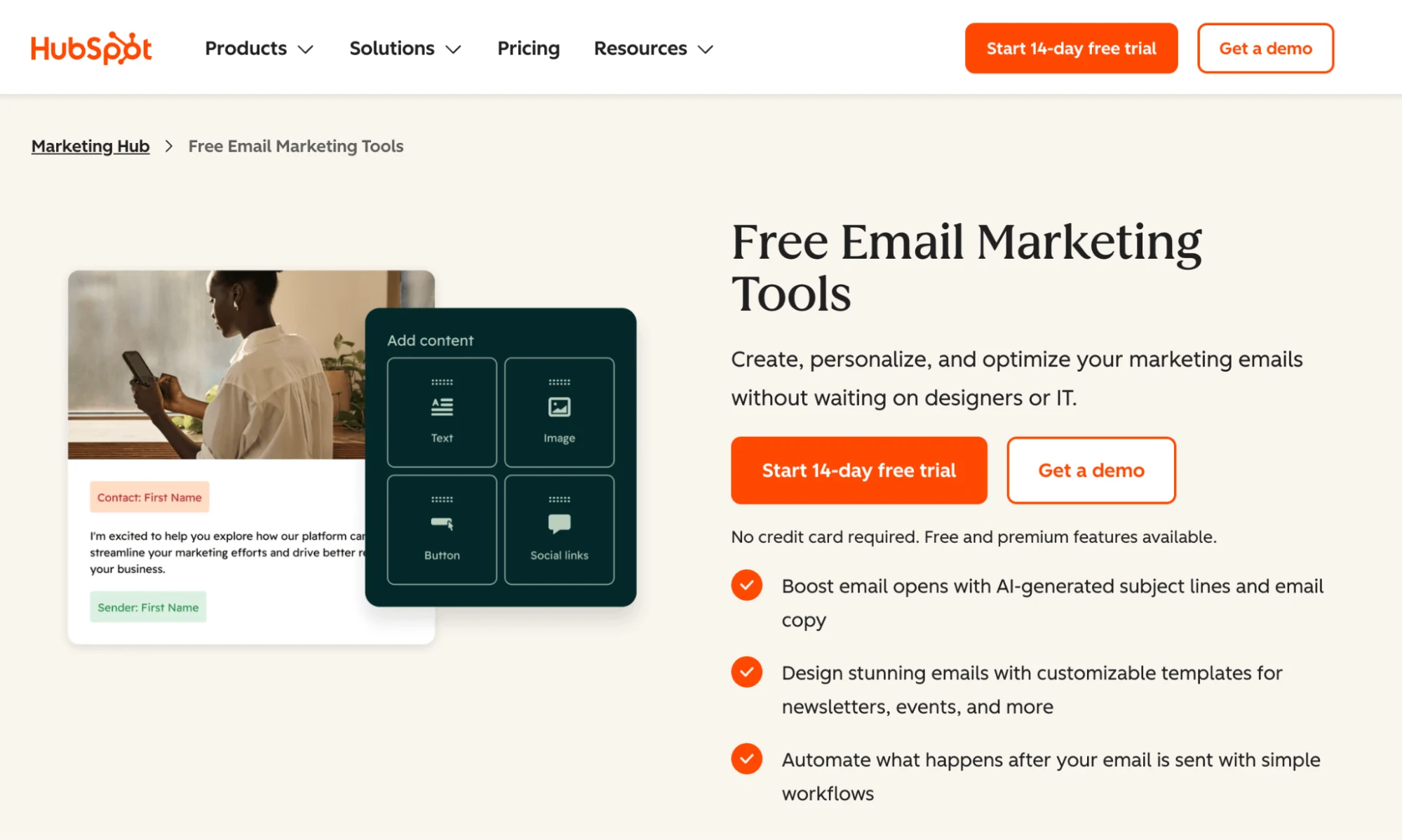
HubSpot’s email marketing platform shows all the basic email analytics you’d expect. But it stands out due to a few key metrics that you can’t find on other tools and close CRM integration.
See how long people spend reading your emails
When you click into any email on HubSpot, you can see expected metrics like open rate, click rate, and a list of the most clicked links in each email.
An interesting metric that isn’t available on other tools is Time spent viewing email. This report shows the percentage of recipients who either read your email for at least 8 seconds, skimmed your email for 2 to 8 seconds or glanced at your email for under 2 seconds.
This can show which emails people spent time engaging with. It’s a useful metric that provides extra context beyond opens and clicks.
There’s also a useful top engaged contacts section. This engagement metric shows which subscribers opened and clicked on the email the most. You could use this to send targeted outreach to the people who engaged with a particular topic.
Compare how different channels, including email, lead to customers
Since HubSpot also has a full CRM, there are also some cool analytics features for showing how your email marketing impacts your CRM.
The marketing sources report shows how different channels result in website sessions, new contacts, and ultimately customers. Email is included as one of the channels, so you can see how email marketing results in not just website sessions but also actual business customers.
This helps show the impact of your email marketing efforts on your business goals, so you can make more informed decisions about where to focus your digital marketing.
Hubspot pros
See how email leads to customers
Track how long people spend in your emails
View most engaged contacts
Hubspot cons
Need to use HubSpot CRM to make it worthwhile
Pricing and free trial
HubSpot has a free plan to send up to 2,000 emails. Paid plans start at $20 per month.
Email marketing analytics tools FAQs
Here are answers to some of the most common questions relating to email marketing analytics tools.
1. What email marketing metrics should you track?
All email marketers benefit from tracking opens and clicks. If you sell products with email, you can also track orders and revenue. All the email analytics tools on this list have ways to track this.
You can also track the specific links people click on to see the exact content that resonates. Read this article for more on the best email marketing metrics to track and strategies to improve them.
2. What is a good email marketing open rate and click rate?
The median open and click rates in our most recent email marketing benchmarks report were 43.46% and 2.09%. These are good targets to aim for. Although the median varied a lot by industry and region, so check the article to see benchmarks for your industry.
You should also consider your current performance; a small increase in opens or clicks can be highly beneficial, even if your overall open rate is lower than our benchmarks.
Read this article for more tips on boosting your open rate.
3. How can I improve my email marketing click-through rate?
How you improve your email marketing click-through rate depends on your current rate, your emails, and your audience.
Here are some factors you can test:
- Aligning your subject line with your in-email call to action. When you do this you know that people who open will be interested in your offer.
- A/B test messaging, images and offers. This will show you what your audience responds to.
- Use shorter content so you don't bury the CTA. This ensures that anyone who opens your email sees the CTA.
- Create more engaging offers or content. Check your email analytics to see what people click on and create more similar content.
- Remove inactive subscribers from your list so only those who engage with your emails are left.
As you test different strategies, keep an eye on what works and then build upon this in future tests. It won't be long before you're seeing a consistent increase in clicks.
What’s the best email analytics tool for you?
Those were our favorite email marketing tools based on their email analytics features. When deciding on one, read through the reviews to see if there are any features you like and consider how they fit your business type.
Remember that email analytics is just a small part of the overall package. Be sure to check what else these tools have going for them before making your final choice.
This article was originally published in Jan 2026, but has been updated to highlight additional reporting features.