Best scheduling app for small business: Top picks for 2026

 Barbara and Dorota, Localization team
If you're shopping around for a scheduling app, you already know the obvious reason why: you want to make the process of booking appointments easier.
All scheduling apps are good at solving that part. But many also have extra tools and features that make them better fits for different types of businesses.
For example, MailerLite comes with email marketing and the ability to take payments, Square integrates with your POS, and Setmore is good for multi-staff bookings.
This guide covers the best scheduling software for small businesses in 2026, highlighting what makes each one great. Read on for more.
What is scheduling software, and why do you need it?
Scheduling software lets clients book time with you online, without the back-and-forth of finding a slot that works for both of you. Instead of trading emails, a client opens a link, sees your real availability, and picks a slot themselves.
For a small business, that trade matters more than it sounds. Every appointment you book by hand costs you a few minutes of admin. Multiply that across a full week of clients and it's easily hours you're not spending on the actual work, or on anything else.
What to look for in a scheduling app for small business
A good scheduling app for small businesses needs to handle the basics well, and ideally do a bit more.
Here's what to check for:
Calendar sync with Google Calendar or Outlook, so double bookings don't happen
Automated reminders that cut down on no-shows without you lifting a finger
Built-in payment collection, so clients pay when they book
A mobile-friendly booking page that clients can use from any device
Support for group bookings, not just 1:1 sessions
You can also look for extra features that support your business. For example, MailerLite integrates bookings and email marketing into a single app, while Square appointments can be integrated with your POS.
Summary: Best scheduling apps at a glance
The best scheduling app for a small business depends on what you need to schedule. For client appointment booking, consultations, coaching calls, or service sessions, tools like MailerLite, Calendly, and Square Appointments are the strongest options.
| Tool | Best for | Free plan | Paid plans start at |
|---|---|---|---|
| MailerLite Bookings | Solopreneurs and small businesses | Yes, 1 event type, 1 calendar | $10.80/month (annual) |
| Calendly | Meeting scheduling and team workflows | Yes, 1 event type, 1 calendar | $10/seat/month (annual) |
| Square Appointments | In-person businesses with POS | Yes, 1 location | $49/month per location |
| Acuity Scheduling | Complex availability rules | No, 7-day trial only | $16/month (annual) |
| Setmore | Multi-staff booking on a budget | Yes, up to 4 users | $5/user/month (annual) |
| Picktime | High appointment volume on a budget | Yes, up to 3 team members | $3/user/month |
How we chose these tools
We looked at the scheduling apps small business owners search for and compare most often, then dug into what each one actually does well.
For each tool, we checked the core scheduling mechanics (calendar sync, availability rules, reminders), how payment collection works, what free plans genuinely include versus what gets locked behind a paywall, and where each tool sits in the broader picture of running a service business.
The best scheduling apps for small business
Now let’s check out the best scheduling apps and their features in detail, to help you decide on the best app for your business:
1. MailerLite Bookings: Best for solopreneurs and small teams
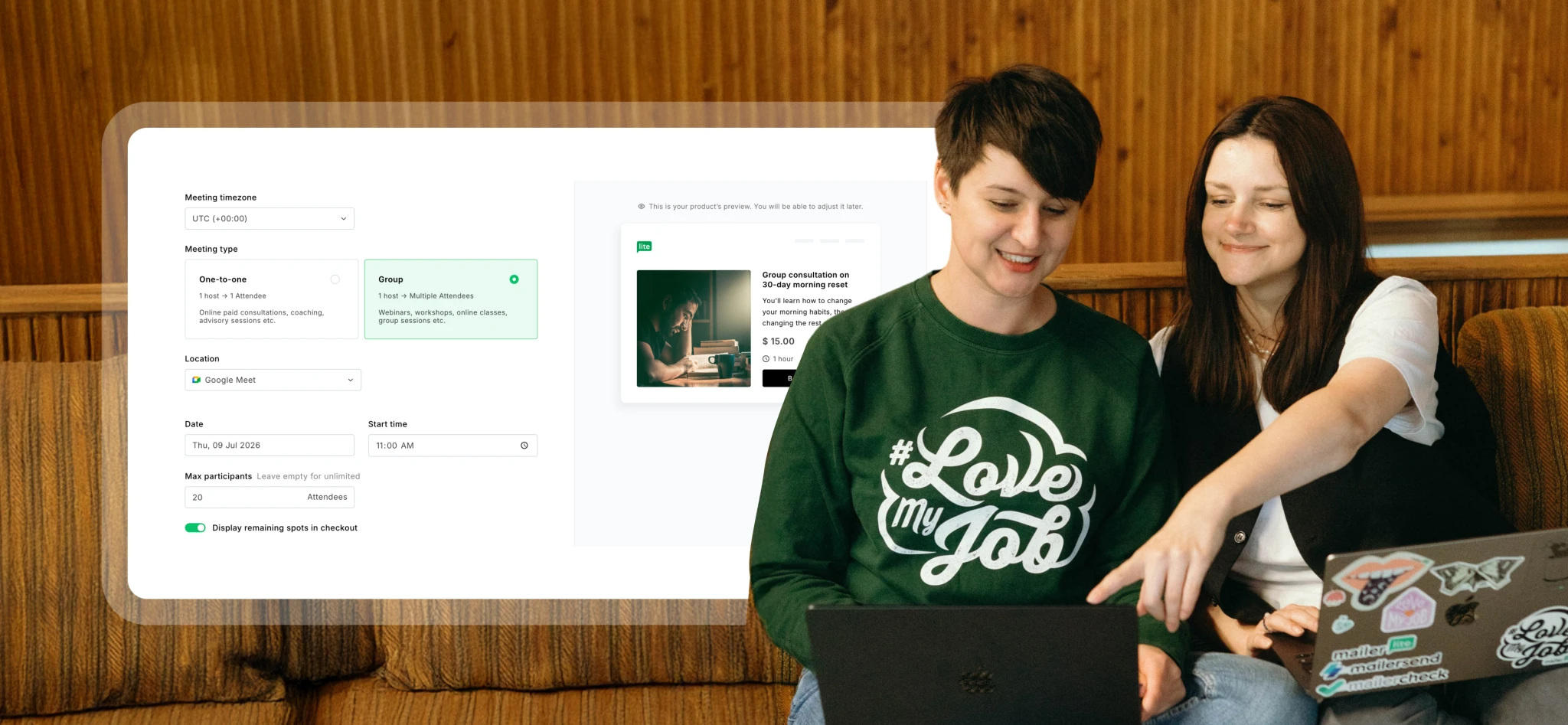
MailerLite lets clients book 1:1 or group sessions, paid or free, right from a link or embedded button. It syncs with Google Calendar and Outlook, connects to Stripe for payments, and includes a checkout you can customize to match your brand.
Bookings connects directly to your email marketing
MailerLite stands out because it’s a single platform with booking tools and email marketing. This enables a few things most scheduling apps simply can't do.
For example, when someone books a session, they can be automatically added to a subscriber group, which triggers an automated email sequence with essential information about their booking so they arrive fully-prepared.
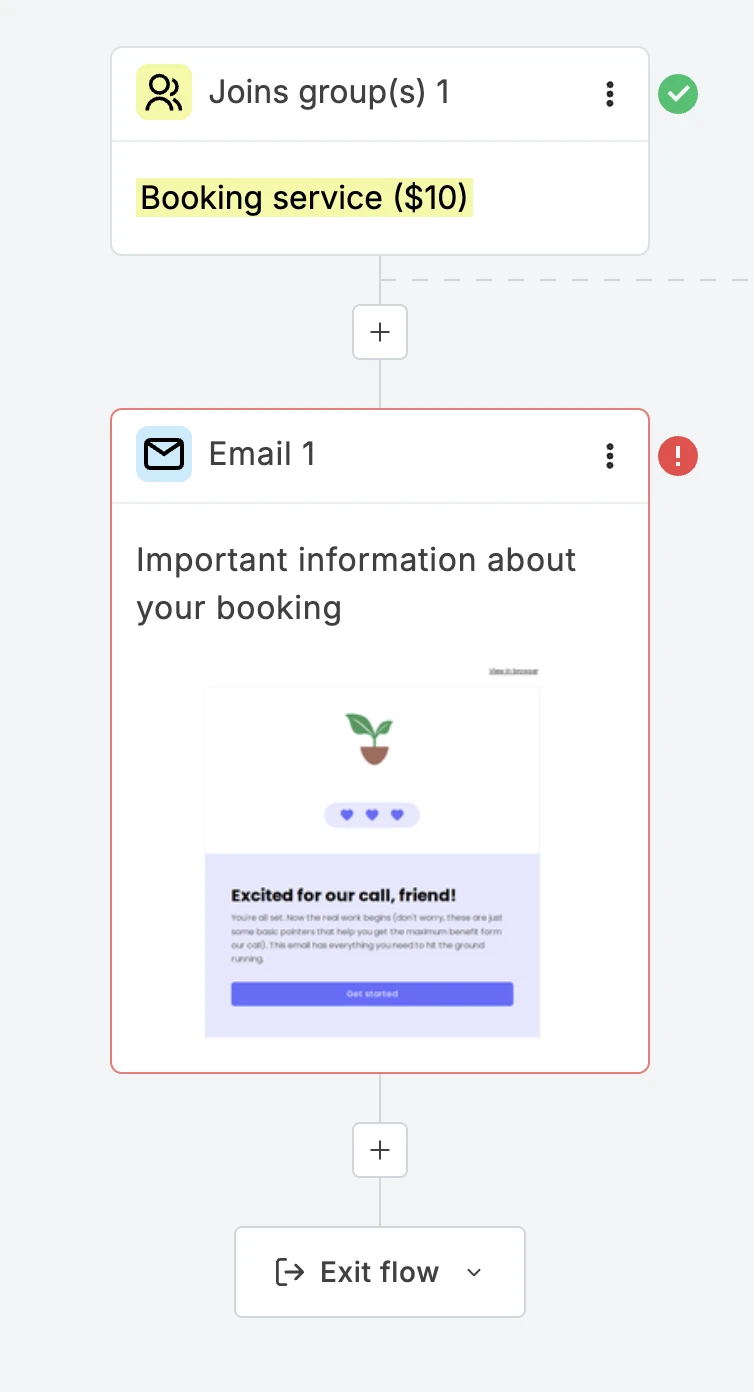
You can also segment by what someone actually booked. A client who books a quick 15-minute consult and one who books a 90-minute deep-dive session don't need the same prep email, so splitting them into different groups means each person gets a sequence built around their specific booking, not a generic one-size-fits-all message.
And since the same account runs your email marketing, you can drop a product block straight into a follow-up email, a related digital course, a paid resource, or a link to book their next session, so a one-time booking has an obvious next step instead of just ending when the call does.
Note: Every other tool in this guide either has no email marketing at all or requires connecting to a separate email platform through a third-party integration. With MailerLite, the booking and the email sequence live in the same account, so there's no data hand-off between two tools and nothing to break.
Setting up is easy!
When we set up a test booking page, connecting Stripe checkout took under 5 minutes, and the confirmation automation was set up as quickly.
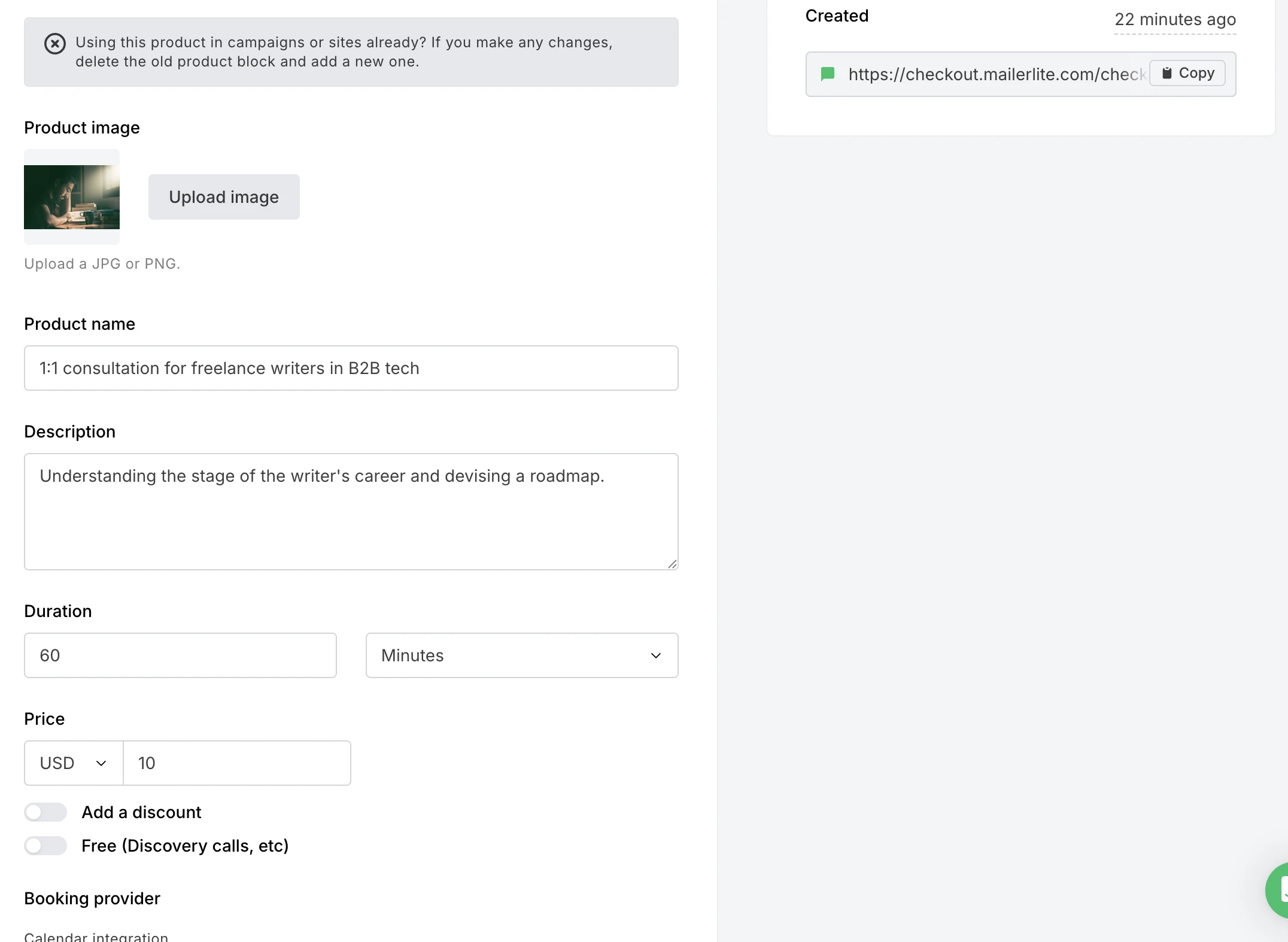
Creating a service is one flow inside MailerLite: add a name, duration, and price (or mark it free), connect Google Calendar or Outlook, and choose 1:1 or group format.
For 1:1 sessions, you set your available hours plus a buffer between meetings and a minimum notice period, so nobody books a few minutes before a session starts. For group sessions, you need to pick an exact date and time and cap the number of spots.
MailerLite makes you choose an action after checkout, adding the customer to a subscriber group, removing them from one, or updating a custom field on their profile. That's what turns a booking into something you can build automation around.
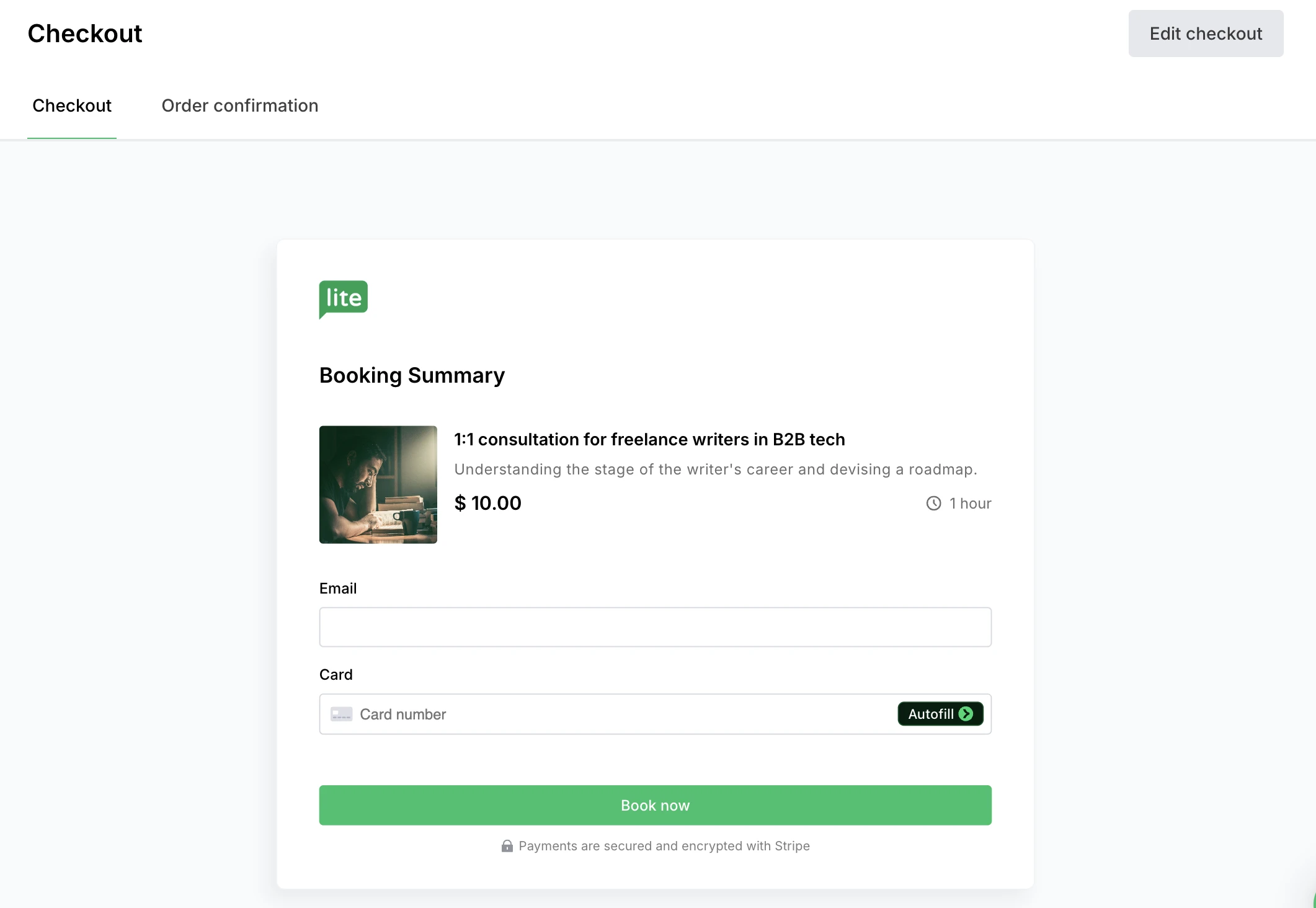
From there, you customize the checkout page itself, your logo, which fields you collect, whether to add a marketing opt-in checkbox, and what the confirmation page says once someone's booked.
The actual follow-up sequence takes one more step: build an automation using the "Buys specific product" trigger, and it fires automatically every time someone books that service.
A confirmation email goes out by default the moment someone books, and you can edit its wording separately, without touching the automation at all.
Check out this article to learn how to create Bookings on MailerLite.
Built for more than a simple booking link
Along with 1:1 bookings, MailerLite also supports group bookings for webinars and group coaching.
You can also add custom fields to the booking flow itself, so a client answers a screening question (their biggest challenge, their website URL, or whatever's relevant) before the call, and that answer saves directly to their subscriber profile for reference later.
Scheduling flexibility is handled through configurable buffers between calls and minimum notice periods, so you're not getting booked five minutes before a session starts.
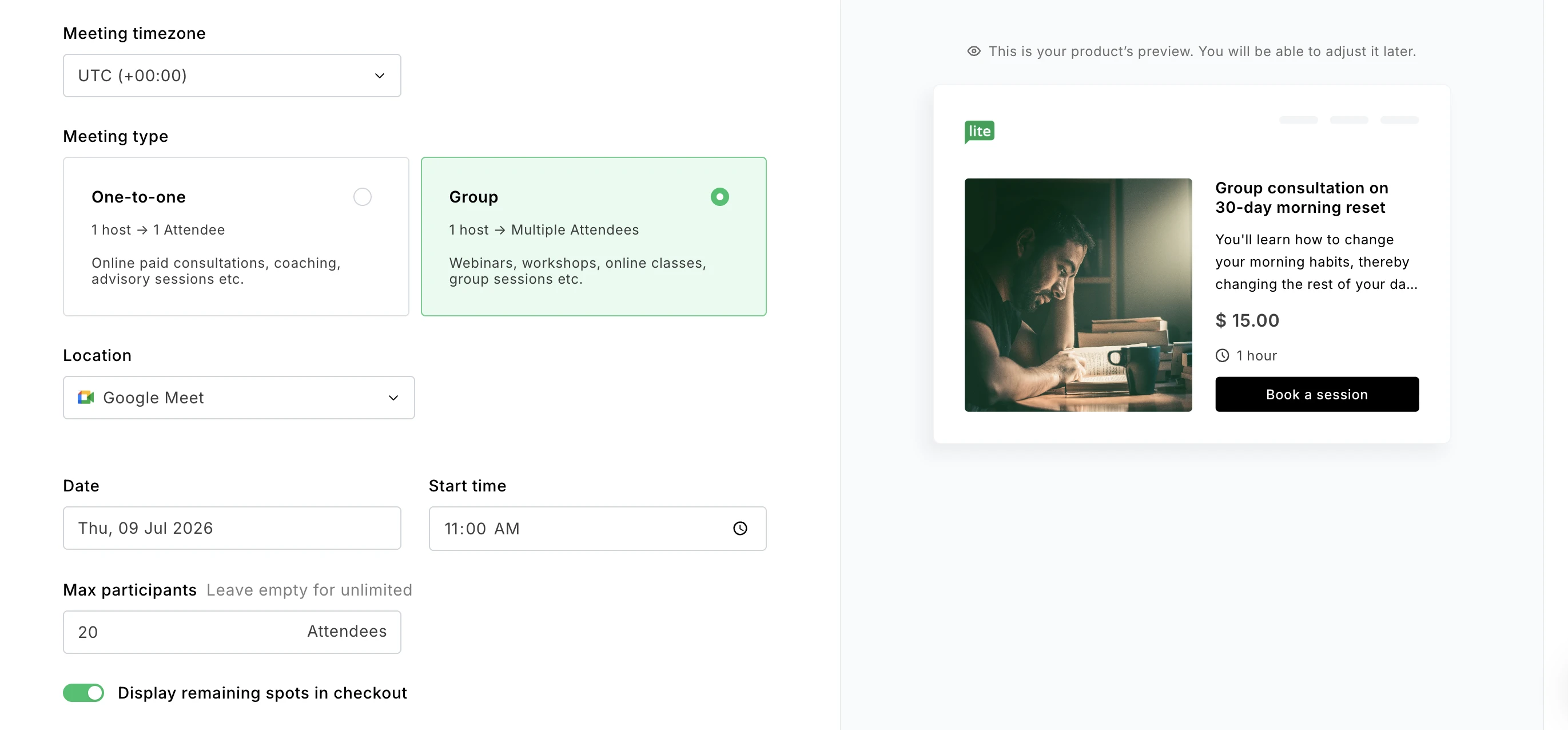
What the free plan includes
You can set up one active booking on the free plan, which is enough if you only offer one kind of session, like a single discovery call format.
If you want to run more than one event type at a time, say a 15-minute discovery call and a separate 60-minute strategy session, you need a paid plan.
Paid plans start at $12/month ($10.80/month billed annually) with the Comfort tier, which lets you add up to 5 bookings. The Power tier, which starts at $25/month ($22.50/month billed annually) lets you add unlimited bookings.
MailerLite doesn't take a commission on paid bookings. You only pay Stripe's standard processing fee.
Best for: Coaches, consultants, solopreneurs, and service businesses that already rely on email marketing or plan to.
MailerLite Bookings pros
Booking can trigger a full email automation sequence automatically
No commission on paid sessions, only Stripe's processing fee
Group bookings and custom screening questions built in
Everything lives in one account instead of two subscriptions
MailerLite Bookings cons
Free plan is limited to one event type
Pricing and free trial
MailerLite Bookings is included on MailerLite's free plan with one event type. Multiple event types require a paid plan starting at $12/month (billed monthly) or $10.80/month (billed annually). A 14-day free trial of premium features is available with no credit card required.
2. Calendly: Best for meeting scheduling and team workflows
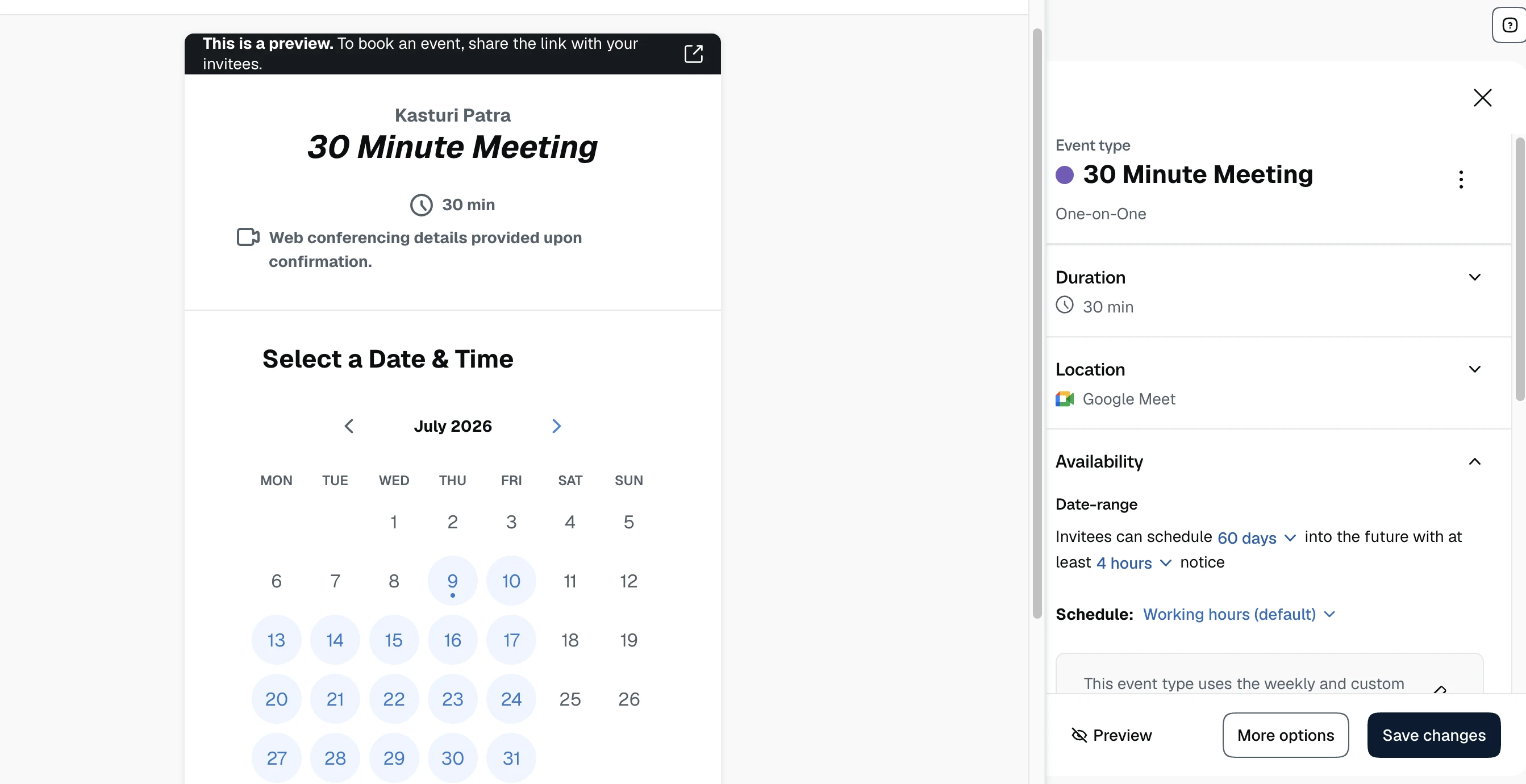
Calendly is the category leader for a reason. It's fast to set up, integrates with just about everything, and works well for teams that need to coordinate meetings across multiple calendars.
Fast setup and deep integrations
Setting up a first event type on Calendly takes minutes, and the integration list is genuinely long, covering calendar apps, video conferencing tools, CRMs, and payment processors like Stripe and PayPal. For anyone who just needs a link to send instead of a back-and-forth email chain, Calendly does exactly that job with very little friction.
The free plan is workable for solo use, but it's more limited than it first appears: you get one event type (only 1:1, groups not included) and one connected calendar. If you need to offer more than one kind of meeting, or you want to check your personal calendar alongside your business one to avoid double-booking, you'll hit that ceiling fast. Paid plans start from $12/month.
Round-robin scheduling and lead routing for teams
Where Calendly really separates itself from most of the tools on this list is team functionality. The Teams plan adds round-robin scheduling, which automatically assigns incoming bookings to the next available team member, along with routing forms that direct a lead to the right person based on their answers. It also connects to Salesforce, which matters if bookings need to feed into a sales pipeline.
This makes Calendly a strong fit for sales teams booking discovery calls, or recruiters coordinating interview panels, less so for a solo service provider who just needs a booking page.
No native email marketing
Calendly doesn't have anything built in for post-booking email nurture. If you want to follow up automatically after a meeting, you'll need to connect Calendly to a separate email platform through Zapier or a native integration.
Best for: Teams and businesses that mainly schedule meetings rather than paid client sessions.
Calendly pros
Fast setup and a wide integration library
Round-robin scheduling and lead routing for sales and recruiting teams
Reliable and well-established, with strong uptime
Calendly cons
Free plan limited to one event type and one calendar (excludes group bookings)
No native email marketing, requires a third-party connection
Paid plans are billed per seat, which adds up for teams
Pricing and free trial
Calendly's free plan covers one 1:1 event type. Paid plans start at $12 per seat/month (billed monthly) or $10 per seat/month (billed annually) with the Standard tier, which unlocks unlimited event types plus Stripe and PayPal integrations.
,
3. Square Appointments: Best for in-person service businesses with POS
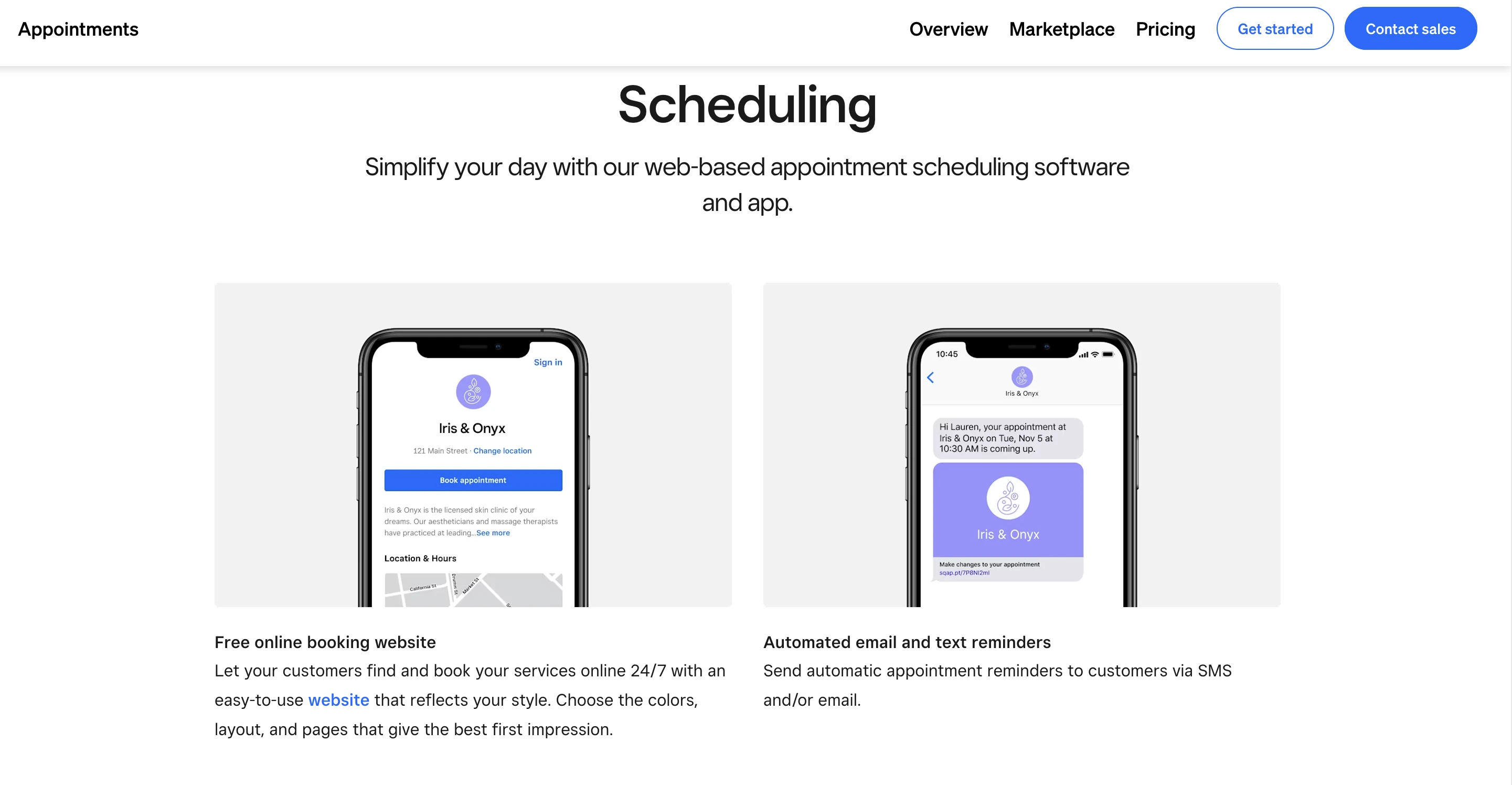
If you run a salon, spa, or any small service-based business that takes in-person payments, Square Appointments is a great option for you. Its point-of-sale (POS) integration is a genuine strength, and the free plan is a real, usable option for solo providers. Clients can book directly through your website or through links on your Google Business Profiles, Instagram, or Facebook.
Point-of-sale and booking in the same system
Square's core advantage is that scheduling isn't bolted onto a separate payments product, it's the same system. Clients can book online, pay a deposit or the full amount at booking, and when they arrive, you check them out through the same dashboard you'd use for any other Square sale. For businesses that already run Square for retail or in-person payments, this removes a layer of reconciliation that a standalone scheduling tool would add back in.
Plus and Premium plans include limited marketing automation
Square's Plus and Premium plans include automated campaigns for common customer lifecycle moments, a welcome message for new customers, a birthday offer, a win-back email for lapsed customers, and an automatic review request. These run on their own, triggered by customer behavior, which is a genuine automation feature and more than most scheduling tools on this list offer.
Note: Square’s gap versus MailerLite is in flexibility, not the presence of automation. Square's campaigns are prebuilt templates tied to fixed, generic triggers (new customer, birthday, lapsed, post-purchase), and they aren't available on the free plan. There's no way to build a custom sequence tied to a specific service or event type, like sending different prep material depending on whether someone booked a 15-minute consult versus a 90-minute deep-dive session. MailerLite's automation builder lets you construct that kind of sequence from scratch, triggered by the exact Bookings event type, with as many steps as you want.
Best for: In-person service businesses that need booking and point-of-sale in one place.
Square Appointments pros
Free plan for one location
Deep point-of-sale integration for in-person payments
Processing fees drop as you move up tiers
Square Appointments cons
Paid plans charge per location, which scales quickly for multi-location businesses
No email automation triggered by bookings, only basic campaign sends on paid tiers
Limited customization on booking page design
Pricing and free trial
The free plan includes a customizable online booking site, automated email and text reminders, and one staff calendar. Square Plus, at $49/month per location, adds cancellation policies with no-show fees, multi-staff appointment bookings (letting one appointment span multiple team members for combined services like a hair color and haircut), lower processing fees, and a client waitlist.
4. Acuity Scheduling: Best for complex availability rules
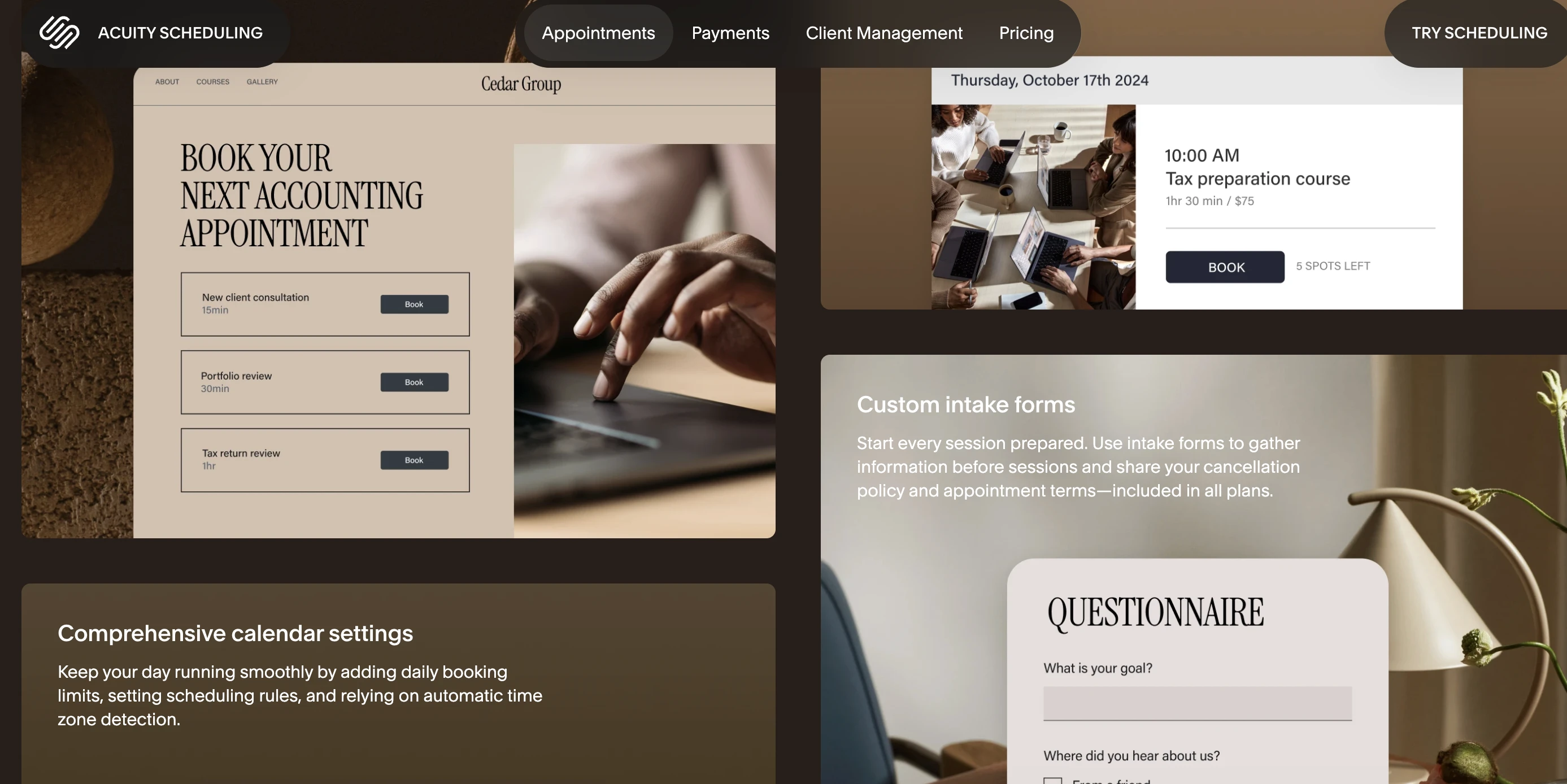
Acuity is a strong contender when you want to customize the booking process without getting too technical. Clients can book recurring services, redeem coupons, and add on extras when they book.
However, there's no free plan at all, only a 7-day trial, and features like SMS reminders, service packages, and group class scheduling sit behind a higher tier than the entry plan.
Intake forms and timezone handling are strong
Setup is simple, and you can build intake forms and let clients pick their own timezone to avoid any confusion about meeting times. One quirky feature worth knowing about is "Look busy," which hides a percentage of your open slots so you appear more in demand. However, it’s worth using carefully, since a client who notices the pattern can figure out you're bluffing.
You can share your booking page as a direct link, embed it on a website (with especially smooth integration for Squarespace sites), or set up Reserve with Google so clients can book straight from Google Search or Maps.
Automated emails are transactional only
Automated client emails cover booking confirmations, cancellations, reschedules, reminders, and subscription updates, but they're strictly appointment-related. Acuity doesn't let you send marketing emails or newsletters directly, so anything beyond those transactional messages needs a separate email tool.
Calendar sync is reliable across Google, Outlook, and Apple Calendar, and buffer times between appointments are easy to configure so you aren’t double-booked back to back.
Best for: Businesses with complex, multi-service booking rules or detailed intake requirements
Acuity Scheduling pros
Flexible calendar and strong intake forms
Integrated with payment apps like PayPal and Stripe
Reliable calendar sync and automatic timezone detection
HIPAA compliance available on the top tier (helpful for healthcare related professionals)
Acuity Scheduling cons
No free plan, only a 7-day trial
SMS reminders and packages require upgrading past the entry tier
Limited functionality on mobile
Pricing and free trial
Acuity has no free plan. Starter costs $20/month ($16/month annually) for just one calendar. Standard costs $34/month ($27/month annually) and adds SMS reminders, packages, and group scheduling. A 7-day free trial is available on every tier.
5. Setmore: Best free option for multi-staff booking
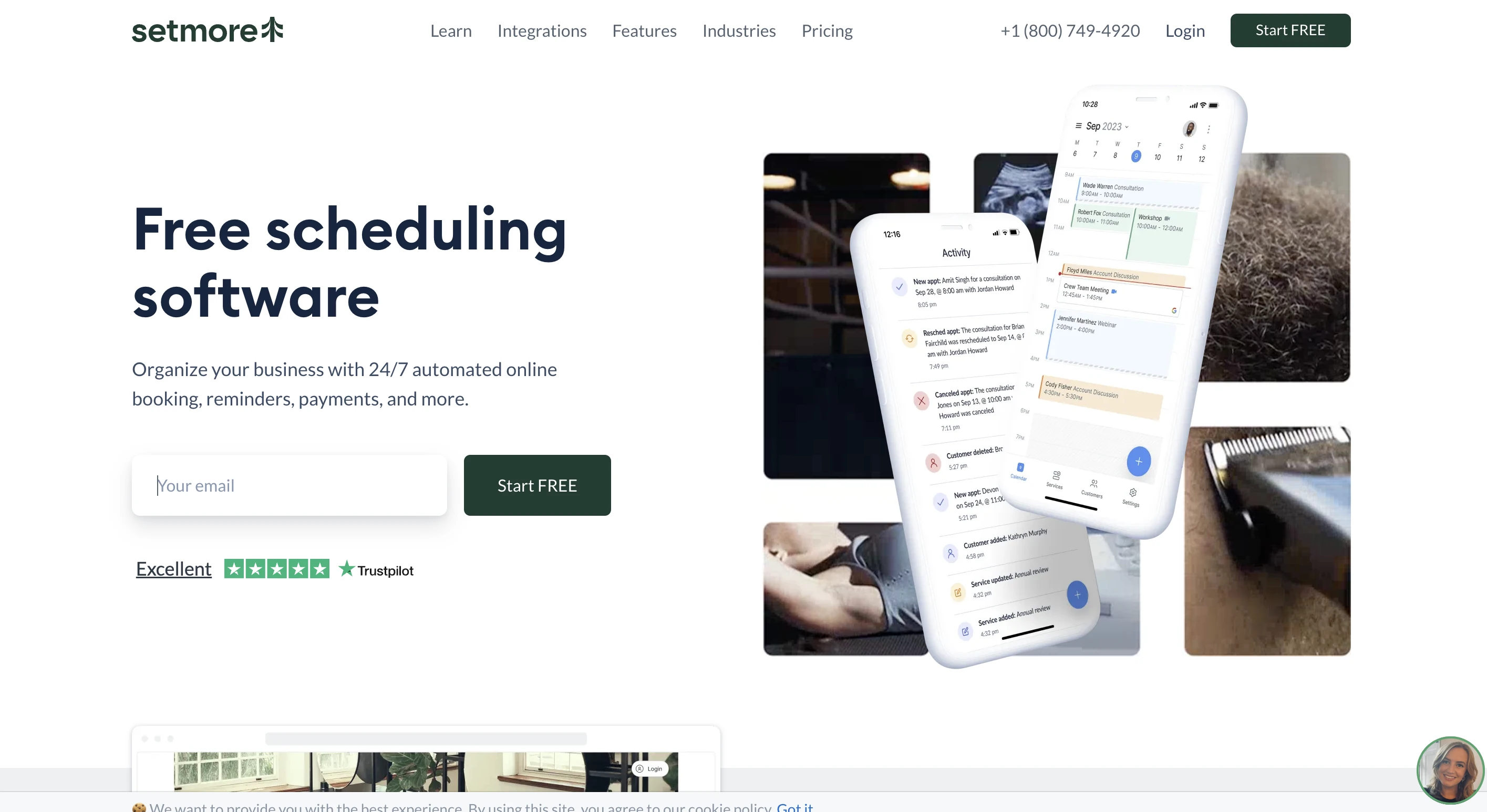
Setmore's free plan supports up to four staff logins with 200 appointments a month, which makes it a useful option if budget is tight and you have a small team taking appointments.
The free plan covers a lot more than most competitors
Setmore Free includes a branded booking page, payment collection, email reminders and confirmations, and one-way calendar sync, meaning it can read your existing calendar to avoid showing already-booked slots, though it won't block time back on that external calendar automatically. For a small team just getting started, that's a reasonably complete toolkit at no cost.
Pro unlocks the features that actually reduce no-shows
The jump to Pro, at $12 per user/month ($5/month billed annually), is one of the more affordable upgrades in this category, and it unlocks the features many businesses consider essential: SMS reminders, two-way calendar sync, recurring appointments, and video appointment links.
Where it falls short
Setmore's customization options are limited, both for the booking page design and for reminder message templates, and there's no email marketing functionality of any kind, so following up after a booking still means using a separate tool. Also, according to users, the interface feels outdated compared to other options.
Best for: Small teams that need free or low-cost multi-staff scheduling without much need for customization.
Setmore pros
Free plan supports up to 4 users and 200 appointments a month
Pro tier is one of the most affordable paid upgrades in this category
Simple to set up with a short learning curve
Setmore cons
Free plan only has one-way calendar sync, so double-booking risk remains
SMS reminders and two-way sync require the paid Pro tier
No email marketing functionality
Pricing and free trial
Setmore Free supports up to 4 users and 200 appointments/month at no cost. Pro costs $5 per user/month billed annually ($12 per user/month billed monthly) and adds SMS reminders, two-way calendar sync, and recurring appointments.
6. Picktime: Best free option for appointment-heavy businesses
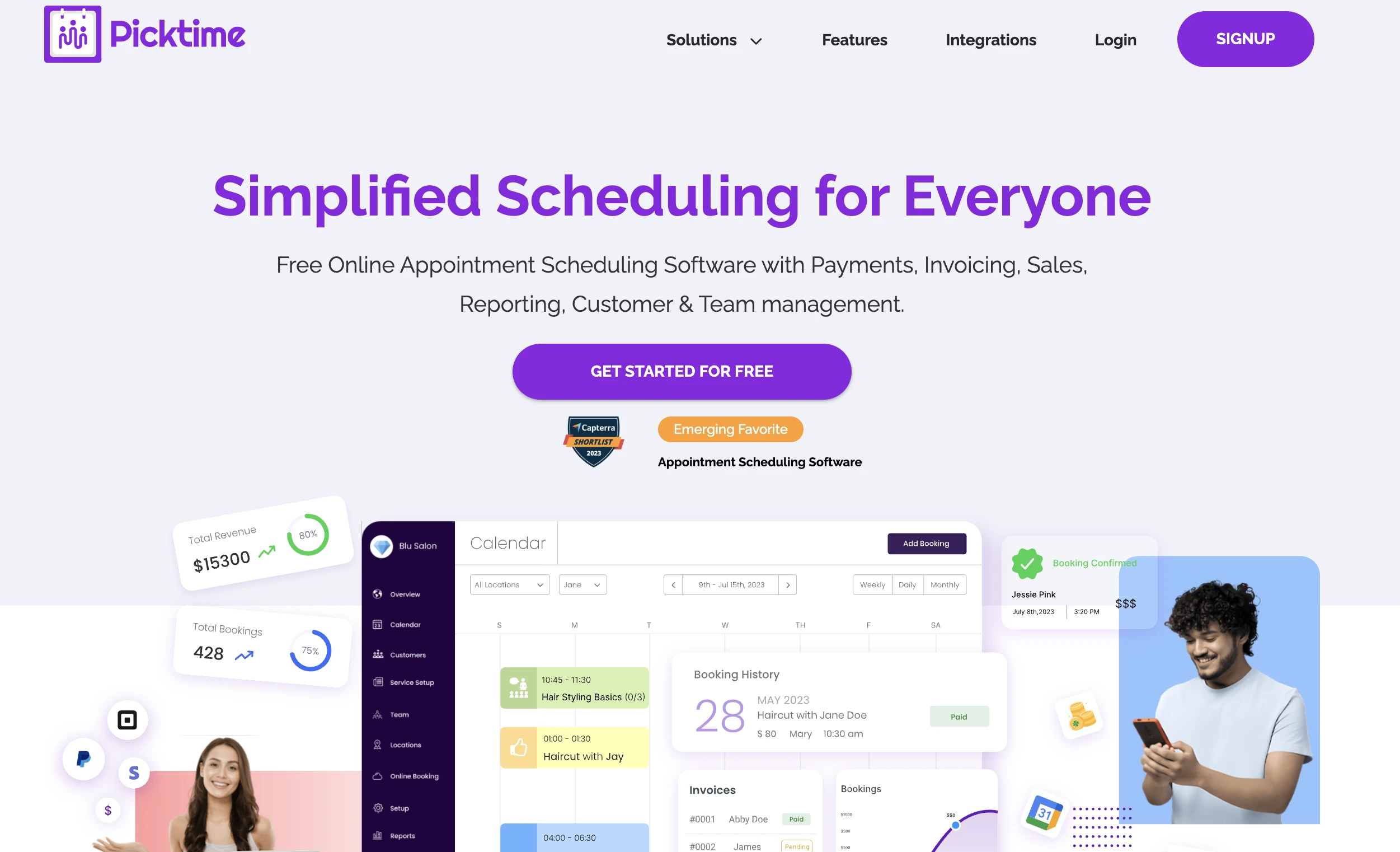
Picktime is another solid free pick, especially if your business handles a high volume of appointments or runs classes alongside 1:1 bookings.
A generous free tier
Picktime's free plan includes unlimited appointments, which is rare among free scheduling tiers, along with support for up to 3 team members and 2 business locations, plus class and group session management.
One way calendar sync covers Google Calendar, Outlook, and iCal, and the booking calendar is color-coded by staff or service, which makes a busy multi-staff schedule easier to read at a glance.
Paid tiers add payment processing and reporting
Picktime's paid plans start around $4 per user/month ( $3 per user/month billed annually) and unlock two-way calendar sync, payment collection through PayPal or Stripe, advanced reporting, and team management tools. Pricing drops further per seat once you cross 10 users, which makes Picktime notably affordable for growing teams compared to per-seat pricing elsewhere in this category.
Where it falls short
Picktime's interface is functional rather than polished, and several reviewers note that the mobile app has fewer features than the desktop version. Like Setmore, there's no email marketing built in, so any post-booking follow-up needs a separate tool.
Best for: Appointment-heavy businesses, class-based services, or multi-location operations on a tight budget.
Picktime pros
Unlimited appointments on the free plan
Class and group session scheduling included at no cost
Paid tiers remain inexpensive even as you add staff
Picktime cons
Free plan lacks two-way calendar sync and payment collection is limited to PayPal
Mobile app has fewer features than the desktop version
No email marketing functionality
Pricing and free trial
Picktime Free supports unlimited appointments, 3 team members, and 2 locations. Paid plans start around $3 to $4 per user/month and add payment processing and advanced reporting. A free trial of paid features is available.
Why appointment-based businesses need more than just a booking app
Every tool on this list can get a booking onto your calendar. Fewer of them help you do anything meaningful once that booking happens. Here's what actually filling it looks like once a client hits "book."
Booking confirmation emails that do more than confirm
A confirmation email is often the only thing a client gets after booking. But that moment could also be the start of a relationship, and it's a missed opportunity if all it says is "see you Tuesday."
With MailerLite automations, a booking can trigger a full sequence: a confirmation, prep materials before the session, a reminder the day before, and a follow-up afterward. No dedicated scheduling app on this list offers that natively, since most either skip email entirely or, at best, offer basic one-time campaign sends.
Check out MailerLite’s 18 pre-made automation templates here.
Turn one-time clients into repeat bookings with email
Acquiring a new customer costs about five to ten times more than keeping an existing one. That math matters even more for small, service-based businesses where client relationships are the whole model.
For example, an automated rebook reminder, sent 30 days after a session, costs nothing extra to run and can bring clients back without you having to remember to reach out.
Growing your subscriber list from every booking
Here's the part that's easy to miss: every person who books an appointment with you is also a potential subscriber. With MailerLite Bookings, anyone who books can be automatically added to a subscriber group, which then triggers a nurture sequence.
That's a simple flywheel: someone books, becomes a subscriber, gets nurtured, and books again. Most scheduling tools stop at the calendar. MailerLite Bookings keep going.
Which scheduling app should you pick?
Every tool on this list can get you booked. Where you land from here depends on what your business needs: Calendly for team meeting coordination, Square Appointments if point-of-sale matters, Acuity for complex intake forms and availability rules, and Setmore or Picktime if a free plan is the priority.
As a coach, consultant, creative, or solopreneur who already relies on email to stay in touch with clients, MailerLite Bookings gives you scheduling and follow-up in one place. Why does this matter?
Because getting booked is the easy part. What actually keeps a client coming back is the follow-up, and that only happens if someone remembers to send it. With MailerLite, you don't have to, since your booking and your email marketing already live in the same place.
If you're already using MailerLite for email, your booking page is one feature toggle away. If you're starting fresh, the free plan gives you a chance to try out both without a credit card.
Create a booking for free
MailerLite's free plan includes one booking event type, plus full access to email marketing and automation, so you can test the whole loop, booking to follow-up, before spending anything.
Frequently asked questions
Q: What is the best free scheduling app for small businesses?
A: MailerLite includes one Bookings event type in its free plan, with native email marketing automation built in. For businesses that need email follow-ups as well as bookings, that combination offers strong value.
Also, Picktime and Setmore offer genuinely useful free plans; Picktime for unlimited appointments and Setmore for small multi-staff teams.
Q: How much does scheduling software cost for a small business?
A: Most scheduling apps start free for basic features, though Acuity is an exception with no free tier at all. Paid plans typically range from $5 to $60 per month. MailerLite's Bookings feature is included on the free plan for one event type. Calendly's paid plans start at $10 per seat/month, and Square Appointments is free for a single location.
Q: Can clients book appointments directly from an email?
A: Yes. With MailerLite Bookings, you can embed a booking button or link in any email or landing page. When a subscriber clicks it, they land on your booking page, choose a time, and complete checkout, all without leaving the MailerLite platform.
Q: What scheduling app works best for coaches and consultants?
A: For coaches and consultants who rely on email to nurture and retain clients, MailerLite Bookings is a strong option since it combines paid session booking with email automation in one platform.
Q: Does MailerLite have a scheduling or booking feature?
A: Yes. MailerLite Bookings lets you accept 1:1 or group appointments, free or paid, with calendar sync and Stripe checkout included. One event type is available on the free plan, and it connects directly to your existing email automation.
Q: What is the best scheduling app for a one-person business?
A: For solo coaches, consultants, or creators, MailerLite Bookings is worth a look since it handles both scheduling and email follow-up without needing two separate subscriptions. If you only need basic scheduling with no email component, Setmore's or Picktime's free plans are great lightweight options.
Add MailerLite as a preferred source on Google. It tells Google you trust us, so you'll see more of our content in Top Stories and AI Overviews.
Add as a preferred source