MailerLite MCP
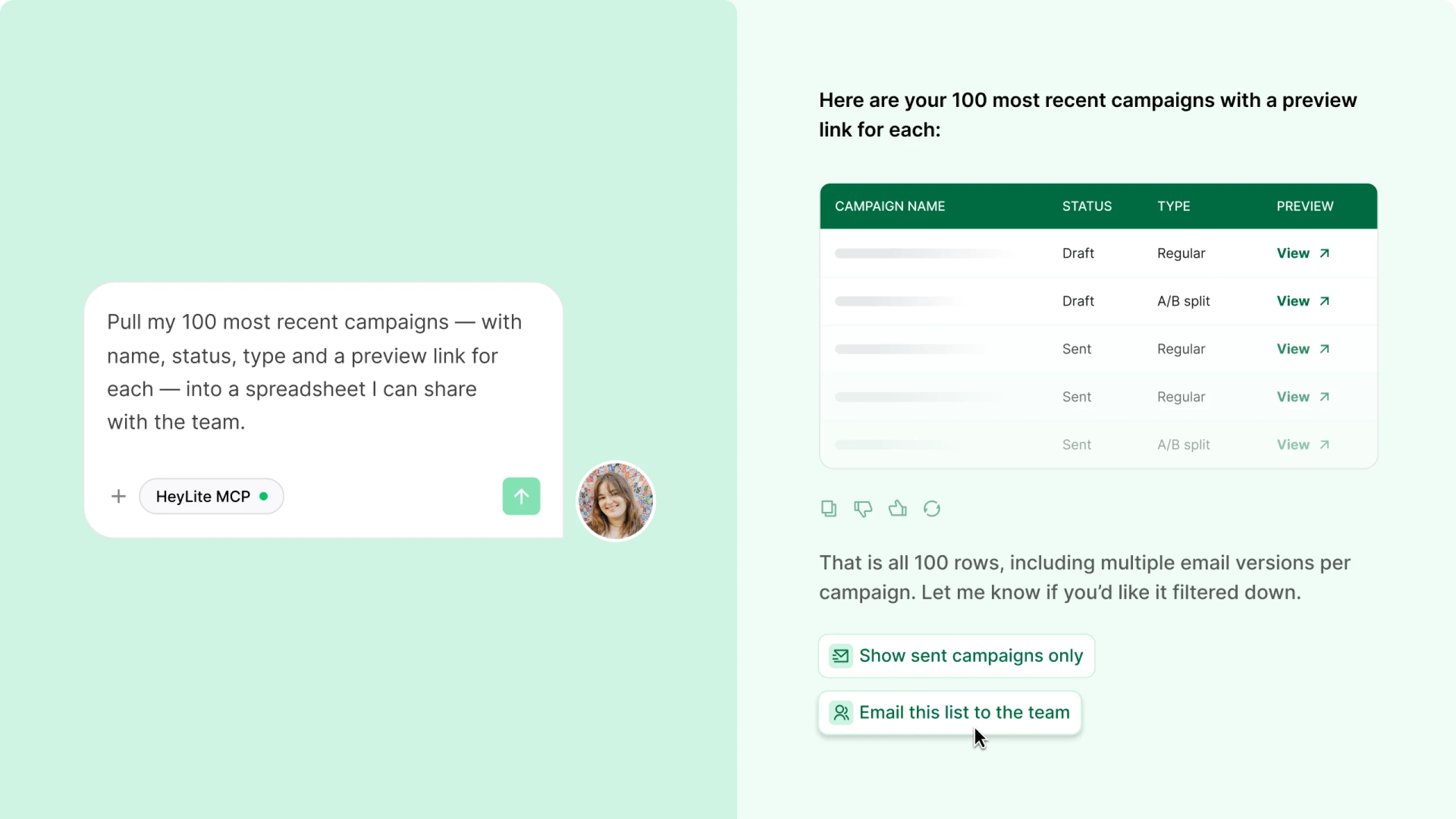
Run email marketing just by asking ChatGPT, Claude, and moreConnect Claude, ChatGPT, Gemini, or Cursor to your MailerLite account. Ask it to check your real data, draft a campaign, pull a report, or clean up your list. Whatever you need!
Works with:




3 powerful ways to get more done with MailerLite MCP!
 Keep your list in order
Ask AI to build a segment, tag your best customers, or clean up inactive subscribers.
 Get reports without the digging
Request reports and optimization ideas based on real data, campaign results and subscriber activity.
 Draft campaigns and automations
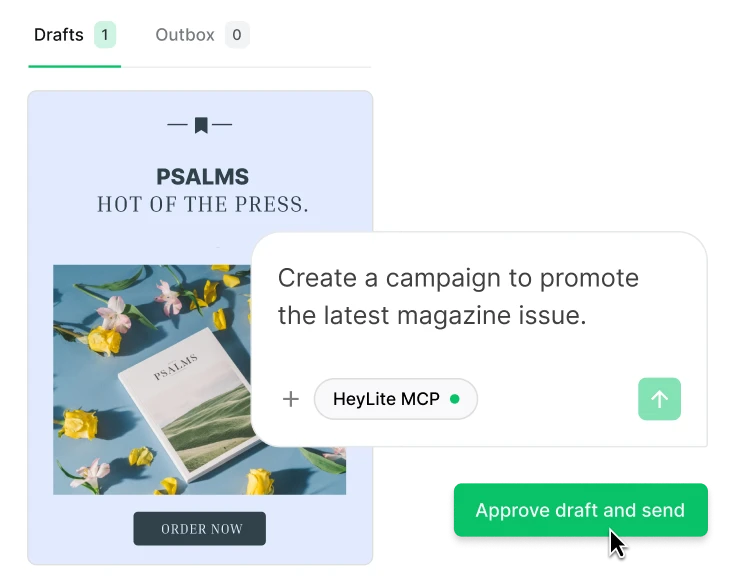
Let AI build campaigns or automations, then just confirm when you're ready to send.



"You’re able to easily get a lot of data [about your campaigns] and it’s clearly presented. This lets us see what resources [in the newsletters] are being clicked and what leads to higher engagement."
Join 1M+ MailerLiters
Who are growing their business together with MailerLite.

Need answers or a helping hand? MailerLite MCP got you covered.
| What it can show you: | What it can do for you: |
|---|---|
| See subscriber details, status, and activity history | Draft campaigns (never send without you confirming) |
| Check campaign content, settings, and performance (opens, clicks, unsubscribes) | Build automations for onboarding, re-engagement, or abandoned carts |
| See who’s in any group or segment | Create segments and groups based on engagement, orders, or location |
| Find where subscribers drop off in an automation | Add, update, or organize subscribers |
| Check signup counts for any form | Set up forms |
| Confirm your account and connection status | Suggest subject lines, content, and send times |
| Analyze and compare campaign performance by open or clickthrough rates | Manage products, orders, and customers |
| See which subject lines or send times have performed best | Repurpose blogs or social posts to emails and vice versa |
Nothing takes place without your consent
We know handing over access to your account can feel like a big step. Here's exactly how we make sure nothing changes, sends, or deletes without your permission:
Campaigns are always drafts first
A campaign can be built and written for you, but nothing gets sent without your explicit confirmation.
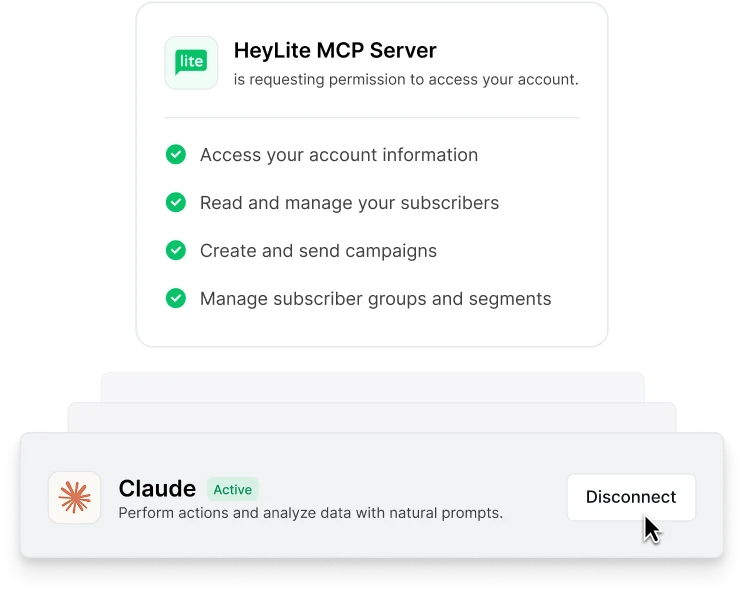
You authorize the connection, and you can end it anytime
Nothing connects without you approving access first. Disconnect from your MailerLite settings whenever you want.
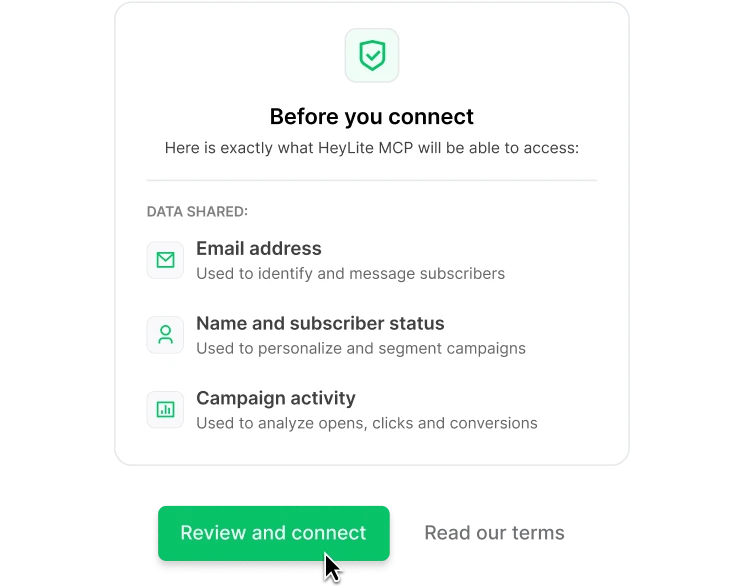
You're the data controller
Under GDPR, your subscriber data is your responsibility. We're upfront about what's shared and with whom before you connect.
How to connect MailerLite MCP
It’s super easy to connect your AI tool: No downloads, no code, and no API keys required (aka the technical and clunky stuff).

Get MailerLite MCP server URL
Access your unique, secure MailerLite MCP server URL – the bridge between your AI and your MailerLite account.

Connect your AI tool
In Claude and GPT, you simply find the tool in the connectors list, and connect. As easy as that! MailerLite MCP also works with developer tools like Claude Code, Cursor, and the Gemini CLI.

Authorize & start prompting!
Once authorized, your AI is ready to receive commands and execute tasks within your MailerLite account.
See real prompts in action
A few examples of what your AI tool can do once its connected to MailerLite MCP:
Give it a blog post you've already written, and it'll turn that into a full campaign draft, matched to your brand, ready to review.
Prompt: "Turn this blog post into a 150-word email summary with a CTA button, and create it as a draft campaign in MailerLite for my newsletter subscribers: [link]"
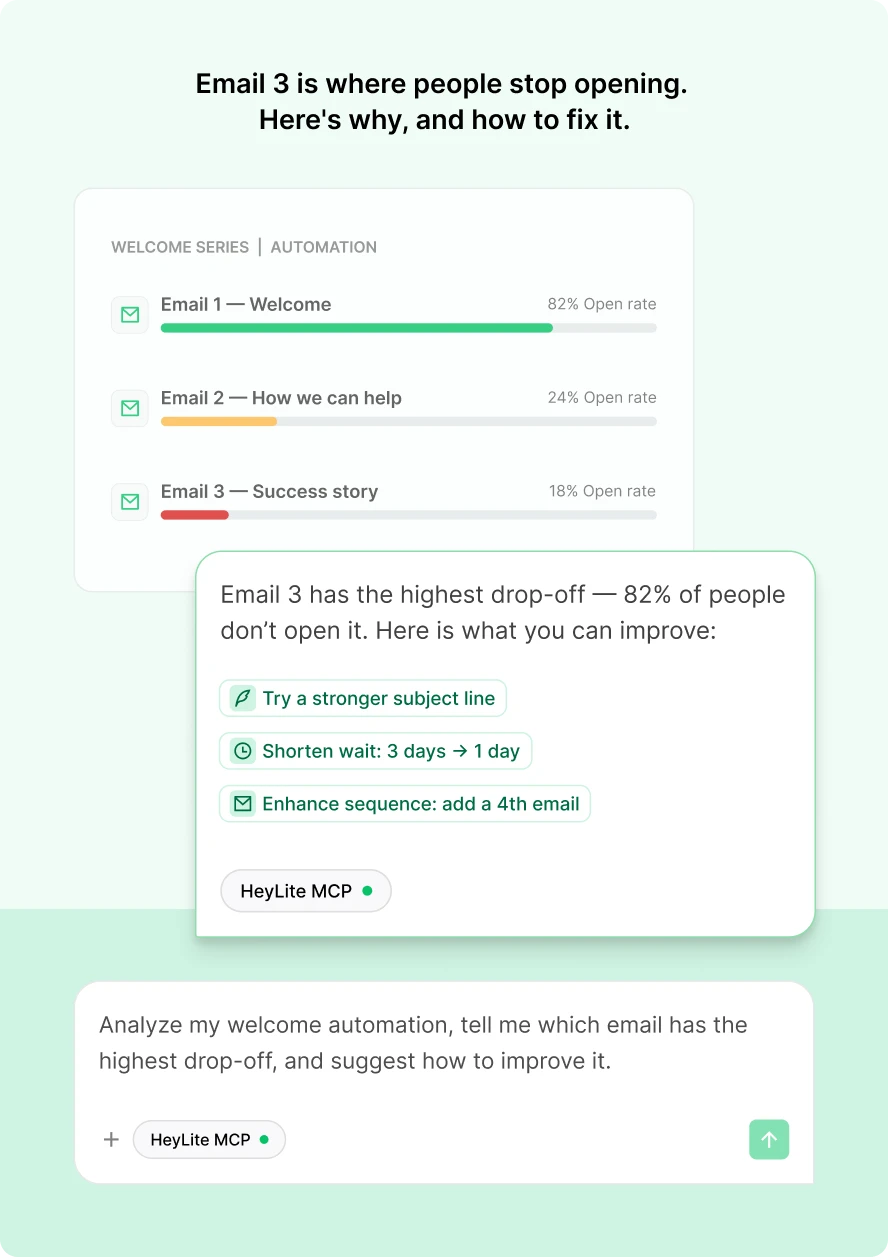
Ask your AI assistant to analyze any automation, and it'll tell you which specific email is causing people to drop off and suggest a real fix, like a stronger subject line or a shorter wait between sends.
Prompt: "Analyze my welcome automation, tell me which email has the highest drop-off, and suggest how to improve it."
Ask it to turn a campaign you've already sent into a LinkedIn post, a social caption, or anything else you need. Reuse what's already working instead of starting from a blank page every time.
Prompt: "Turn my last campaign into a LinkedIn post, around 100 words, with a strong hook and 2 relevant hashtags.”





"I love the MCP so much. I connected most of my important tools in Claude, including WordPress, MailerLite, Google Analytics, my email client, and Google Search Console. This gives me an overall picture of how my business is performing and helps me do more work."
Ready to offload the busywork?
Set it up in a few clicks, no code or API keys needed. It's free to start, so you can see what it can do before you need more.
No credit card required
MCP: Frequently asked questions
What exactly is MailerLite MCP?
MCP stands for Model Context Protocols.
At its core, it's a standardized set of rules that allows AI assistants (Models) to communicate with external services like MailerLite.
Normally, for an AI to use a service, a developer has to write custom code to connect them. MCP eliminates this need by creating a universal language. It lets MailerLite advertise its functions like add_subscriber or create_campaign as a standard set of "tools." Any AI that understands the MCP standard can then automatically see and use these tools to carry out your requests.
Do I need coding skills to use MCP?
No! MailerLite has made its MCP cloud-based, meaning the technical complexity is handled by us. Connecting is typically a simple click-and-authorize process.
What does the MCP server for MailerLite do?
The MCP server acts as a secure bridge between your AI tool and your MailerLite account. It translates the standard commands from your AI into specific actions within MailerLite, like adding a subscriber or analyzing a campaign. This allows your AI tool to understand and use MailerLite's features without needing a complex, custom-built integration.
Is using an MCP compliant with GDPR?
Under GDPR, MailerLite customers are the data controllers for their subscribers' data. As stated in our Terms of Use (Section 17.4), customers are "solely responsible for your choice, configuration, and use of any AI Agent connected via the MCP," including ensuring compliance with all applicable laws. When a customer integrates an AI tool, they are directing that data transfer.
MailerLite provides clear information to help clients make informed decisions about their subscribers' data when using an MCP. This includes:
Prominent disclaimer: Before connecting to the MCP, a disclaimer states: "By connecting, you authorize your chosen third-party AI agent to access your full MailerLite account data. [...] You are solely responsible for ensuring your use complies with applicable laws.”
Terms of Use: Sections 17.2 and 17.5 clarify that customers authorize AI Agents to access data within their MailerLite account, and MailerLite does not control or endorse third-party AI Agents.
Privacy Policy: Customers authorize data transmission to the AI Agent, whose own terms govern data handling. It also highlights that data transfers to AI Agents via the MCP may also involve international data transfers, and you are responsible for ensuring compliance with any applicable regulations.
We believe this information allows our customers to make well-considered decisions about their data when using MCP functionality. For more details, please refer to our AI policy.
Is it difficult to set up?
No. Connecting takes a few clicks, and works with Claude (desktop and web), Claude Code, Gemini CLI, VS Code, Cursor, and ChatGPT. For most tools, you paste MailerLite's MCP server address into your AI tool's connector settings. ChatGPT uses its own Connectors flow instead. See setup guides for every supported tool
What kind of MailerLite data can an AI tool/LLM access via MailerLite?
By authorizing a connection, you grant your chosen AI assistant permission to access the data needed to perform your requests. This includes information across several categories:
Subscriber data: Names, emails, status, groups, fields, and activity history
Campaign data: Content, settings, and performance metrics like open and click rates
Groups and segments: Lists of your subscriber groups and segments
Automations and forms: Details about your automation workflows and forms
You are always in control of this connection. For a complete breakdown of every available function, please see the Full list of available tools section in this guide.
Will my AI assistant send campaigns or delete anything without me knowing?
No. Campaigns are always created as drafts; your AI assistant can't send one without your explicit confirmation, and it will tell you the audience size before you approve. Destructive actions, like deleting a subscriber, campaign, or automation, also require your confirmation first.