Integrate MailerLite with Lovable to add powerful email marketing features to your Lovable-built app or website.
Once connected, you can sync new signups with MailerLite, create forms that are linked to MailerLite automations, take actions like creating groups in MailerLite without ever leaving Lovable, and much more.
The MailerLite API, form embed, and MCP server features are available on all plans, including Free. Here’s how to use them.
How to add MailerLite to Lovable
There are 3 ways to add MailerLite to Lovable: adding forms built in MailerLite to a Lovable project, connecting to MailerLite from Lovable with the MailerLite API, and accessing the two platforms in a tool like ChatGPT or Claude via MCP servers.
1. Add MailerLite forms to a Lovable project
The simplest way to connect the two tools is to add forms built in MailerLite to Lovable projects.
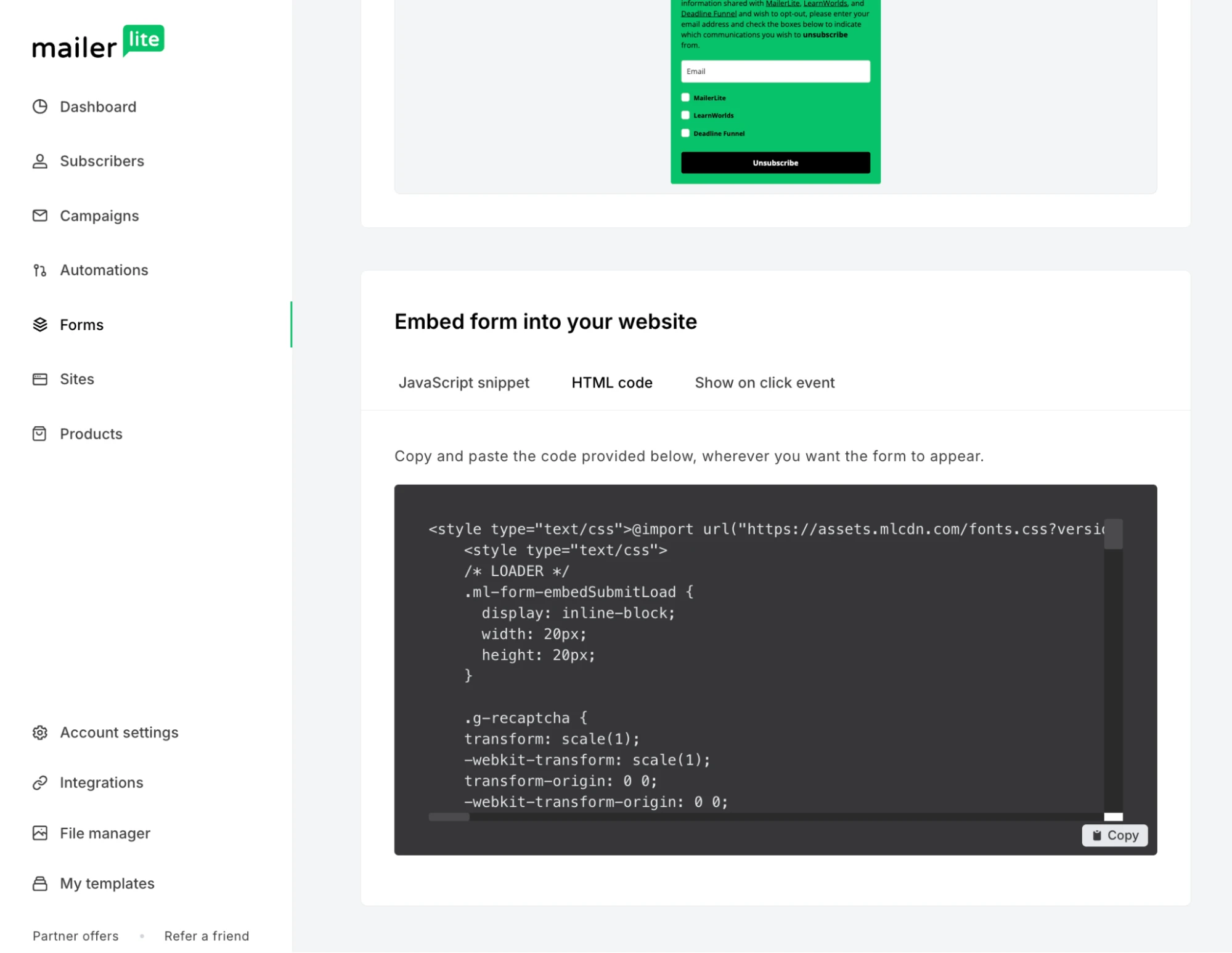
Build the form in MailerLite, copy the HTML code, and then ask Lovable to embed it into your project. Once added, anyone who signs up via the form will be automatically added to MailerLite.
The benefit of this method is that you don’t have to set up the API. Plus, if you have automations that are connected to an existing form, they will continue to work when you add the form to your Lovable project.
2. Connect via the MailerLite API in Lovable
Integrating MailerLite and Lovable via the MailerLite API enables you to connect the two tools on a much deeper level than simply adding a form.
It allows you to perform complex actions related to how people use your Lovable app. In fact, you’ll access the same API tools that a developer setting up email marketing for an app would have access to.
Connecting the tools is easy. Tell Lovable that you want to add MailerLite, and it will guide you through the process of connecting the API securely via a Lovable secret. This gives Lovable access to all your MailerLite data, and the ability to take action in your MailerLite account.
Once connected, you can then ask Lovable to implement any use case you want to use. For example, you could:
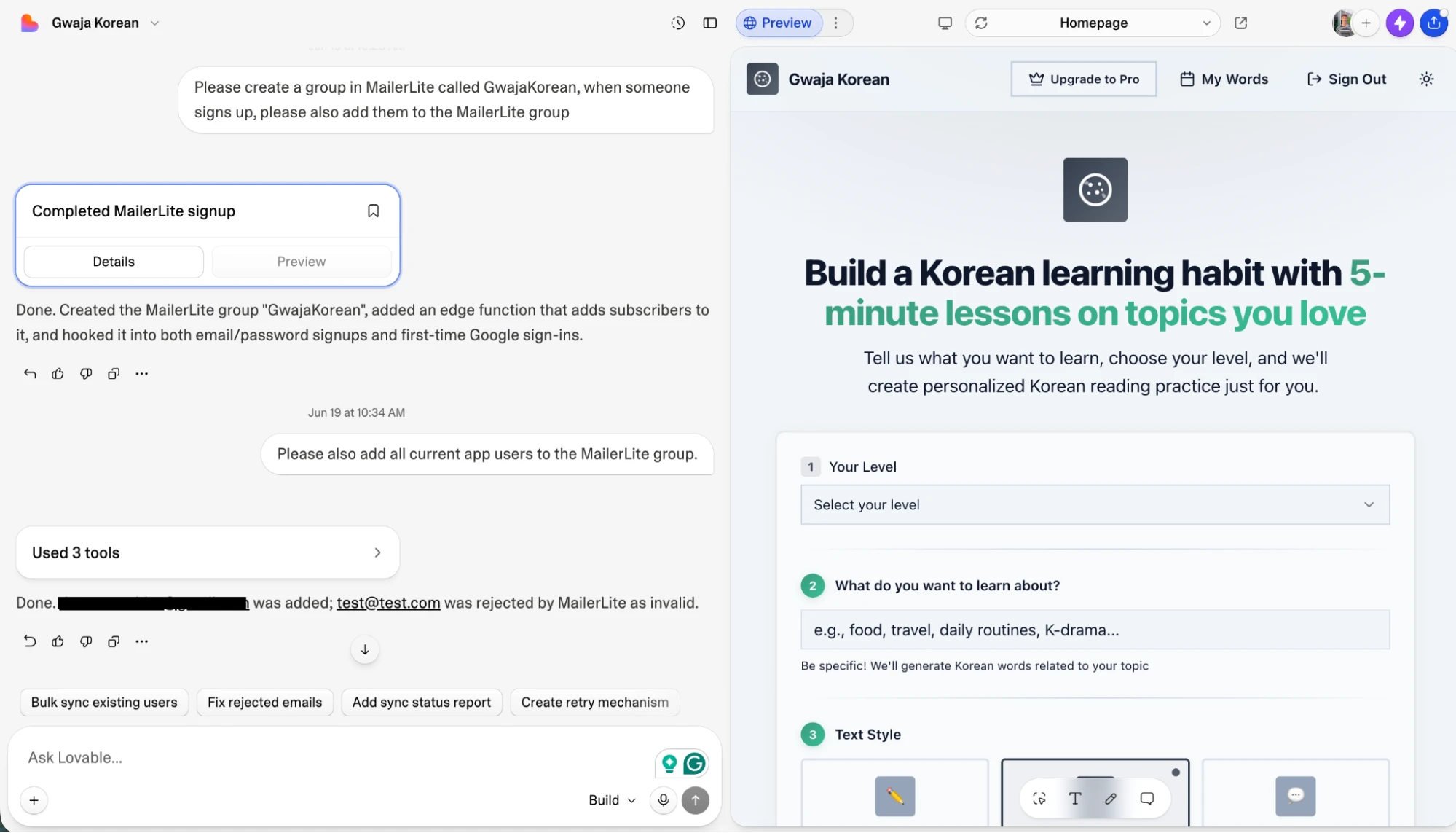
Add people who sign up for your app to MailerLite
Sync fields created in Lovable with fields created in MailerLite
Store app users’ data in multiple places, such as in Lovable, an external database like Supabase, and MailerLite
Create a group in MailerLite for Lovable signups
Track user actions in Lovable and use them to trigger MailerLite automations
We’ve got more ideas about how you can use the two tools in the section at the end of this page.
3. Interact with MailerLite and Lovable in your favorite AI tool
Since both Lovable and MailerLite have MCP servers, you can also connect them to a tool like ChatGPT or Claude to access data and perform actions in both of these apps without leaving the chatbot you’re using.
This is still super new technology, so we’re keen to see what you do with it. Some ways the tools could be used in sync include:
Adding new Lovable users to MailerLite
Updating user profiles in both the tools
Adding features to your Lovable app and then setting up related automations in MailerLite
See more about what our MCP server can do in our guide and developer documentation.
6 ideas to promote your Lovable app with email marketing
Once the MailerLite API is connected to Lovable, you can do anything that a developer with API access can do. This brings extremely powerful SaaS email marketing features to your app.
1. Send a welcome email
Create an automation that sends a welcome email or welcome email series to people as soon as they sign up for your app. Include essential information such as how they can use your tool and details about your paid plans.
You can also go beyond a single email to create an entire SaaS onboarding sequence that includes top features, case studies, user examples, and more.
2. Send upgrade emails
Ask Lovable to create a custom field in MailerLite that updates when an app user reaches the limits of your free tier.
Then create an automation in MailerLite that is triggered when the field updates and encourages them to buy a paid plan.
3. Send targeted offers
Send targeted content depending on how people use your app. For example, you could send an email with an introductory offer to free trialists and a discount on annual plans to monthly users.
4. Send a re-engagement campaign
Send an email to people who haven’t signed into your app for a specific period of time, say a month or 90 days.
Include all the latest features you’ve been working on, or examples of people who have found success with your tool.
5. Grow your list with lead magnets
Create a page in Lovable that is hidden behind a form that only unlocks when someone submits their email address. Send the email address straight to MailerLite and then use this to trigger a nurture campaign.
6. Celebrate milestones
Send an automated email when a user hits a specific achievement or milestone inside your app, such as creating their 10th project or logging in every day for a week.
Set it up by tracking user actions in Lovable and then updating a custom field in MailerLite when that number hits a milestone. You can then send the celebratory email.