Abandoned checkout automation
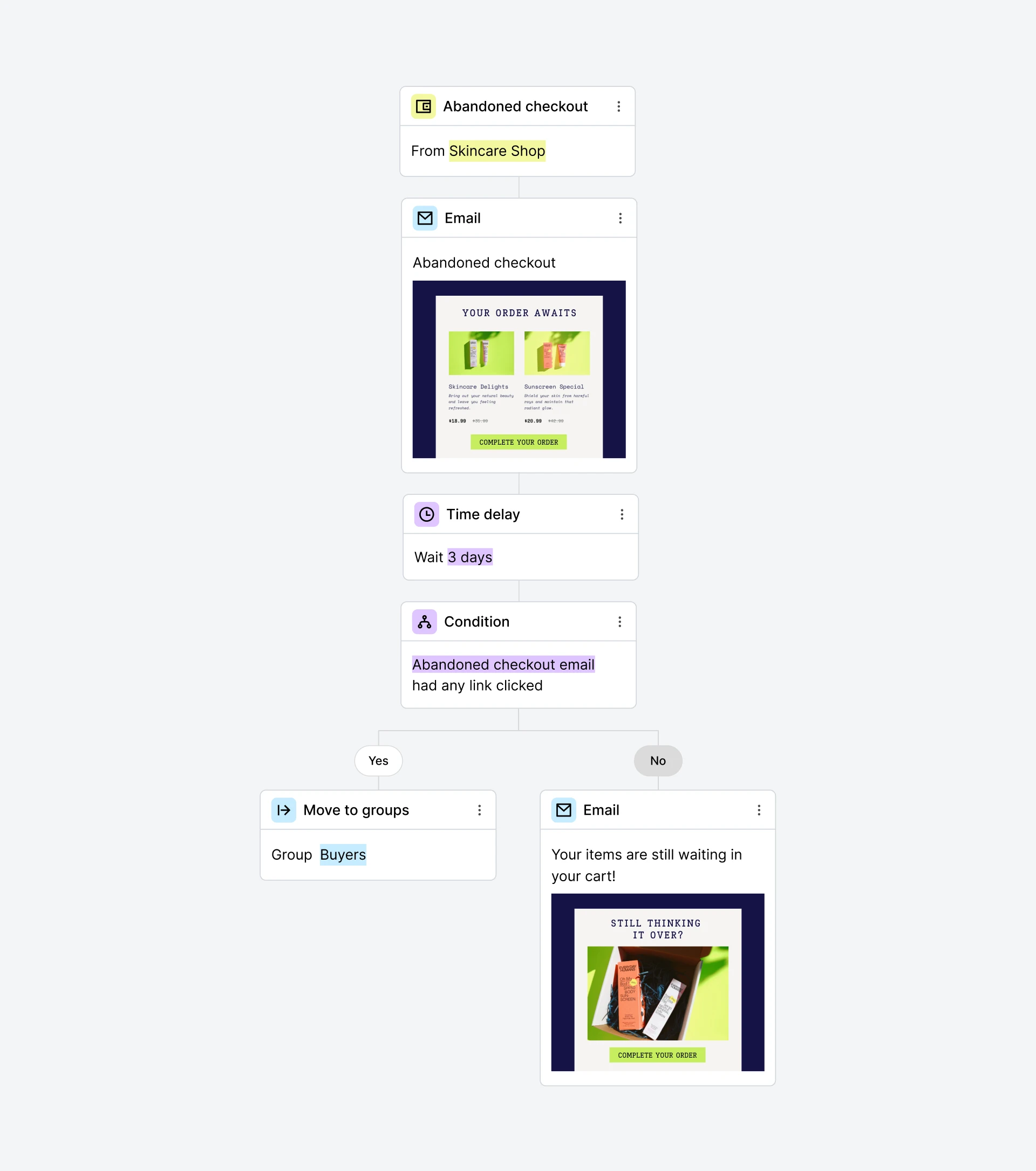
MailerLite accounts integrated with Shopify, WooCommerce, BigCommerce, Wix, or PrestaShop can use this automation template to remind customers who left items at checkout to complete their purchase. You can choose the delay before the abandoned checkout email triggers and send more reminders after a few days.
Setup
This workflow template uses an e-commerce trigger. E-commerce triggers are exclusively available on accounts that are integrated with Shopify, WooCommerce, BigCommerce, Wix, or PrestaShop.
How do I use this template?
Go to the Automation page and click New automation
Select the Abandoned checkout template
Select a shop for the Abandoned checkout e-commerce trigger and set a delay time (e.g. 6 hours)
Click on the Email step to design your abandoned cart email
Make sure to add the abandoned checkout block in your email so it automatically fetches the abandoned items from your customers' carts. Once you’re done creating the email, click Done editing
Set a Time delay (e.g. 3 days) before setting up the next condition
Below you’ll see a Condition step set to Workflow activity, Abandoned checkout email, Had any link clicked
On the Yes path, click the Action step Move to groups (e.g. Buyers)
On the No path, click the Email step and use it to resend the abandoned checkout email
Save the email and click on the Activate button to turn on the workflow
This is just one great example of how you can use this template. You can edit this template as much as you want to make it work for you. The sky is the limit!