Note: If you're a Legacy (Classic) user, please log in to your account to access the dedicated Legacy (Classic) Help Center.
Best send time detection helps identify and predict when each of your subscribers is most likely to open your emails.
To pinpoint the optimal send time, MailerLite sends a subscriber's email a little earlier or later than usual and tracks how they respond. The more data it collects, the more precisely it can predict when each subscriber is likely to engage.
What is best send time detection?
Best send time detection is an account setting that applies to regular campaigns sent to 1,000+ subscribers. When it's on, send time for 0.5% of recipients of each campaign is shifted up to 3 hours before or after their peak engagement time.
Here’s an example: You schedule a campaign for 10 am to 10,000 subscribers. About 50 of them are picked at random. One of them usually opens emails around 1 pm, so they might get your campaign any time between 10 am and 4 pm. The other 9,950 subscribers get it at 10 am as planned.
How each subscriber's usual time is chosen
Active contacts: Scheduled based on each subscriber's peak open or click times.
New contacts: Default to your account's usual send time.
Past times: If a subscriber’s optimal time has already passed today, their email arrives at that time tomorrow.
How to turn on best send time detection
Best send time detection is off by default. You can turn it on while scheduling a campaign or enable it via Default settings.
While scheduling a campaign
2. On the Send or schedule step, look for the banner Find the best send time for each subscriber.
3. Click the I’m in, enable it button to turn it on.
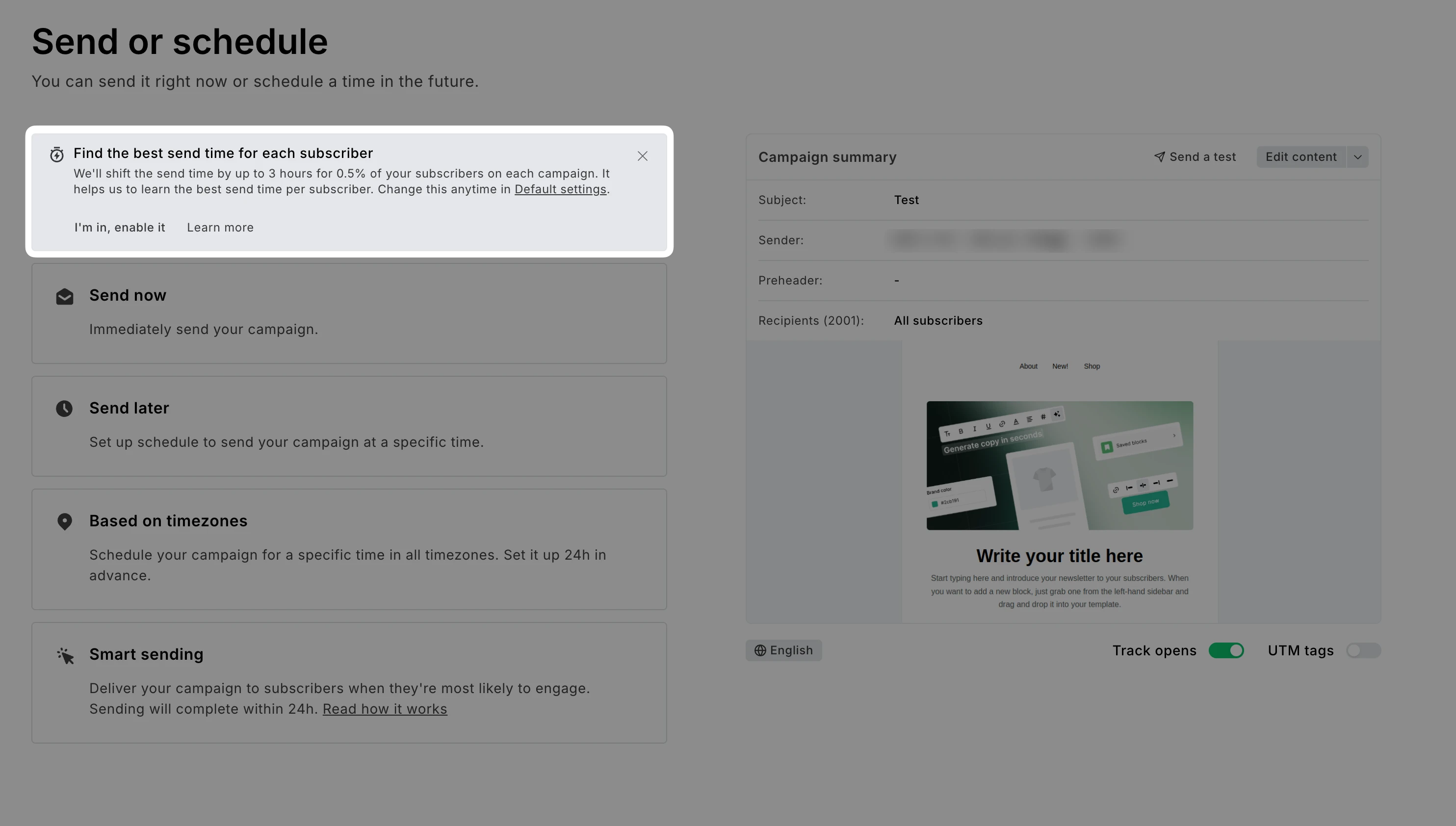
Turning it on here switches on the account setting, so it applies to your future campaigns too. You can change it anytime in Default settings.
Via Default settings
1. Go to Account settings and click the Default settings tab.
2. Scroll down to Best send time detection.
3. Check the box Shift the send time by up to 3 hours for 0.5% of your subscribers on each campaign.
4. Click Save changes.
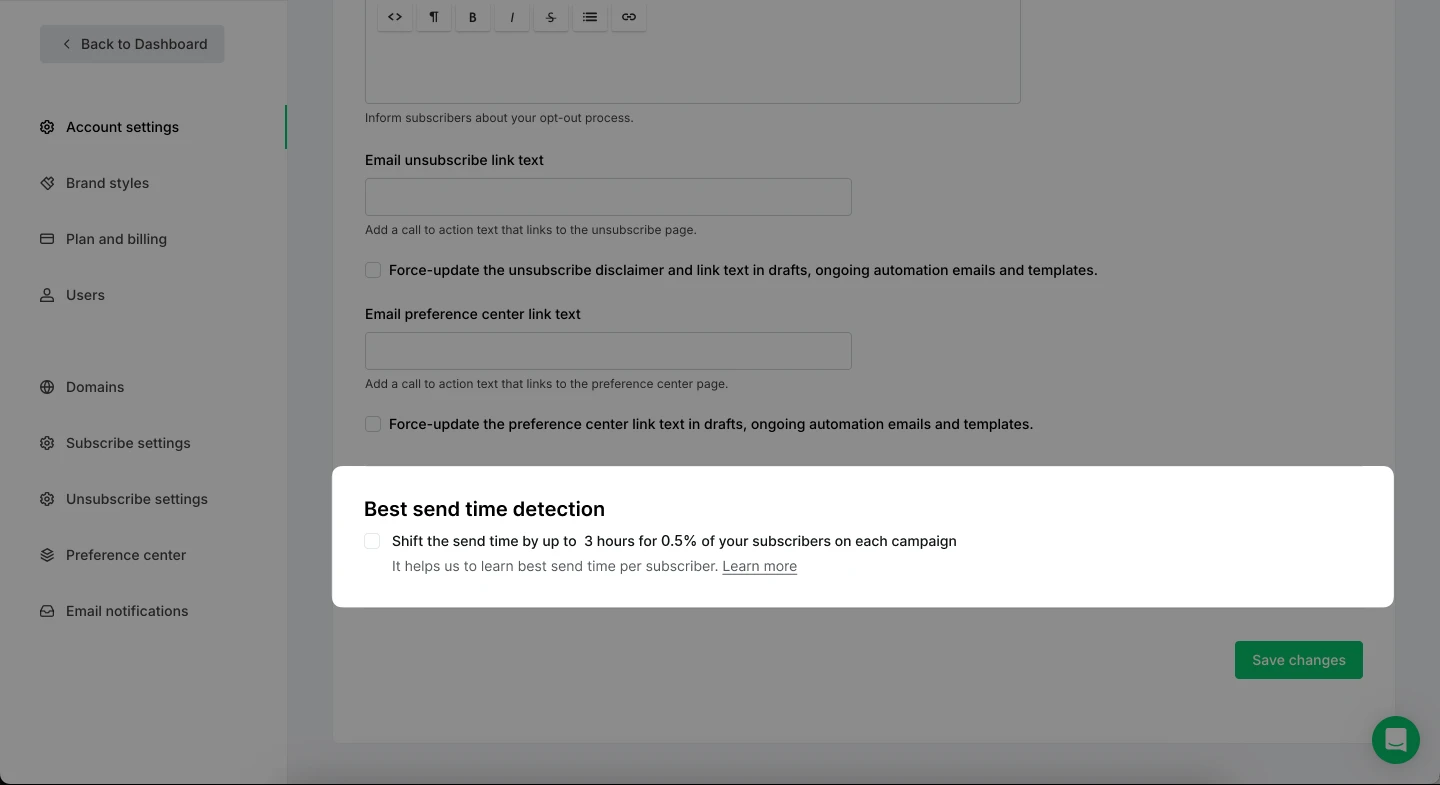
Note: You can disable best send time detection by unchecking the box in your Default settings. Campaigns that are already sending will finish as they started. New campaigns will go out to everyone at the time you choose.
How to track the sending process
When a campaign includes delayed emails, it continues sending until the last delayed email goes out. This can take up to 24 hours after sending starts.
You can track the progress of the sending process in Campaigns > Sent > Overview.
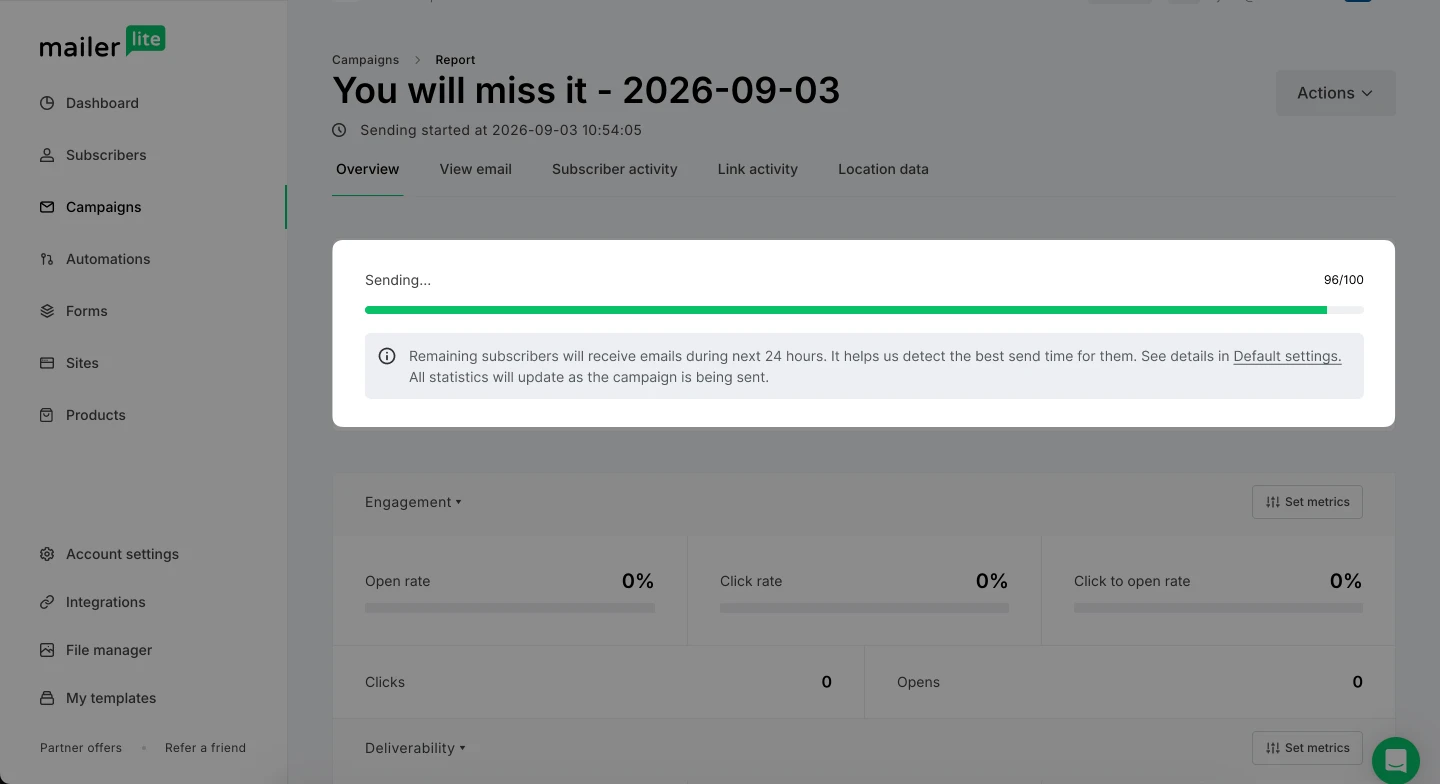
You'll get your campaign completion notification once the campaign goes out to all subscribers.