Note: If you're a Legacy (Classic) user, please log in to your account to access the dedicated Legacy (Classic) Help Center.
Shopify enables automatic checkout abandonment emails by default. If you want to create and use abandoned checkout automation in MailerLite, you will need to turn off the default abandoned checkout emails in Shopify. Otherwise, your customers will receive two different emails every time they leave items in their checkout.
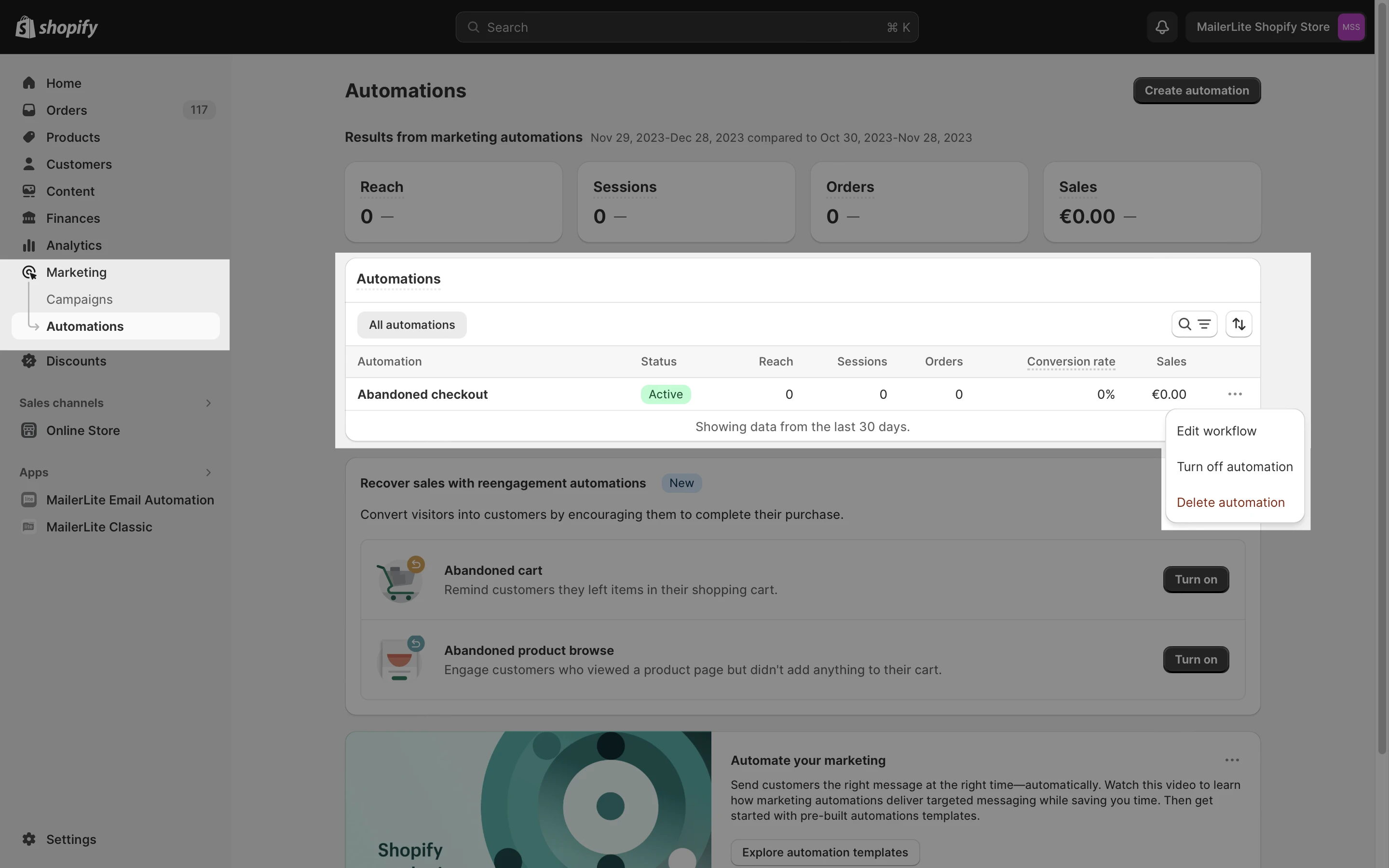
To turn off the default abandoned checkout emails in Shopify:
Navigate to your Shopify admin panel.
Click Marketing.
Choose Automations.
Select the three horizontal dots next to the Abandoned checkout settings.
Choose to turn off or delete the workflow. This will disable Shopify abandoned checkout emails.
6. Confirm by clicking Turn off.
All done! You’re now ready to create a responsive abandoned checkout email to send to your subscribers.