If you're a Legacy (Classic) user, please log in to your account to access the dedicated Legacy (Classic) Help Center.
If you’re considering canceling your MailerLite subscription, here’s what you need to know about the process and how it affects what you can do in your account:
Account downgrade to Free plan
Once you cancel your subscription, your account will automatically downgrade to the Free plan after your current billing cycle ends. You won’t be charged again.
Feature limitations
The Free plan offers fewer features than paid plans. Certain advanced functionalities will no longer be available when your account downgrades to the Free plan, such as access to pre-made templates, some automation features, the Preference center, etc. Review Free plan features here.
Some feature use is limited on the Free plan. You can have up to 3 automations, 3 forms, 1 digital product, 1 landing page, and 1 website.
User access
The Free plan permits only two users per account. If your account has more users, additional users will be automatically removed during the downgrade.
If you upgrade again in the future, you can re-add additional users to your account.
Subscriber limit
The Free plan supports up to 250 active subscribers. If your current subscriber count exceeds this limit, you’ll need to reduce your active subscribers to 250 or fewer to ensure the downgrade is successful.
If this is not done, there may be restrictions on sending campaigns until the limit is met.
Data retention
All your data, including subscribers, campaigns, and reports, will remain intact in your account when you downgrade to a free plan.
However, access to certain features or historical data may be limited.
Email sending
The Free plan restricts the number of emails you can send per month to 2,500.
After downgrading, some automated workflows might be disabled due to feature limitations.
Custom domains and landing pages
Canceling your subscription removes access to custom domains, and any existing custom domains need to be disconnected/removed from landing pages and websites first to successfully initiate the plan cancellation.
Your sites will still be hosted on the default MailerLite URL. Previously set DNS records remain valid and can be reused if you upgrade again to either the Comfort or Power plan.
How to cancel your subscription
Go to Account settings.
Navigate to Plan and billing:
Click Cancel subscription.
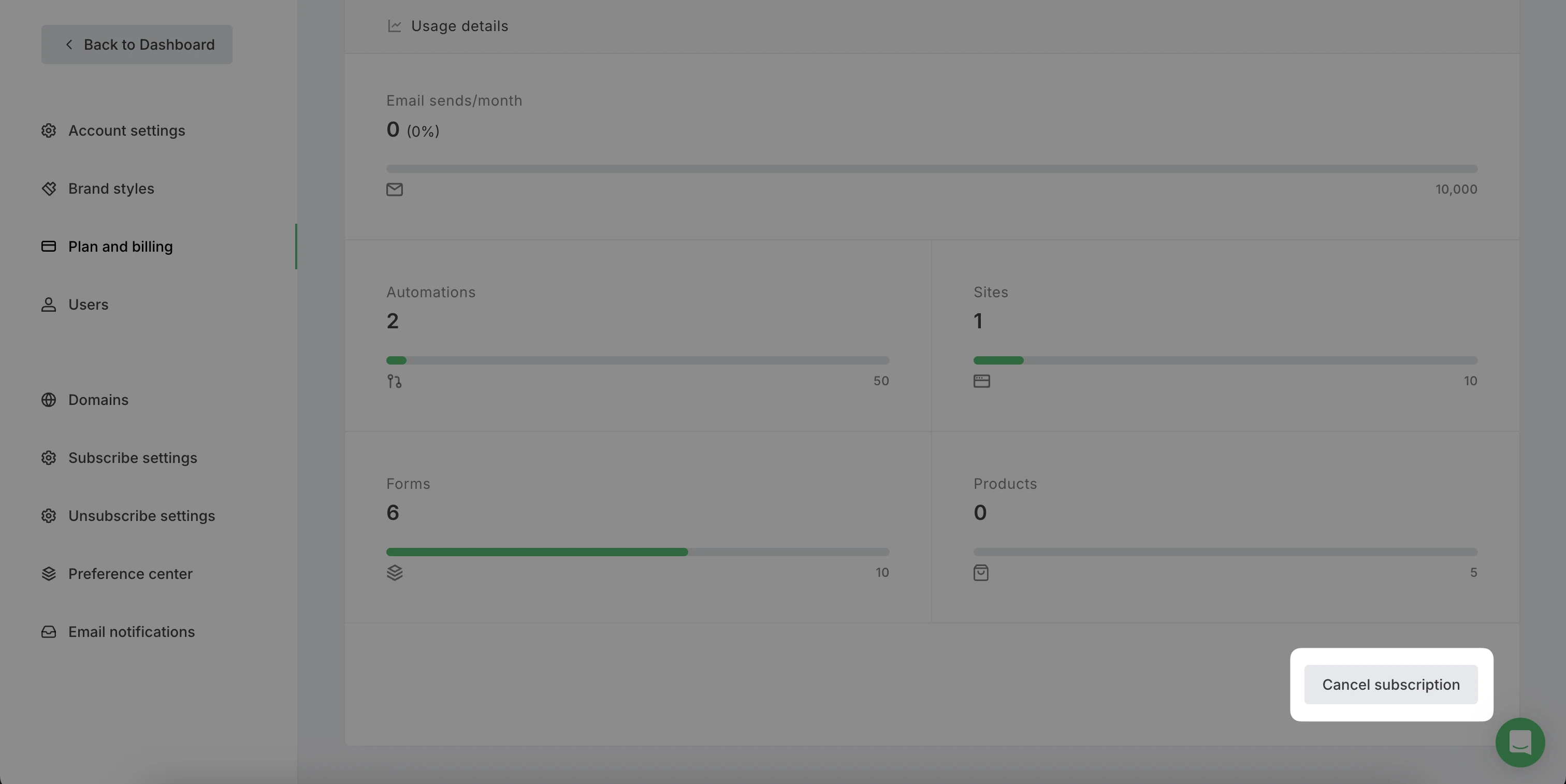
4. Follow the prompts to confirm your cancellation.
You can upgrade your plan at any time to regain access to premium features and higher subscriber limits.
Upgrading is straightforward, and all your data will be readily available once you switch to a paid plan.