9 must-have WordPress marketing automation tools for 2026

 MailerLite Marketing team members Andres and Chiara
Whether you’re a fellow blogger, course creator or small business owner, you’ll find proven WordPress automation tools that work smarter for you—minus the tech headache and the steep learning curve!
If you run a WordPress site for your business, you know the dilemma: finding marketing automation tools that actually help, without eating your budget alive. 😩
As a WordPress blogger running a small book review site, I’ve been there. I wanted WordPress automation tools that wouldn't be difficult to get started with (or need a second mortgage).
Without automation, I was spending over 10 hours a week on repetitive tasks like manually sending welcome emails and scheduling content. That was time I should have spent reading and writing reviews—y'know, the stuff I actually care about!
This guide shares the practical and affordable WordPress apps that eased my workflow and helped me reclaim hours every week.
Best WordPress automation plugins and tools
WordPress plugins turn complex automation tasks into point-and-click solutions. They let you build powerful workflows, like adding new buyers to your email list or sending personalized welcome sequences, without writing a line of code. 😊
Methodology of how I selected these apps
I tested a bunch of popular WordPress plugins with one simple question in mind: "Will this actually make life easier for someone running an online business?"
Through personal testing and learning from other successful WordPress users, I found that an email marketing tool like MailerLite, combined with the right WordPress automation apps, can help supercharge your business growth.
So, here’s how I selected the WordPress automation apps on this list:
Is it truly useful? I looked for tools that solve real problems and create practical automation opportunities.
Can you set it up without a headache? If I couldn’t figure it out as a regular user, it didn’t make the cut.
Is it affordable for small businesses? I focused on tools that offer good value for solopreneurs and small teams, with reasonable starter plans and clear upgrade paths as you grow.
Does it work with MailerLite? I personally tested each integration, and yes, there’s no technical expertise required to implement and use them.
Whether you’re operating a small business or running a blog, these tools have proven their worth in real-world applications. I’ve included screenshots and personal experiences throughout to show exactly how they can work for you.
1. MailerLite - The all-in-one email automation platform
For an honest perspective, I asked our copywriter Kerry Campion about her experience using MailerLite long before joining the company and whether she’d consider other email tools.
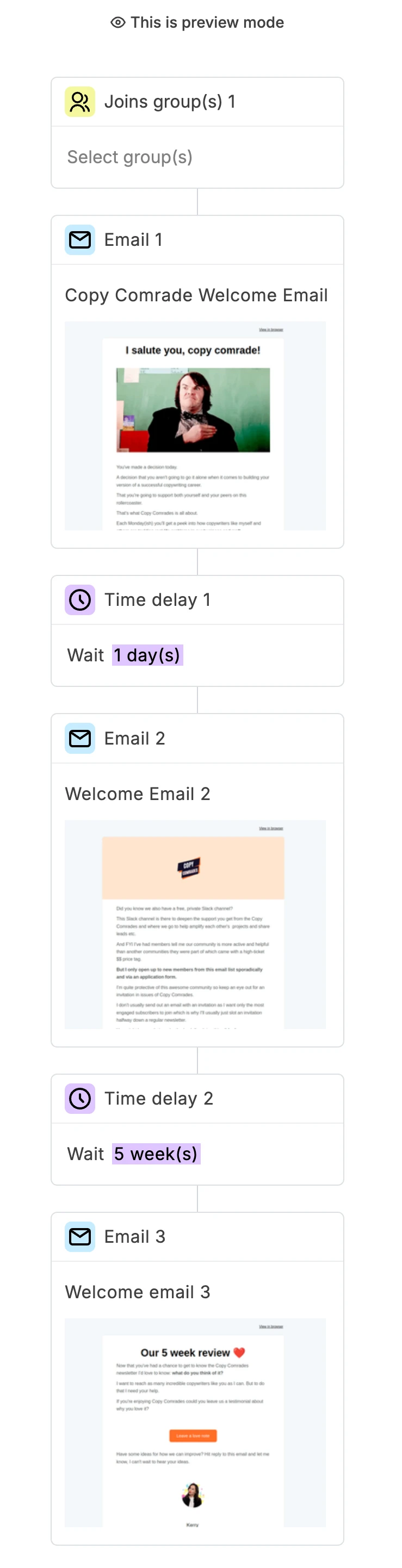
Kerry uses MailerLite to power her WordPress blog, Copy Comrades’, email marketing. Her workflow shows how simple yet effective MailerLite automation can be:
A MailerLite pop-up captures Kerry’s new subscribers

They instantly receive a welcome email explaining what Copy Comrades offers
New subscribers start receiving her regular newsletters right away

After 5 weeks, an automated email asks for their feedback using Senja, her preferred testimonial collection tool.
Here’s Kerry’s welcome sequence in action:
After using Mailchimp, ActiveCampaign and Kit, discovering MailerLite was a big a-ha moment for my email marketing. What I loved the most was the design flexibility, something that I had struggled a lot with when using ActiveCampaign and Kit. It was super simple to set up automations and landing pages to help grow my list. I'm also a huge fan of our automatic resend feature which helps me pull in about 15% more opens without having to lift a finger.
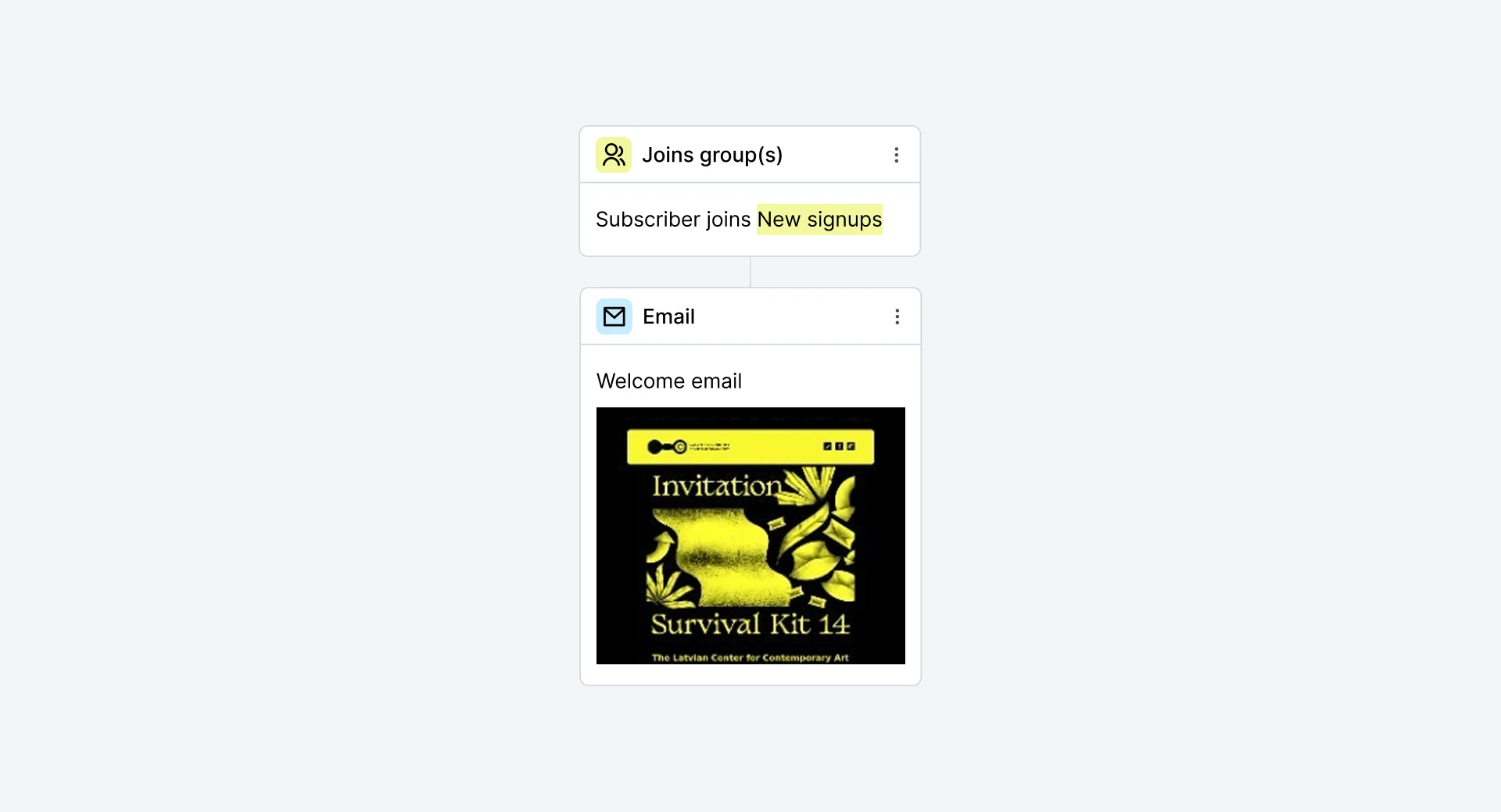
Want to try out a welcome sequence similar to Kerry’s? Check out our pre-built welcome template. All you have to do is add your triggers, emails, and rules, and voila, your welcome sequence is ready for use!
MailerLite key features
Super fast and easy WordPress integration (integration guide)
Visual no-code automation builder
Smart forms that sync directly with your site
Dynamic subscriber tagging and segmentation
WooCommerce integration for purchase-based automation (MailerLite WooCommerce Integration guide)
Behavior-triggered emails (clicks, form submissions)
Model context protocol server (MCP) that connects external AI tools (like ChatGPT) to your MailerLite data for specialized email marketing assistance
Use cases
Here are some ways you could use MailerLite and WordPress automation:
Store owners recover abandoned carts with perfectly timed follow-ups
Membership sites deliver personalized onboarding experiences and renewal alerts
Authors and coaches send email updates about their new book or workshop launches
Loyalty programs reward repeat buyers when they hit a purchase milestone, like every 3rd or 5th order
Pricing:
Free for up to 2,500 monthly emails and 250 subscribers. Paid plans start at $12 a month.
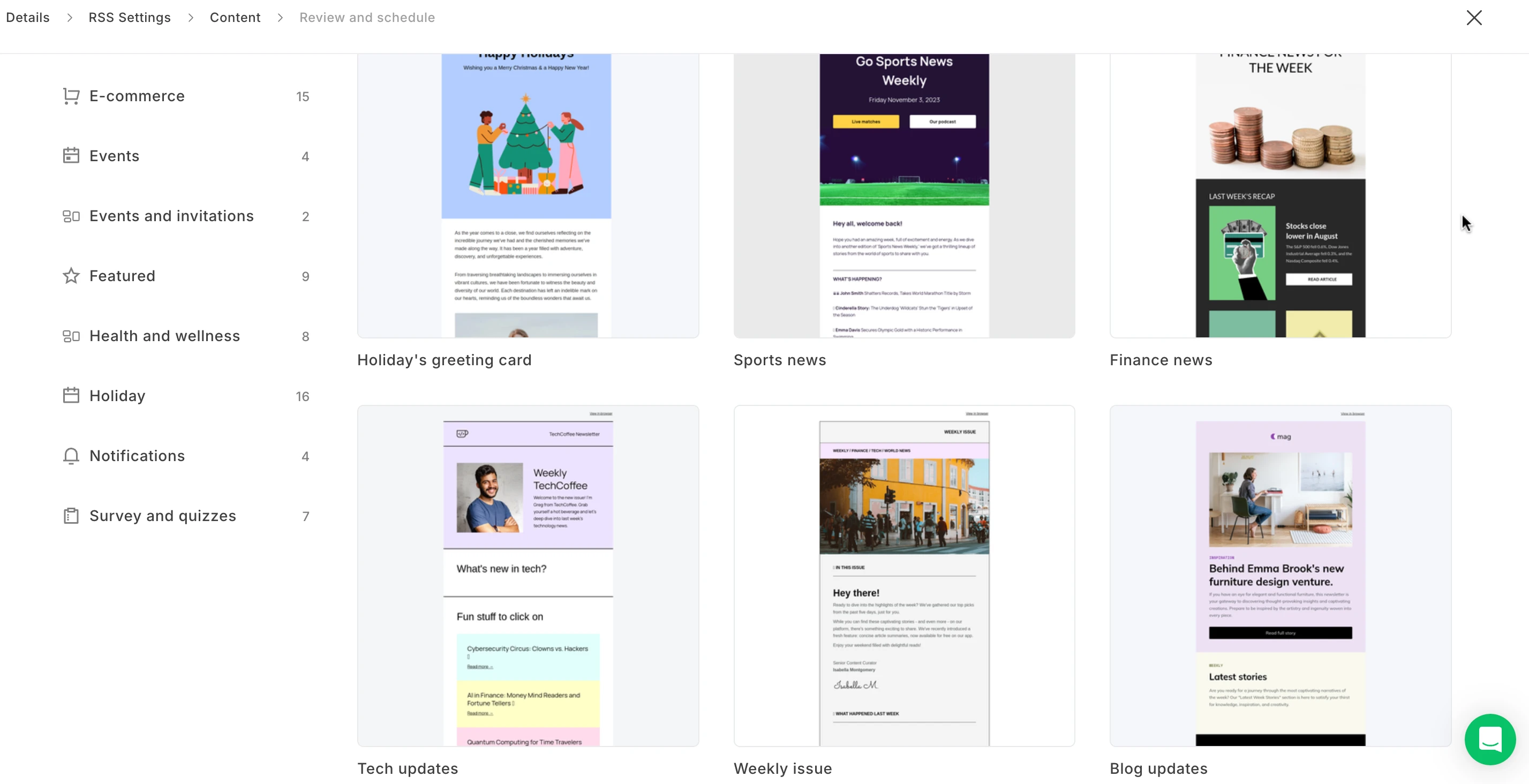
2. MailerLite RSS - Streamlined content-to-email automation
For WordPress users who publish consistent content but struggle to maintain regular email communication, the MailerLite RSS feature gives the perfect balance of automation and personalization.
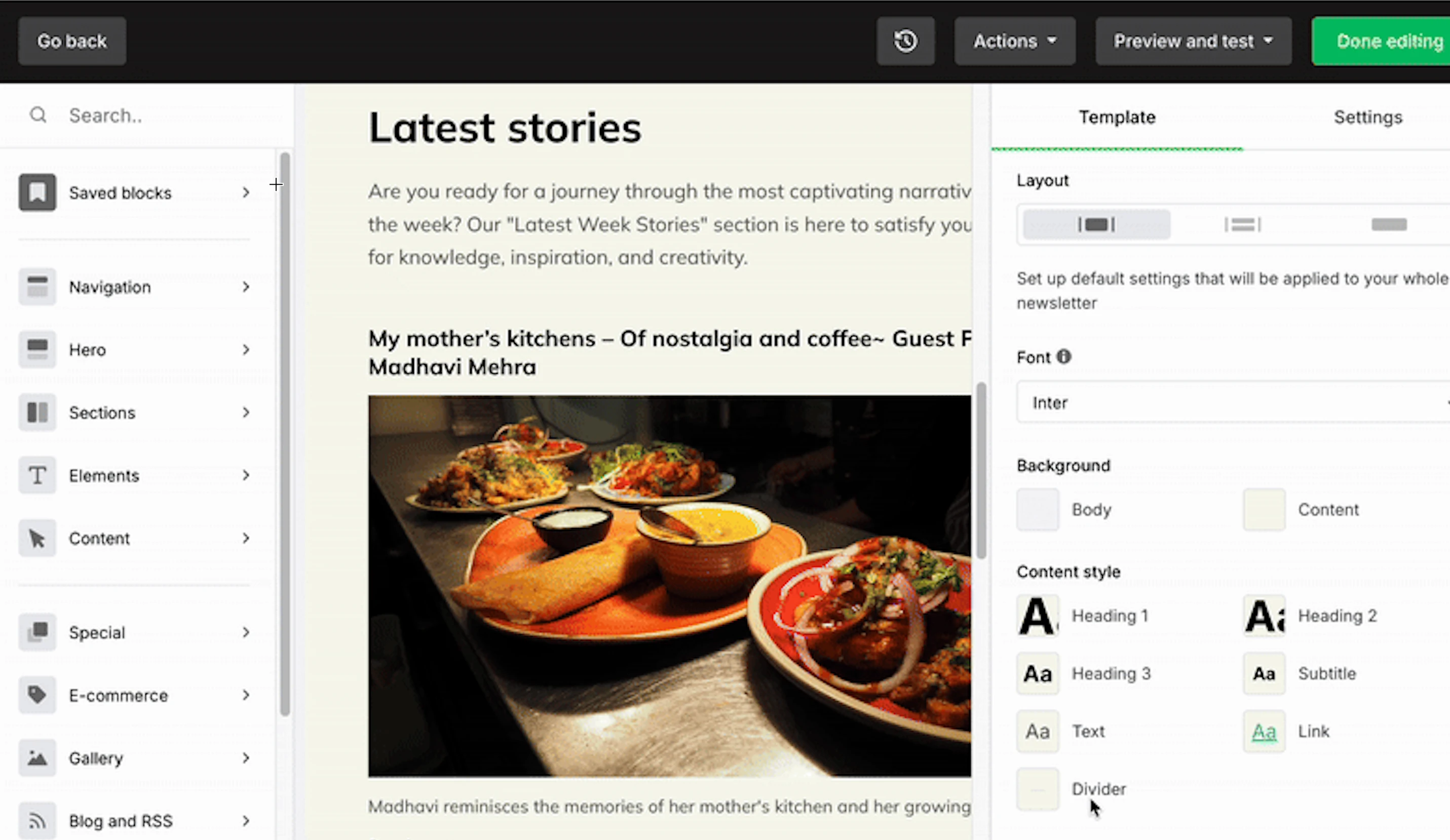
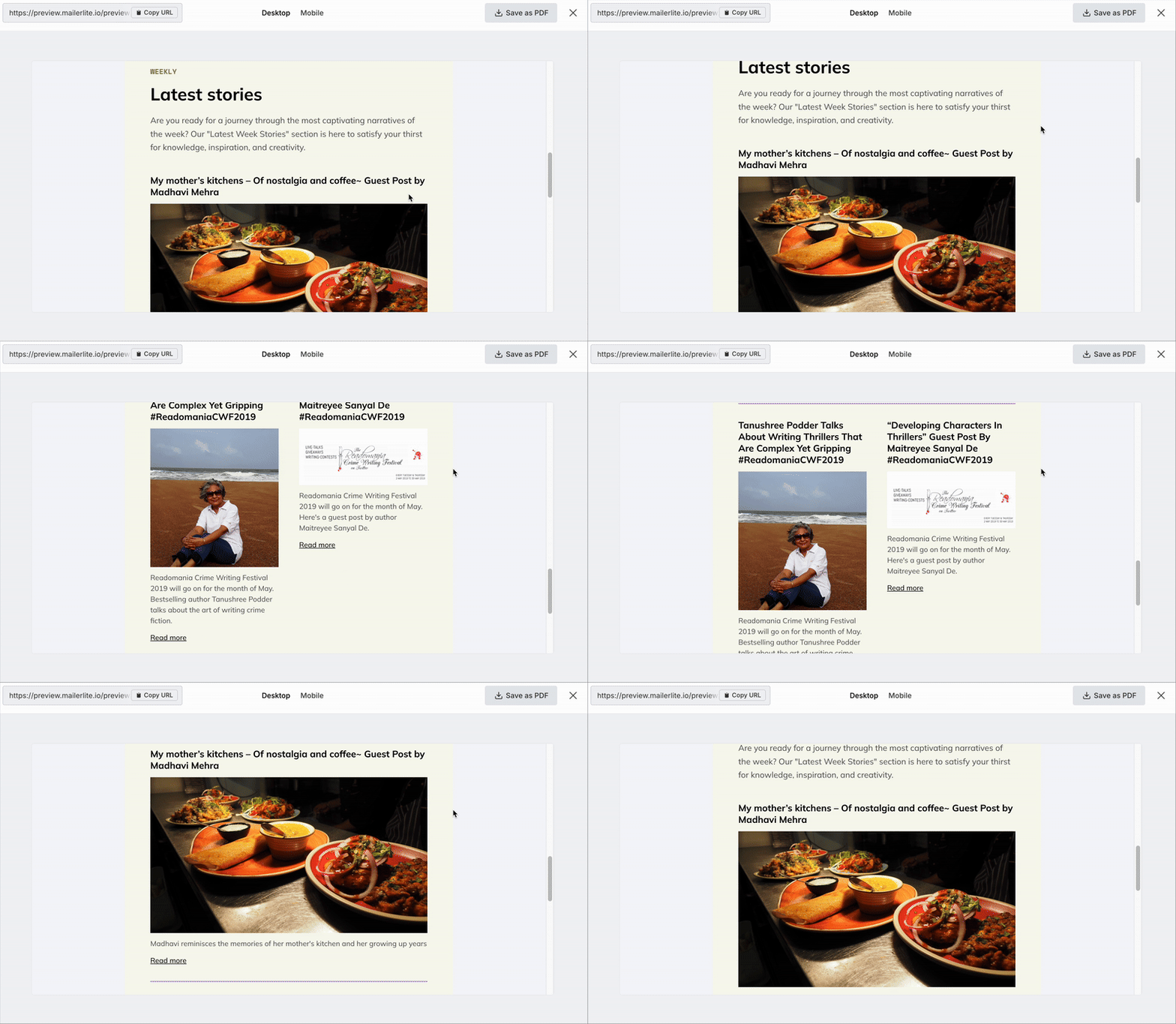
Here’s how it works: When you publish a new post, MailerLite pulls your WordPress RSS feed and turns it into a formatted email using your selected template. It includes your post title, a short excerpt or full content, and a featured image (if you use the free Featured Image plugin). You choose how often emails go out and who receives them.
Here’s the email preview of a roundup for my blog posts that I created with MailerLite’s RSS (read the guide to setup):
MailerLite RSS key features
Flexible scheduling (daily, weekly, or monthly sends)
Multiple post display options (single or digest format)
Featured image support through a dedicated WordPress plugin
Dynamic subject lines with custom variables
Mobile-optimized RSS email templates
Use cases
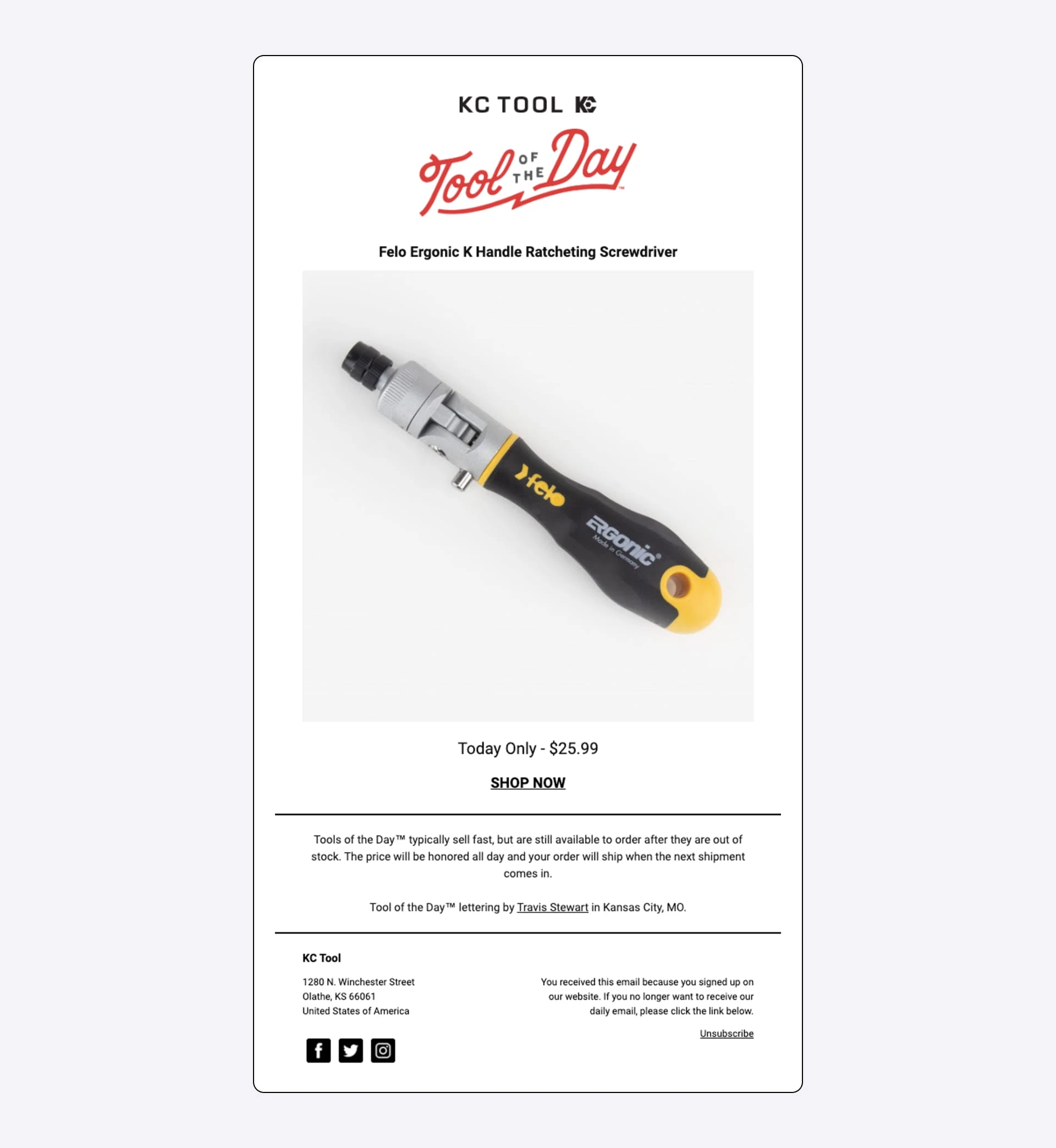
KC Tool used MailerLite’s RSS-to-email feature to send daily tool discount emails automatically. The automated “Tool of the Day” campaign achieved exceptional results with 72% open rates and 7% click rates, regularly selling out featured products.
Here are some other ways one could use the integration:
Food bloggers use RSS automation to send different recipe digests (like weekly Italian or vegan recipes to subscribers based on their indicated preferences)
Course creators notify students about new learning modules
News sites deliver daily content roundups
Multi-author blogs send writer-specific updates
Pricing:
RSS is included in all MailerLite paid plans
3. Charitable - Smart donation collection and management
After testing several donation plugins, I found that Charitable stands out for its simplicity and effectiveness. I love how it transforms complicated donation management into something anyone can handle.
While there’s an annual fee based on your needs, there are no ongoing transaction fees, which makes it cost-effective for projects. Click to explore the Charitable MailerLite integration guide.
Using the drag-and-drop form builder, I set up donation forms in minutes. The dashboard let me track individual donor histories, total donations by campaign and repeat donor rates. These metrics can be used to plan smarter outreach.
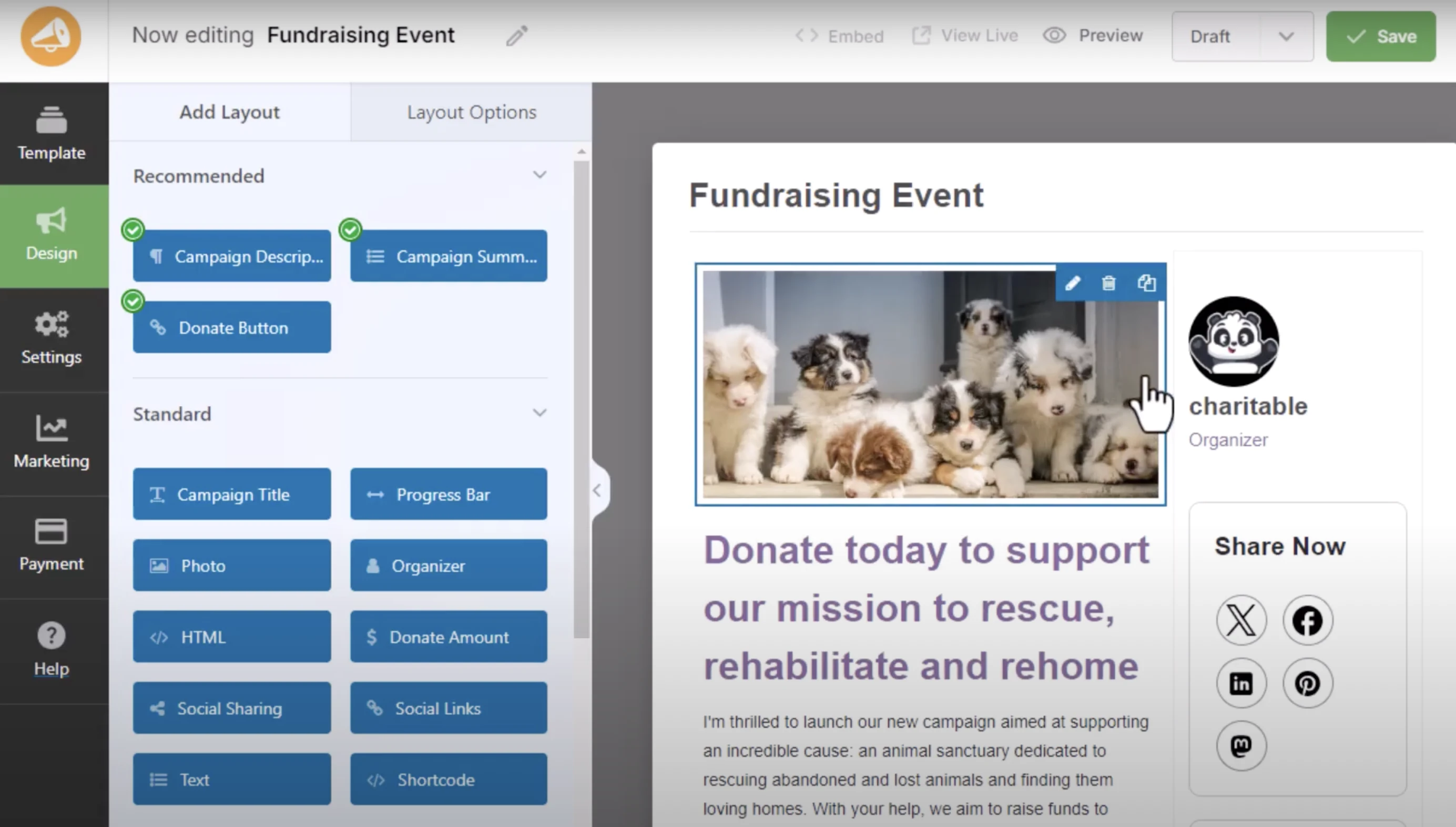
Charitable key features
Direct integration with payment gateways like PayPal, Stripe and Braintree
Drag-and-drop form builder
Comprehensive donor tracking dashboard
Campaign-specific donation pages
Built-in tax receipt generation
GDPR-compliant data handling
Custom email receipt templates
Use cases
Combining Charitable with MailerLite creates a powerful donor engagement system. While Charitable handles the donation process, MailerLite helps you build lasting relationships with donors through targeted, automated communication. Together, they help you turn one-time donors into long-term supporters.
What’s even better? With MailerLite’s 30% nonprofit discount and unlimited campaigns feature, you can effectively promote your events and programs while working within a slim budget.
Here are some things you can automate with Charitable + MailerLite:
Create campaign-specific welcome sequences that trigger when someone donates to a particular cause
Set up automated impact report emails that send 2-3 weeks after each donation
Send automated thank-you notes
Build follow-up sequences and re-engagement campaigns for one-time donors
Segment donors by cause area and giving frequency
Send personalized stories about the causes donors are supporting
Automate thank you notes for donation anniversary
Pricing:
Basic plan is $69/year for core features, while Plus ($99/year) and Pro ($199/year) give you email marketing integration and other automation options. You need to be at least on the Plus plan to integrate with MailerLite.
4. YouCanBookMe - Hassle-free scheduling automation

If you run a service-based business and spend too much time managing appointments, YouCanBookMe (YCBM) simplifies the process. It’s especially useful for teams working across time zones, thanks to its automatic timezone detection and shared booking pages.
In my testing, I had a basic booking page live in under a minute.
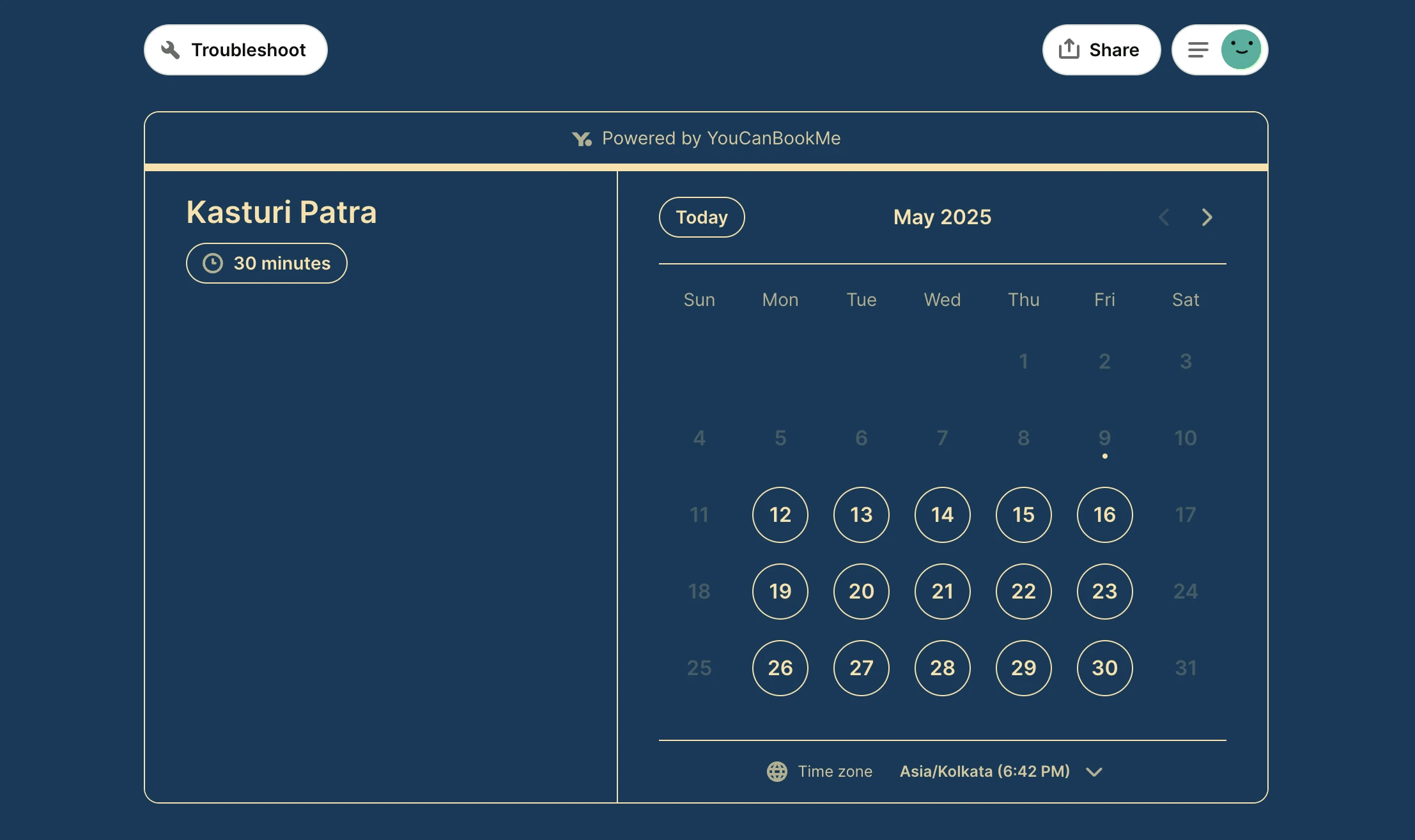
What’s more? They had comprehensive tutorials for any feature-related questions you might have. The tutorial on customizing availability was especially helpful, it walked me through setting different time blocks for different services.
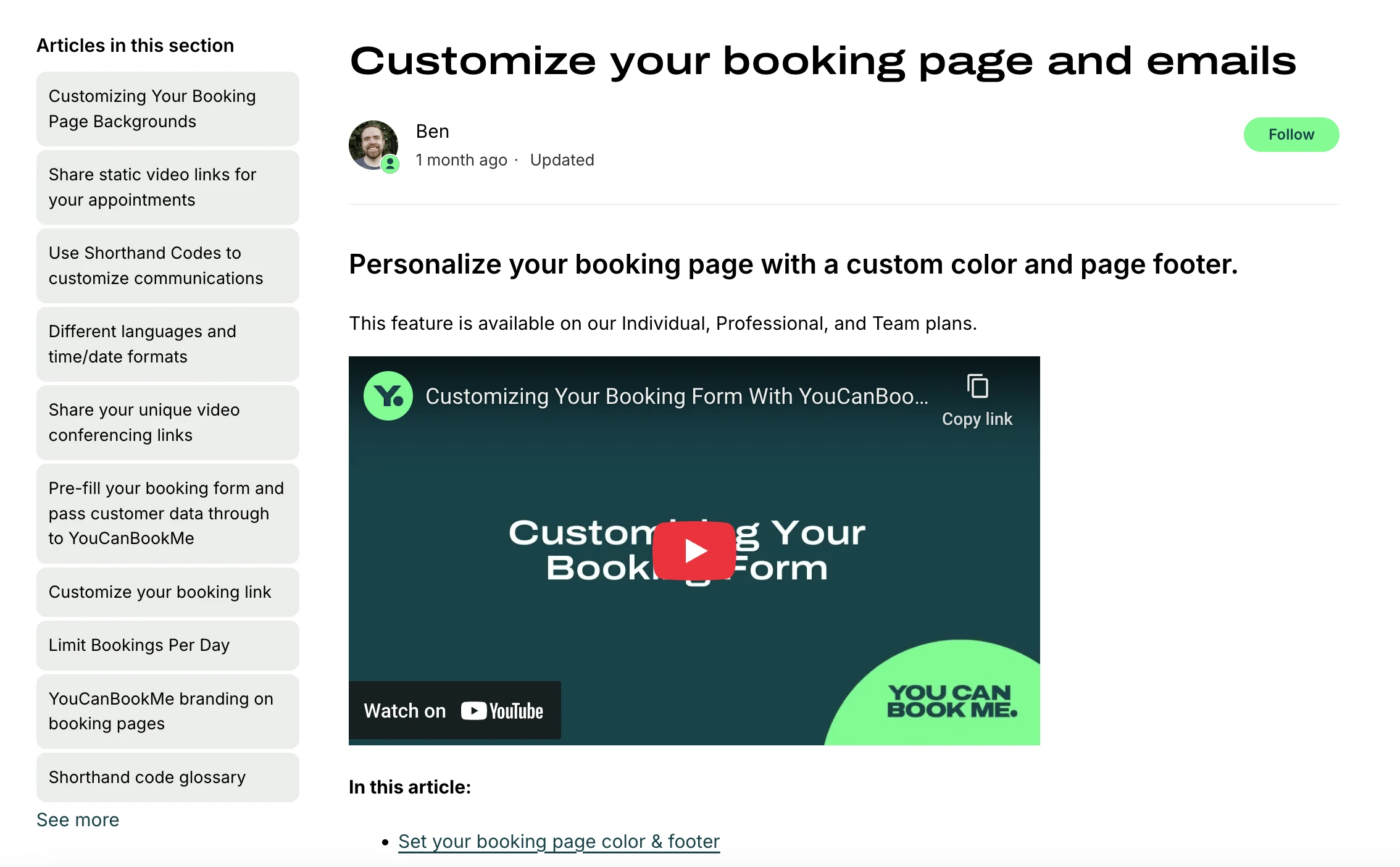
What I found most useful is that, with one booking link, I could offer several types of sessions (15-minute Q&A, 30-minute intro call, 90-minute strategy session), each with its own price, availability and confirmation email.
Setup is simple: YCBM syncs with Google, Apple and Outlook calendars. Plus, it embeds easily in WordPress sites or MailerLite emails.
YCBM key features
Direct integration with Google Calendar, Outlook, and Apple Calendar
Customizable booking pages for different services
Automatic timezone detection
Built-in reminder system
GDPR-compliant data handling
Custom confirmation templates
Use cases
Combining YouCanBookMe with MailerLite creates a super-effective appointment management system. While YouCanBookMe handles the scheduling process, MailerLite helps you nurture relationships with clients through targeted, automated communication.
Here are some things you can automate with YouCanBookMe + MailerLite:
Create service-specific welcome sequences that trigger when someone books a particular type of session
Build exclusive follow-up sequences for different consultation types
Send automated reminder notifications and recap emails
Create automated feedback requests after sessions
Send pre-call reminders and post-call follow-ups automatically
Tag and segment contacts based on their booking history
Track bookings from email campaigns using UTM parameters
Build email sequences that react to no-shows or repeat bookings
Pricing:
Starts from free for one calendar connection and 1 booking page and goes up to $18/member/team.
5. Gravity Forms - Advanced form building and lead capture
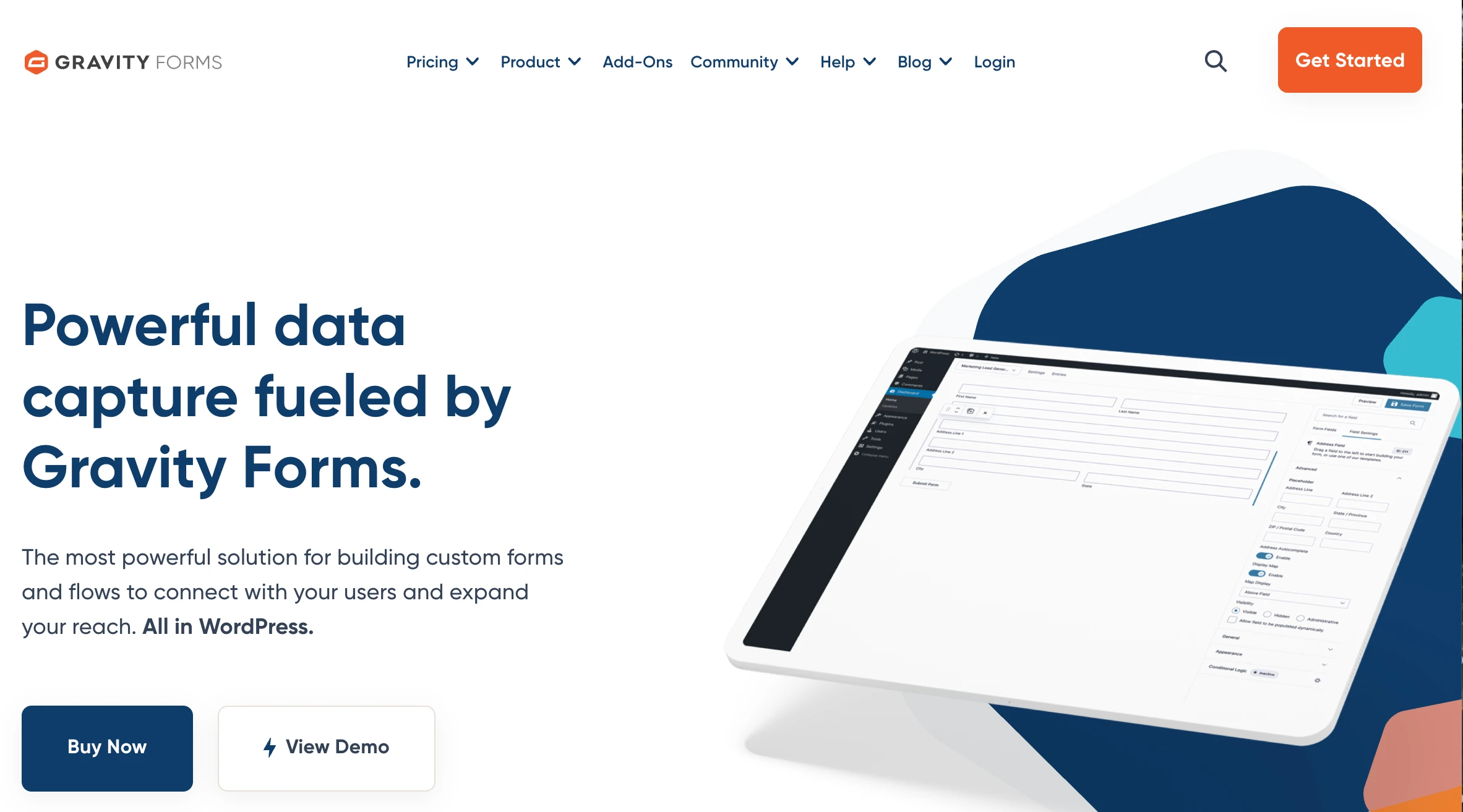
If you need to capture leads, manage registrations or collect detailed data on your WordPress site, Gravity Forms streamlines your job—no code required. It’s especially useful for businesses, educators and nonprofits that need more than a name and email field.
I’ve tested Gravity Forms across projects and found the drag-and-drop builder fast and flexible. You can build multi-step forms, payment pages, surveys or user registration systems in minutes.
It handles conditional logic, so you can show or hide questions based on earlier answers, great for qualifying leads or tailoring the user experience.
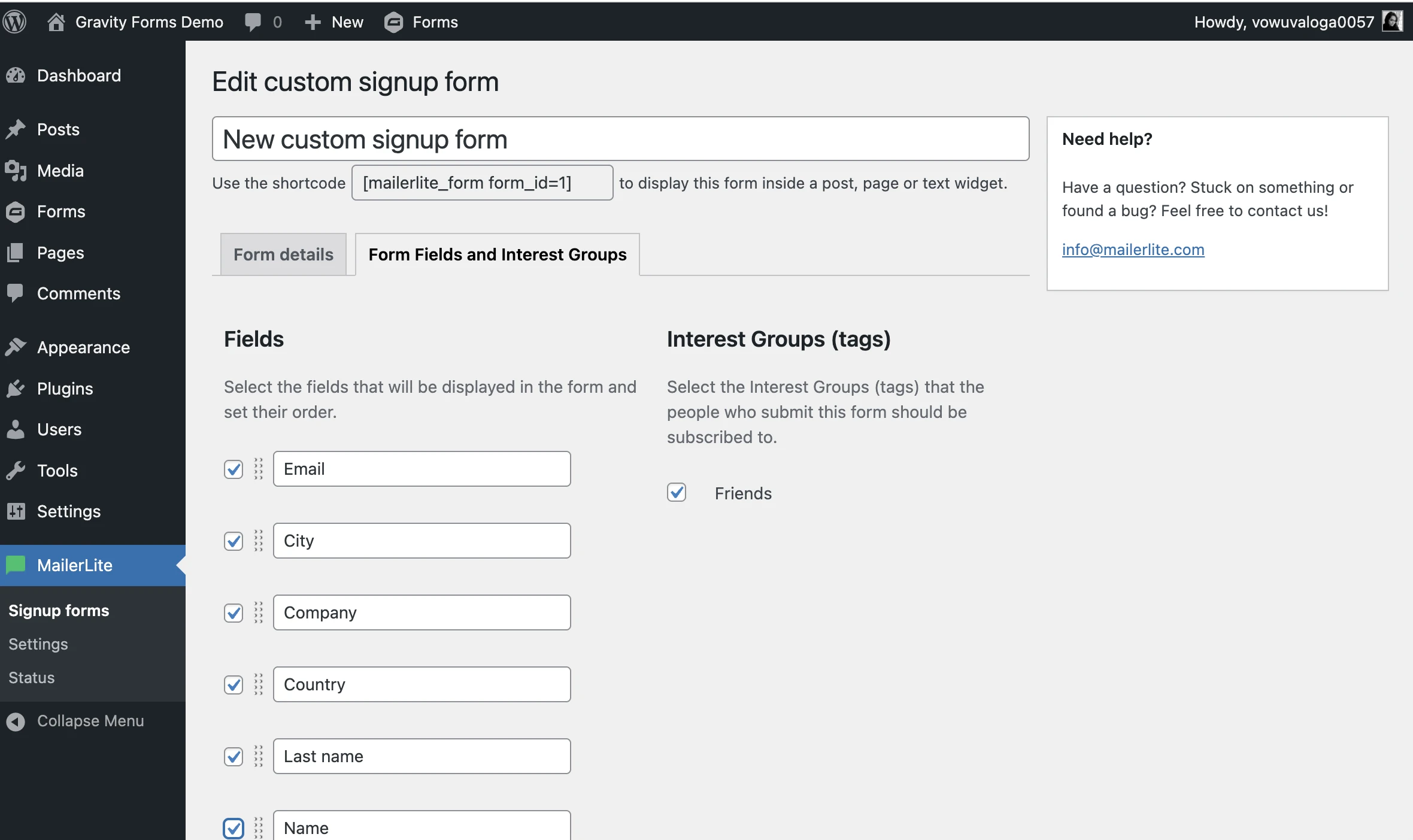
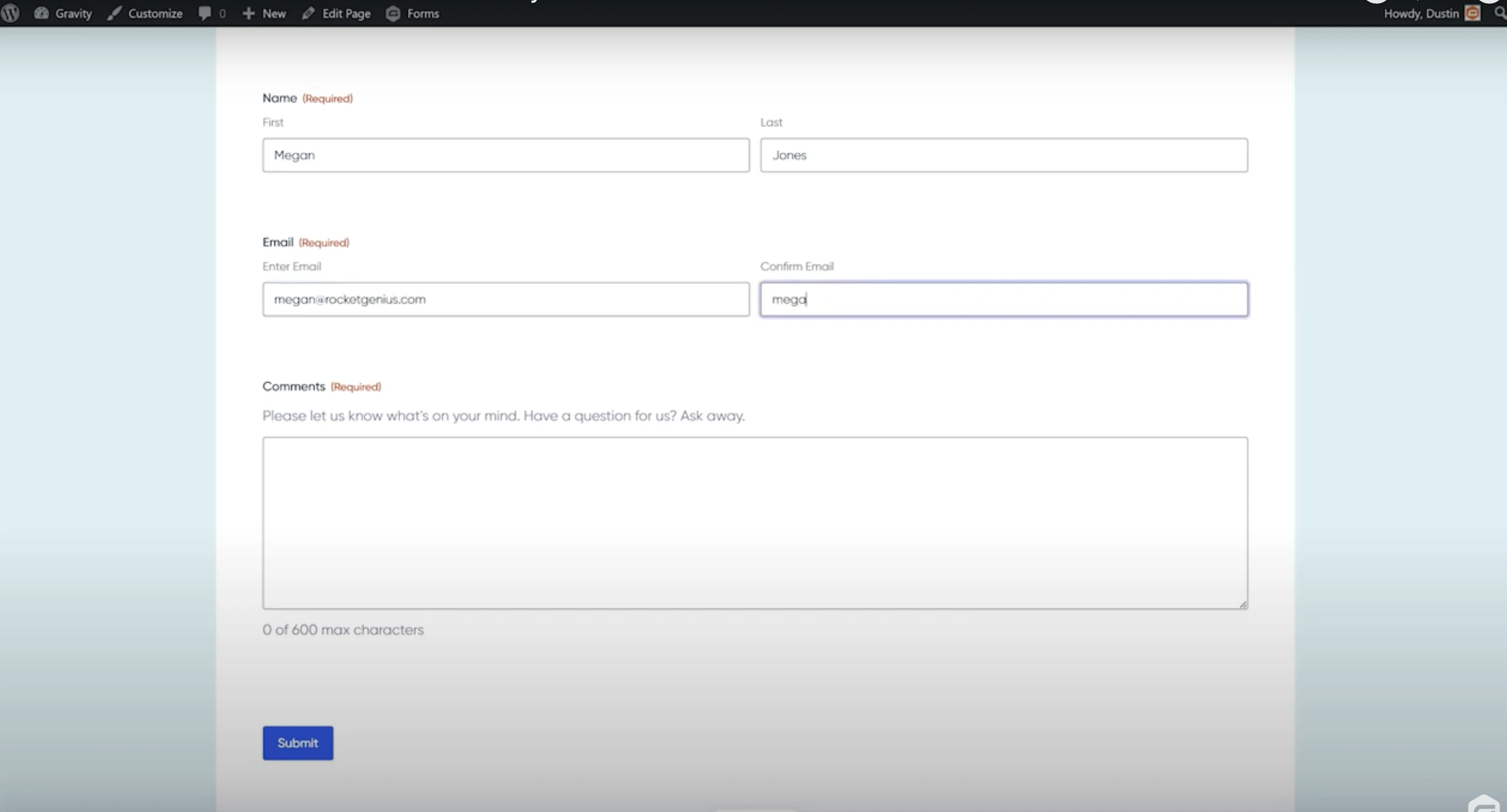
Here’s how I set up a form to capture leads and sync them directly to MailerLite. (Learn how to integrate MailerLite with Gravity Forms.):
And here’s what the form looks like on the website:
Gravity Forms key features
Drag-and-drop form builder
Multi-step forms and conditional logic
Payment integration capabilities with tools like PayPal and Stripe
Survey and quiz functionality
User registration system
Direct MailerLite integration
Advanced field types and customization options
Use cases
Integrating Gravity Forms with MailerLite streamlines your lead capture and nurturing system. Setup only takes a few minutes: install the MailerLite add-on, connect your account, and choose which form fields to sync.
Here are some things you can automate with MailerLite and Gravity Forms:
Add new entries automatically to your subscriber list
Sort subscribers into groups based on form answers
Map form fields to MailerLite custom fields
Trigger specific email sequences after form submission
Create targeted campaigns based on form responses
Build segmented lists from quiz results
Track conversion rates from different forms
Pricing:
The Basic license at $59/year works for simple forms, but the Pro and Elite licenses give you access to features like payment gateways, user registration, surveys, and integrations that most growing businesses will need.
6. WooCommerce - Essential e-commerce automation
WooCommerce is a free WordPress plugin that lets you sell physical products, digital downloads, subscriptions and more directly from your site. It’s a top pick for small business owners and course creators.
I tested WooCommerce by adding it to a WordPress site I already had running. In under an hour, I had products listed, payments connected (via Stripe), and shipping rules set. The guided setup walked me through the basics clearly.

WooCommerce key features
Product listings for digital and physical items
Built-in payment support (Stripe, PayPal, and others)
Real-time shipping rates and tax calculations
Order and inventory tracking
Basic sales and revenue reports
Direct MailerLite integration
Mobile-optimized store pages
Customizable checkout process
Use cases
What makes WooCommerce even more useful is how it works with MailerLite. For an easy start, check out the guide on how to integrate WooCommerce with MailerLite or watch the short tutorial below:
From handcrafted mugs to membership access, no matter what you sell, WooCommerce and MailerLite help you run your store smoothly and stay in touch with your customers.
Here are some ways you can benefit from the integration:
Automatically add buyers to your MailerLite list after checkout
Trigger cart abandonment emails that recover lost sales
Recommend products based on past purchases
Pull product listings into emails without copy-pasting
Track revenue from each campaign with UTM parameters
Send restock notifications automatically
Create purchase-based customer segments
Build automated post-purchase follow-ups
Using MailerLite’s email marketing with his WooCommerce store, home appliance brand Fridja’s founder, Ben Fridja, dramatically improved his product launches by implementing a pre-order strategy through his newsletter.
As a result, he presold 25% of initial stock before launch and achieved a complete sellout of his new product, showing how formidable the combination of strategic email marketing and e-commerce automation can be.
Pricing:
WooCommerce is free, with premium extensions from $49/year for features like bulk discounts, subscription billing, dynamic pricing and name-your-price tools.
7. MemberPress - Complete membership site automation
If you run online courses, coaching programs or subscription-based content, MemberPress helps you control access, manage payments and deliver content without needing tech support.
I found MemberPress to be the most straightforward membership plugin for protecting content and managing subscriptions. During my initial test, I set up a basic membership level to protect some blog posts. The setup took about 20 minutes, including connecting Stripe for payments.
The built-in course builder is truly impressive. You can organize lessons into modules and control access without touching code.
MemberPress key features
Drag-and-drop course builder
Multiple membership levels and access rules
Payment gateway integration (Stripe, PayPal, etc.)
Content dripping and expiration options
Built-in quiz functionality
Detailed member reporting
Automated renewal handling
Use cases
When you combine MemberPress with MailerLite (via Zapier, WPFusion, or Integrately), you can automate:
Welcome sequences for new members
Course completion certificates
Renewal reminders
Member engagement tracking
Access expiration notifications
Course progress updates
Pricing:
The Launch plan starts at $ 199.5/year, with Growth ($349.5 /year) and Scale ($499.5/year) offering additional features like advanced course tools and affiliate management.
8. ARMember - Membership automation & community building
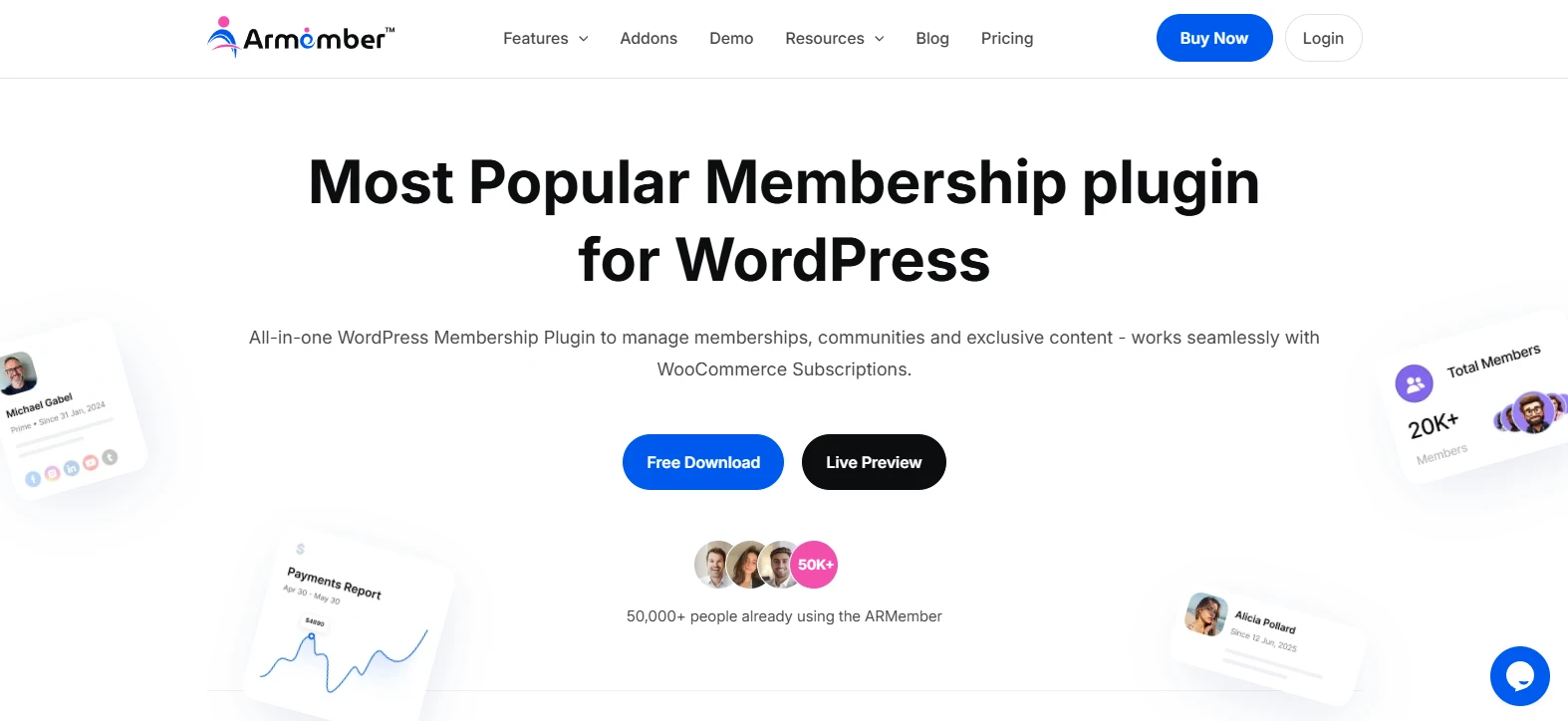
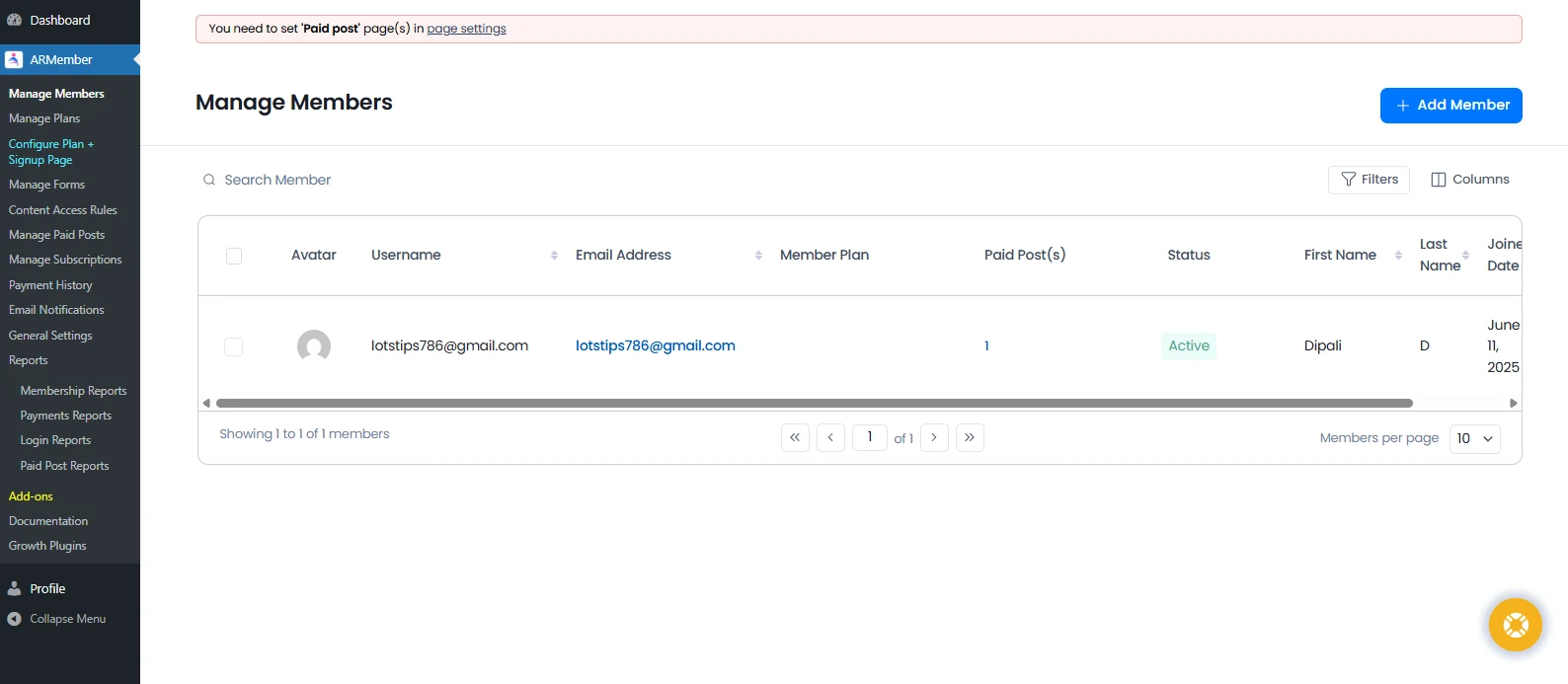
ARMember stands out as a complete automation-first membership plugin. It replaces the need for juggling 5-6 plugins for subscriptions, content protection, payments, and communities, as everything lives in one place. And it’s surprisingly easy to use.
I was impressed with how fast everything came together. Within half an hour, I had membership plans live, content locked, payments connected and clear reports showing member activity, renewals and revenue.
Moreover, ARMember lets you create custom login and signup forms using its in-built drag and drop form builder. To keep your members engaged, you can turn your membership site into an interactive community, adding gamification elements like badges and achievements.
ARMember key features
Unlimited membership plans with recurring, one-time or lifetime pricing
Advanced content restriction and drip content
Online course and digital download support
Detailed analytics and membership reports
Smoothly integrate your membership with top email marketing automation tools
Automatic WhatsApp, SMS and Email notifications
Secure online payment via 21+ payment gateways
Use cases
Combining ARMember with an email marketing platform like MailerLite creates a powerful membership automation system. While ARMember manages subscriptions, access control, and payments, MailerLite helps you engage members via personalized, automated communication
This setup works perfectly well for course creators, coaches, content publishers and communities that rely on recurring revenue.
Here are some things you can automate with ARMember + MailerLite:
Send welcome email messages when a new member joins
Add new members to MailerLite when they register through an ARMember form
Send content updates or paid newsletter emails based on membership plans
Notify members when their subscription is about to expire or renew
Segment members based on plan level, activity, or renewal status
Send drip-based content notifications for new lessons or content
Sync existing ARMember users to MailerLite in bulk
Run re-engagement campaigns for inactive or expiring members
Automate upgrade, downgrade, and cross-sell email flows
Pricing:
ARMember has a free version. The paid plan starts at $79/year with all 57+ addons, including MailerLite.
9. FuseWP - Seamless WordPress MailerLite connection
FuseWP acts like a bridge between your WordPress site and MailerLite email list. (Read the setup guide to learn how to integrate WordPress site and MailerLite.)
For example, when someone creates an account on your site (like a customer buying a product or a student joining a course), FuseWP automatically adds them to your email list. And if they update their info or leave your site, your email list updates, too.
This automated synchronization means you don’t have to export and import data manually, and your mailing list is always accurate and reliable.
FuseWP key features
One-click MailerLite integration
Automatic user data sync
Role-based automation
Real-time list updates
GDPR-compliant sync options
Detailed sync logging
Multi-site compatibility
Use cases
I tested FuseWP’s integration with MailerLite on a friend’s WordPress site. The setup was surprisingly quick. I just copied my MailerLite API key into FuseWP’s settings and selected which list to sync with. Within minutes, my WordPress user data synced automatically with my MailerLite subscriber list.
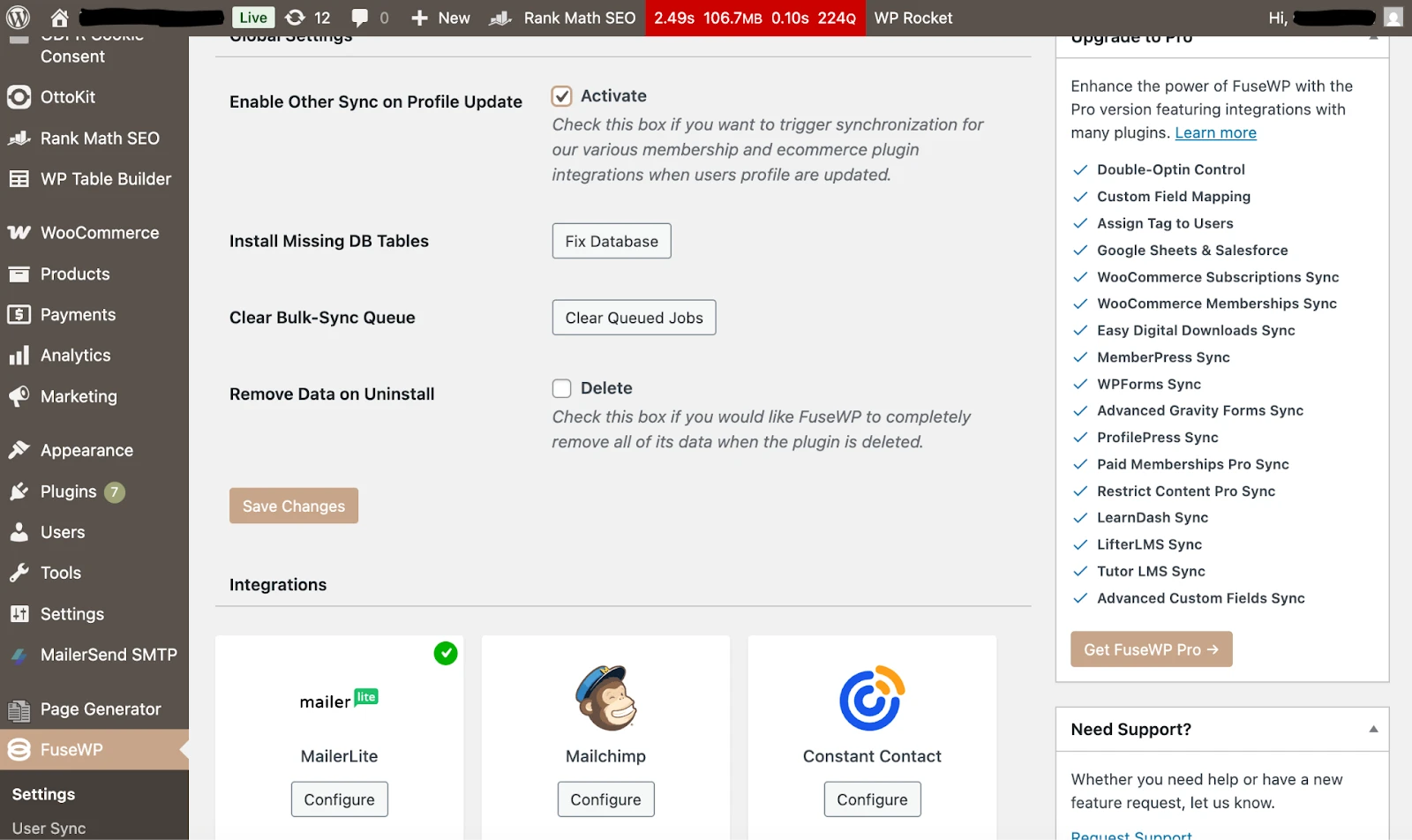
Here’s a screenshot of FuseWP’s field mapping interface, where WordPress user data is matched to MailerLite subscriber fields.
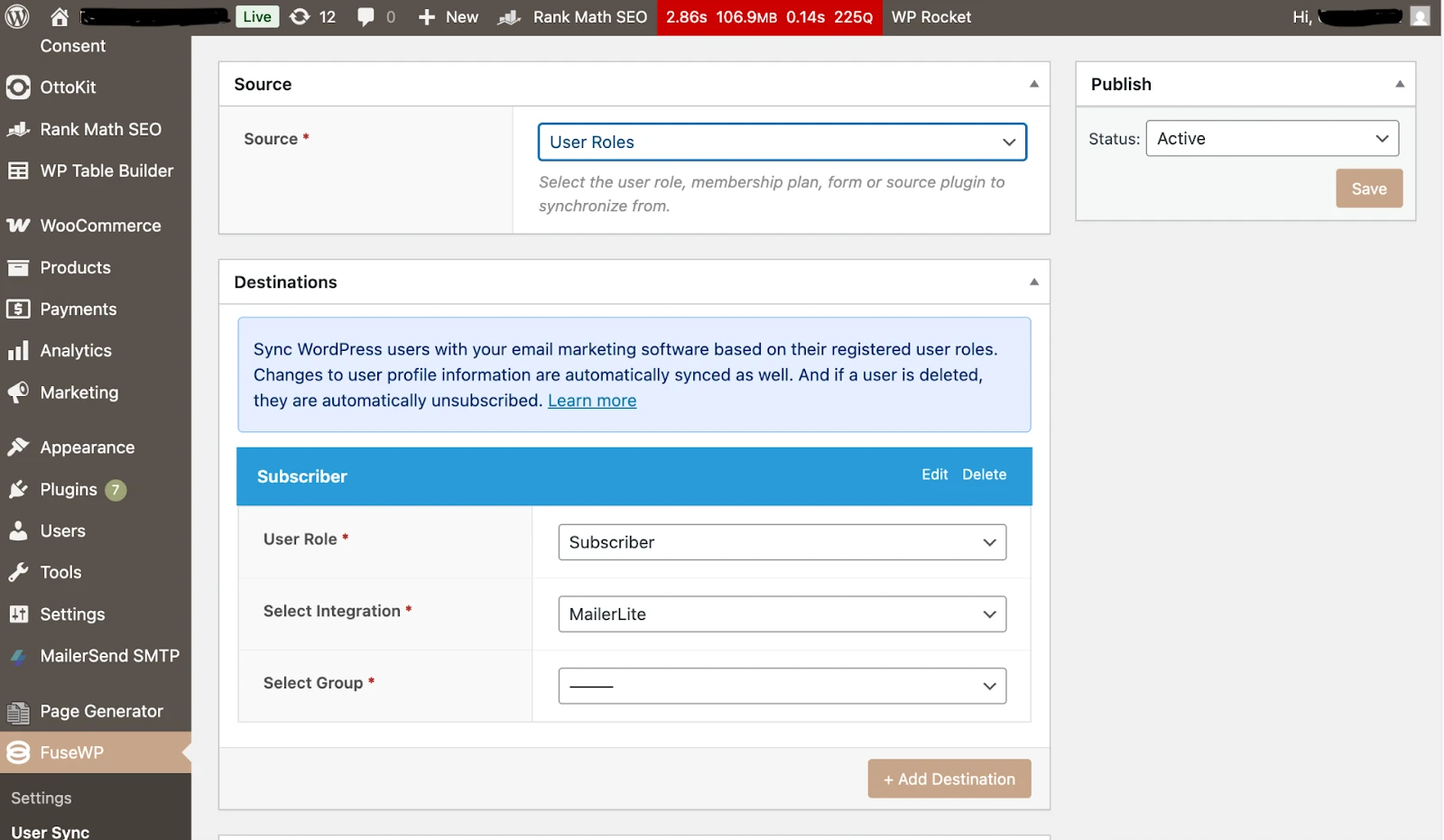
Read how to connect WordPress, MailerLite and FuseWP in detail.
Below are some of the things you can automate as a result of this integration:
Sync new WordPress users to your email list
Update subscriber data when users modify their profiles
Move users between groups based on membership changes
Tag subscribers based on site activity to send customized emails
Remove unsubscribed users automatically
Pricing:
A single-site license starts at $199/year, with Plus ($299/year) and Agency ($499/year) options available.
💡 Heads-up on Forms: FuseWP syncs existing WordPress users. You’ll need tools like Gravity Forms, MailerLite Forms, or WPForms to collect new leads with custom forms.
10. WP Auto Pro (formerly WordPress Automatic) - Intelligent content curation

WP Auto Pro helps you curate content from multiple sources without manual copying. After testing it on my blog, I found it particularly useful for news sites and content aggregators that need fresh content regularly.
You can automate stuff like:
Daily news roundups
Product review collections
YouTube video updates
Multi-language content feeds
Deal and discount aggregation
WP Auto Pro can save you 5-10 hours weekly on content curation. It can keep your site active with fresh content even when you’re busy, gather everything in one place, and allow you to work seamlessly with affiliate links and monetization.
WP Auto Pro key features
Multi-source content curation (YouTube, Amazon, RSS feeds)
AI content generation integration with tools like GPT, Claude AI and DeepSeek
Scheduled posting capabilities
Custom filtering rules
Affiliate link support
Auto-generate SEO meta titles and meta descriptions
Seamless integration with platforms like Amazon, Google and OpenAI
Pricing:
Regular license starts at $29, with options to extend support available.
⚠️ Important: Use the plugin to support, not replace, original content. Always review imported posts for accuracy, SEO and voice before hitting publish.
Conclusion
This guide is here to help you find the right automation tools for your WordPress site—no fluff, no overwhelm. Start with the tool that fits your current goals. MailerLite’s free plan is a smart starting point if you ask me.
Even one well-placed automation can save you hours every week, and free you up to actually grow your business.
So go ahead, set up that first workflow today. Your future self will thank you. 😊
Frequently asked questions
Q: Why is MailerLite highlighted as the essential tool among these WordPress plugins?
A: MailerLite is positioned as the all-in-one email automation platform that powers the entire ecosystem. While the other plugins (like WooCommerce, Gravity Forms, and Charitable) handle specialized functions on your WordPress site (e.g., e-commerce, forms, donations), MailerLite is the central brain that:
- Collects all the lead/customer data from those plugins
- Segments and organizes that data using tags and custom fields
- Automatically triggers the personalized email sequences (welcome, abandoned cart, thank yous) that turn visitors into buyers
It provides the necessary marketing automation infrastructure to make all the other specialized WordPress tools truly profitable.
Q: Is MailerLite truly affordable for a small WordPress business or solo blogger?
A: Yes. MailerLite is structured to be cost-effective for growth:
Free Plan: The platform offers a generous Free Plan for up to 250 subscribers and 2,500 monthly emails. This lets you set up forms, landing pages, and even some automations to start growing your list without any cost.
Scaling: Paid plans start at a low monthly rate of $12, offering features like advanced automations, RSS-to-email, and 24/7 support.
Q: What is the benefit of the MailerLite RSS feature for a WordPress blogger?
A: The MailerLite RSS feature is a massive time-saver for bloggers and content publishers. Instead of manually creating an email every time you publish a new post, the RSS automation allows you to:
1. Connect your WordPress blog's RSS feed to MailerLite
2. Design a beautiful email template once
3. Set a schedule (e.g., every Tuesday at 10 AM)
MailerLite will then automatically pull your latest posts and send a professional, mobile-optimized content update to your subscribers. This saves you hours of manual work every week.
Q: I use WooCommerce. What is the most powerful automation I can set up with MailerLite?
A: The most impactful automation for any e-commerce site is the abandoned cart recovery sequence. When the MailerLite and WooCommerce integration is active, you can:
- Automatically track customers who add items to their cart but leave without purchasing
- Trigger a sequence of perfectly timed emails (e.g., 1 hour, 1 day, 3 days later) with links back to their cart
This single automation can significantly increase your revenue by recovering sales you would have otherwise lost.