Note: If you're a Legacy (Classic) user, please log in to your account to access the dedicated Legacy (Classic) Help Center.
💡 Inbox insights and placement report is a paid feature available on the Comfort and Power plans.
Inbox insights and placement report is a pre-send deliverability check within the campaign builder. It scans your email for factors that affect deliverability and analyzes whether your campaign is likely to land in the inbox or the spam folder across major providers.
Check the report to catch issues like spam-trigger phrases, broken links or images, authentication problems, and HTML code issues before you send your campaign.
How to access the Inbox insights and placement report
To access your Inbox insights and placement report:
After designing your email and selecting recipients, proceed to the Send or schedule step.
Click Start check next to the Avoid the spam filter suggestion. Allow a bit of time for the report to be generated.
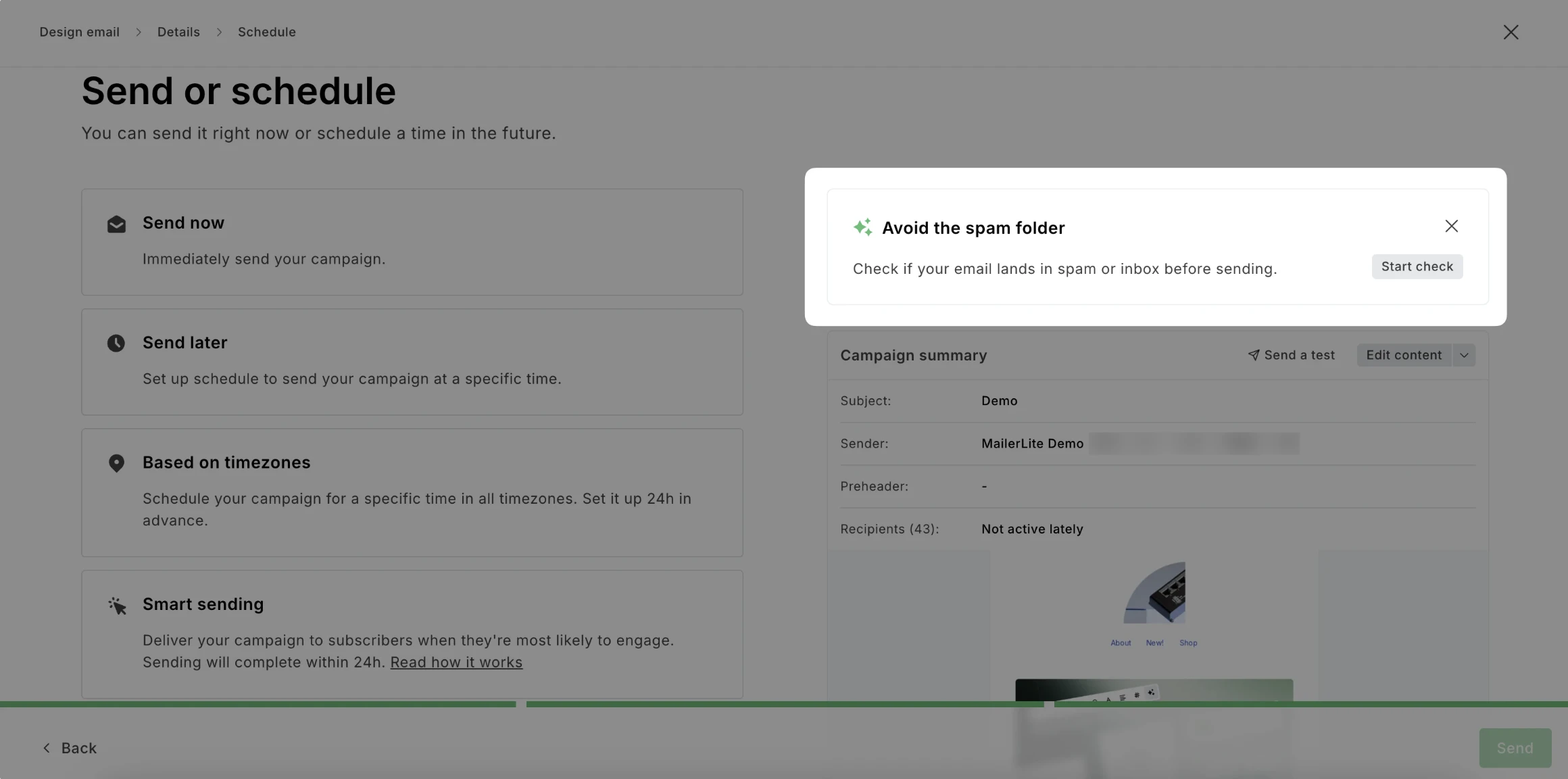
Review Inbox placement and Deliverability score results.
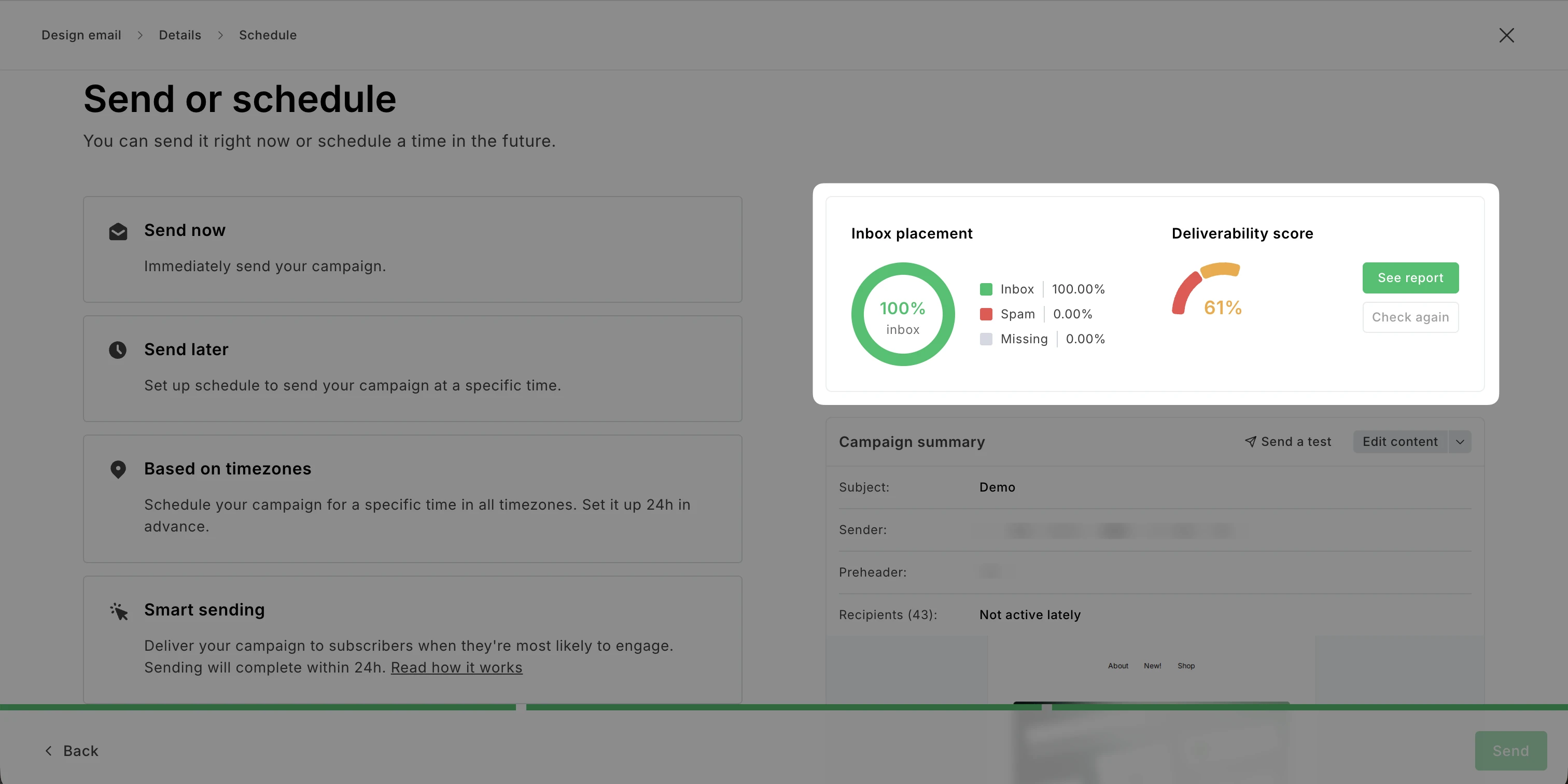
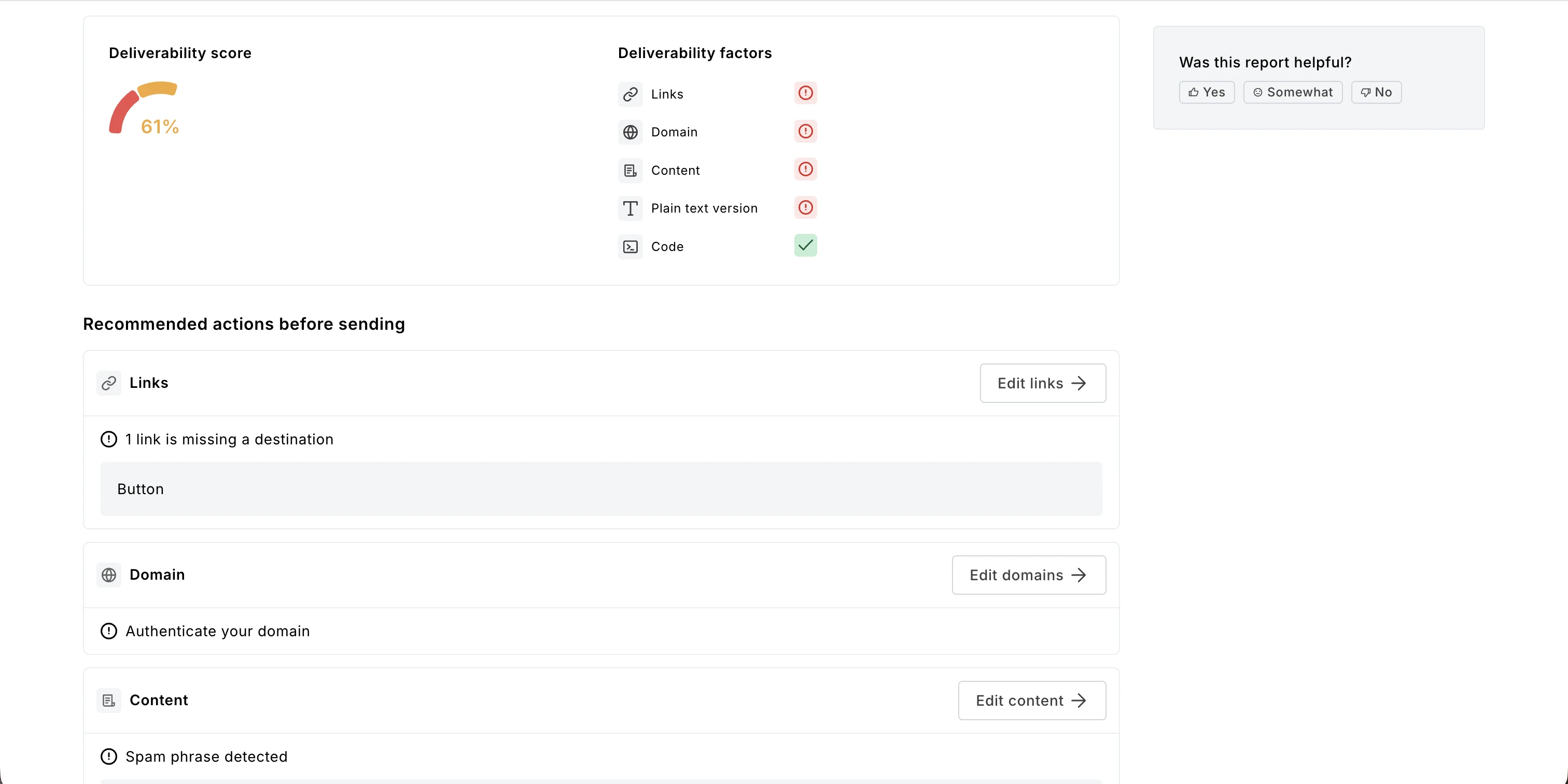
Click How to improve it? to see a more detailed report and review recommended actions before sending.
After analyzing your report, make suggested edits to your campaign. Once you’re done, you can click Check again to see how your Inbox placement and Deliverability score improved.
Additionally, feel free to leave feedback about your experience using this tool.
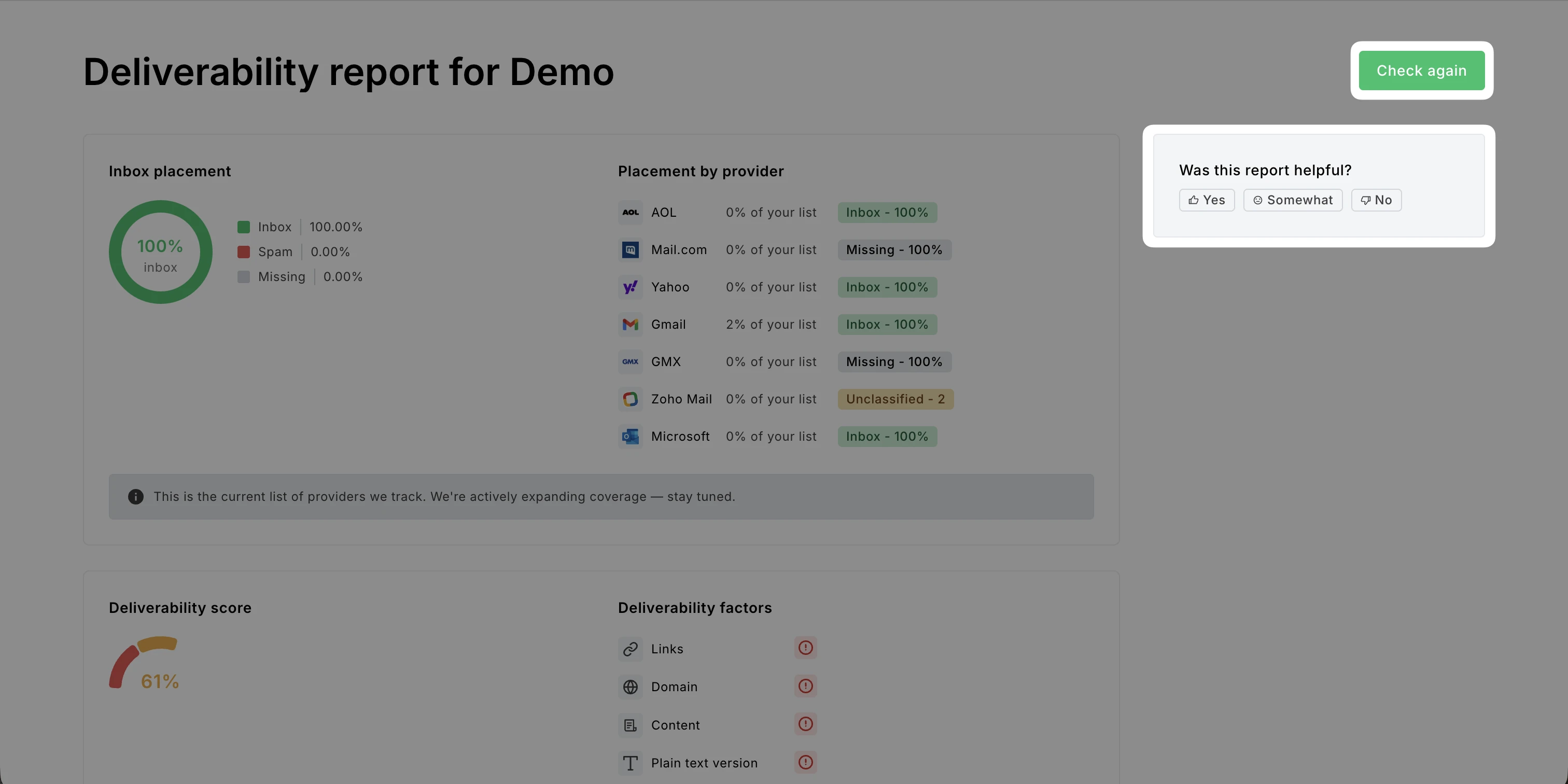
What’s included in the Inbox insights and placement report
In your report, you can see information on Inbox placement, Deliverability score, and Recommended actions before sending.
Inbox placement
Placement diagram: Shows what percentage of your emails would land in the inbox and spam folder. The score is weighted by each provider's share of recipients.
Placement by provider: Shows which email providers would display your email in the inbox and spam folder.
Note: Currently, these email providers are being tracked: Gmail, Microsoft, Yahoo, AOL, Mail.com, GMX, and Zoho Mail.
Deliverability score
Deliverability evaluation: Shows how high your campaign scores in deliverability.
Deliverability factors: Shows which factors positively and negatively contribute to your score. Links, Domain, Content, Plain text version, and Code are considered.
Recommended actions before sending
Links: Highlights missing, invalid links, and shortened links.
Domain: Suggests using a custom domain or authenticating your custom domain.
Content: Flags spam phrases, missing alt text, uncompressed large images, and entirely image-based emails.
Plain text version: Suggests editing the plain text version to avoid issues when viewing the email.
Code: Flags disallowed attributes, missing values, invalid font names, and color codes.
Note: Code recommendations only appear for campaigns built in the custom HTML editor.
💡 Check out HeyLite insights (Beta) to analyze multiple Inbox insights and placement reports at once and spot common trends in your campaigns.