Note: If you're a Legacy (Classic) user, please log in to your account to access the dedicated Legacy (Classic) Help Center.
HeyLite insights (Beta) is a hub of personalized recommendations based on your account's activity. Each insight appears with a quick summary of what was found and a suggested next step so that you can act on it in just a few clicks.
Get suggestions to re-engage inactive subscribers, optimize send time, and improve deliverability based on your account data. It’s a quick way to boost your open rates and keep your subscriber list clean!
⚠️ HeyLite insights are currently in Beta and only available to a limited group of users. If you don't see suggestions in your account yet, they’ll become more broadly available soon!
How to access HeyLite insights
HeyLite insights appear in your account whenever there's a way to improve your subscriber engagement, sending times, or deliverability. To access HeyLite insights:
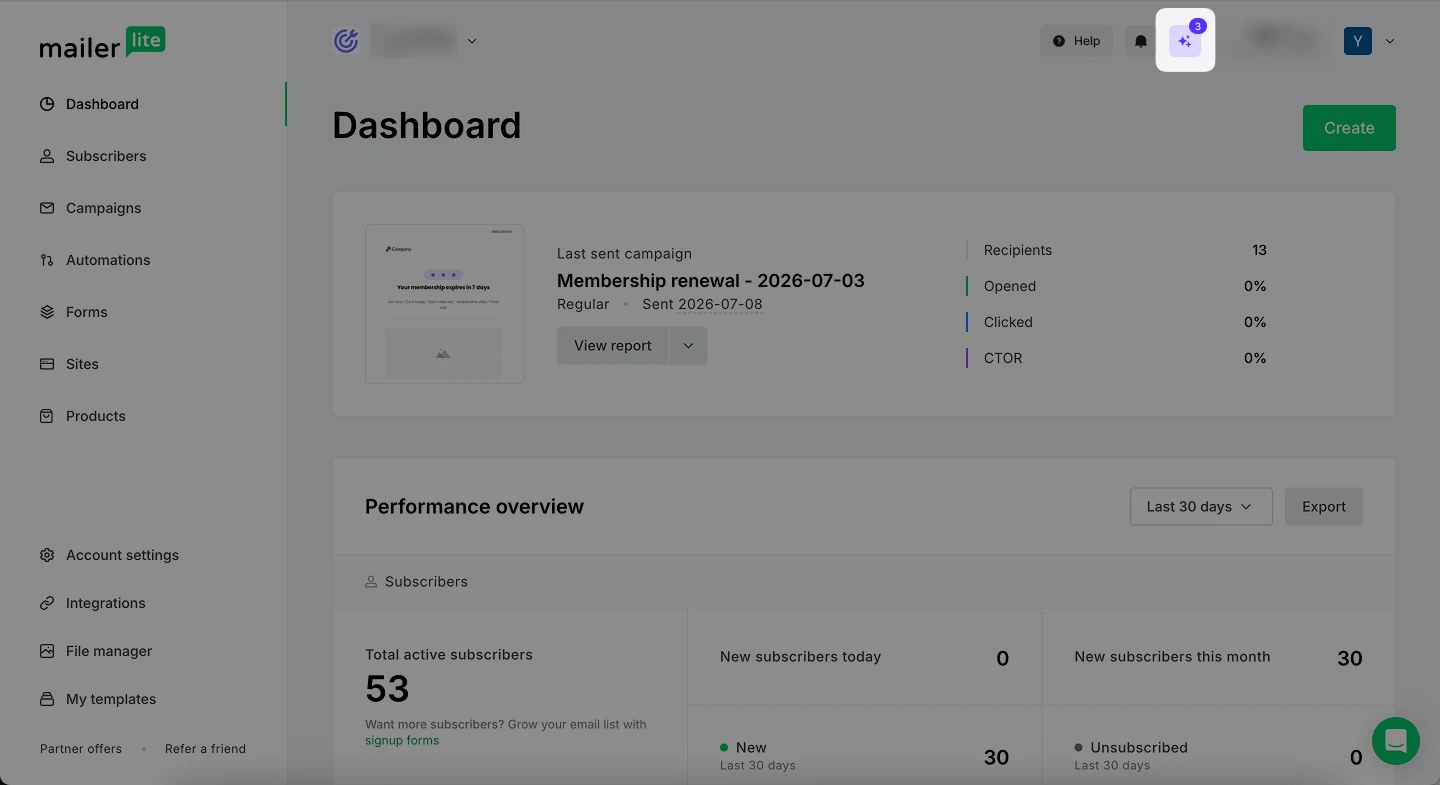
Click the Sparkle button in the top right corner of your dashboard.
Review the insights. Click See data to access the statistics that lead to the suggestion or choose to execute the suggestion immediately.
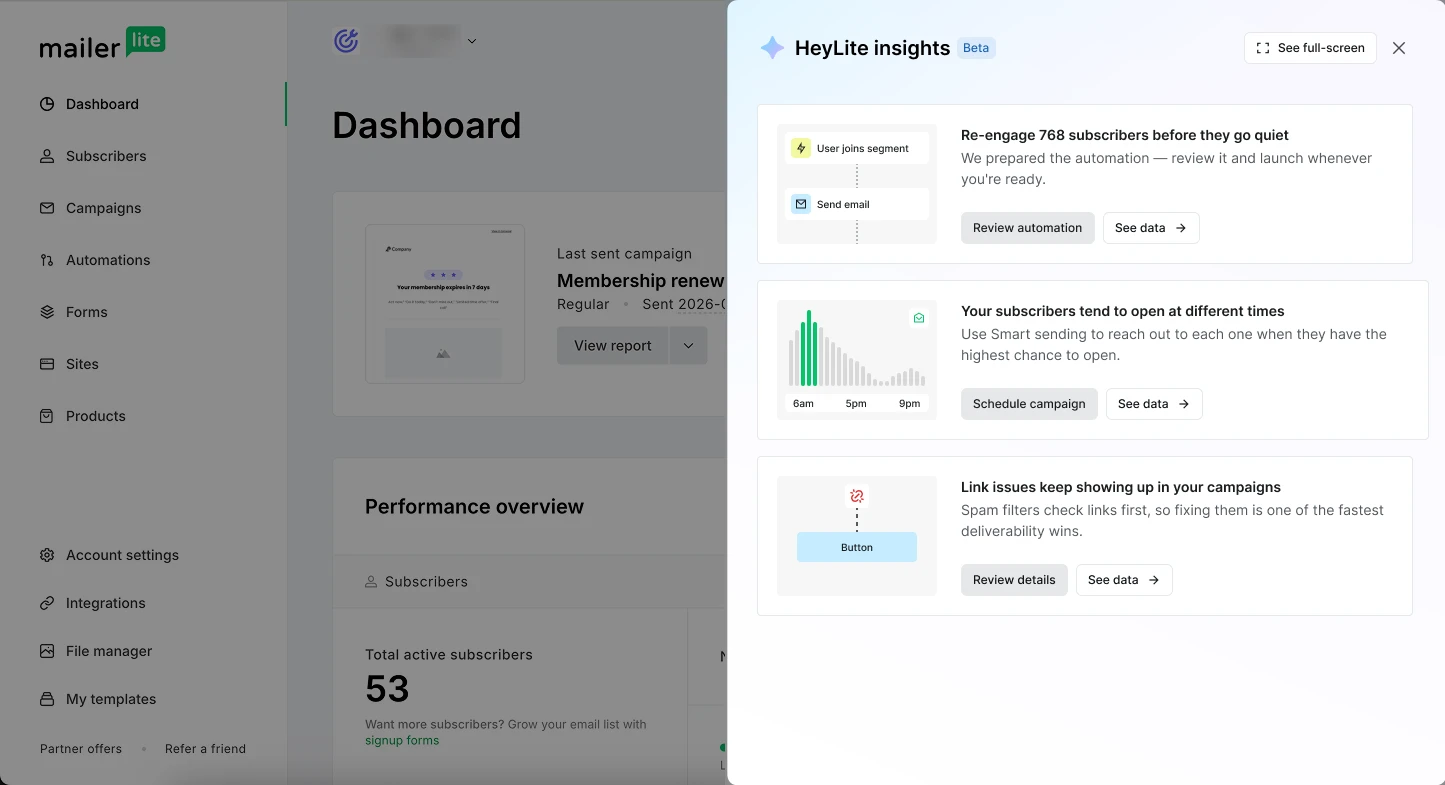
Re-engagement suggestion
When your open rates drop and part of your subscriber list becomes inactive, a re-engagement suggestion is displayed in your HeyLite insights hub and on your dashboard.
You can use this recommendation to have an inactive subscriber segment and a win-back automation created for you automatically. It's a simple way to remind subscribers why they signed up and win back potential customers.
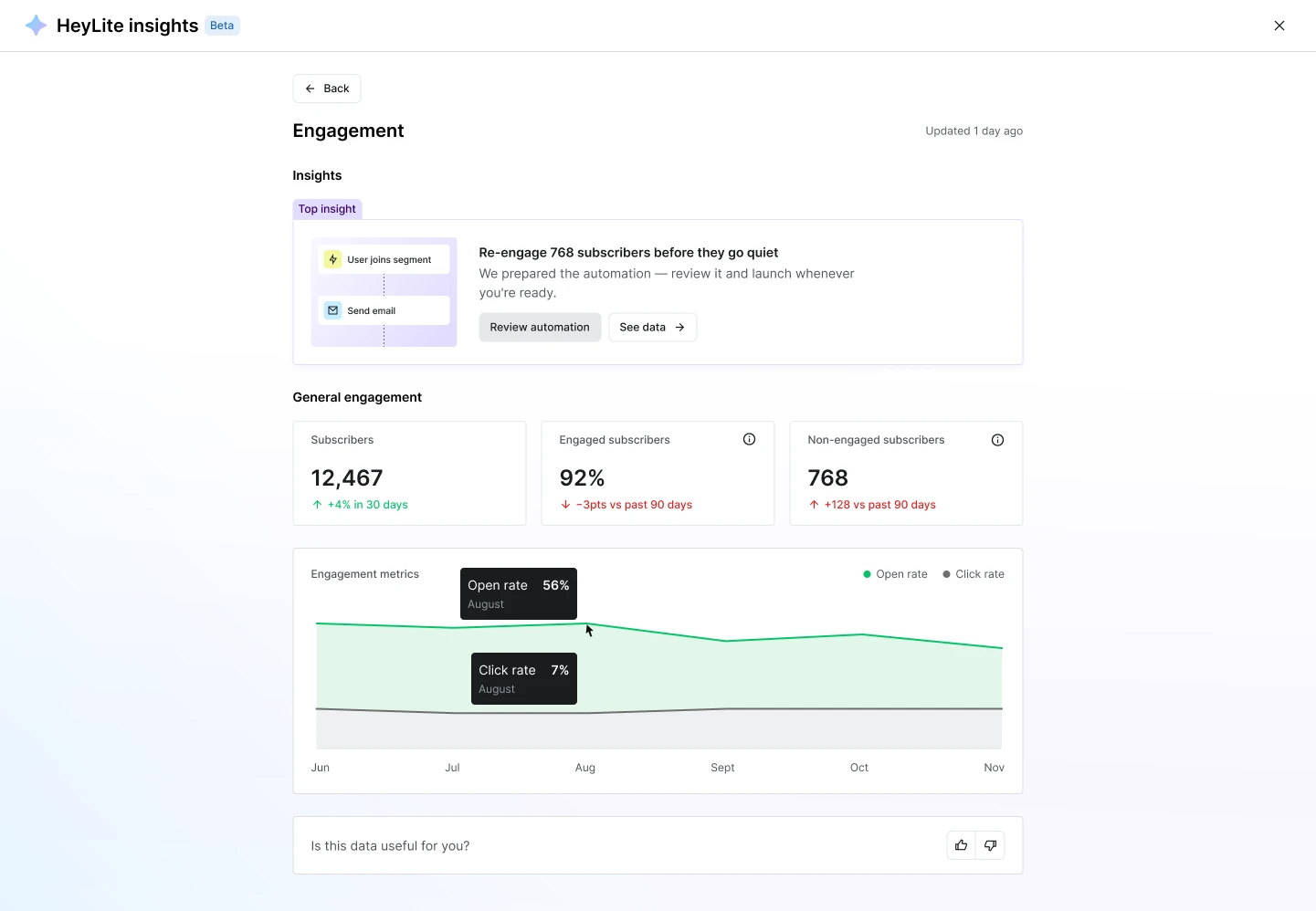
To finalize setting up your re-engagement workflow:
Click Review automation to be taken to the automation editor.
Review trigger settings. By default, the automation is set to go to 10% of your Inactive for 90 days - no opens subscriber segment. You can select a different percentage to start with, or opt for sending to the whole segment.
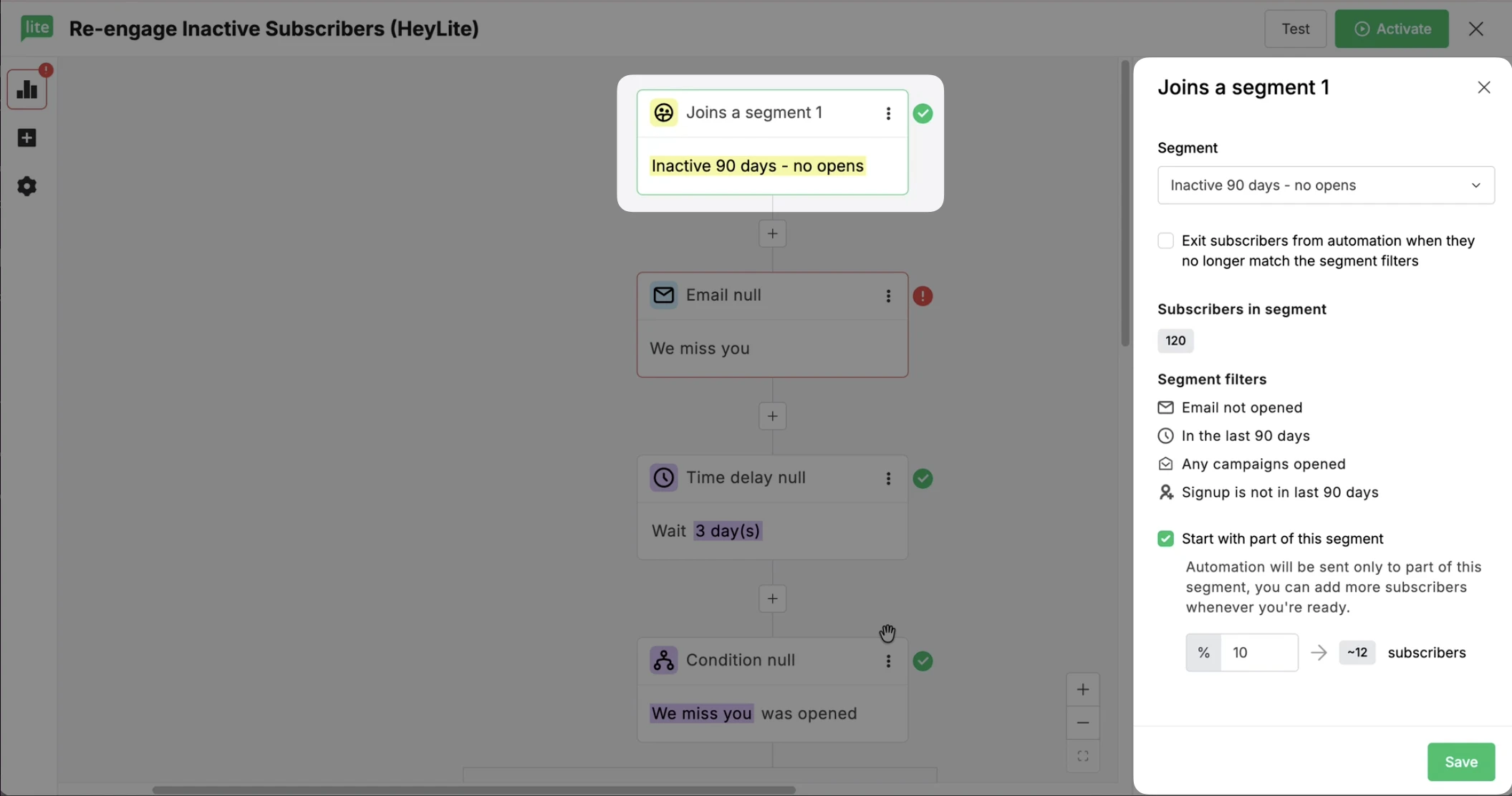
Complete other automation steps. Add your campaign designs, specify delays, and if needed, make further edits.
Click Activate to enable the automation.
Note: If you already have a re-engagement automation running, HeyLite insights may suggest expanding your automation segment or cleaning up your subscriber list.
Send time suggestion
When your subscribers tend to open emails at different times, using Smart sending may be suggested.
You can use this suggestion to schedule campaigns to be sent to your subscribers at individually tailored times, right when they're most likely to open and engage with them.
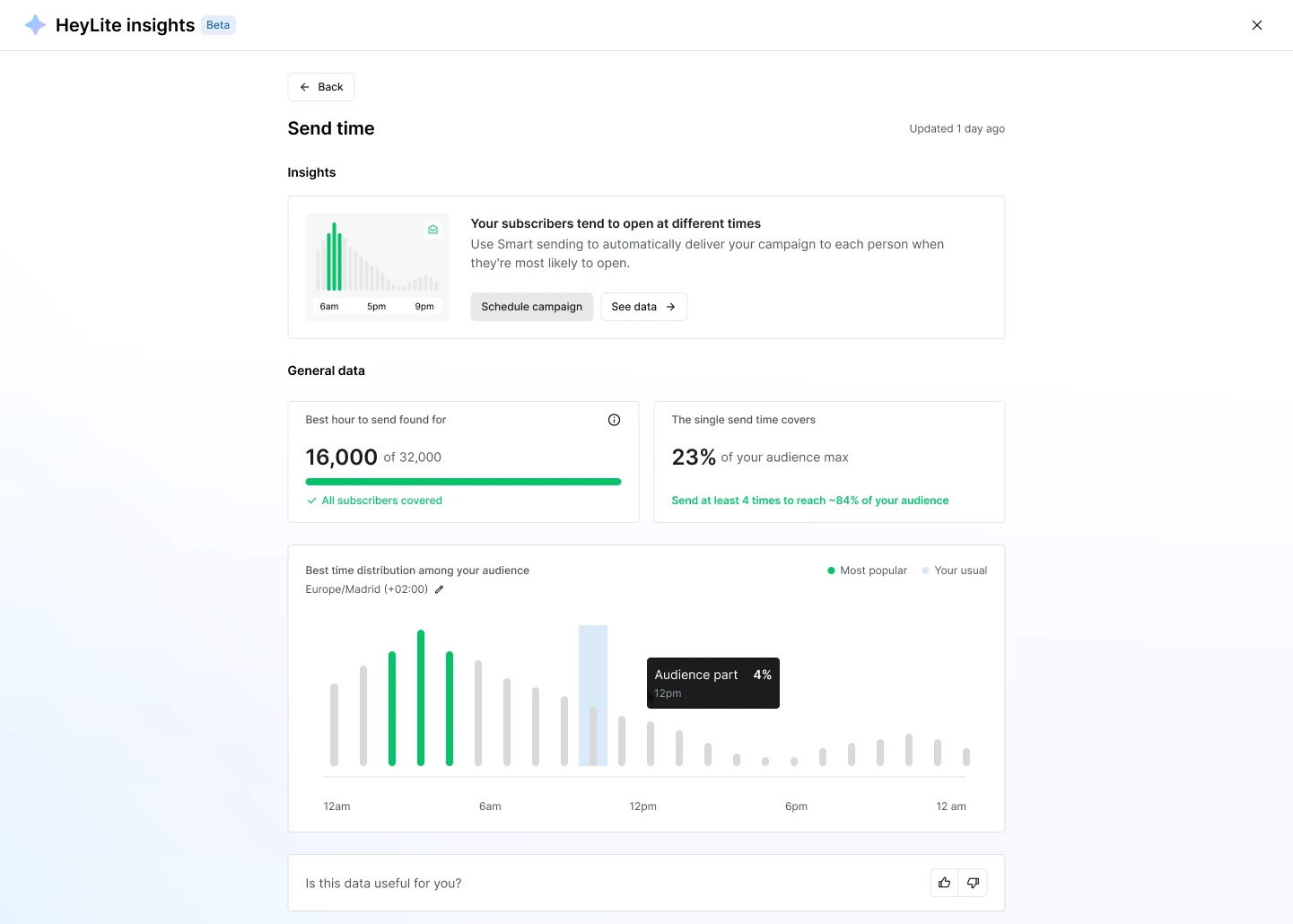
To schedule a Smart sending campaign:
Click Schedule campaign.
Select Choose from drafts to use a previously created campaign or Create new campaign to start fresh.
Finish creating your campaign.
In the Send or schedule step, make sure Smart sending is selected and specify the sending date.
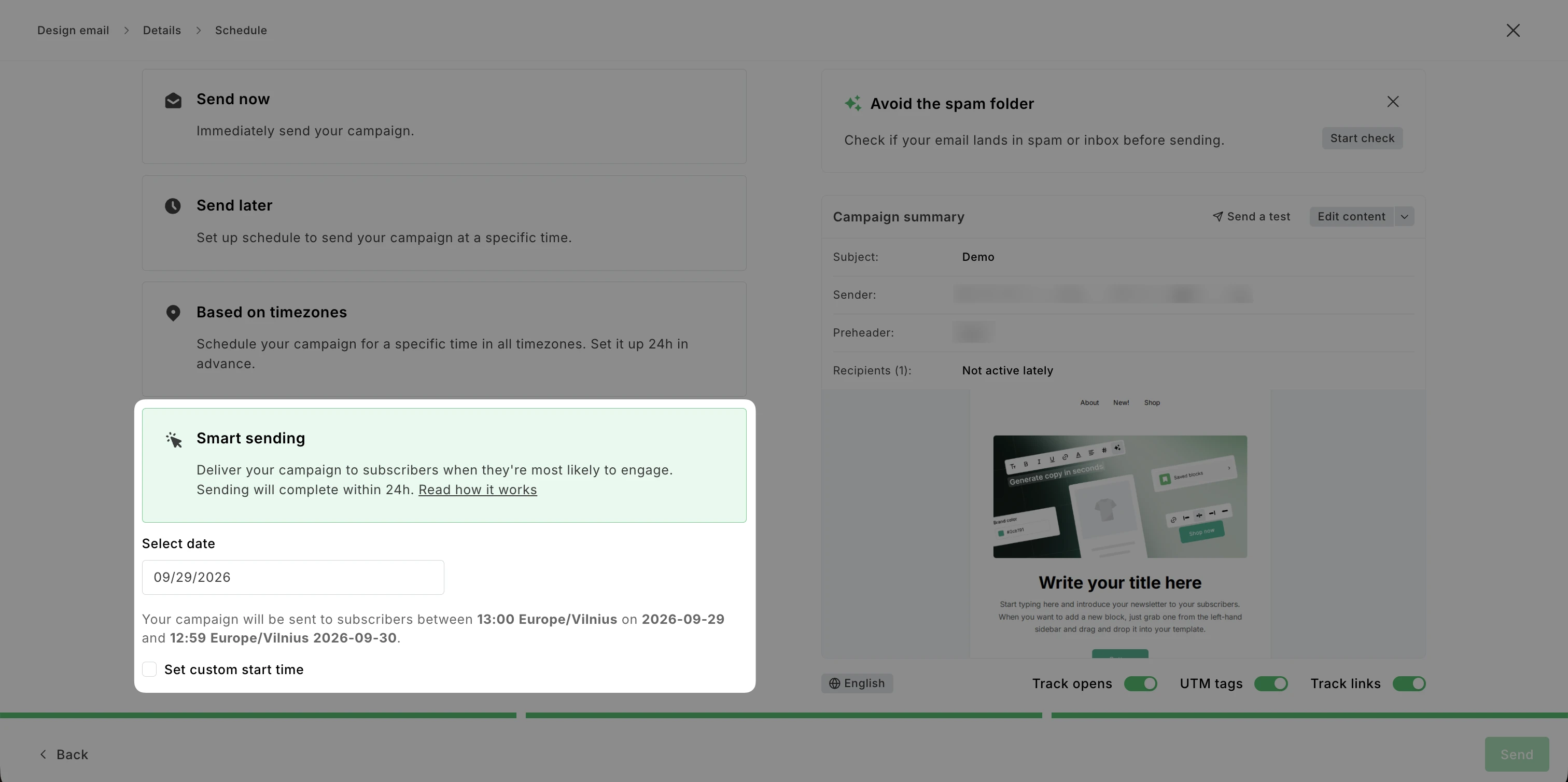
Click Send.
Note: If there’s not enough data on your subscribers’ peak engagement time, you will be recommended to enable best send time detection first.
Deliverability suggestion
Deliverability suggestions are displayed during campaign creation and inside the HeyLite insights hub.
You can use this recommendation to get an Inbox insights and placement report. Check the report to see if your email is likely to land in the spam folder and catch issues like spam-trigger phrases, broken links or images, authentication problems, and HTML code issues before you send your campaign.
Individual campaigns
When you’re creating a campaign, a deliverability recommendation is displayed on the Send or schedule step.
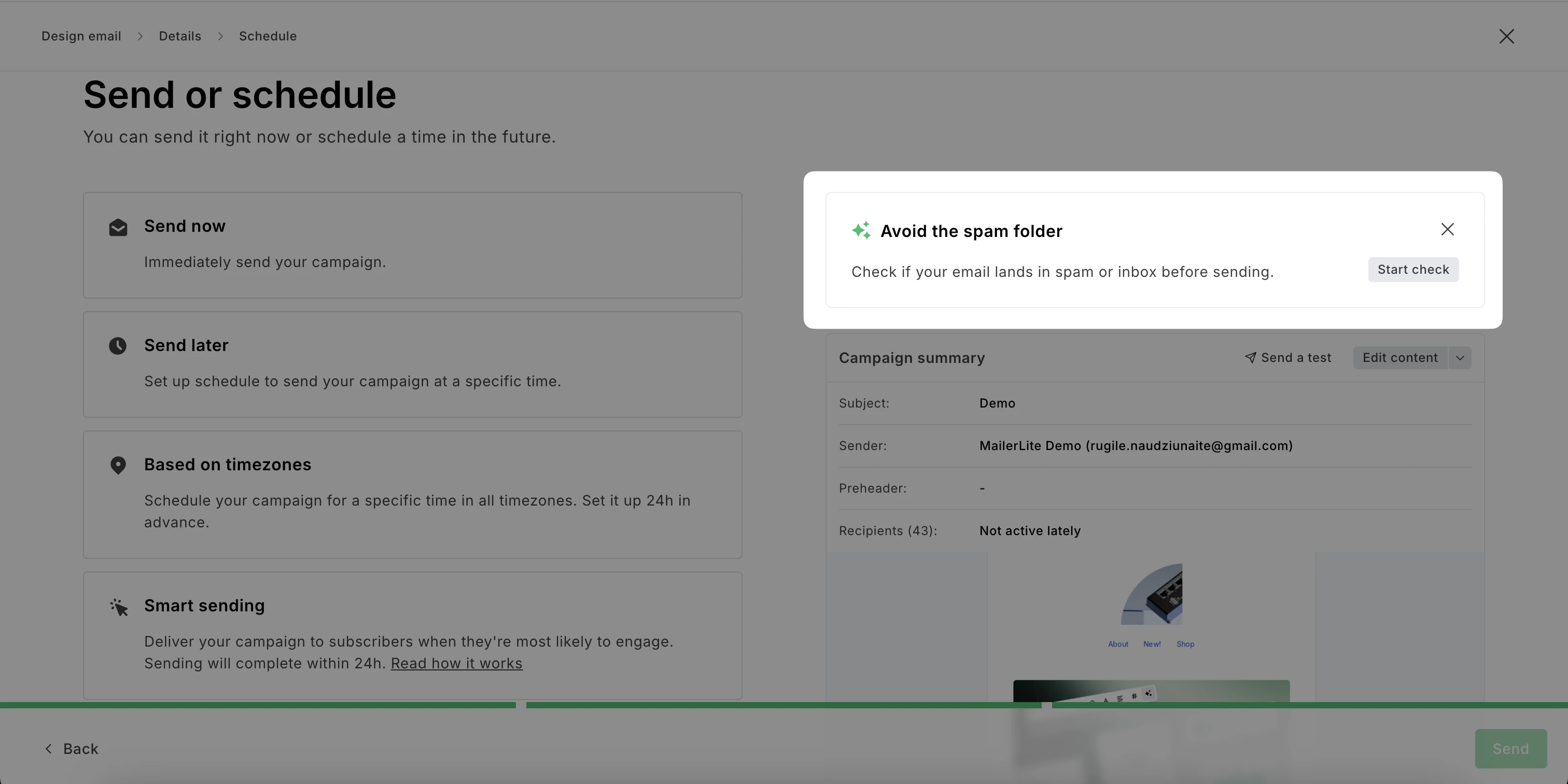
To review the report:
Click Start check. Allow a bit of time for the report to be generated.
Review Inbox placement and Deliverability score results.
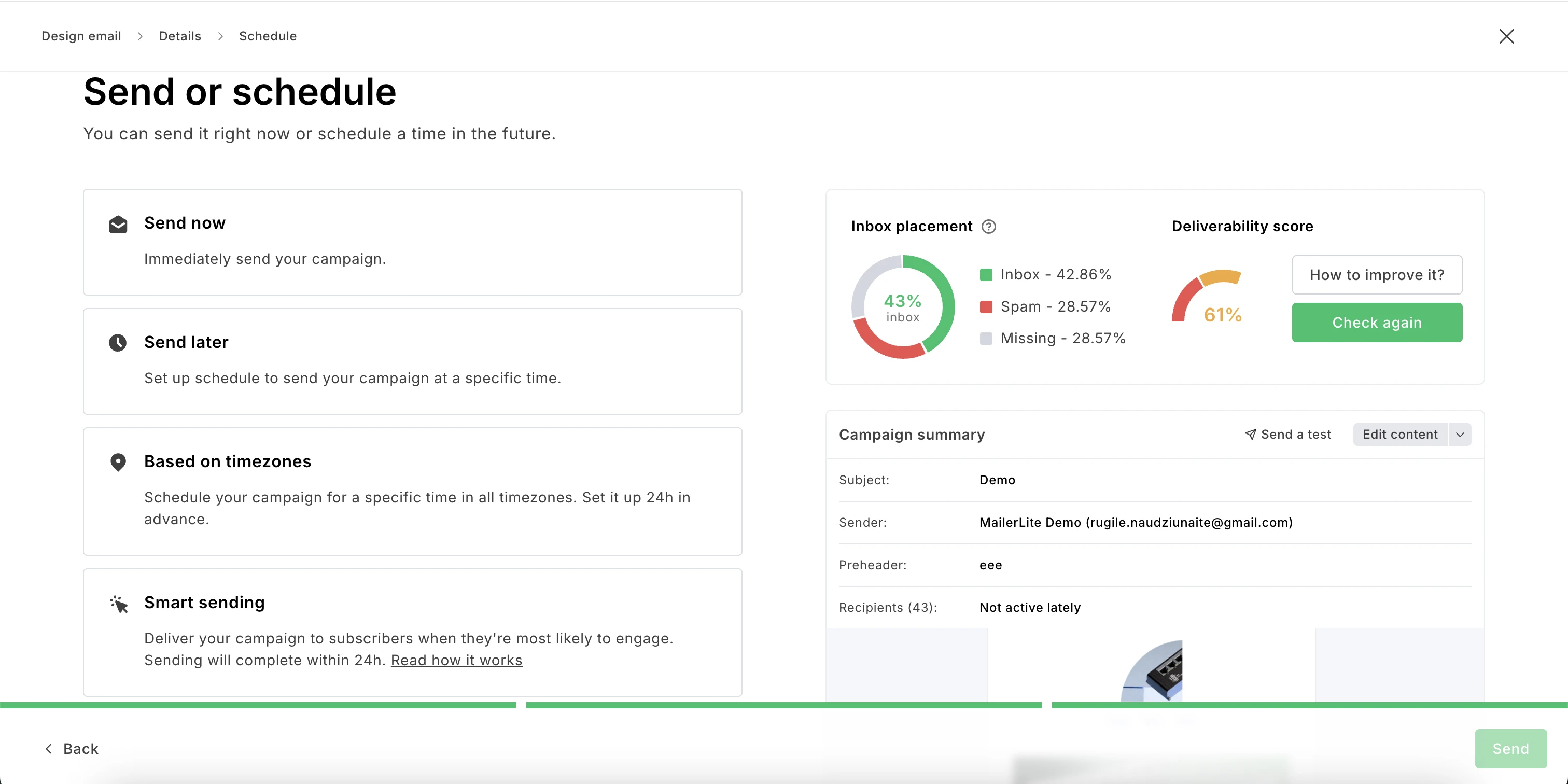
Click How to improve it? to see a more detailed report and review recommended actions before sending.
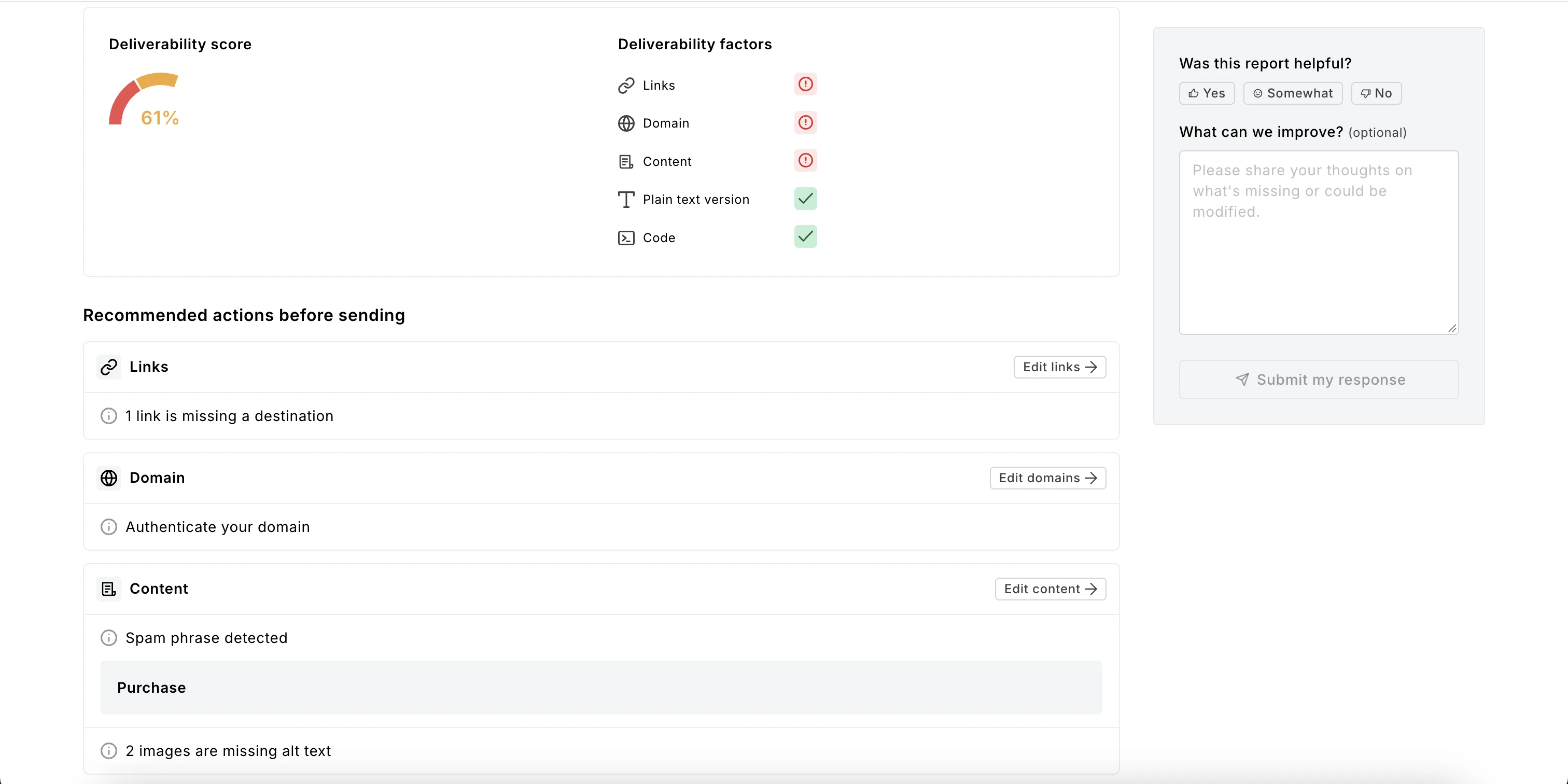
After analyzing your report, make suggested edits to your campaign. Once you’re done, you can click Check again to see how your Inbox placement and Deliverability score improved.
Additionally, feel free to leave feedback about your experience using this tool.
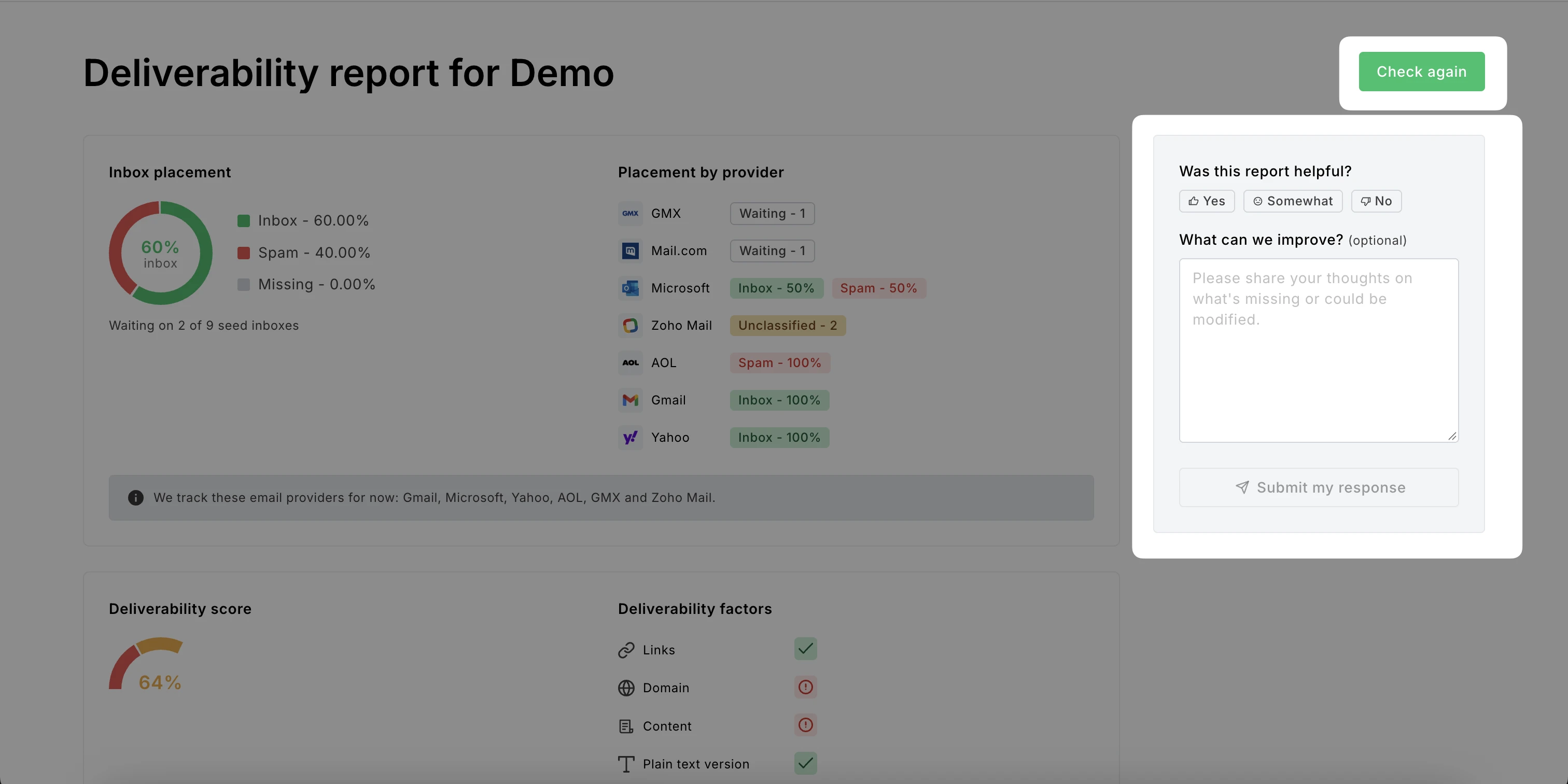
What’s included in the Inbox insights and placement report
In your report, you can see information on Inbox placement, Deliverability score, and Recommended actions before sending.
Inbox placement
Placement diagram: Shows what percentage of your emails would land in the inbox and spam folder.
Placement by provider: Shows which email providers would display your email in the inbox and spam folder.
Note: Currently, these email providers are being tracked: Gmail, Microsoft, Yahoo, AOL, GMX, and Zoho Mail.
Deliverability score
Deliverability evaluation: Shows how high your campaign scores in deliverability.
Deliverability factors: Shows which factors positively and negatively contribute to your score. Links, Domain, Content, Plain text version, and Code are considered.
Recommended actions before sending
Links: Highlights missing, invalid links, and shortened links.
Domain: Suggests using a custom domain or authenticating your custom domain.
Content: Flags spam phrases, missing alt text, uncompressed large images, and entirely image-based emails.
Plain text version: Suggests editing the plain text version to avoid issues when viewing the email.
Code: Flags disallowed attributes, missing values, invalid font names, and color codes.
Note: Code recommendations only appear for campaigns built in the custom HTML editor.
HeyLite insights (Beta)
HeyLite insights offer specific deliverability suggestions based on trends in recently sent campaign inbox reports. For example, you might be recommended to authenticate your domain, reconsider your spam-like content or links, edit your plain text versions, or make code adjustments.
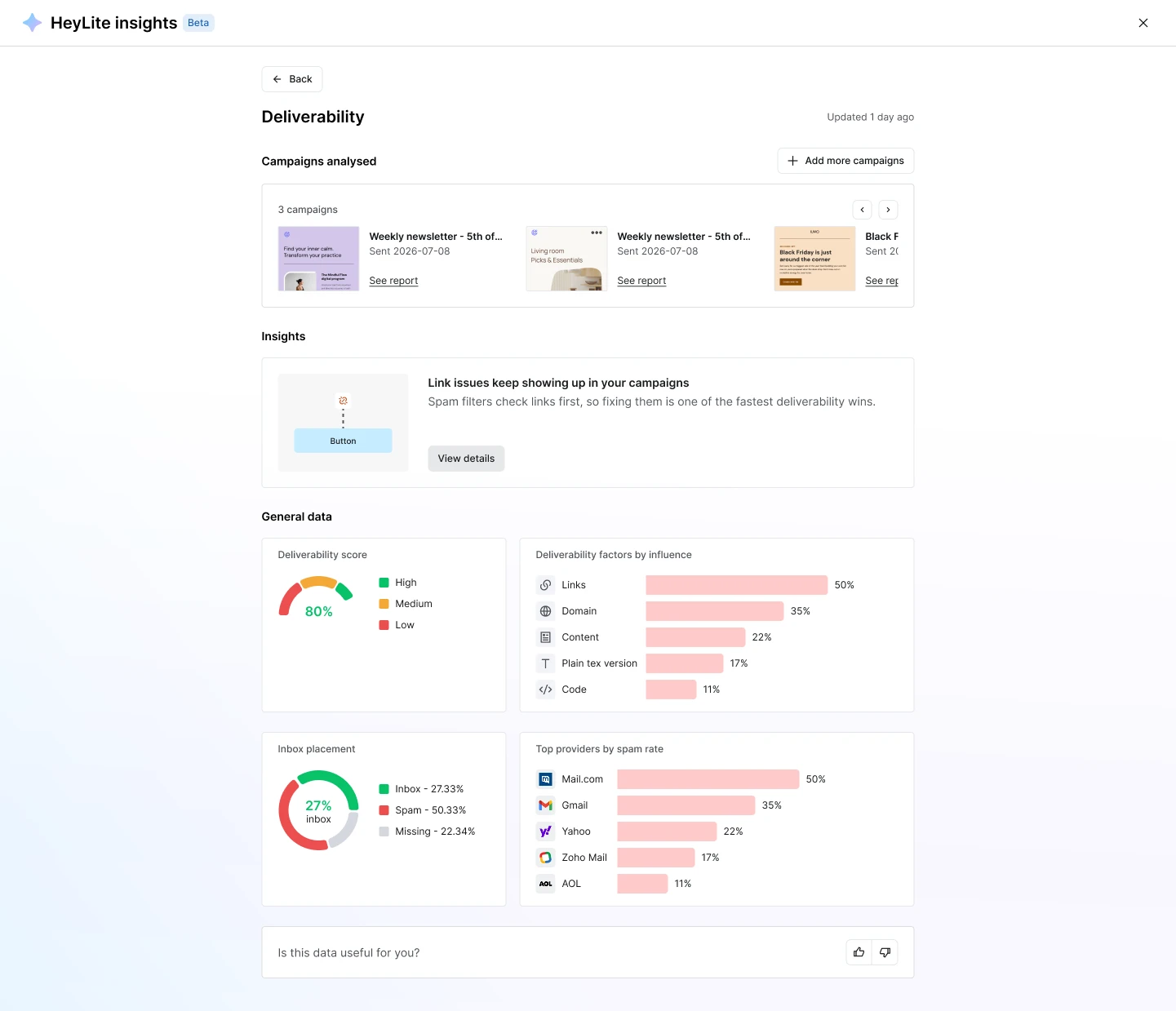
The suggestion requires at least 2 campaigns to be analysed (if you have fewer, you’ll be recommended to analyse more). Click + Add more campaigns to include more campaigns in the report.
To learn more about the suggestion, click View details. This will take you to your most recent campaign report where you can review your content and take notes on how future campaigns can be improved.
💡 Interested in trying other AI tools? Check out HeyLite Intelligence: MailerLite AI toolkit overview.