Simple editor
The email builder built for writersA clean, keyboard-first email editor for founders, creators, solopreneurs, and anyone who'd rather send emails that feel personal, not promotional.
Start a 14-day trial of premium features | No card required
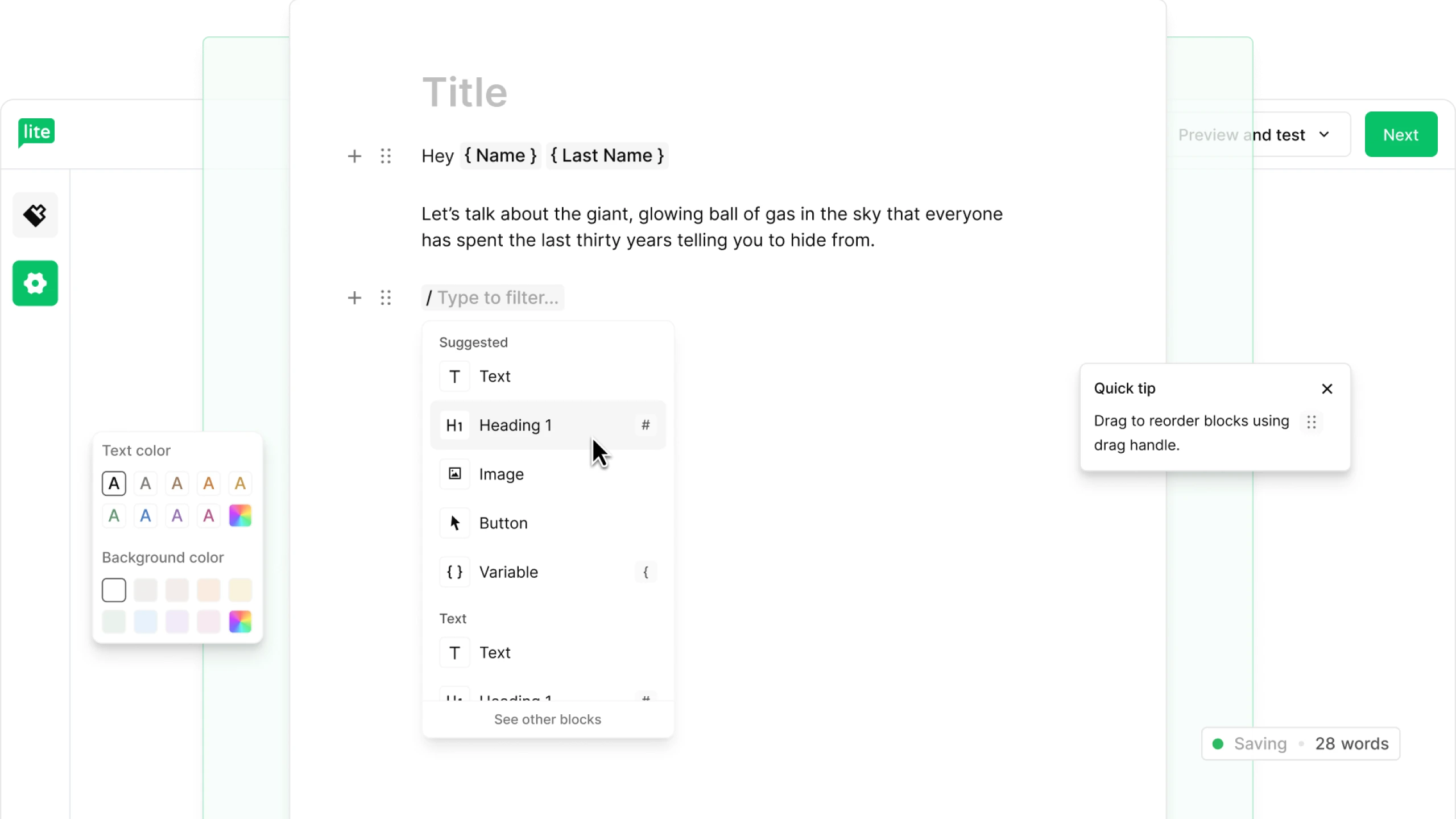
Built for flow-state writing
A blank page, and a / for everything else.
It works the way you already write whether it’s in Notion, in Google Docs, or in your own head.
Press / to add a heading, list, image, button, divider, quote, or variable. Many other go-to shortcuts are on hand as well. Stay in your rhythm. Your work auto-saves as you go.
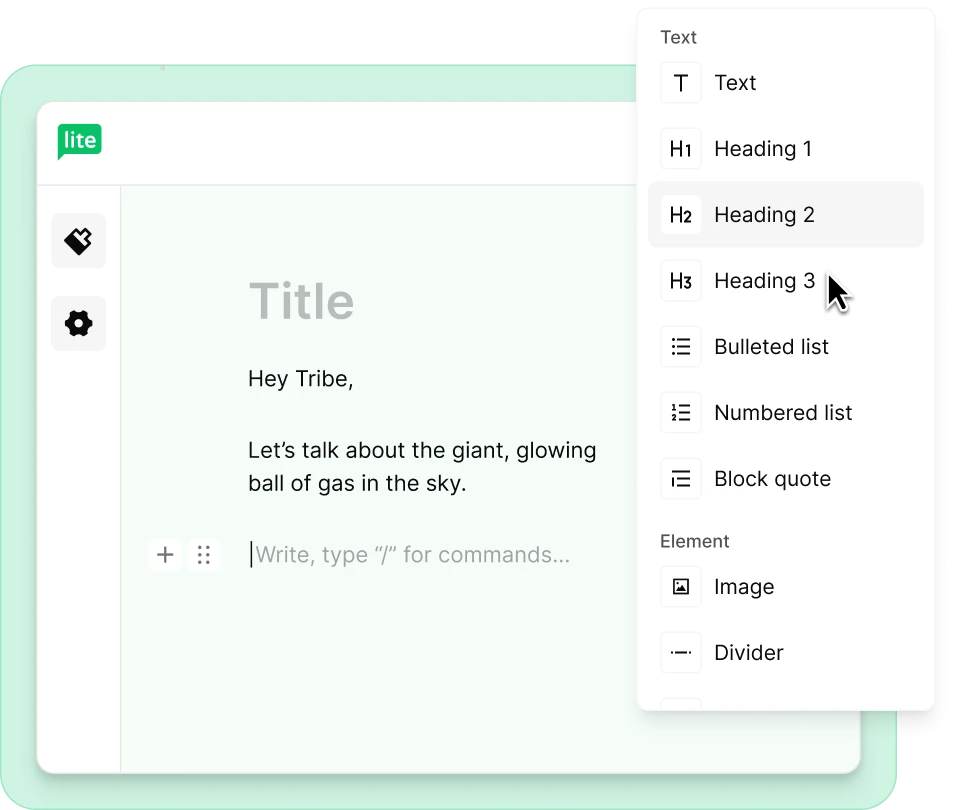
Copy-paste that survives the formatting
Paste from anywhere. Keep your formatting.
✍️ Drafted in Google Docs?
📝 Outlined in Notion?
👩💻 Polished a paragraph in ChatGPT?
Paste it in and your bold stays bold, your lists stay lists, your links stay linked. Images drop in as their own blocks, sitting between paragraphs without any wrapping or float behavior. No lost hours wrestling with the formatting.



"Email lets you have meaningful conversations with people; you can tell more stories. Readers are willing to spend more time reading your emails as opposed to the quicker dopamine hit that scrolling through social media gives them."
On-brand without the busywork
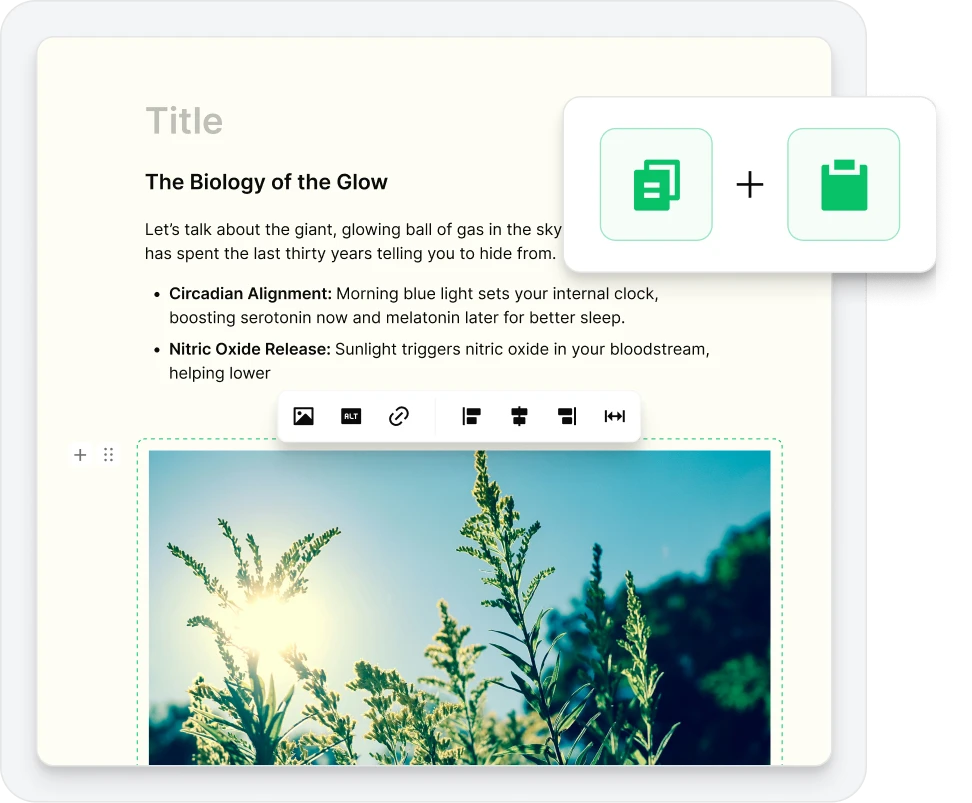
Set your style once. Apply it everywhere.
Open the Style panel and set your brand fonts, colors, and typography in one place. Every block you add picks them up automatically.
Add your footer and social links from the Settings panel; your unsubscribe link is included by default, so you stay compliant without thinking about it.
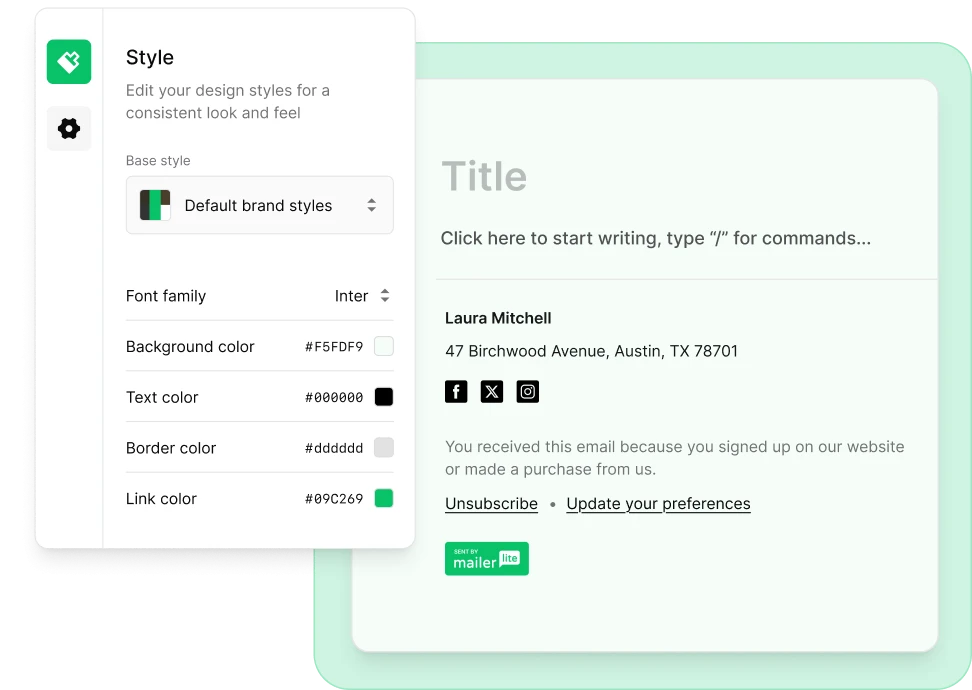
Personal, not promotional
Emails that sound like a person wrote them
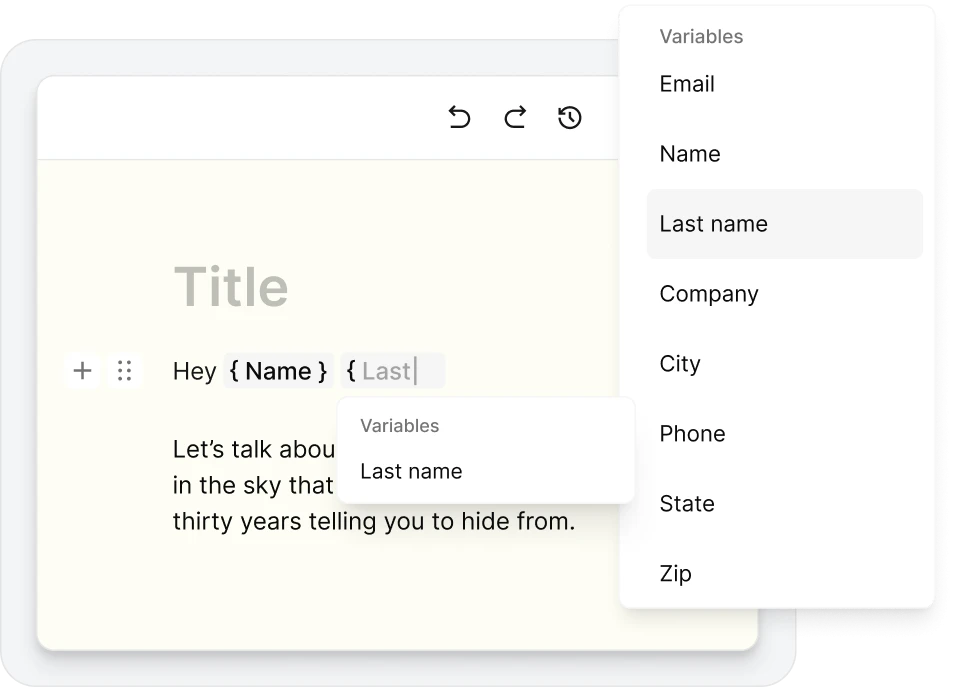
Use variables like {$name} to address every reader by name, pulled in automatically from your subscriber list. Add custom fields for anything else you want to personalize, such as, city, last purchase, favorite topic...Whatever you need!
Write that email. Then let the rest of MailerLite do its thing.
Your Simple editor plugs straight into everything else MailerLite does.
 Automation
Drop your emails into an automation that triggers on signup or a purchase.
 A/B testing
Test different subject lines and call-to-action copy to see what gets more clicks.
 Landing pages
Grow your email list with landing pages and forms that match your style.
 Segmentation
Segment subscribers by their preferences, and send each the email that fits.
 Performance reports
Track opens, clicks, unsubscribes, or compare any two time periods.
 Paid newsletters
Turn your writing into a revenue stream when you're ready to charge for it.
Coming from Substack, Beehiiv, or Kit?
You'll feel right at home. The slash menu, the clean canvas, the one-column focus—it's the writing experience you already know. Plus, you don't have to choose between just writing and the marketing tools you'll eventually need. Now you can have both.
No credit card needed



“MailerLite is really intuitive. I'm not super techy and you don't need to be. We have grown tremendously over past years, and our email campaigns have played an important part. MailerLite does exactly what we have needed to achieve this."
Get started in 3 steps
From signup to first send, faster than your coffee gets cold

Sign up for a free MailerLite account
No credit card required.

Create a campaign in the Simple editor
Go to Create campaign > Start from scratch > Simple editor.

Start typing
Press / for blocks, paste from your favourite writing app, hit send when you're ready.
Try out the simple editor today
From first email to 15,500+ subscribers
Luca Mezzalira’s Dear Architects newsletter started as an internal knowledge sharing initiative and has over 15,500 subscribers now.
I gave it a go even though I didn't think people would be interested. Every week, I started sharing what I was reading, what I was experiencing with customers, and what projects I was working on.

Straight from your head to their inbox with zero friction
The Simple editor is a quiet, keyboard-first canvas built around one idea: that the words are the whole point. Try it free, or on any plan with a 14-day trial.
Free trial of all premium features | No credit card required | Upgrade anytime
Simple editor FAQ
What's the difference between the Simple editor and the Drag & drop editor?
The Simple editor is a writing-first canvas—single column, keyboard-first, designed for text-heavy newsletters and personal-feeling emails. The Drag & drop editor is for image-rich, multi-column campaigns where layout matters as much as the words. Both are mobile-responsive, both support personalization, and both are on the free plan. Most users keep one of each in their toolkit.
Is the Simple editor free?
Yes. The Simple editor is available on every plan, including the Free plan. You don’t need a credit card to try it.
Are emails I send with the Simple editor mobile-responsive?
Yes. Every email built in the Simple editor is responsive by default—it'll look right on a phone, a tablet, and a desktop with no extra work from you.
Can I personalize emails in the Simple editor?
Yes. Press / and choose Variable to insert your subscriber's name, email, or any custom field you've set up. Variables like {$name} and {$email} pull in personal details automatically when you send.
What keyboard shortcuts does the Simple editor support?
The basics you'd expect—Cmd/Ctrl + Z to undo, Cmd/Ctrl + C/V to copy and paste, Cmd/Ctrl + A to select all. Plus Tab to nest a list, Shift + Tab to outdent, and / to open the block menu from anywhere. Click the ? in the bottom left of your dashboard for the full list.
Can I use my own brand fonts and colors?
Of course! Open the Style panel on the left side of the editor to set your brand fonts, background and text colors, link color, border color, and typography. Set it once and every email picks it up.
Can I switch a campaign from the Simple editor to the Drag & drop editor?
Switching editors mid-campaign isn't supported, but you can start a new campaign in the other editor at any time.
Does the Simple editor work as a newsletter creator for Substack-style writing?
Yes. The keyboard-first, slash-command interface is built for the same kind of writing experience you'd find on Substack, Beehiiv, or Kit — with the rest of MailerLite's email marketing tools sitting alongside it. Learn more about how to use the Simple editor in our help article.
Can I use email templates in the Simple editor?
Yes. We're launching a Simple-editor-friendly category in our email template builder. You can also start from a blank canvas any time you'd rather write from scratch.
I used the old Rich-Text Editor—what happens to my existing emails?
Your existing campaigns are safe. The Simple editor replaces the Rich-Text Editor for new emails, but anything you've already sent or saved is untouched. 😊
More features to explore
MailerLite is packed full of features that help you save time and grow your business.