Your complete Christmas newsletter playbook: Tips, ideas and examples

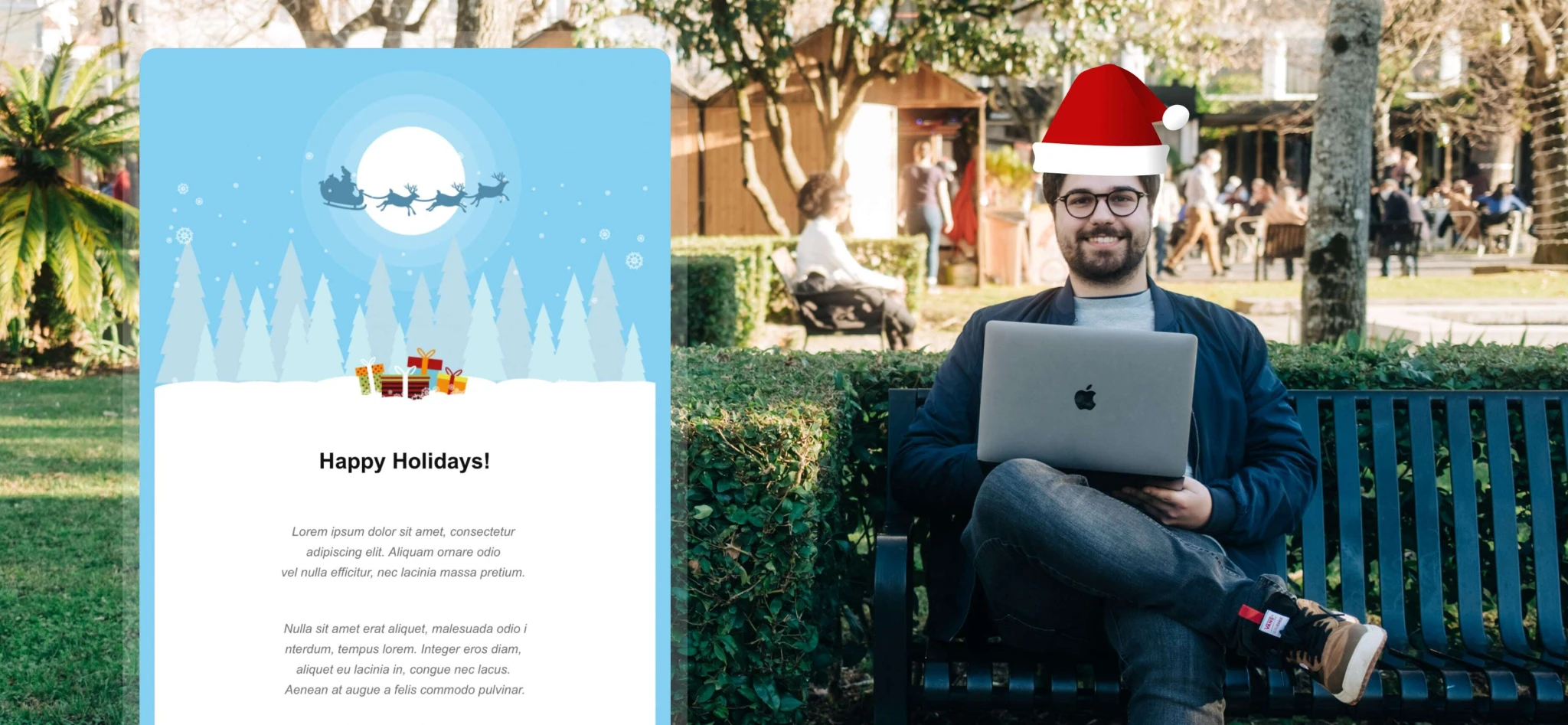 Developer, João, getting festive in Istanbul
Guess who's coming to town? It's time to deck your email campaigns with boughs of holly and turn that holiday cheer into Santa-sized revenue!
Your customers are primed to spend an average of $1,654 during the holiday season, and Christmas newsletters are an effective way to grab your piece of that pie.
So strap into that sleigh and get your elves in a row—we're going to show you how to create a Christmas email marketing strategy to tap into that joyful holiday revenue stream.
Key points: 9 tips to create effective Christmas email campaigns
Analyze last year’s data to see what worked and double down on it this year. Connect MailerLite to AI tools with our MCP server to get the full report
Authenticate and align your domain, then clean your list to boost your deliverability and hit the inbox
Start sending emails in November with gift guides and Christmas offers
Send last-chance emails and reminders in mid-December to appeal to shoppers who still haven’t bought their gifts
Promote post-Christmas sales and discounts in your emails if you run them
Create segments so you can send more relevant offers to each subscriber
Don’t be afraid to simply wish your subscribers Merry Christmas on the big day
Consider automating or scheduling your emails to free up time during the busy holiday season
Make use of our subject line suggestions to boost your Christmas newsletter open rates
Before you start: How to plan your Christmas email marketing
Now is the time to start planning your campaigns. Start by analyzing what worked from previous years, and then put it all together into a series of emails that brings in sales throughout the season. You can even automate emails to free up time when business gets busy.
Analyze data from previous years
Before you give your season’s greetings and create a new Christmas email campaign, analyze the data from campaigns of Christmas past. The goal here is to learn as much as possible from previous successes and failures so you can achieve greater results this year.
Looking at data from your past holiday campaigns will reveal:
Which products drove the most revenue last Christmas? You may want to offer them to your email list again this year
Which promotions were most successful? Consider running something similar
Which customer groups brought in the most sales? Align your campaign to focus more on these groups
Which Christmas campaign ideas failed? Avoid using them this year or rework them if they seem more relevant now
What were customers’ purchasing habits during Black Friday and Cyber Monday this year? This could give you a heads-up on what to expect for the rest of the holiday shopping season
The answers to these questions will better inform this year's marketing decisions and increase your campaign’s chance of success.
The easiest way to get this information is to connect MailerLite with an AI tool like Claude or ChatGPT using our MCP server and then ask the questions above. Since the tool can access your email data, it will quickly discover the answers without you digging through the data.
You can also find the relevant information in the performance reports section of your MailerLite dashboard.
Optimize your deliverability
One of the biggest factors in Christmas campaign success is ensuring your holiday emails land in your customers’ inboxes. When you avoid the spam folder, more customers get the chance to see your emails and buy your deals.
Following email marketing best practices, such as authenticating and aligning your domain and not sending content that could be considered spam, is an effective way to improve your deliverability. Choosing an email marketing service provider with a strong reputation, like MailerLite, will also make a big difference to your campaign.
But you can take optimization a step further by using a dedicated tool to clean your email list and analyze your content to discover ways to reduce your spam score.
Read our guide to avoiding spam filters to find out more about the steps you can take to improve deliverability.
Reach more inboxes, make more sales
Our team of deliverability experts and high standards for who can use our platform mean that emails sent via MailerLite are more likely to reach the inbox and avoid spam. Sign up now to help more subscribers see your Christmas campaigns.
Decide when to start sending your Christmas newsletters
Many brands start sending Christmas emails once they’re finished with Black Friday and Cyber Monday. This allows you to get maximum benefit from both of these shopping seasons, while still providing plenty of time to promote your products before Christmas.
Other brands have some crossover between the two events. This ensures that people looking for Christmas gifts can take advantage of Black Friday offers.
Whichever option you choose, don’t leave it too late! People start shopping for Christmas early, and you don’t want to miss out on potential sales due to customers having already bought their gifts.
Plan to send several emails during the period
Sending several Christmas emails during the period will increase the visibility of your products and offers. Start with product guides, wishlists, and gifting ideas to show people that your products will make great presents.
Next, create reminder emails that go out in mid-December to appeal to people who still haven’t bought their gifts. Consider adding offers or discounts to encourage people to buy.
You can even keep sending emails after Christmas Day. Many people continue shopping until the New Year, so contacting your subscribers during this time will provide more opportunities for sales.
If you want to reduce your workload this period, schedule your emails in advance or create an automated Christmas email workflow and set them to go out at your chosen time. This will allow you to focus on fulfilling all the orders your emails bring in.
Here’s an example schedule including 6 holiday emails.
| Date | Campaign | Description |
| Mid-November | Wishlist or gift guide | Gift recommendations |
| Early December | Early gift | Discount or free shipping |
| Mid-December | On-time delivery reminder | Deadline to purchase gifts with countdown |
| Before your shipping cut-off | Last chance | Boost urgency with a last chance to buy email |
| Christmas day | Merry Christmas | Wish your customers a Merry Christmas |
| Boxing Day | Post-Christmas sale | Introduce your Boxing Day or New Year sale (if relevant) |
21 Christmas newsletter examples and tips
Now you know the overall strategy your Christmas newsletter ideas should follow, here are 21 top tips for getting the most out of every message you send.
We’ve grouped the ideas into sections for Christmas content, engagement and design. Plus, we've got plenty of Christmas email examples created in MailerLite to show you what's possible.
Christmas email content examples
1. Create a Christmas wishlist
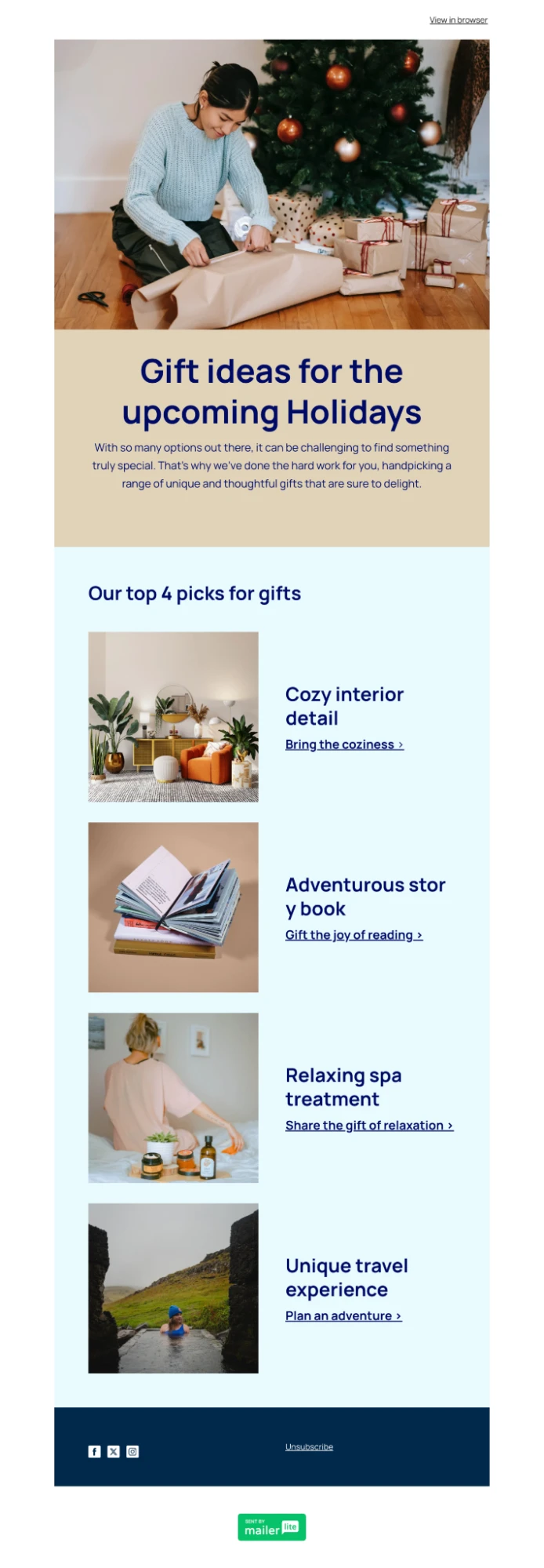
Wishlists show your customers products they might be interested in, so they can add them to their list for when Christmas arrives. Create an email with a selection of your top products so people can see what’s on offer.
Consider creating lists that appeal to different groups of customers. Then segment your email subscriber list and send each wishlist to the most relevant audiences.
See an example of a Christmas wishlist email in the image below. It contains links to gifts that will appeal to multiple types of customers.
2. Combine Christmas and Black Friday
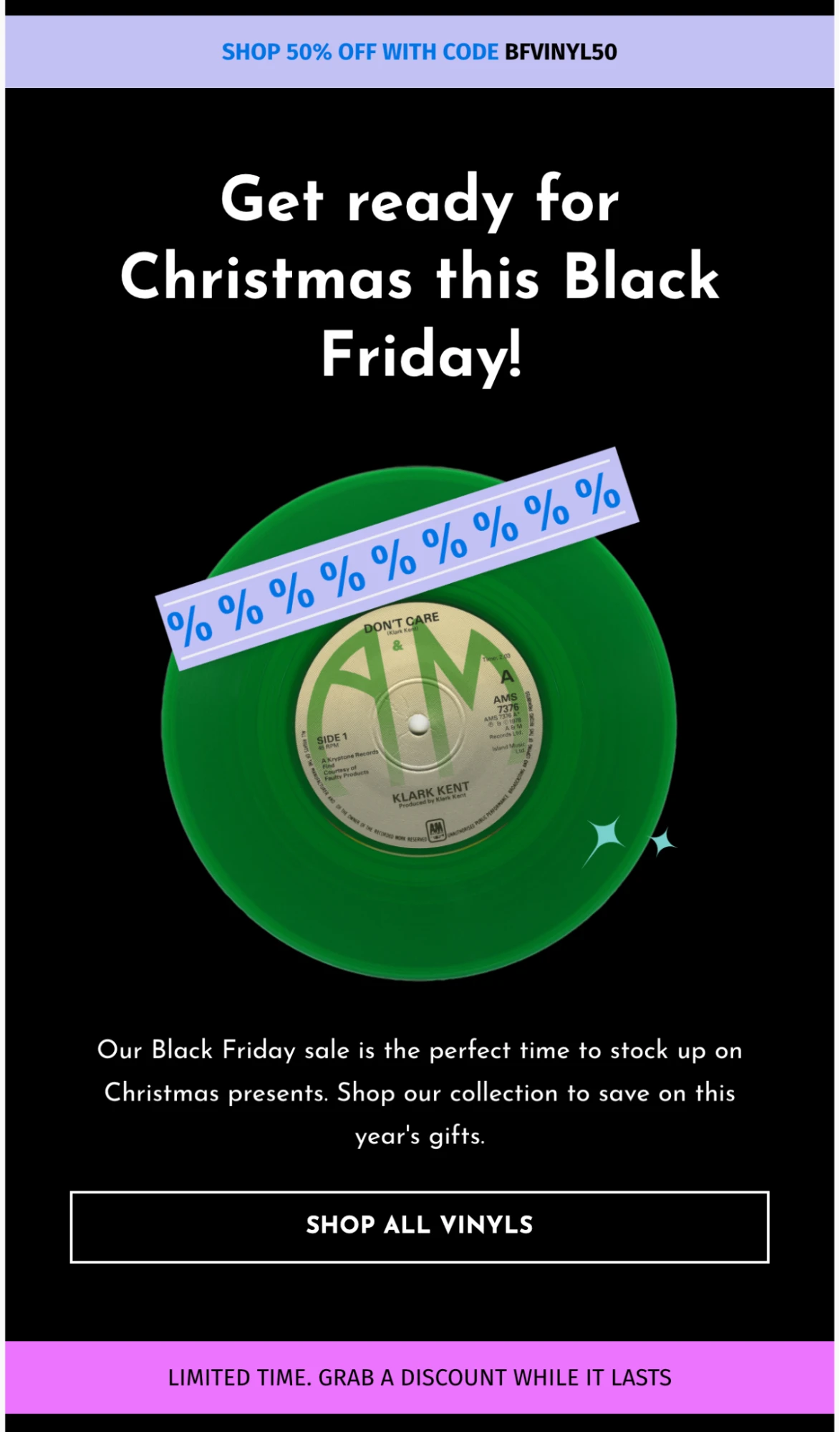
64% of consumers say they will wait until Thanksgiving weekend to do most of their holiday shopping. Use your Black Friday emails to mention that now is a great time to save when buying Christmas gifts. See how it can work in the screenshot below.
3. Create a year-in-review email
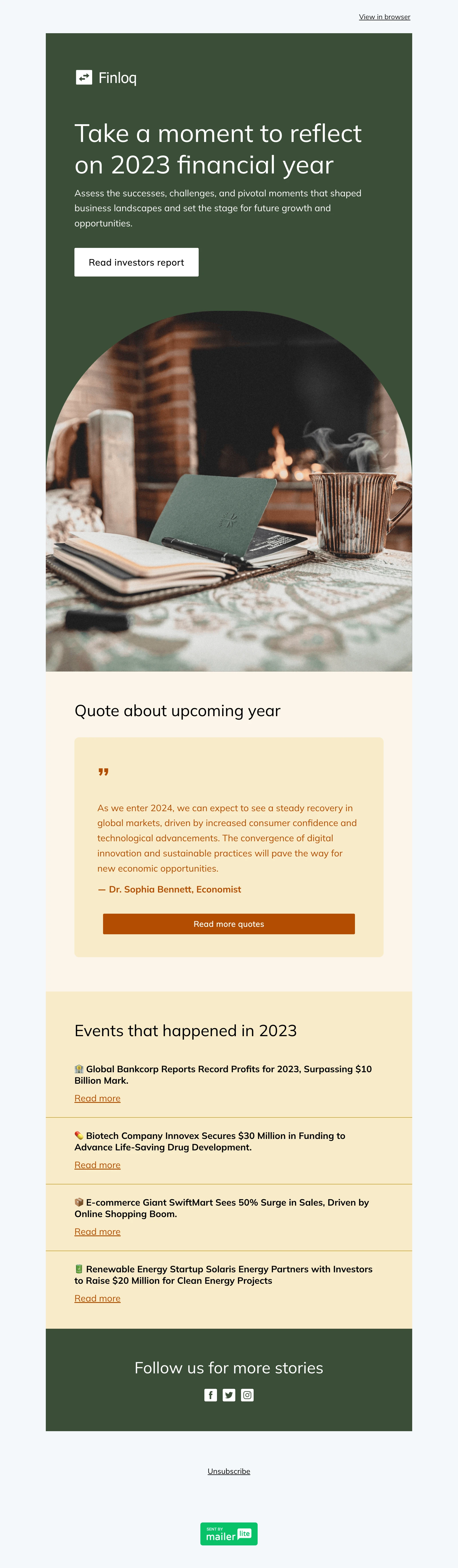
Thank your customers for their support and share the highlights of the past year. You can even offer subscribers a gift to show how much you appreciate them.
Many kinds of organizations will benefit from sharing a yearly review, not just e-commerce stores. For example, the email template below is for an investor report. It shares key events from the past year and also includes a quote looking to the future.
4. Wish your subscribers a Merry Christmas
Christmas is one of the busiest shopping periods of the year. As a business looking to make the most of the opportunity, it’s easy to forget that Christmas is also a time to take a break, think of others, and spend time with those close to you.
With that in mind, consider sending your subscribers a Merry Christmas message. Whether you make it fun or sincere, your customers will appreciate the holiday wishes.
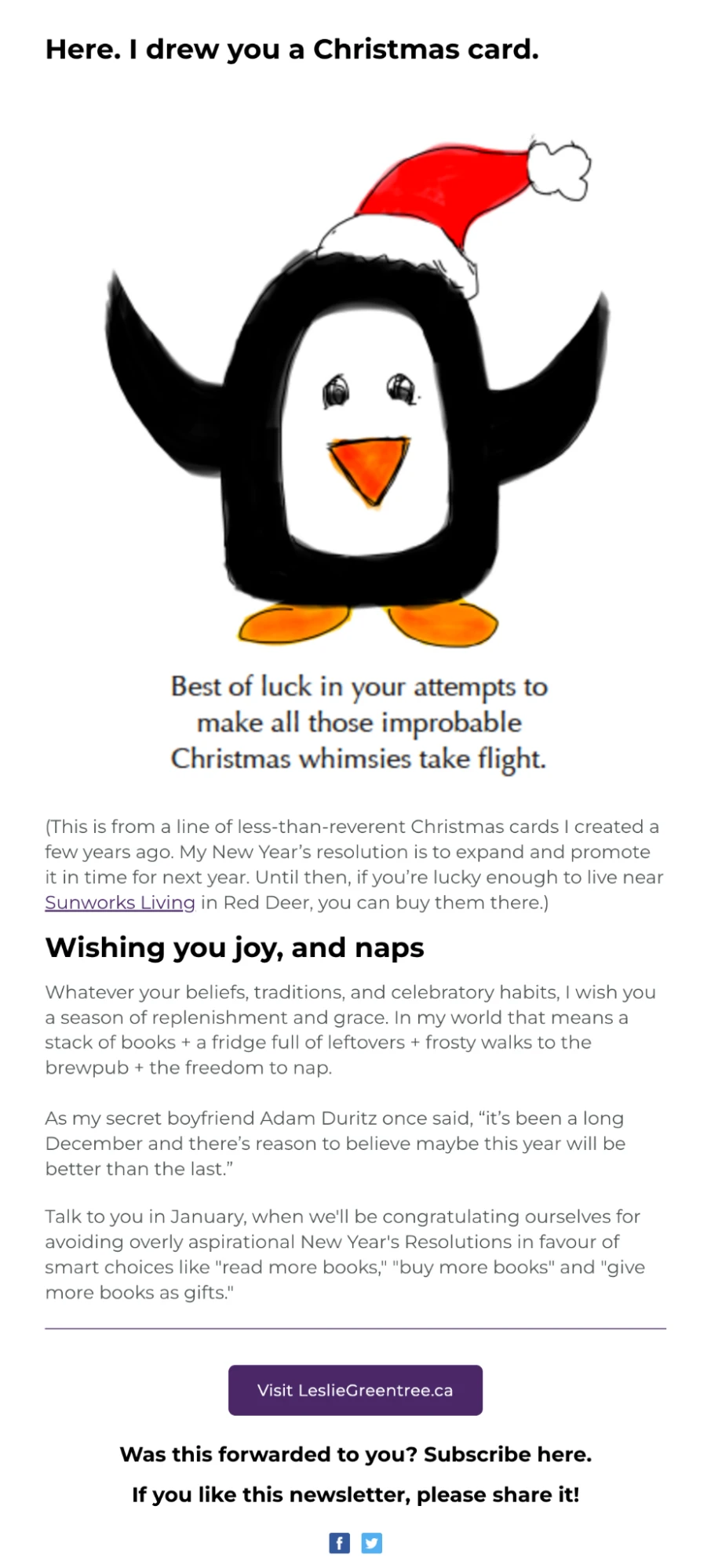
Author Leslie Greentree ended her Christmas email with a hand-drawn Christmas card and an inclusive holiday season message. It’s sure to make the email recipients feel like she’s thinking about them, building a stronger connection.
5. Offer Christmas discounts
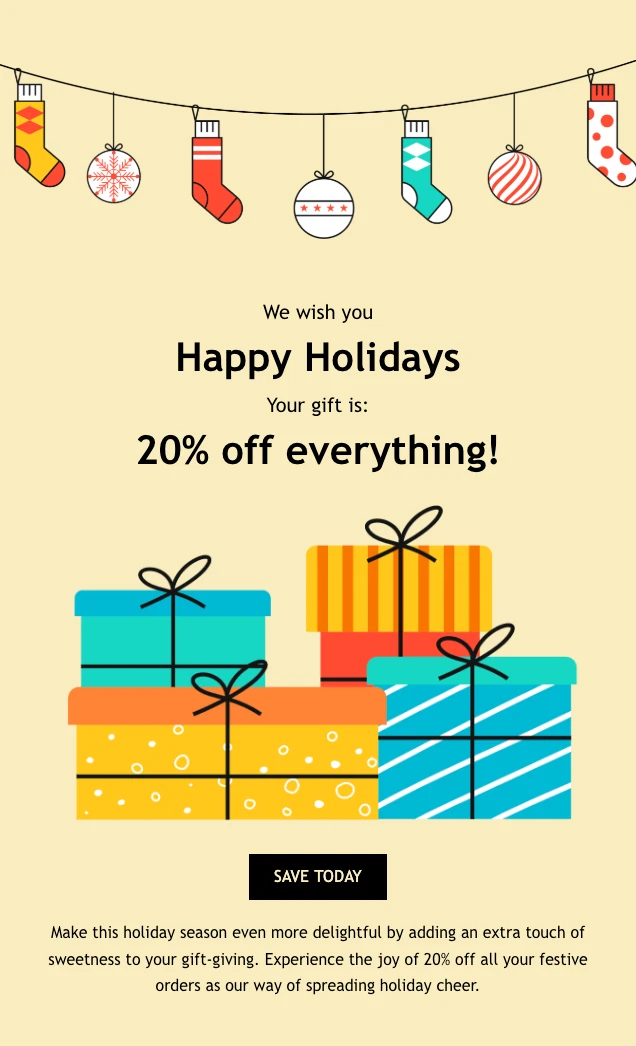
People love a discount: 7 in 10 shoppers say they’ll look for a deal when Christmas shopping. Providing your customers with Christmas email discount codes is an easy way to encourage them to buy. And don’t forget to give them a chance to share these discounts with friends and family members!
Here is an example of a Christmas email promoting a discount. The offer is super clear, and there's a big call-to-action button for people to click on.
6. Offer free shipping
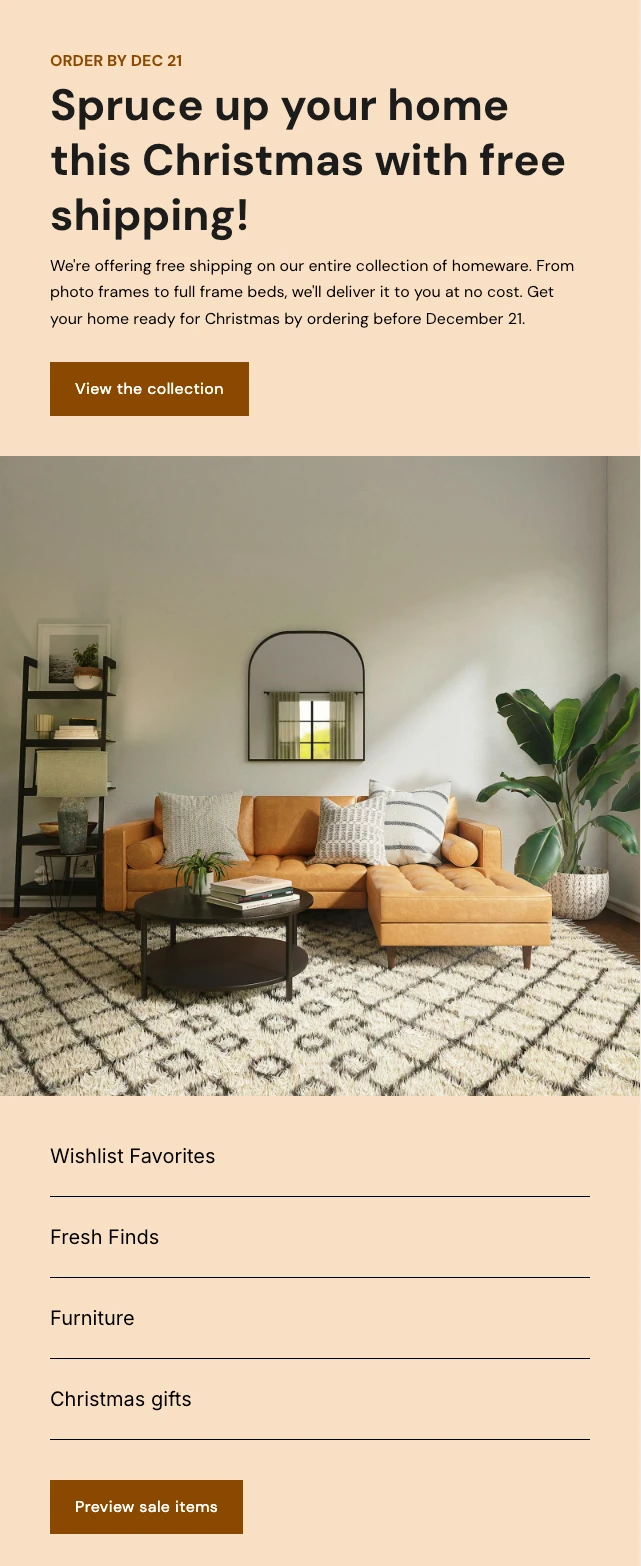
You're not the only business trying to get your subscribers to buy during Christmas. The holidays are competitive for marketers, so you have to reduce every friction point that can stop consumers from buying—and shipping costs are a big one.
If you sell physical products, consider offering free delivery. Check the example below to see how it could work for your brand.
7. Create a post-Christmas offer
The time after Christmas is a good opportunity to make sales as people take advantage of post-holiday offers and New Year discounts.
Here's an enticing post-Christmas email template including a discount on online courses. Post-Christmas is a good time for an offer on learning opportunities, since many people want to improve themselves in the new year.

8. Tap into the last-minute gifts market
We’re all guilty of some last-minute Christmas shopping! Smart email marketers have tapped into this behavior and created favorable deals for the less-prepared Christmas shoppers.
To do the same, you could send a reminder email with a countdown timer for orders to be made and delivered on time before Christmas. Or you could offer express shipping for people who have left it too late.
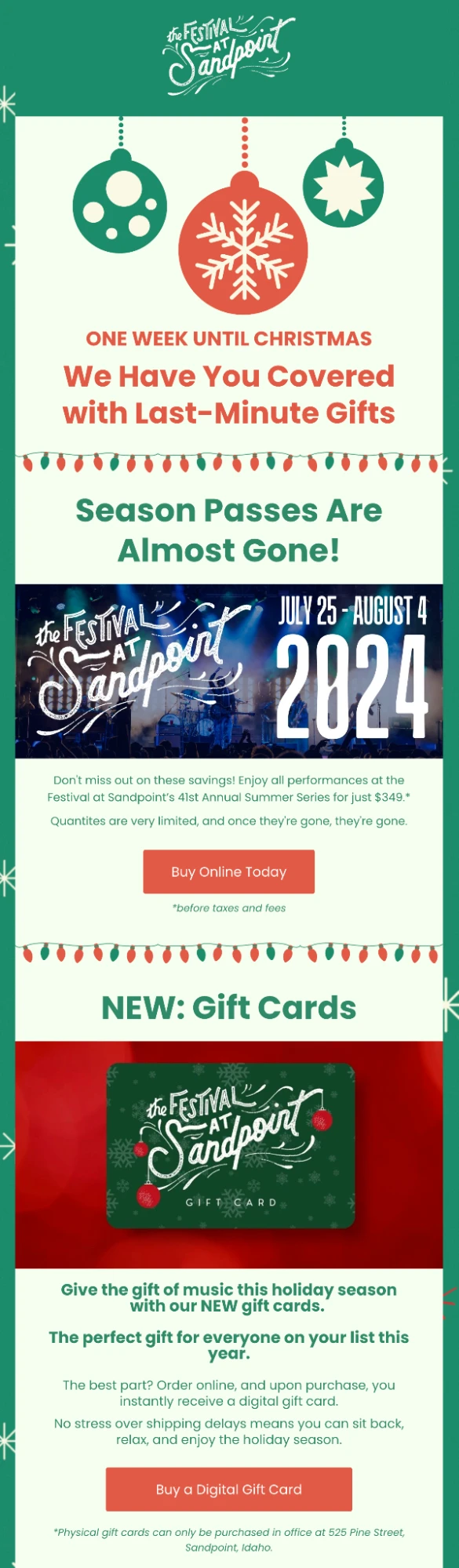
This email from The Festival at Sandpoint is a great example of a last-minute gift reminder email.
It starts by reminding the recipient that there’s just a week left until Christmas, and then it highlights season passes and e-gift cards that recipients can buy and receive instantly—making for the perfect last-minute gift! Plus, the Christmas theme is clear thanks to the email’s festive design.
9. Give something back
Christmas is about giving, so what better time to share a little something with your subscribers? Sharing a freebie with your email list could make their day!
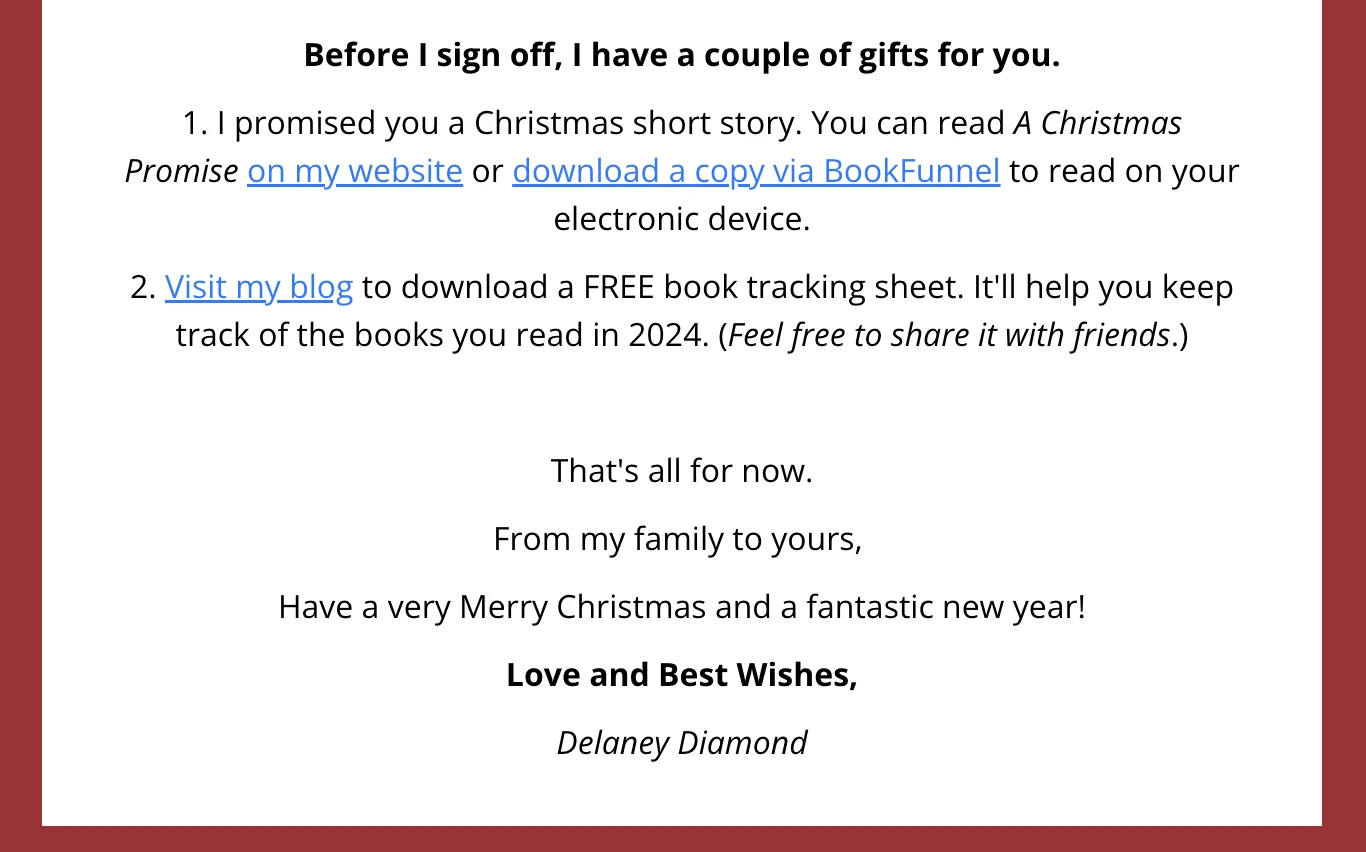
We love this creative email newsletter from author Delaney Diamond since it offers 2 Christmas-themed gifts to subscribers. Both the book tracking sheet and the free short story will appeal to her audience of book lovers.
10. Suggest gifts for different personality types
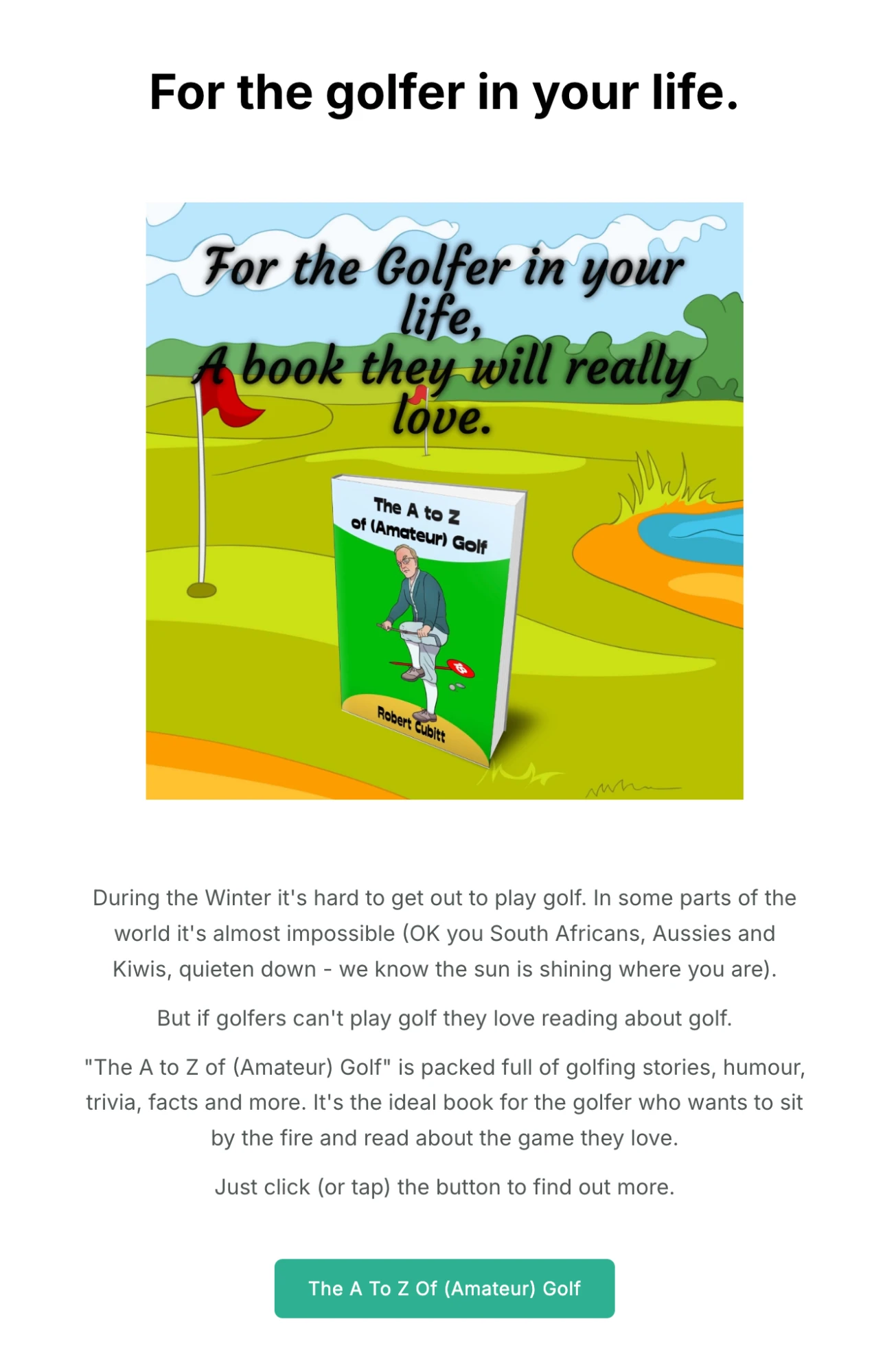
Knowing what to buy the different people in your life is one of the hardest parts of Christmas shopping. Give your subscribers a helping hand by recommending gifts for different types of people. This is perfect if your store has a wide collection of products.
Selfishgenie Publishing does this by including the type of person who will enjoy the book, a description of each product, and a link the reader can use to buy the gift. Here's how it looks for a book on golf.
Christmas email engagement examples
11. Take advantage of personalization
Email personalization allows you to send targeted content that is relevant to your subscribers. Increased relevance leads to better-performing email campaigns.
You can personalize your emails by adding dynamic text snippets or content blocks that change based on information in each subscriber’s profile. Or you can send different emails to people depending on a segment or group that they belong to.
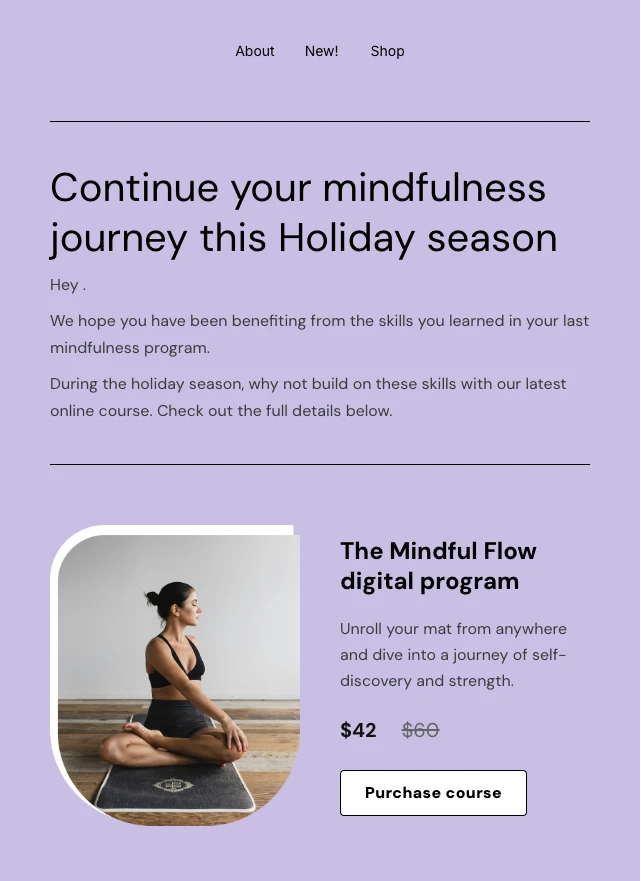
For example, the email below includes the subscriber’s name and then uses their past shopping behavior to promote a relevant offer.
12. Send emails at the most impactful time
The time and day you send emails can make a big difference in whether people open them. Send at the right time, and the email will be visible when customers log into their accounts. But get it wrong, and your message will be lost at the bottom of a pile of promotions.
Our article on the best time to send emails has plenty of general data you can use to guide your campaigns. For example, Monday is the best day for opens, and people are more likely to open emails sent between 4 PM and 6 PM.
You can also use our Smart sending tool to automatically send emails at the perfect time for each subscriber. The feature looks at when the person has previously interacted with your campaigns and uses this knowledge to choose the best sending time.
13. Add sharing buttons
An easy way to get more exposure for your Christmas campaign is to let your customers become your promoters. Add a simple share button to every email so customers can tell other people about your offers.
But don't overwhelm them with too many options. Pick the 3 or 4 platforms your subscribers are most active on and add social media sharing buttons for those.
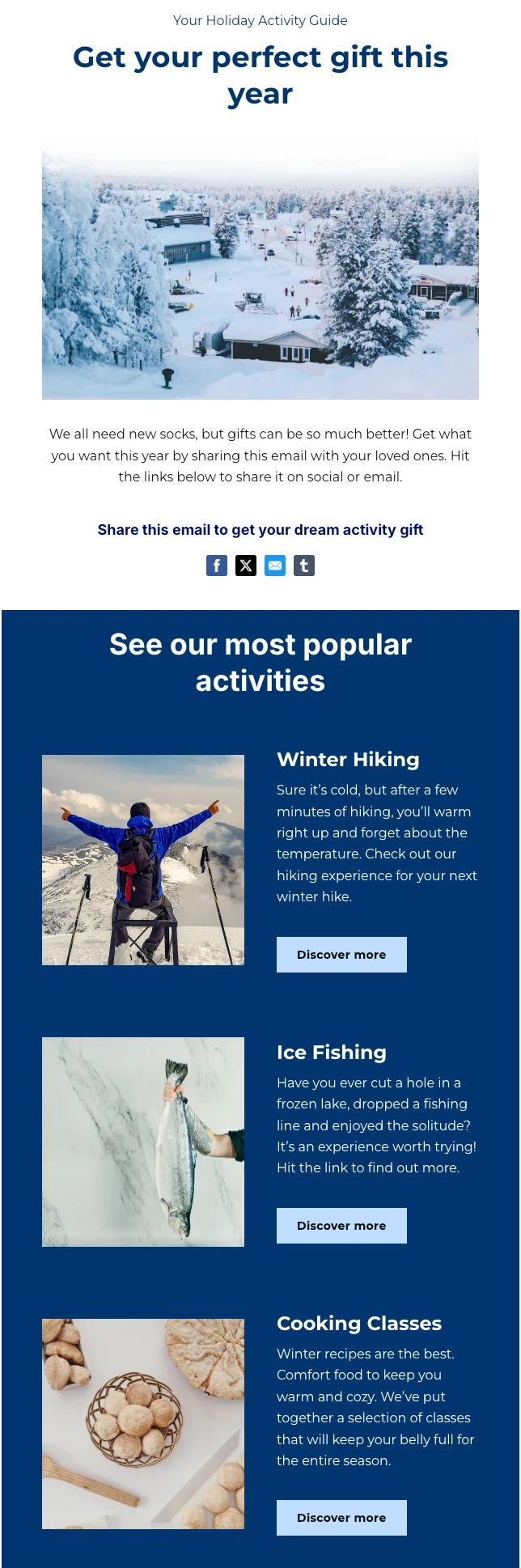
The email below has an interesting way to make this work. It encourages subscribers to forward the email to friends and family to inspire gift ideas for themselves!
14. Test your campaign
Continuous experimentation helps you grow faster. Testing your Christmas emails lets you discover what works best and what doesn't, so you can improve.
Run A/B or multivariate tests to send the optimal version of an email to your subscribers. You just create 2 or more versions of an email, and the tool sends each version to a predefined percentage of your audience. It then looks at open or click rate to see which version performs best, and sends the winner to the rest of your list.
The benefit of this is that more people get the highest-performing version of each email you send. Plus, you can use the learnings to optimize future campaigns.
15. Add urgency
Do you know what drives even more sales than a good offer? A good offer with a time limit. Adding urgency to your email campaigns incentivizes people to act quickly and buy your product.
This email uses a countdown timer to highlight that the customer needs to order before December 21 to guarantee delivery by Christmas. Plus, the brand offers a free gift to all buyers to sweeten the deal.
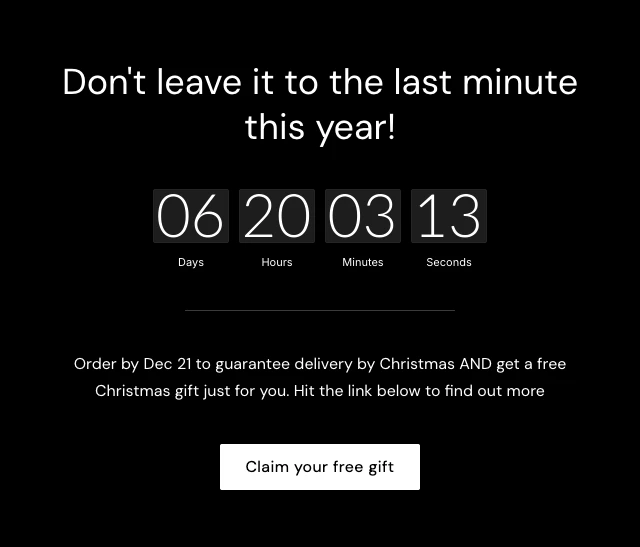
You can easily add a countdown timer like this to your email using MailerLite's simple Drag & drop editor. Just choose the relevant block, drag it into place and customize the design to fit your brand. Find out more about adding countdown timers to emails here.
16. Create a powerful CTA
A good CTA tells your audience what to do and motivates them to go ahead and do it! Here are a couple of techniques you can use to create a CTA that stands out:
Make the reason for clicking obvious. For example, instead of “Click here” say “See the guide”
Use approachable action verbs like “Start,” “Get” or “Buy”
Focus on the benefit of the action. For example, change “Buy now” to “Get 50% off”
Use contrasting colors for the button so it’s easy to see
You can learn all the best practices to create an email CTA that converts in our ultimate guide on call-to-actions.
17. Write captivating email copy
Remember that people see tons of marketing messages during Christmas. The usual newsletter copy might not be enough to stand out at this time of year: you need to go the extra mile with your Christmas email copy.
Writing good copy takes practice. But there are best practices you can use to get up to speed quickly.
For example:
Focus on the benefits
Make your offer clear
Focus on one goal in your copy
Use Christmas puns and wordplay
Talk directly to the recipient
Use a spelling or grammar checker
Use short sentences and paragraphs
Bring attention to content with bolding, bullet lists and headings
Check out this guide to writing email content people care about to discover more.
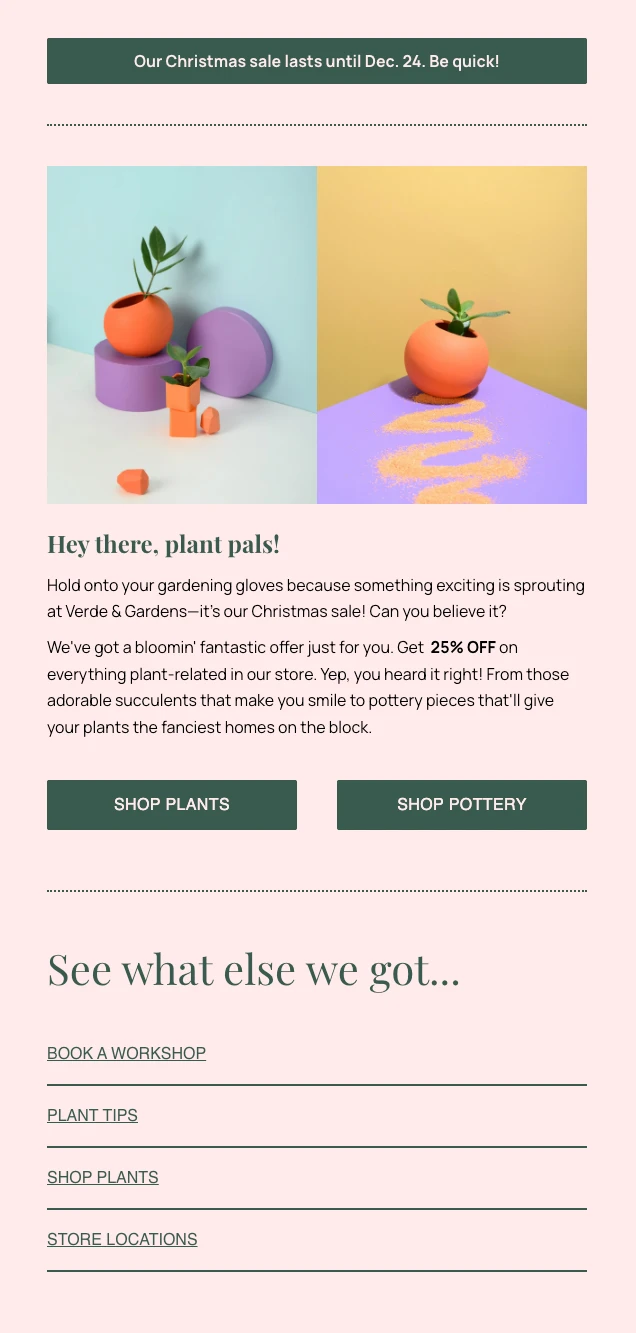
The Christmas email below features super-fun, friendly copy that speaks directly to the recipient while also highlighting the offer's benefits.
18. Add a lighthearted message
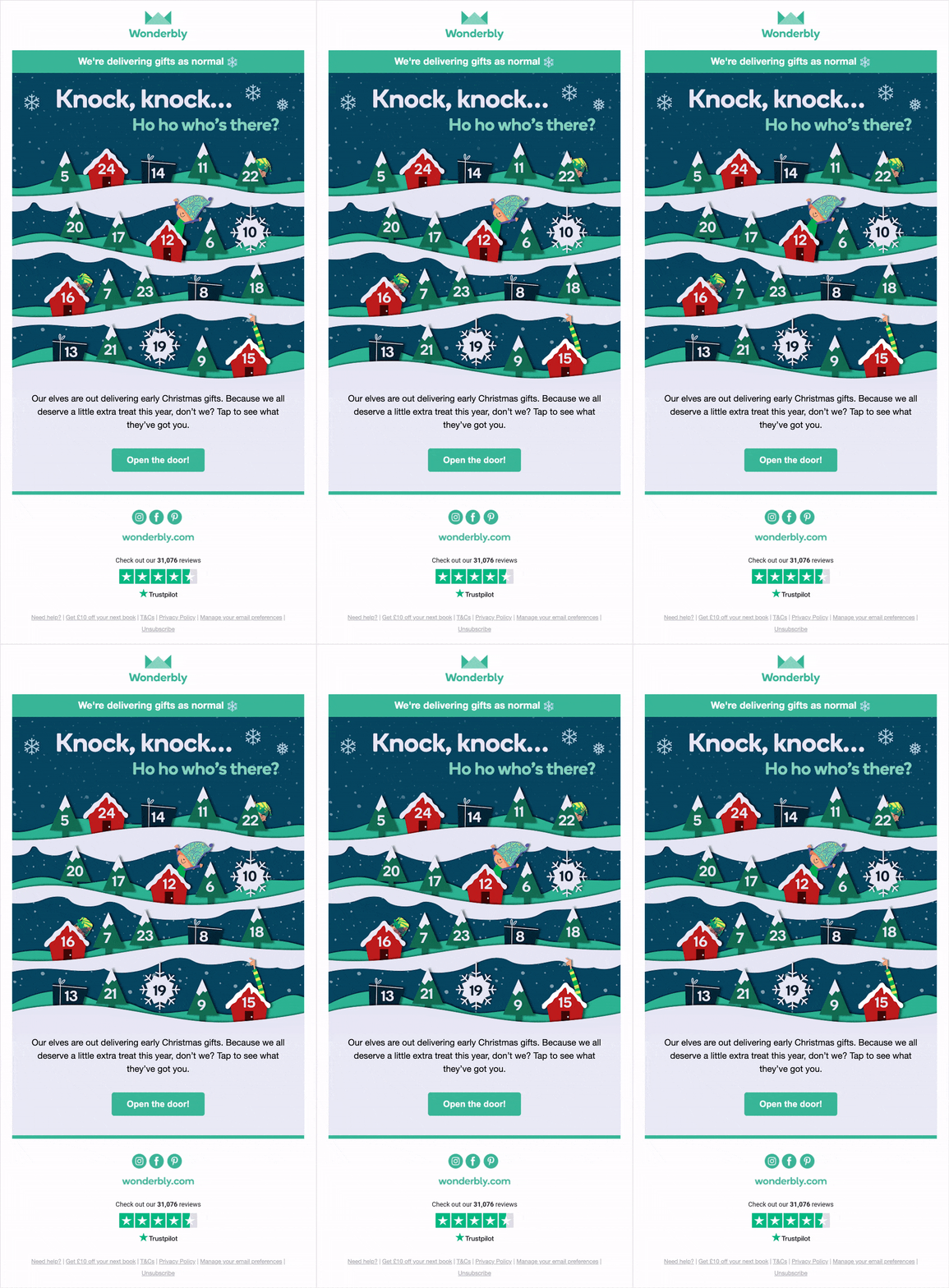
'Tis the season of good cheer, after all! Add a touch of humor to your Christmas newsletter to make it memorable. It’s the perfect opportunity to use all those holiday puns for email marketing you’ve been saving, like this one from Wonderbly.
Christmas email design examples
The final step to creating emails that work is perfecting the design. Here are some Christmas email design tips you can use to create campaigns filled with festive cheer.
19. Use Christmas colors in your email design
Go for bold holiday colors or opt for soft festive tones. It’s completely up to you! But just like a Christmas card, your Christmas email design needs to have a festive color scheme to mark the season.
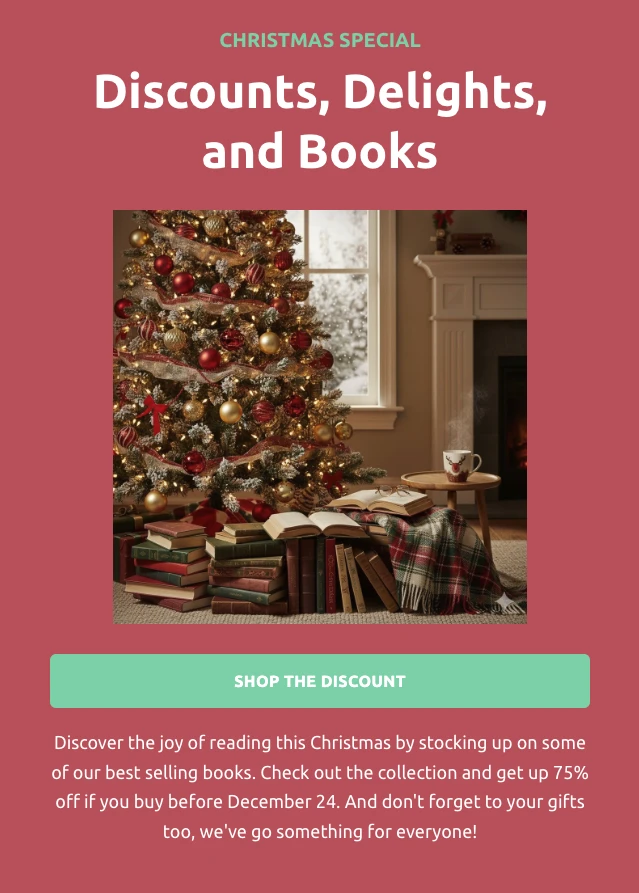
The holiday email below goes all out with a red, green and white design that helps associate the offer with Christmas.
20. Add animations
Use animated images to make your Christmas newsletter pop! You have nanoseconds to catch your subscribers’ eye, and an animation is the perfect way to do that.
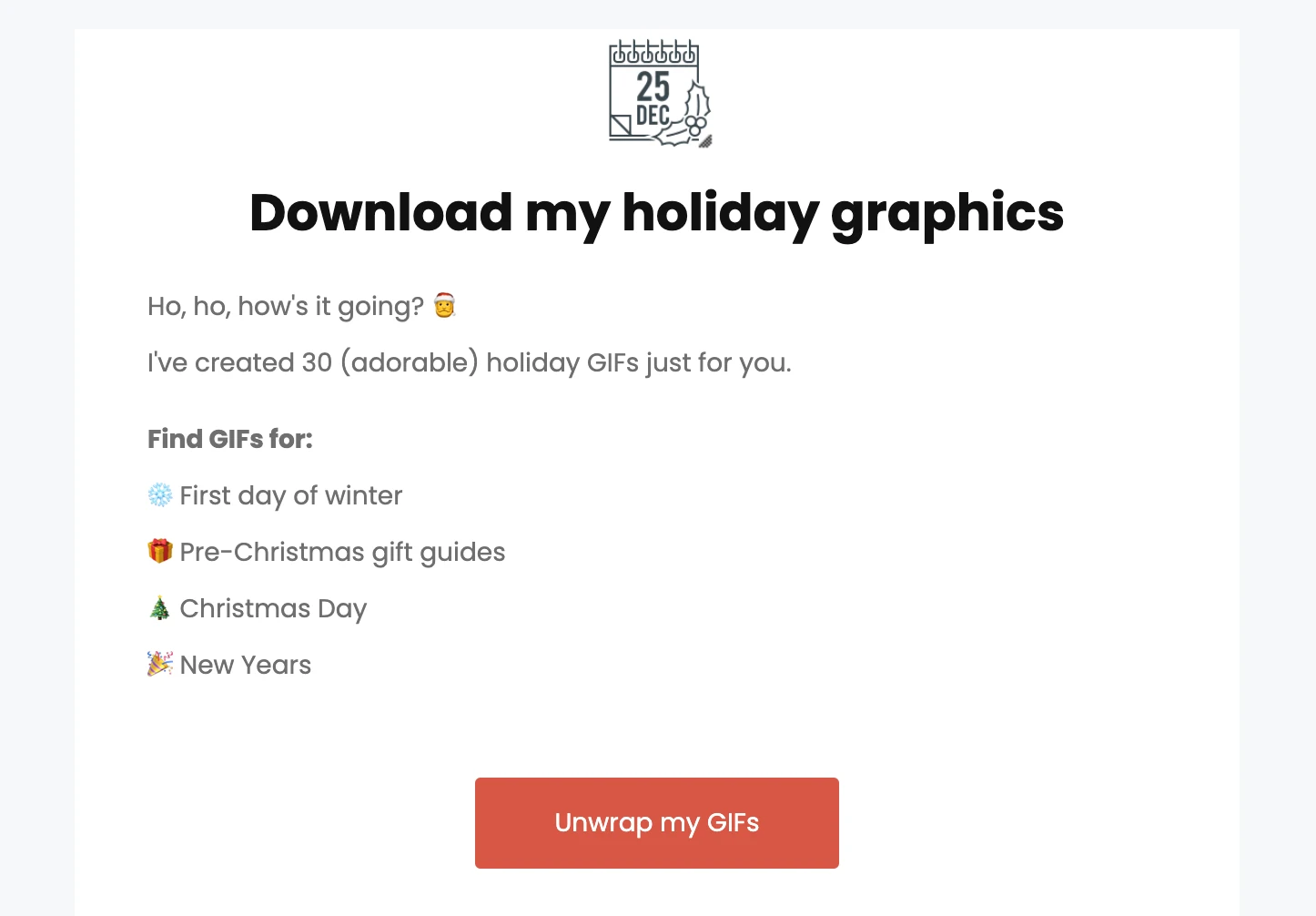
Learn simple tricks for creating animations in our guide to adding GIFs to emails. We also cover how to add GIFs to your email and best practices you can use when uploading them.
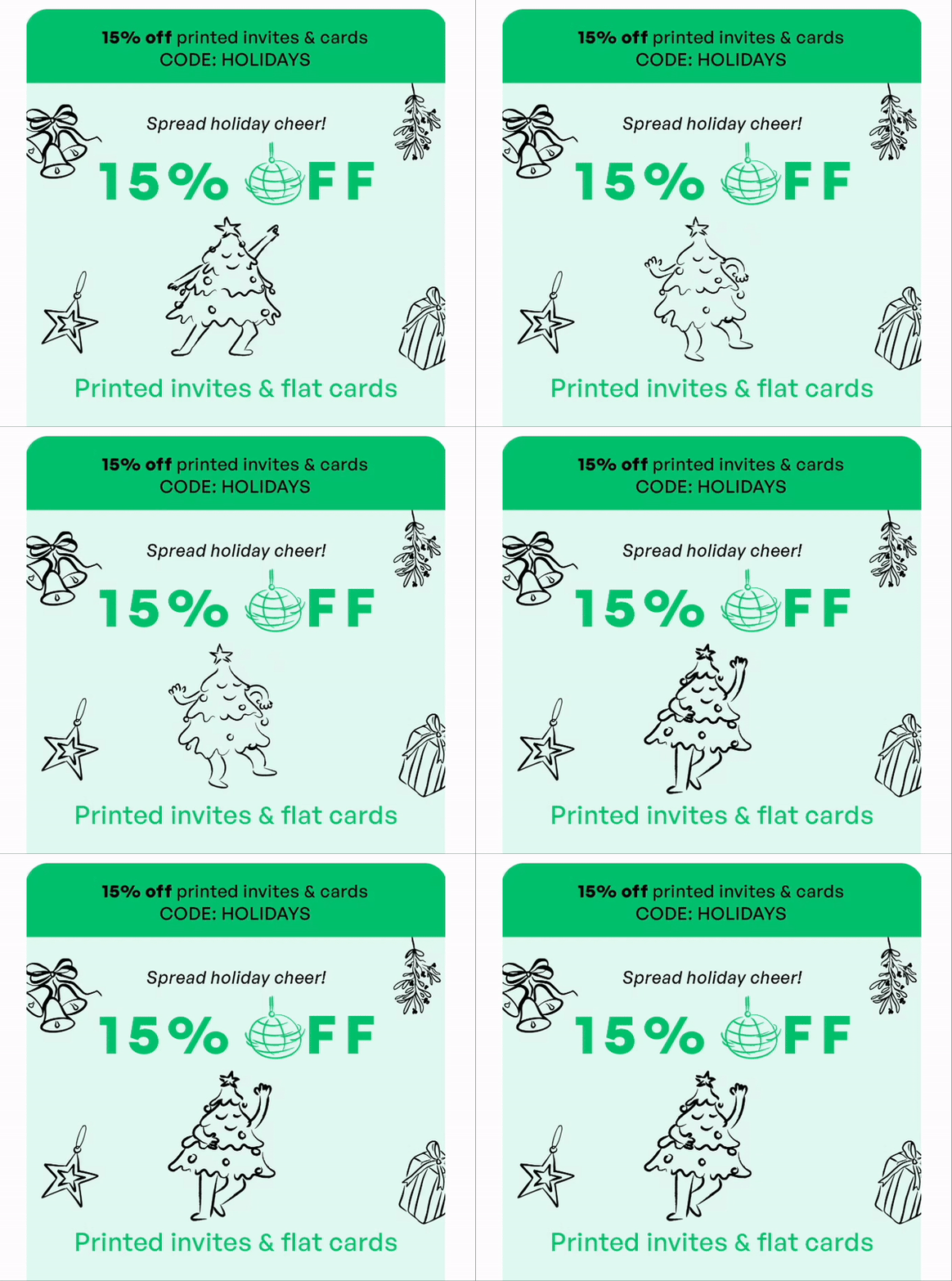
Here’s a great example of this from Greetings Island. The brand highlights its holiday sale with a fun dancing Christmas tree animation.
21. Use emojis
To emoji, or not to emoji? It depends on your target audience, but emojis can be a fun way to add some personality to your email newsletter. Just make sure they’re relevant. If they don’t match your brand or campaign, it’s better not to use them. But if they do, then great! Get creative and play around with different emojis, keeping your target audience in mind.
Did you know that emojis are particularly effective in subject lines? Businesses in many industries see a bump in open rates when they add emojis to subject lines. Take a look at our guide to using email emojis in subject lines to find out more!
Experiment with your own emails to see how people react, and adjust the number of emojis accordingly (you might find out that no emojis at all is best).
Jingle all the way with these Christmas email templates
Whether you’re creating a Christmas email campaign, landing page or pop-up, there’s no need to start from scratch. Instead, pick one of our festive templates and customize it to meet your marketing needs.
You can find your holiday templates when creating a new newsletter, automation, landing page or pop-up in your MailerLite account. Simply click on the tab labeled Template gallery and explore the different templates.
Christmas newsletter templates
Christmas pop-up templates
How to write a winning Christmas email subject line
There's one incredibly important part of your email to focus on, and that's your email subject line. Subject lines get people to open your email, so finding the right one should be your top priority.
Remember that Christmas is competitive. Not only are people receiving a lot more marketing emails, but their inboxes are also filled with emails from friends and family.
The easiest way to write an effective subject line is to use one of our automated suggestions. These are automatically generated based on your email content, and our data found that campaigns that used these suggestions received 14% higher open rates than those that didn’t.
Here are some tips to make your subject lines stand out:
Experiment with emojis to catch the reader's eye
Use A/B split testing to discover the subject line that generates the most opens
Use personalization to add the subscriber’s name to the subject line
Add numbers: we found that using numbers increases opens in some industries
Keep your subject lines under 40 characters so they are displayed in full on mobile devices
Use our AI subject line tool to generate ideas at speed
You can read about these tips and more in our guide to increasing your email open rate. The article highlights proven factors that lead to more opens that you can use in your campaigns.
For further inspiration, check out this list of Christmas subject line examples. These should give you a good idea of what works.
Configure IT - We’ve got an early gift for you
Victoria’s Secret - Your FREE holiday gift awaits (but not for long)
Moment - Get All Your Gifts Yet?
Taco Bell - Happy Holidays! We made you a game! Want to play?
Prezi - Our little gift to you
Avon UK - P is for Personalised gifts…
Seafolly - All she wants for Christmas is S E A F O L L Y
Birchbox - Free boxes. Ohh Yeah.
Minted - Find a gift for everyone on your list
Promotional Christmas email subject lines
Finn - Oh no! Christmas is only 10 days away
Frank Body - Babe, free shipping this holiday season
Vertical Response - Are your holiday cards in the mail yet? Get 60% off!
World Market - Ho-Ho-WHOA! 50% off Wine Gift Baskets + Holiday Food and Decor.
UberEATS - Brr – warm up with some free hot chocolate.
Porter Airlines - A songbook of savings!
Extended Stay Hotels - Jingle All the Way with 35% off!
AshleyStewart.com - Day 1 of 12 Christmas Deals!
J. Crew - It’s ok to have seconds (or thirds) of this sale
Macy’s - Extra 20% off? Our After Christmas Sale is on
Holland & Barrett - Email Exclusive | Get 15% off this Christmas Eve
TWO - XmasHTreeMaiL
BarkBox - Dog people give the best gifts
Francis Lofts and Bunks - How many bunk beds can fit in Santa’s sleigh?
Shutterstock - Hand-picked images for the holidays
Apple - Give iPad. And put some fun under the tree.
JOY - Just in time for Christmas Jumper Day!
Backcountry.com - For the person that has everything
Papa Murphy’s - Don’t get your tinsel in a tangle… let us help with dinner!
Gift guides/lists Christmas subject lines
FlipBoard - Christmassy ideas for your travel bucket list
Trello - 12 Presents To Make You More Productive These Holidays
Tory Burch - Presenting: Tory’s Gift Guide
UGmonk - Find the Perfect Gift for Everyone on Your List
Google - Get last-minute gifting help from Google
Printivo - Four Cheap but Tangible Gifts to give this Christmas
Rapha - Rapha Gift Guide – presents for all who pedal
Sony - Looking for last-minute gifts? 🎁
The Showpo Team - SLAY your winter vacay! 🎄🎁
MacPaw - Just a thank you note (and a 30% off coupon)🎄
Norm Thompson - 🎁 Our gift to you - $50 off $100
Fleur & Bee - 🎅Straight from Santa's bag.
MacPaw - Want to impress someone with a perfect gift? 🎁
Straightforward - ✨ Complete your Christmas wishlist with Straightforward gifts! ✨
Free People - 50% off ⚡ The Season’s Greetings Flash Sale
Christmas preheader text tips
Your email preheader is the preview text you can see below or next to the subject line in your inbox. See an example in the graphic below.
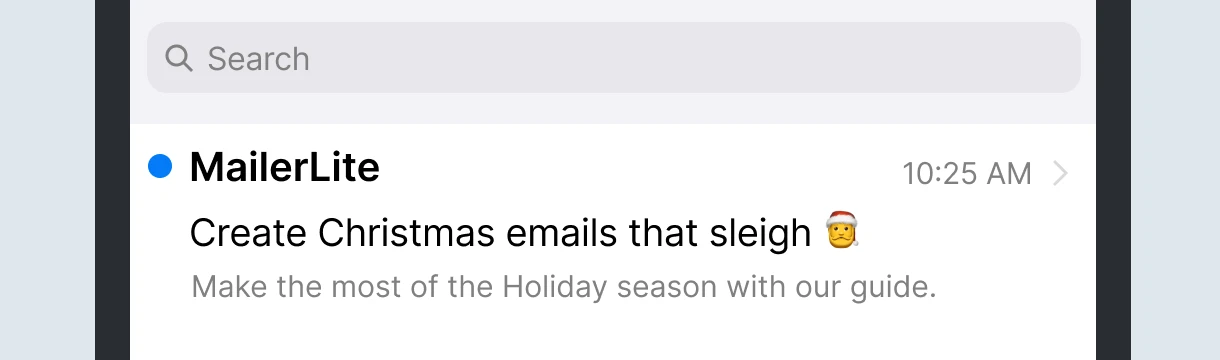
Use this text to provide further context about the email’s content to entice people to open it. The key is to use your subject line and preheader to create a cohesive content combo people want to click on.
Here are some tips you can use and preheader examples to inspire your own emails:
Highlight the email’s value: Discover the perfect presents for everyone on your list - let the merry magic begin!
Add a call to action: Dive into our sleigh full of discounts - unwrap your savings now!
Build curiosity: Ever wondered what the perfect gift looks like? Open to find out
Add a sense of urgency: Frosty finds available while stocks last
Personalize: Duncan, we've handpicked special gift ideas just for you - take a peek!
Use emojis: 🌟 Light up your holiday season with dazzling deals and sparkling discounts!
Read about the tips above and more with our guide to writing effective email preheaders that generate opens.
How to write a fun Christmas email sign-off
Using a festive message as a sign-off is a great chance to add some holiday spirit to your emails. What you write in your message is up to you, but some ideas for a Christmas email sign-off include:
Thank your subscribers for their support during the year
Wish them an enjoyable festive season
Add some Christmas-themed puns or jokes
Share a hint at what you have coming in the year ahead
If you're taking a break, let subscribers know when you plan to start sending emails again
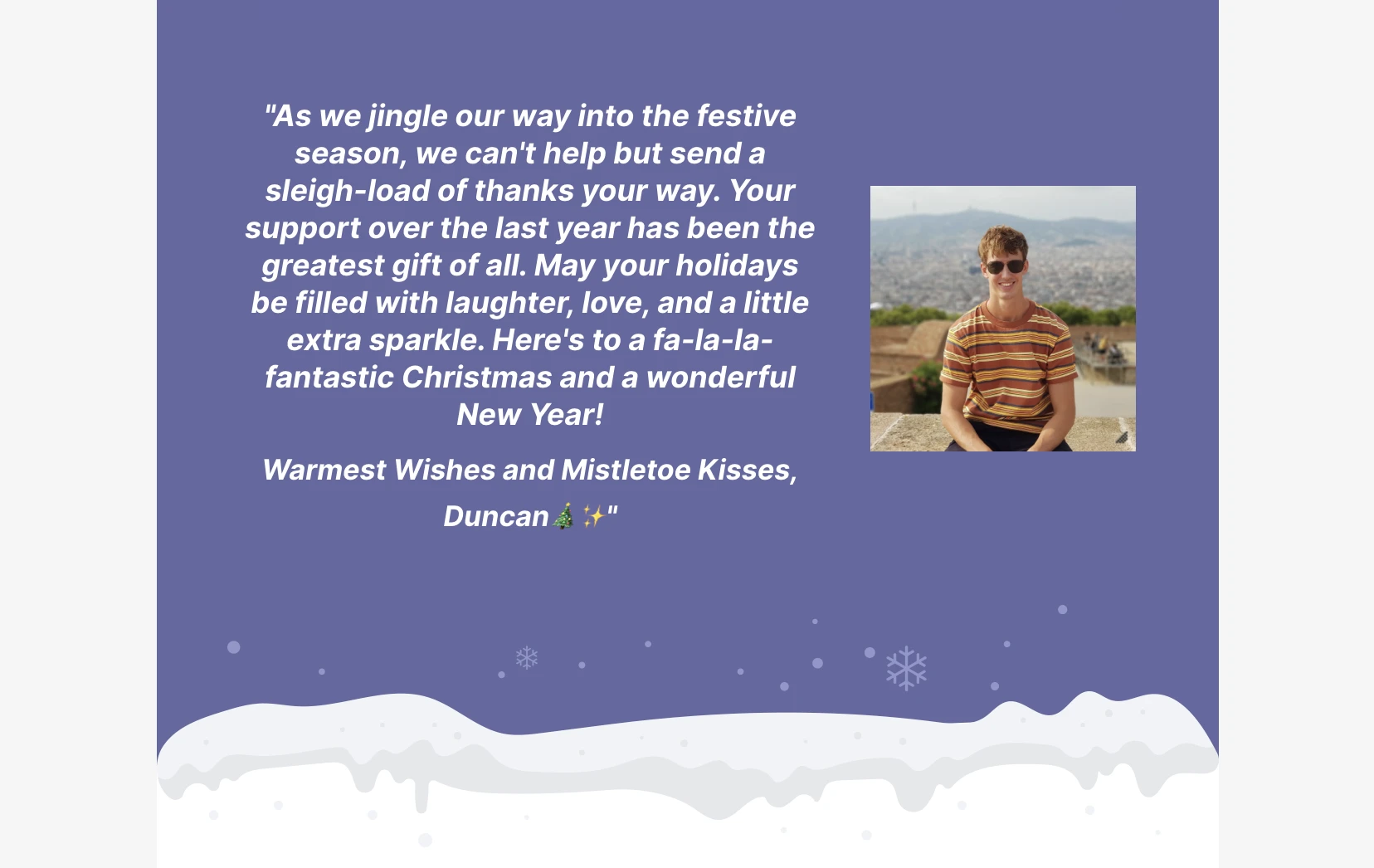
Feeling stuck for inspiration? Then use our AI email generator to come up with a message for you. That’s what we did in the example below.
Be sure to also include all the elements of an effective email signature. Add your name, company, social links, and contact information. Stick to the Christmas theme by adding graphics or Christmas emojis.
Final thoughts on your Christmas email marketing campaign
The Christmas season can be more than just merry and bright. It can be positively profitable when you approach it with a carefully thought-out strategy.
Just remember these key steps:
Use last year’s data to guide your campaign
Start building interest early
Give your subscribers an offer they can't refuse
Automate or schedule your emails to free up time
Keep sending after Christmas if it fits your offer
Spread the festive joy by thanking and rewarding subscribers
We'd love to know what you have planned for your subscribers this holiday season, so leave a comment below and enlighten us all! And finally, we wish y'all a very Merry Christmas!
Create your Christmas email campaign now!
Sign up for MailerLite to access all you need to send impactful Christmas emails. Get customizable holiday season email templates, connect to your e-commerce store, and create sales-focused automations. Try it out with a 14-day trial today!
Christmas email FAQs
1. What should a Christmas newsletter include?
Your Christmas newsletters can include a holiday message, your offer, gift ideas, helpful content, key dates such as shipping cut-offs, and links to your products. Consider sending multiple newsletters with different types of content.
2. When should I send Christmas emails?
Start in mid-November with gift guides, then send offers during the Black Friday and Cyber Monday sale period. Send an email before your shipping cut-off so people can make last-minute purchases. Send post-Christmas emails to promote your Boxing Day or New Year sale if relevant. You could even send a Merry Christmas email on Christmas Day.
3. How many Christmas emails should I send?
We recommend sending at least 3 emails during the period starting in mid-November. But you could easily send emails on a weekly or even twice weekly cadence depending on your product and audience.
4. Are newsletters still relevant in 2026?
Yes. Our benchmark report of over 3.6 million campaigns found that emails have a median open rate of 43.46% and a click rate of 2.09%. Email stays one of the most direct ways to reach people who chose to hear from you. Additionally, our conversion rate report found that email has an average conversion rate of 0.32%, meaning you can make multiple sales every time you hit send.
5. Can ChatGPT write a Christmas newsletter?
AI tools can draft subject lines, greetings and copy quickly, although we believe that you should always edit these drafts to give them a human touch. Once you have your drafts, use the MailerLite MCP server to upload them to MailerLite.
6. What is the difference between a Christmas newsletter and a holiday newsletter?
A Christmas newsletter focuses on Christmas itself. A holiday newsletter covers the whole season, including Hanukkah and New Year.
7. What are good holiday greetings for a newsletter?
Keep greetings warm and inclusive. "Happy holidays and thank you for being with us this year" works for any audience. Use "Merry Christmas" when you know readers celebrate it.
Editor's note: This post was originally published in October 2019 and has been updated with new insights and holiday email examples.